
01Who this is for
- Agency owners who need a short break from the platform but want to avoid rebuilding their client data later.
- Founders managing multiple subaccounts who wish to pause operations without losing configurations.
02Pause account feature, explained
The feature is available to Agency accounts. When activated, the main Agency account and all its subaccounts lose active login access. Core business records, funnel layouts, automation workflows, calendar settings, media files, snapshots, and commerce data stay saved.
During the pause, published funnels, workflows, booking links, and email campaigns are moved to Draft status. Client portal access is disabled. The account can be reactivated at any time, restoring all preserved data to its prior state.
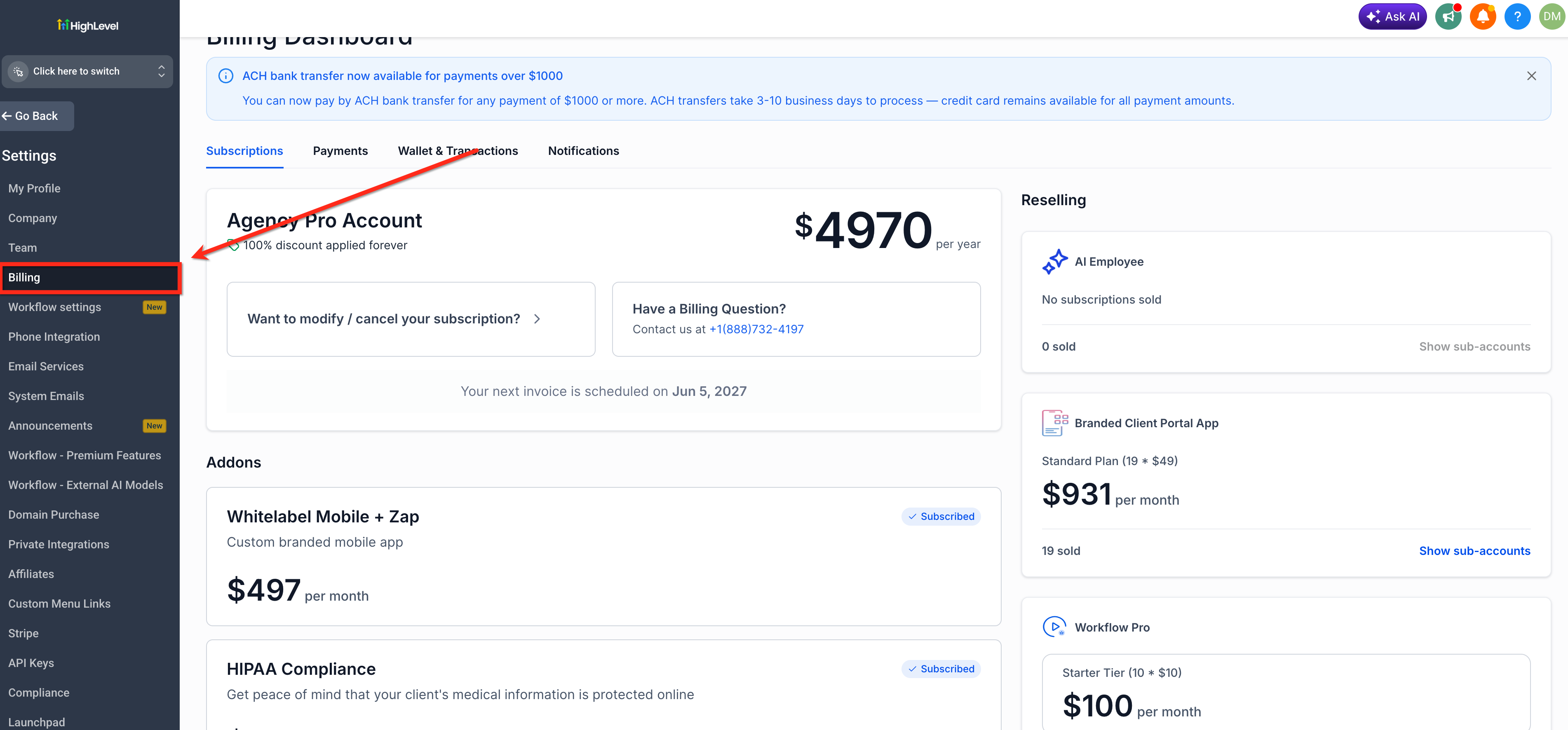
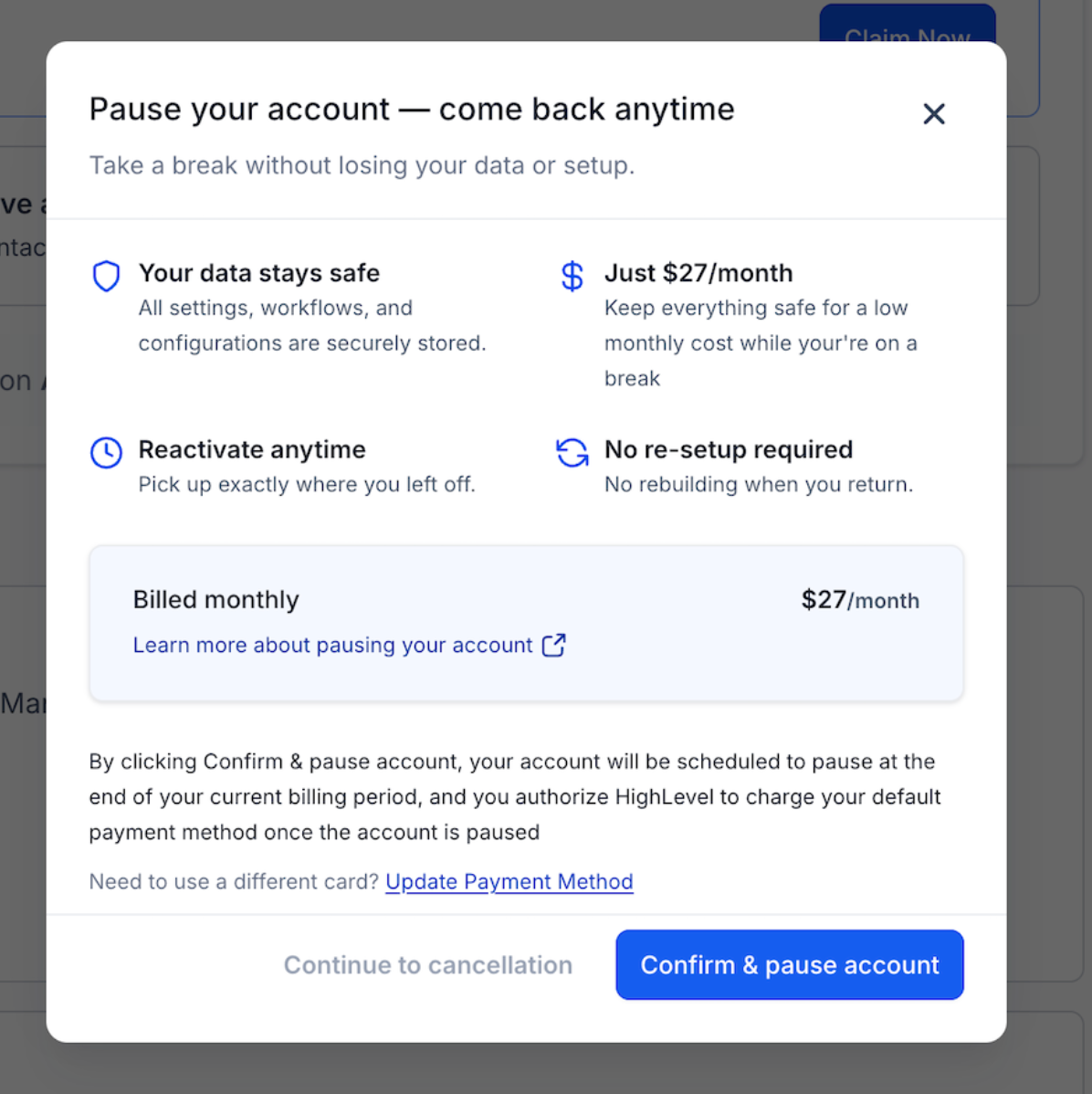
The Pause Account option is found under Settings > Billing in the Agency view. Reactivation occurs from the login screen, where a dedicated Reactivate Account screen guides you through a payment step. The plan costs $27 per month (per HighLevel's help center, checked November 2026).
03How businesses use pause account feature
- Digital marketing agency. The agency selects the Pause Account option in Settings > Billing when taking a seasonal break. All client contacts, campaign configurations, and media assets stay stored, so the team can resume work without rebuilding campaigns after the pause.
- Consulting firm. When the firm temporarily suspends operations, it pauses the account to keep its custom objects, tasks, and opportunity pipelines intact. Once services resume, the firm reactivates the account and continues using the same data.
- Ecommerce service provider. The provider pauses the Agency account during inventory downtime, preserving product catalogs, orders, coupons, and payment settings. Reactivation restores the checkout configurations and transaction history without re uploading assets.
04The numbers and rules that matter
- $27 per month for the Pause Account Plan (per HighLevel's help center, checked November 2026).
- Canceled accounts have a 90 day data retention period, after which the account and associated data are permanently deleted if not reactivated.
- Phone numbers are deleted 14 days after the account enters Paused status.
- A2P registrations are deleted 14 days after the account enters Paused status.
05How to set up and use pause account feature in HighLevel
Pause your account
- From the Agency view, open Settings and choose Billing.
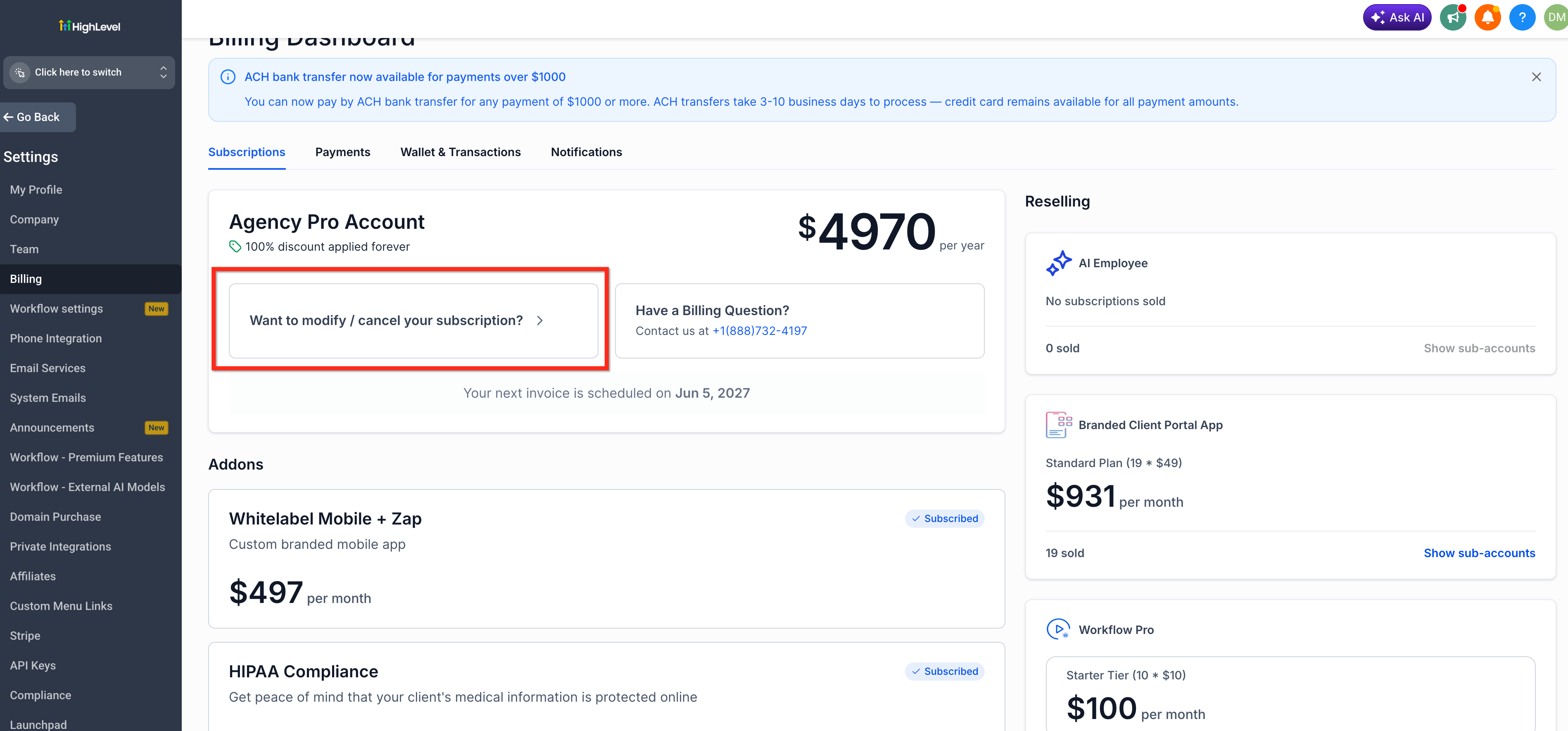
- Click the link that asks if you want to modify or cancel your subscription.
- Select the Pause Account option that appears.
Reactivate your paused account
- Visit the HighLevel login page and sign in with your credentials.
- When prompted, choose the Reactivate Account option.
- Enter payment details to complete the reactivation fee.
- Confirm the transaction; the account status changes from Paused to Active.
06What it looks like in HighLevel
07Settings that matter
- Pause Account. Controls whether the Agency account is placed in a paused state, preserving supported data while preventing active platform access.
08Things to know before you rely on it
- Phone numbers are removed 14 days after the account is paused and must be reclaimed after reactivation.
- A2P messaging registrations are deleted 14 days after pausing and require re setup later.
- Marketplace, reselling, and SaaS subscriptions are automatically canceled during a pause and do not resume automatically.
- Internal domain renewals fail while paused; expired domains may need recovery after reactivation.
09How it connects to the rest of HighLevel
- Pricing details for the Pause Account Plan HighLevel pricing and plans
- Impact on data when a HighLevel subscription is cancelled HighLevel subscription cancellation
- All Logic & Fulfillment features overview Logic & Fulfillment features
Michael's take

When an agency needs to step away for a few months but can’t afford to lose the work it’s built, the pause feature can be valuable. For $27 a month you keep contacts, funnels, automations and media in place.
If the break is indefinite or the agency plans to shut down entirely, the pause fee may start to outweigh the benefit. In those cases canceling and using the 90 day retention window may be the smarter route.