
01Who this is for
- Founders who integrate HighLevel with external sales tools can retrieve exact IDs to avoid name based mismatches.
- Developers building custom automations need the IDs to reference specific pipelines, stages, or opportunities in API requests.
02Pipeline, stage, and opportunity ids, explained
Pipeline IDs uniquely identify each sales pipeline in a HighLevel subaccount. Stage IDs point to a particular step within a pipeline. Opportunity IDs single out one opportunity record. These identifiers are separate from the names shown in the interface and are required only when a technical integration asks for them. You can obtain pipeline and stage IDs by exporting the opportunities list. Opportunity IDs appear directly on the opportunity view screen and also as the last segment of the opportunity’s browser URL. The IDs are used in API payloads, webhook data, CSV imports and audit log lookups. The feature lives within the Opportunities area of the platform. Exporting data, opening a record, or checking the URL are all performed from the standard HighLevel interface.
03How businesses use pipeline, stage, and opportunity ids
- SaaS startup. When the startup syncs HighLevel opportunities with its billing system, it pulls the Opportunity ID from the record view and includes it in the API payload so the correct record is updated.
- Real estate agency. The agency exports opportunities to obtain pipeline and stage IDs, then maps those IDs in a Zapier workflow that moves leads between stages based on external lead scoring.
- Digital marketing firm. To create a direct link for a client, the firm copies the Opportunity ID from the URL and shares the full URL with the client, allowing quick access to that specific opportunity in HighLevel.
04How to set up and use pipeline, stage, and opportunity ids in HighLevel
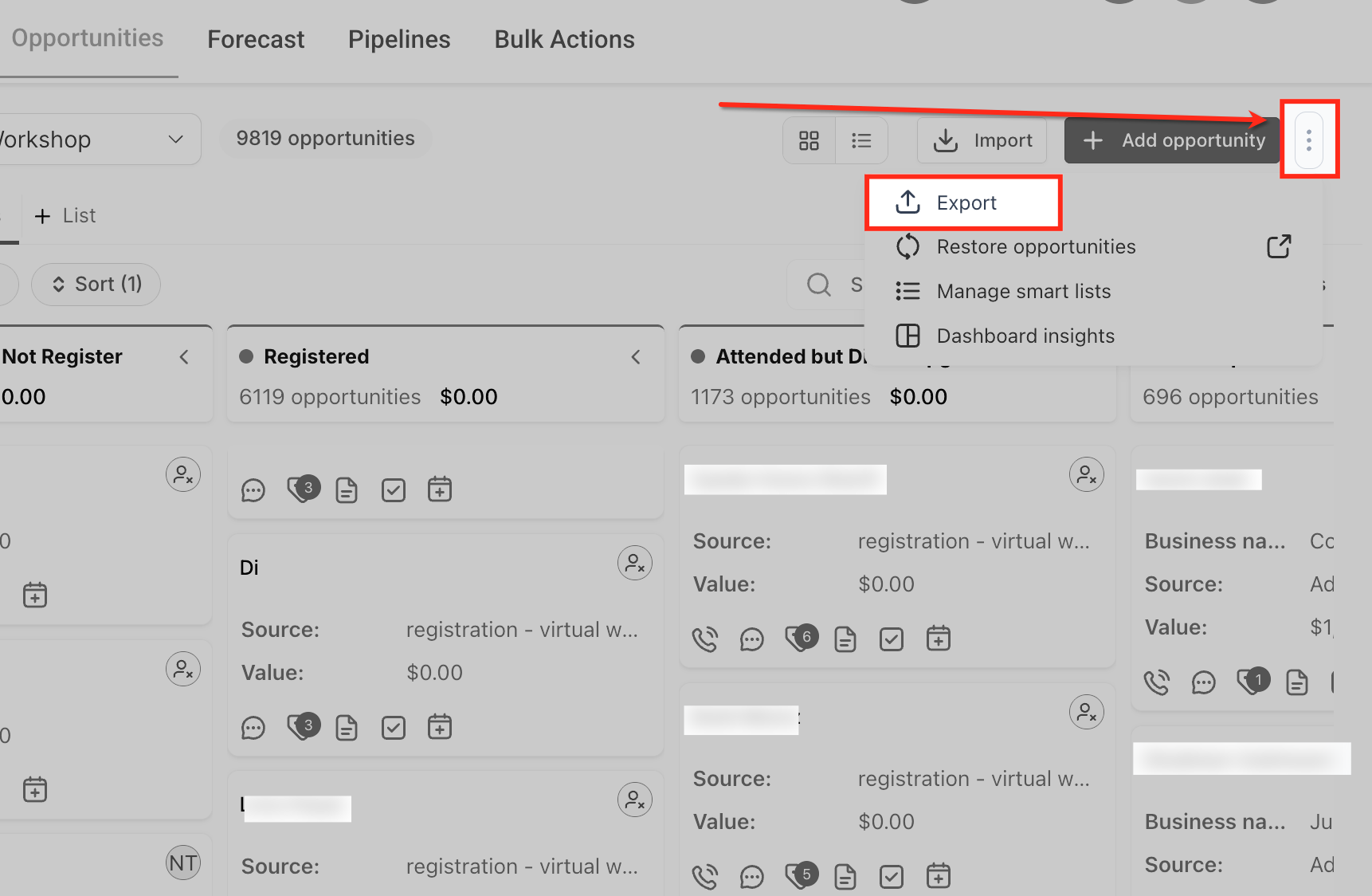
Find pipeline and stage IDs
- Open the Opportunities section
- Click the three dot menu in the upper right corner
- Select Export Opportunities
- Allow HighLevel to process the export
- Open the downloaded file and locate the pipeline and stage columns
Find an Opportunity ID from the record
- Open the Opportunities area
- Open the opportunity you want to inspect
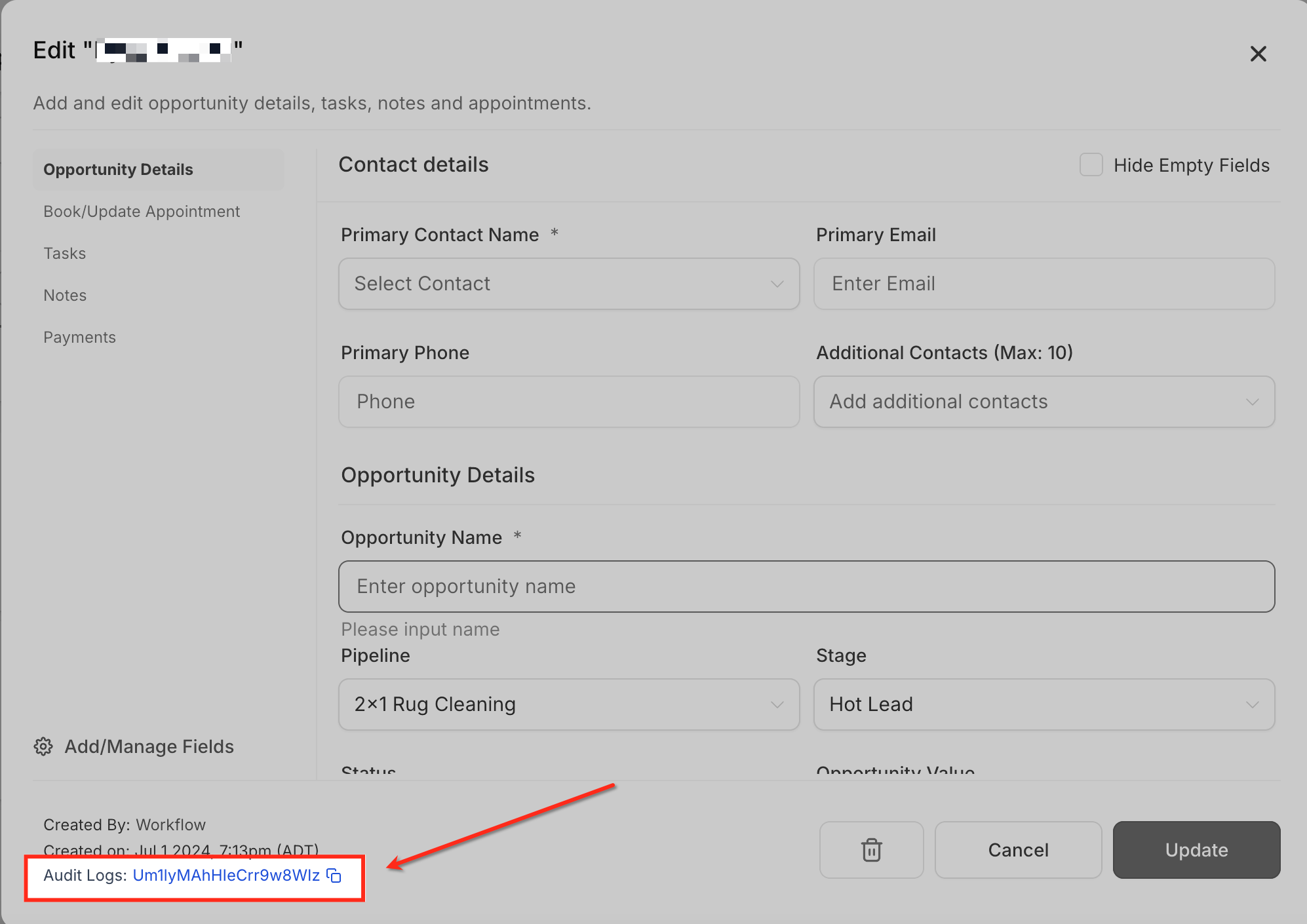
- Locate the Opportunity ID displayed in the lower left corner of the opportunity
- Click the Opportunity ID to view its related audit log activity
Find an Opportunity ID from the URL
- Open the specific opportunity
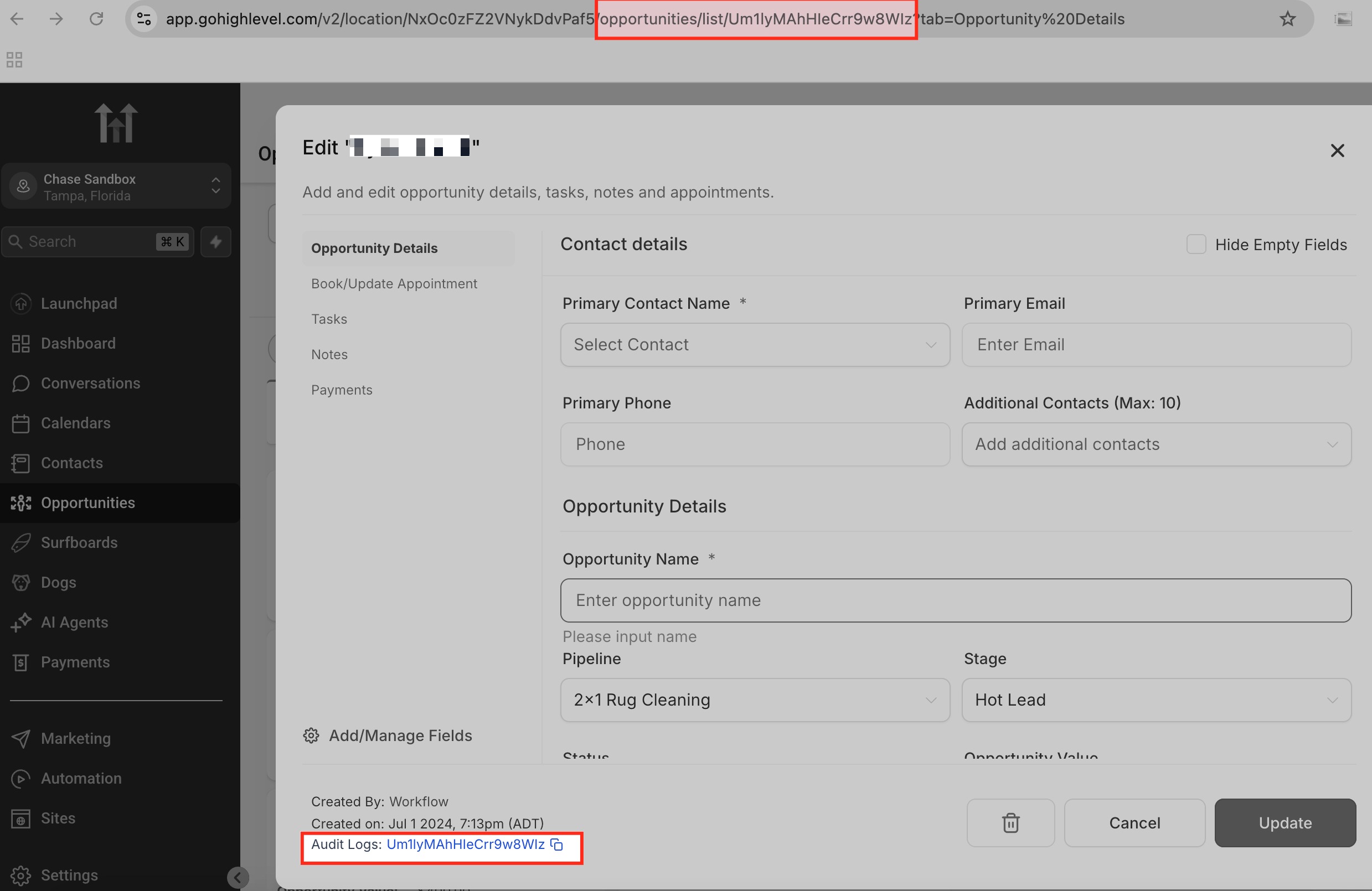
- Review the browser address bar
- Copy the final segment of the URL, which is the Opportunity ID
05What it looks like in HighLevel
06Things to know before you rely on it
- A Pipeline ID, Stage ID, and Opportunity ID are not interchangeable; using the wrong type will cause an integration or API request to fail
- The older Zapier specific workflow for retrieving IDs should not be assumed as the only method; steps can differ by integration
- Do not assume every API or integration requires all three IDs; check the specific endpoint documentation
07How it connects to the rest of HighLevel
- Set up inbound and outbound webhooks that can consume these IDs Webhooks guide
- Learn how custom values can store IDs for later use in automations Custom values
- Explore all Logic & Fulfillment features available in HighLevel All Logic & Fulfillment
Michael's take

Getting the right IDs is a small but important step when integrating HighLevel with other tools.
When an integration asks for an ID, using the exact identifier avoids errors.