
01Who this is for
- Agency owners who need to shift groups of clients to separate agencies, saving time on individual transfers.
- Businesses winding down an agency and converting client subaccounts into independent agencies.
- Affiliates running incubation programs who want to transition trainees into agency owners while retaining commission streams.
02Bulk eject subaccounts, explained
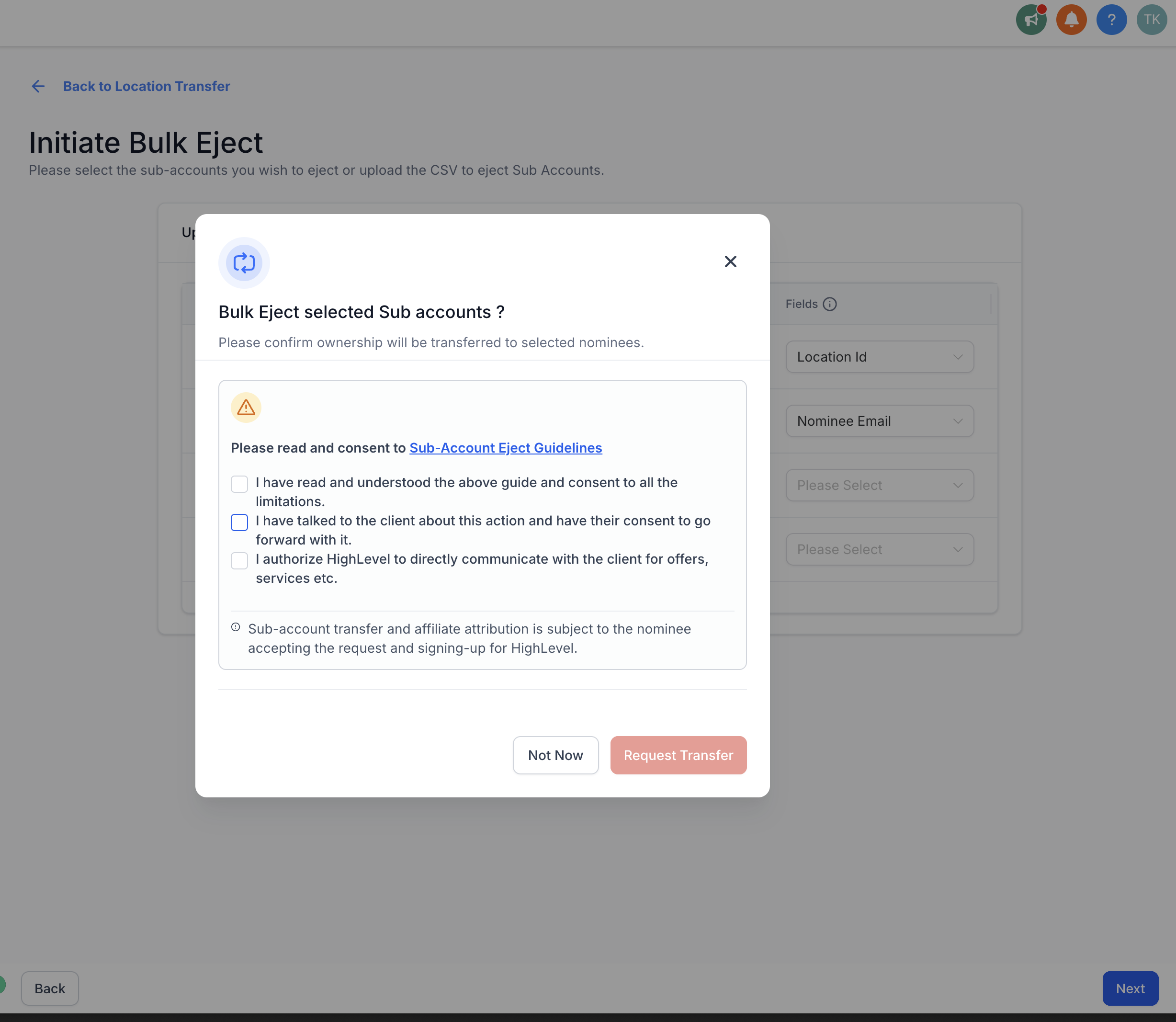
Bulk Eject is a tool inside the Transfer Locations area that moves selected subaccounts to newly created agency accounts. The releasing agency remains the affiliate for each new agency, so recurring commissions continue.
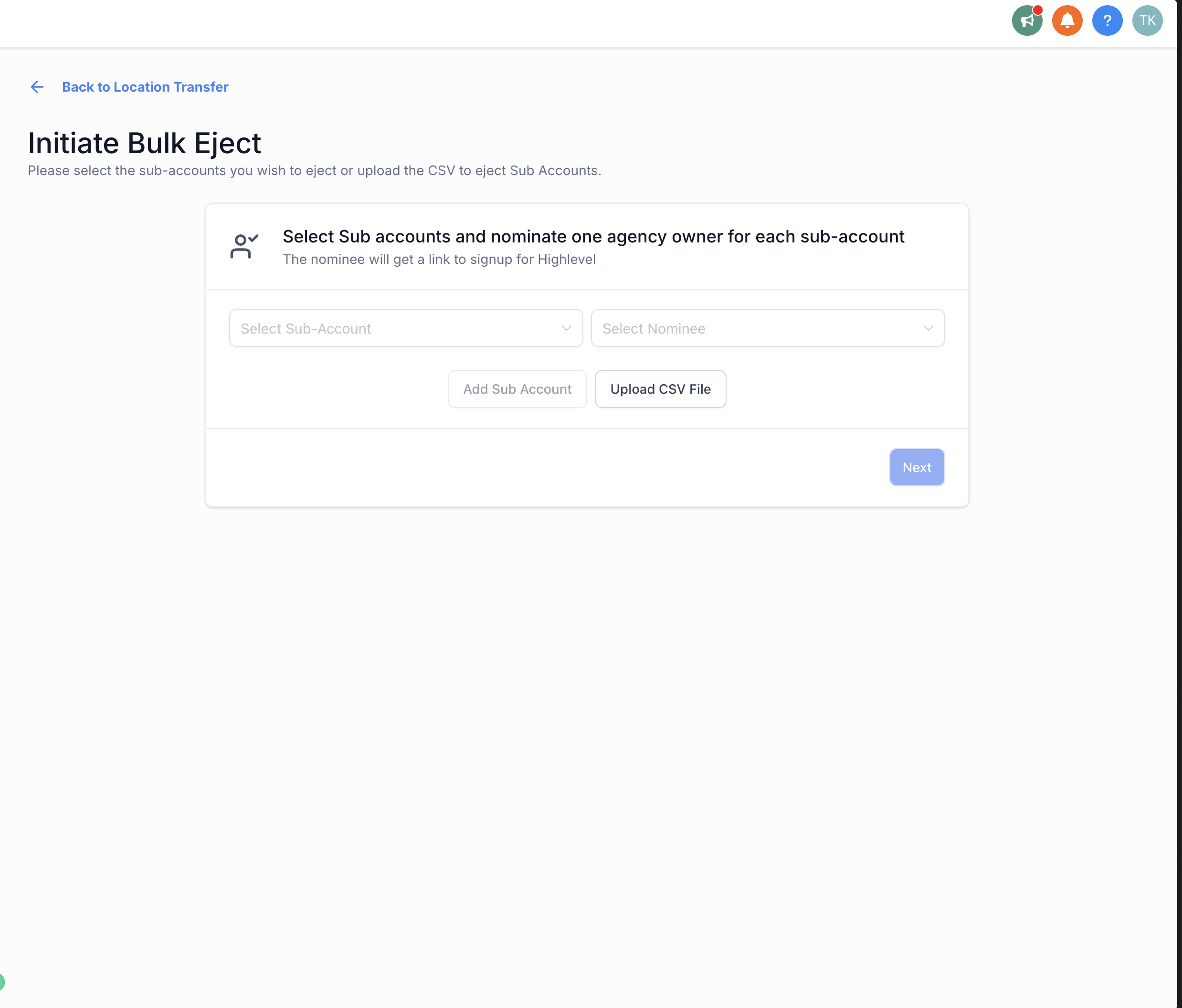
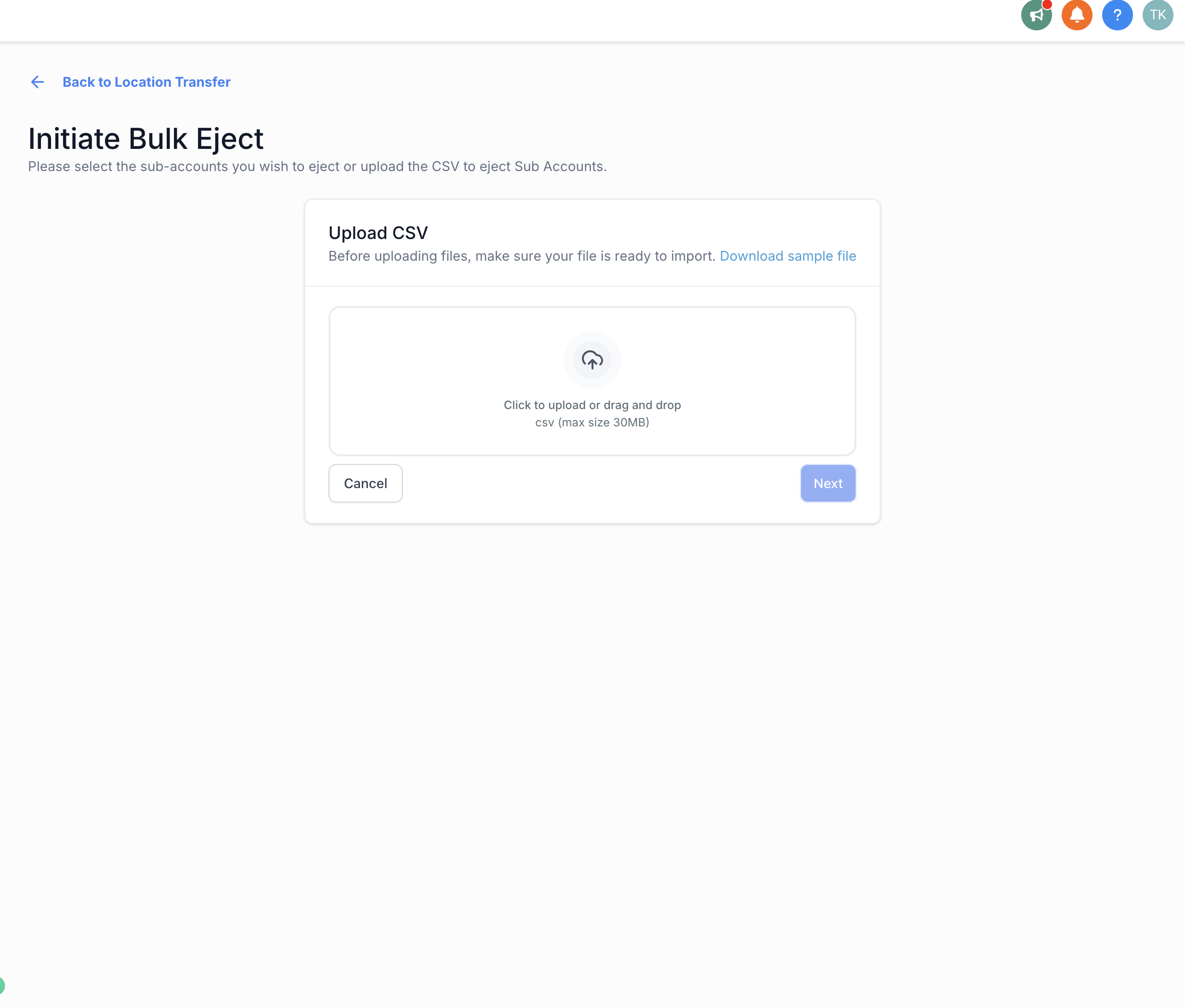
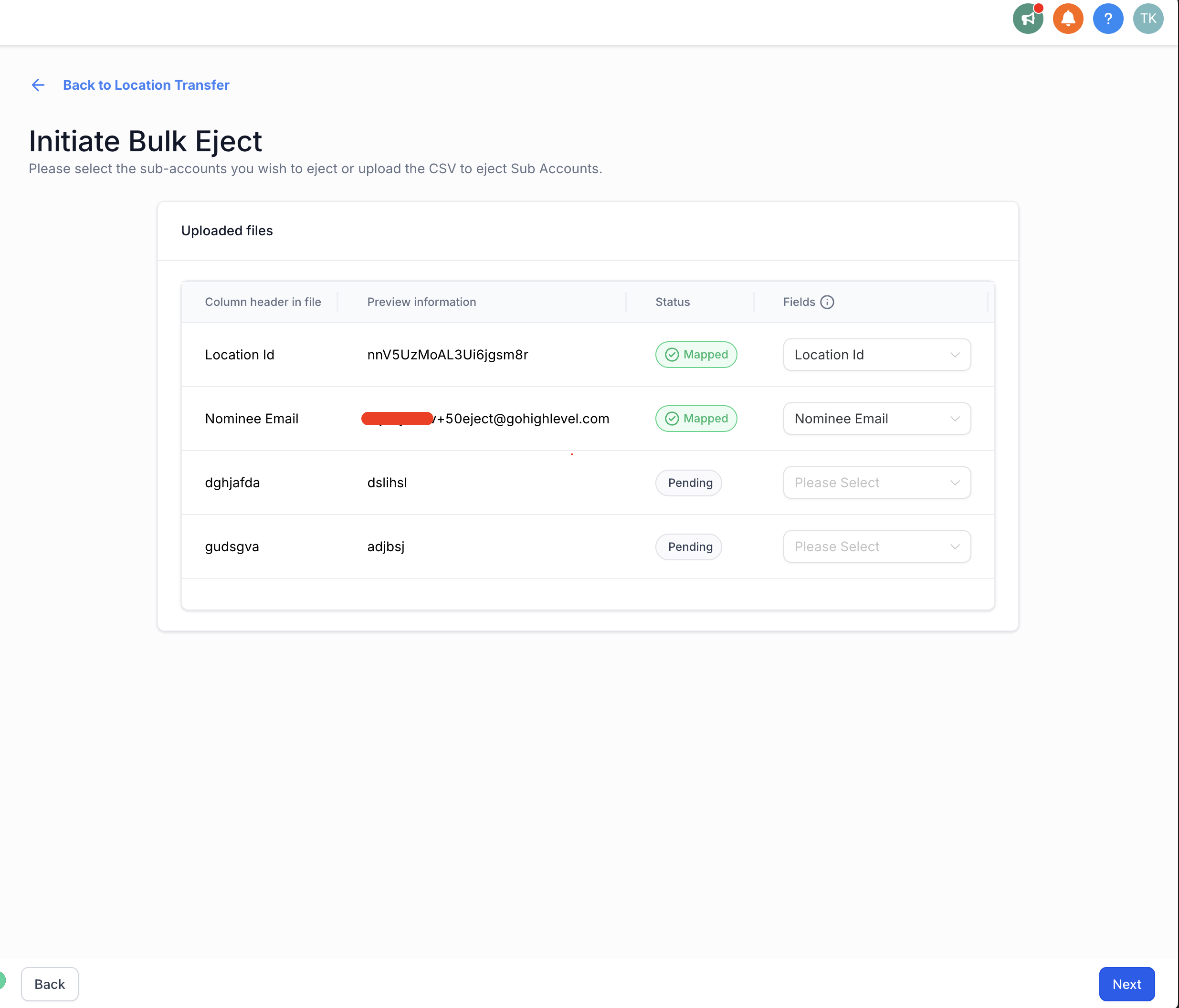
The process begins on the Transfer Locations page, where the owner chooses the bulk eject option. Subaccounts can be chosen one by one or by uploading a CSV file that lists location IDs and the intended nominee for each.
After the owner initiates the transfer, nominees receive email invitations. By accepting the invitation they are taken to the HighLevel app, where they enter basic agency details and complete the creation of their new agency. All assets and users from the original subaccount are inherited.
03How businesses use bulk eject subaccounts
- Digital marketing agency. The agency selects several client subaccounts that will be managed by a new partner. Using Bulk Eject, the owner uploads a CSV with the client IDs and the partner’s email, then initiates the transfer. The partners accept the invitation and set up their own agencies, while the original agency retains affiliate commissions.
- SaaS startup becoming an agency owner. The Founder picks its own subaccount and uses the bulk eject feature to move it into a newly created agency. After receiving the email, the Founder logs in, provides agency information, and inherits all existing assets, keeping the affiliate link active.
- Affiliate incubator program. The incubator selects multiple trainee accounts and uploads a CSV mapping each to a trainee’s email. Each trainee receives an invitation, accepts it, and creates a separate agency, allowing the incubator to continue earning commissions on the new agencies.
04Before you start
- The user must be an agency owner to access Bulk Eject.
05How to set up and use bulk eject subaccounts in HighLevel
Run bulk eject
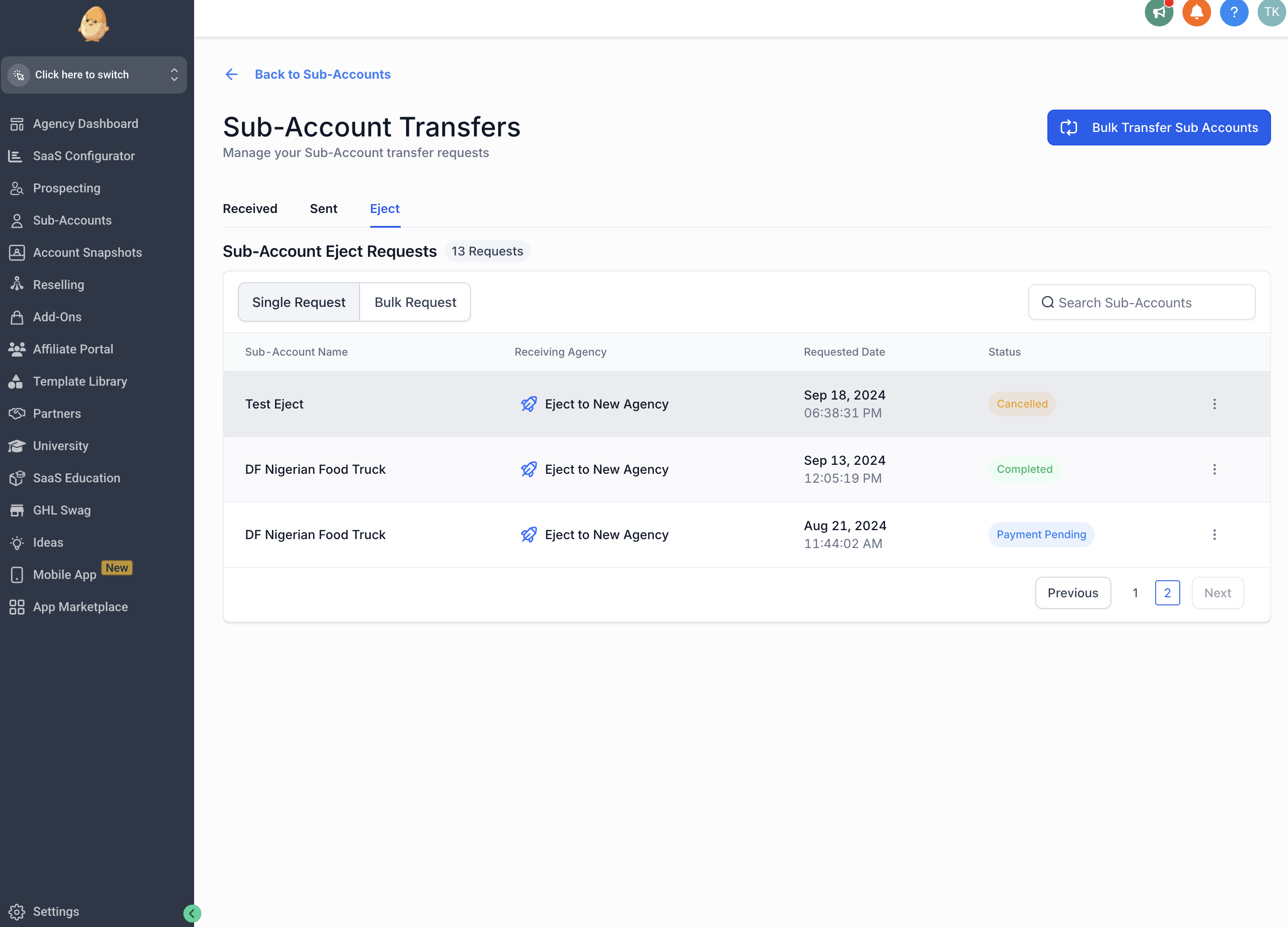
- Open the Transfer Locations page within HighLevel.
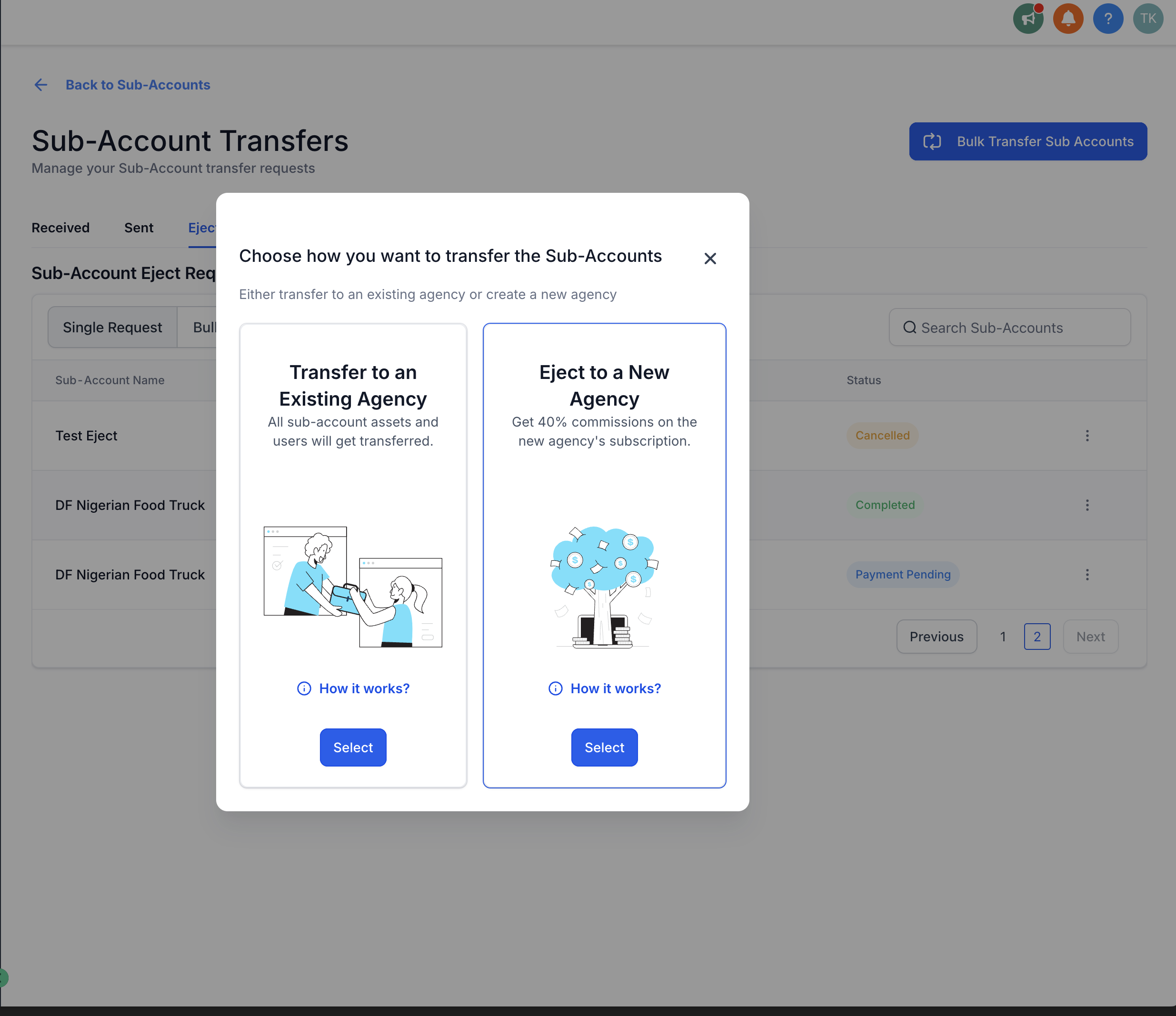
- Click the option labeled Bulk Transfer Subaccounts > Eject to a New Agency.
- Choose subaccounts manually or upload a CSV file that contains location IDs and nominee mappings.
Nominee accepts request
- Open the email invitation sent from the releasing agency.
- Click the acceptance link inside the email.
- Log in to HighLevel when redirected to the application.
Nominee creates their agency
- After logging in, enter basic agency details such as name, phone number, and billing address.
- Complete the setup to create the new agency, which inherits the original subaccount’s assets and users.
06What it looks like in HighLevel
07Things to know before you rely on it
- Only agency owners can perform bulk eject actions.
- Subaccounts can be transferred individually, in groups, or via CSV upload.
08How it connects to the rest of HighLevel
- Detailed guide on transferring locations Transfer locations guide
- How to eject a subaccount to a new agency Eject subaccount article
- HighLevel pricing and plans Pricing page
Michael's take

When an agency needs to move a handful of client accounts to a new owner, doing it one by one quickly becomes a drain on time and adds risk of errors. Bulk eject solves that by letting the agency owner shift all those subaccounts in one go, keeping everything intact and preserving affiliate earnings.
The first setting I would lock in is the CSV template for location IDs and nominee mappings. Getting that format right ensures the bulk upload runs smoothly and avoids having to redo transfers later.