
01Who this is for
- Agency owners who manage multiple subaccounts and want a single place to control branding.
- Founders of SaaS tools that embed HighLevel and need the navigation to match their site style.
- Marketing teams that rely on custom scripts for navigation behavior and need to test before rollout.
02Custom CSS and JavaScript, explained
Custom CSS and JavaScript are set at the agency level and normally affect every subaccount. When Custom Navigation is turned on, the platform disables that legacy code automatically to avoid layout issues, but the code stays saved.
The agency can preview the new navigation in a separate browser tab to see how it looks with the saved CSS turned on or off. If the preview shows acceptable results, the agency can enable a toggle in White Label settings that allows the old code to run alongside the new navigation. The toggle only governs the agency level CSS and JavaScript and does not control code added by Marketplace apps.
03How businesses use custom CSS and JavaScript
- Digital marketing agency. The agency opens the preview from Settings > Labs, switches the CSS preview on, and checks if client branding still displays correctly. If it does, the agency flips the White Label toggle to keep the custom styling active while using the new navigation.
- SaaS Founder with embedded HighLevel. The Founder accesses White Label settings, enables the reuse toggle, and tests that custom scripts that modify navigation elements still work after the new layout is active.
- Ecommerce store using HighLevel for order management. The store manager previews the navigation to confirm that sidebar styling from earlier custom CSS does not break, then decides whether to keep the legacy code based on the visual check.
04Before you start
- You must be signed in to an agency view or an eligible subaccount.
- Custom Navigation must be enabled before the reuse toggle appears.
05How to set up and use custom CSS and JavaScript in HighLevel
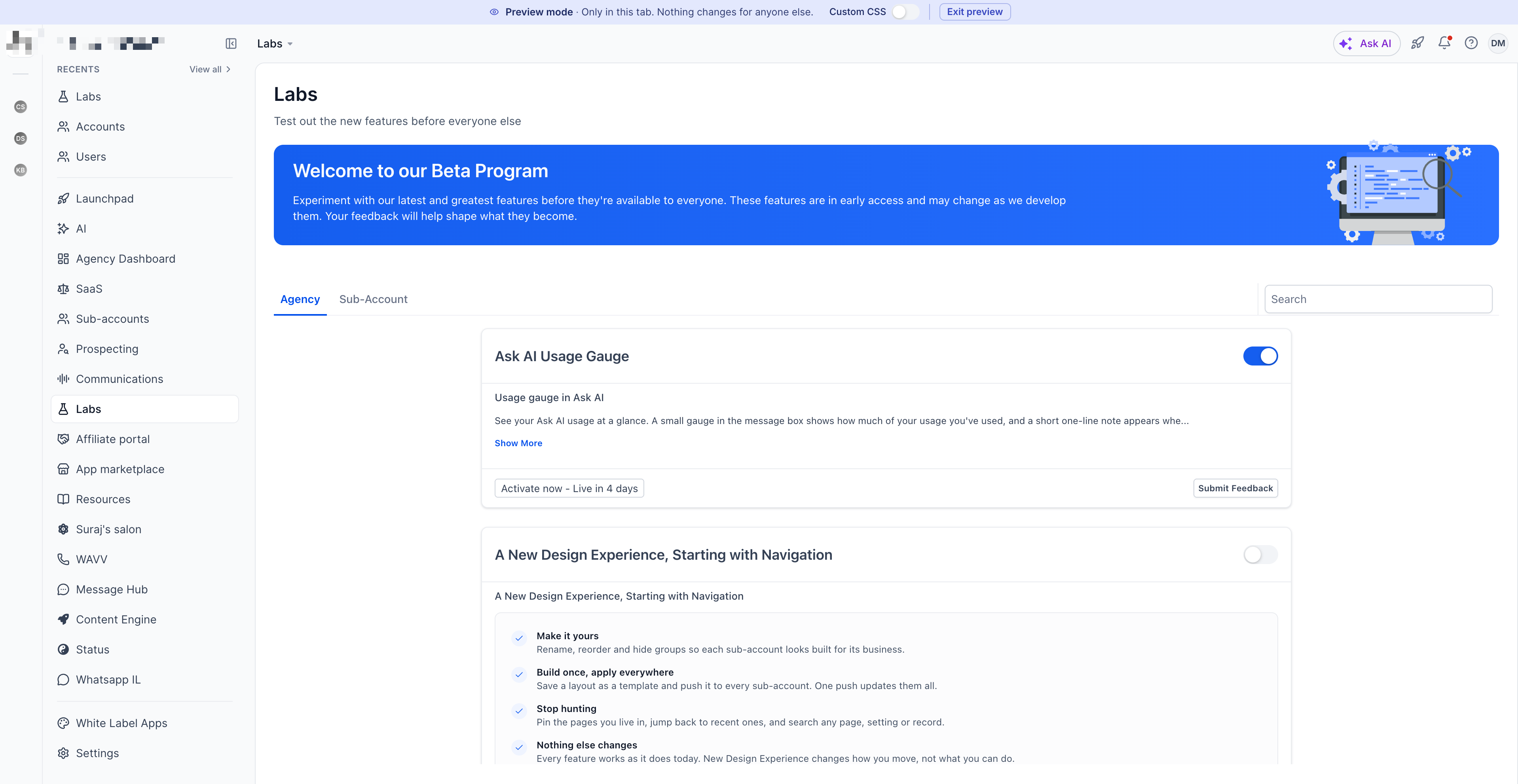
Preview custom navigation with custom CSS
- Open Settings and select Labs from the agency view or an eligible subaccount.
- Find the entry labeled New Design Experience Starting with Navigation.
- Click the Preview button to launch Custom Navigation in a new browser tab.
- Toggle the custom CSS control to view the interface with your existing styling turned on or off.
- Note that preview mode does not enable Custom Navigation or change any existing navigation settings.
Reuse legacy custom CSS and JavaScript
- Switch to Agency View.
- Navigate to Settings, then choose Company and White Label.
- Scroll to the Custom Navigation section and locate the option to reuse legacy custom code.
- Turn the toggle on to allow the stored custom CSS and JavaScript to run with the new navigation.
- Note that the reuse option appears only after Custom Navigation is enabled and may affect the appearance; you can disable it if compatibility issues arise.
06What it looks like in HighLevel
07Settings that matter
- reuse legacy custom code. Controls whether agency level CSS and JavaScript that were created for the old navigation are executed when Custom Navigation is active.
08Things to know before you rely on it
- Legacy custom code is automatically disabled when Custom Navigation is turned on.
- Compatibility with the new layout is not guaranteed; some styles or scripts may break.
- Dark mode styling is not supported in the new navigation and may hide text or icons.
- Sidebar modifications may fail because the underlying structure has changed.
- Custom scripts that reposition navigation elements may no longer work as expected.
- The toggle only affects CSS and JavaScript set in White Label; it does not disable code injected by Marketplace apps.
09If something goes wrong
- Legacy custom code makes navigation elements unreadable or misplaced.. Disable the reuse legacy custom code toggle in White Label settings.
- Marketplace apps inject CSS that still alters the new navigation.. Review installed Marketplace apps and remove or disable those that add their own styling.
10How it connects to the rest of HighLevel
- All LevelUp 2026 features LevelUp features
- HighLevel pricing and plans Pricing
- Start a 30 day HighLevel trial Free trial
Michael's take

If you already have agency wide styling and scripts, the reuse toggle lets you keep that code running without rebuilding everything from scratch, though you may still need to adjust selectors for the new structure.
When your existing CSS relies heavily on dark mode rules or custom sidebar tweaks, you might find that the new navigation does not display as expected and decide to stay with the previous navigation until you can redesign the code.