
01Who this is for
- Users who have access to HighLevel Labs can enable Memory for Managed Agents.
- Agents that are managed in Agent Studio can use Memory to retain user facts and learned procedures.
02Memory for Managed Agents, explained
The Memory feature adds two capabilities to a Managed Agent. User Memory captures identity, preferences, goals and recent events for every person the agent talks to. Learned Procedures record the sequence of steps the agent followed to complete a request so it can repeat the same work later.
Both types of stored data are available during conversations and in automations that invoke the agent. The information appears in a dedicated Memory tab where users can add, edit or delete facts and procedures. Enabling Memory is done through HighLevel Labs, which hosts experimental features that can be turned on per agency or subaccount.
When activated, the agent automatically includes relevant facts as context for each interaction, while procedures are loaded only when a similar task is recognized. This design aims to cut down on redundant prompts and lower the processing needed for each request.
03How businesses use memory for Managed Agents
- Digital marketing agency. The agency enables Memory for its campaign reporting Managed Agent. After a client tells the agent their preferred chart style, the agent saves that preference. Future report requests automatically use the saved style, so the client does not repeat the instruction.
- Real estate brokerage. A brokerage turns on Memory for a lead qualification Managed Agent. When a prospect mentions a desired neighborhood, the agent stores that detail. In later conversations, the agent recalls the location preference without asking again.
- Recurring workflow automation. A business enables Memory for an agent that processes weekly lead summaries. The agent learns the steps for extracting and summarizing lead data and saves the procedure. Subsequent weekly runs reuse the learned steps, delivering the summary more quickly.
04Before you start
- Access to the HighLevel Labs area in Settings.
- At least one Managed Agent has been created in Agent Studio.
05How to set up and use memory for Managed Agents in HighLevel
Enable Memory for a Managed Agent
- Sign in to your HighLevel account.
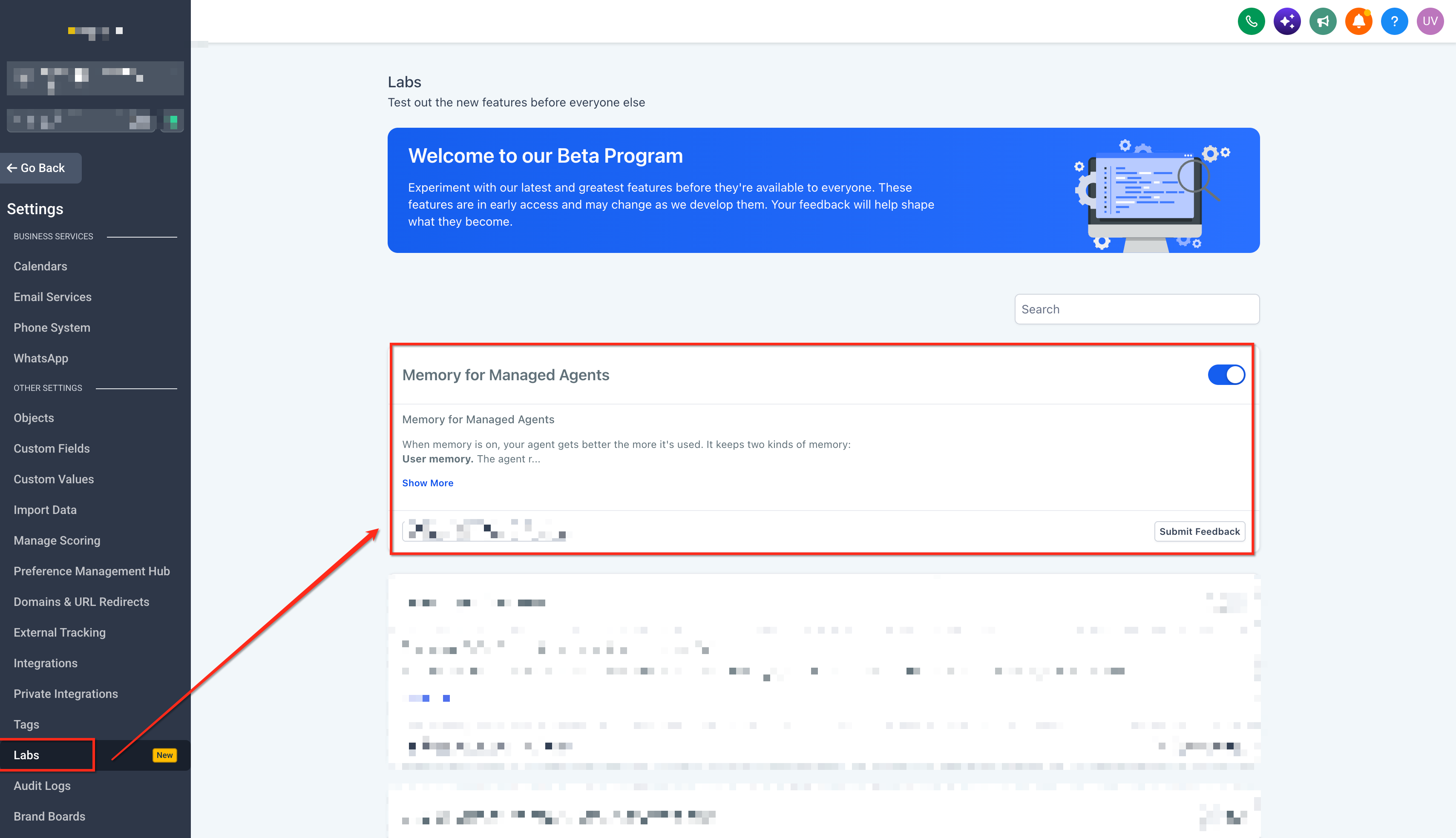
- Open Settings > Labs from the agency or subaccount view.
- Locate the Labs feature card labeled Managed Agents Memory.
- Review any listed availability requirements for the feature.
- Navigate to AI Agents > Agent Studio > Managed Agents.
- Select the Managed Agent you want to configure.
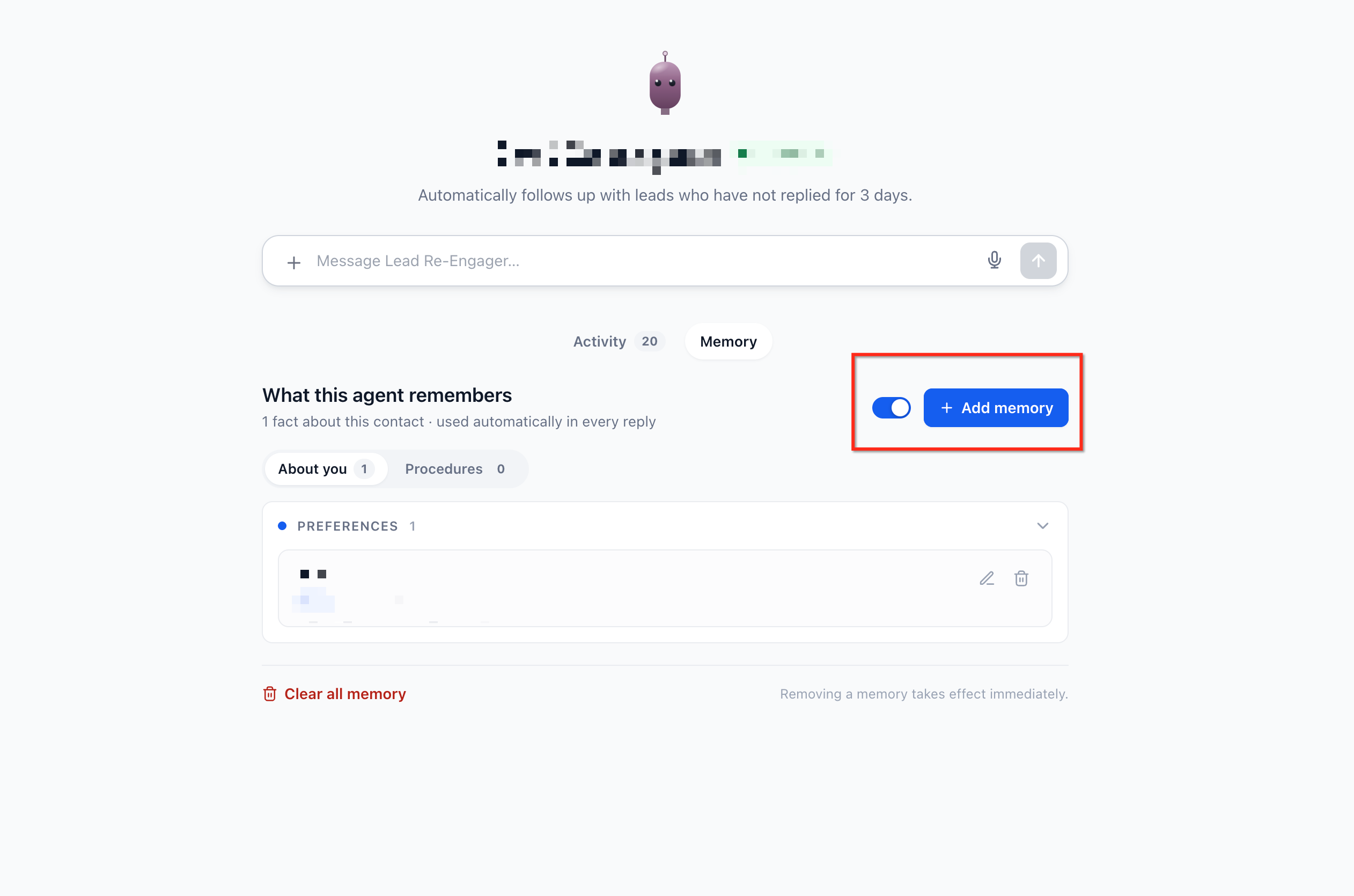
- Open the Memory interface for that agent.
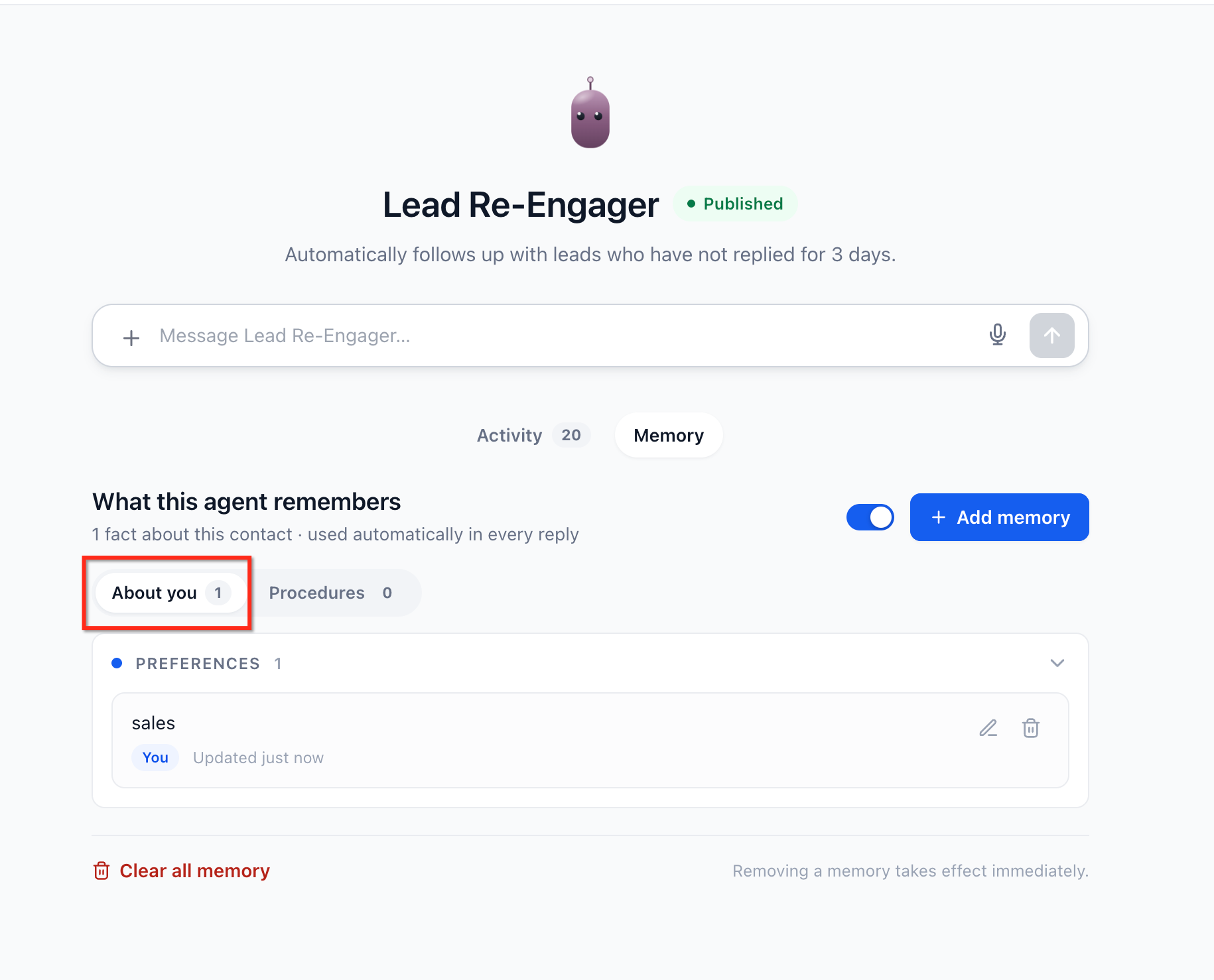
- Open the About you area to review, add, edit, or delete stored user facts.
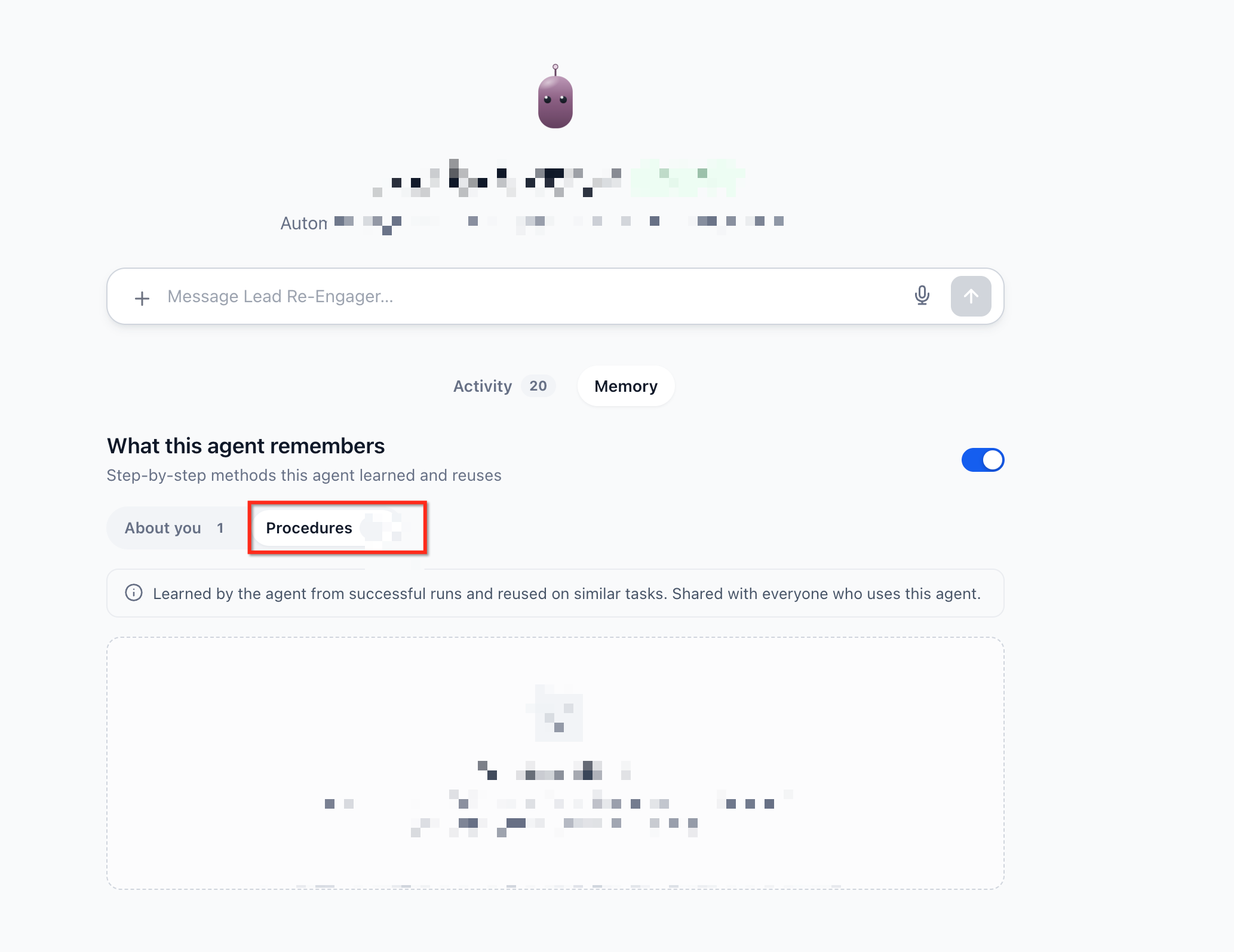
- Open the Procedures area to review, edit, or delete learned procedures.
Test Memory in a Conversation
- Open a conversation with the Managed Agent.
- Share a relevant preference, such as a preferred report format.
- Ask the agent to complete a task using that preference.
- Start a subsequent interaction and make a similar request.
- Check whether the agent applies the relevant preference without requiring it to be repeated.
- Review the Memory tab to inspect any retained information.
06What it looks like in HighLevel
07Settings that matter
- Managed Agents Memory. Controls whether an AI Managed Agent can retain user facts and learn reusable task procedures.
08Things to know before you rely on it
- Memory is delivered through HighLevel Labs, so activation may depend on agency or subaccount configuration.
- Only relevant facts are stored; casual chat, one time requests, or duplicate information are not saved as permanent memories.
- Disabling Memory does not erase previously stored facts; they remain available if Memory is re enabled later.
- Not every automation will run faster after Memory is turned on; speed improvements occur only when a suitable learned Procedure exists.
- Memory reduces token usage where possible, but it does not guarantee lower token cost for every interaction.
09How it connects to the rest of HighLevel
- Explore all LevelUp 2026 features to see what other Labs tools are available. LevelUp 2026 features
- Review HighLevel pricing and plan options to ensure your account includes Labs access. Pricing and plans
- Start a free trial to test Memory and other new capabilities before committing. 30 day trial
Michael's take

It cuts down on the back and forth, keeps token usage low and lets the AI act with the preferences your clients have already shared.
If your business only deals with one off requests or the agents rarely run the same process twice, the feature adds little value. In those cases the overhead of setting up and maintaining stored facts may outweigh any marginal efficiency gains.