
01Who this is for
- Affiliate managers who need to reward both direct and upstream partners for sales.
- SaaS Founders who run referral programs and want tiered payouts to motivate networks.
- Marketing agencies managing multiple client affiliate programs and requiring flexible commission structures.
02Multitier commissions, explained
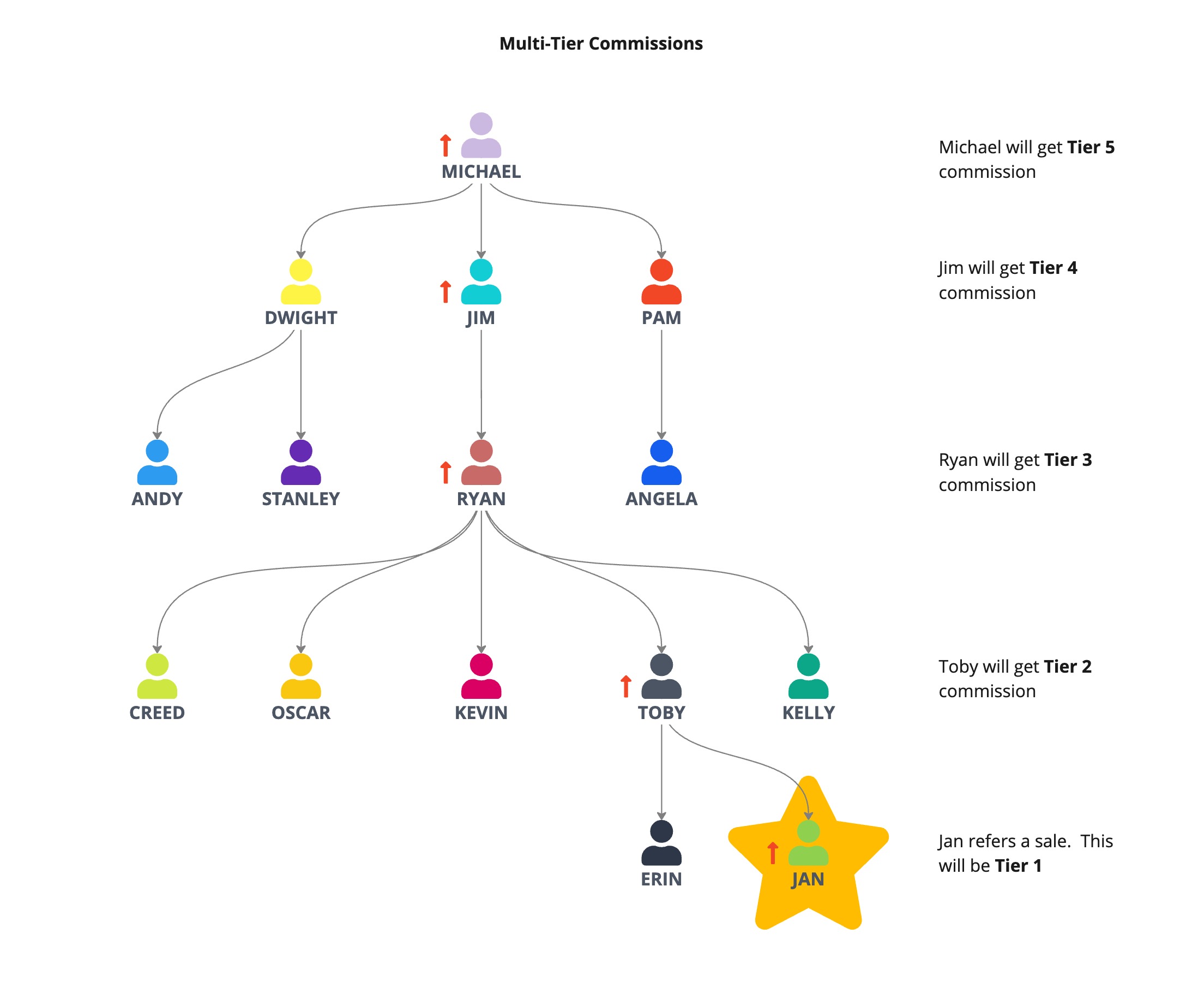
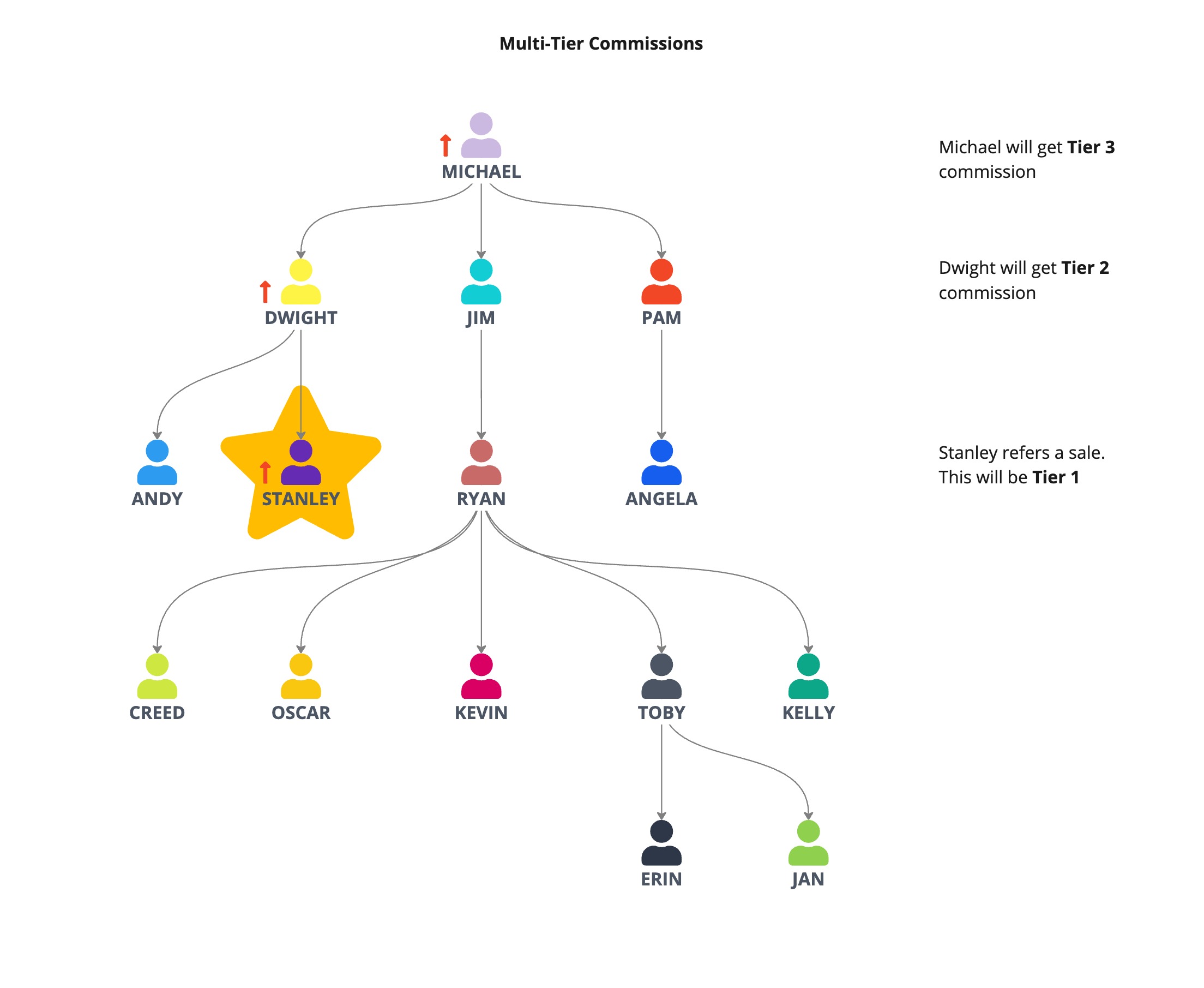
Multi tier commissions are a feature of the Affiliate Manager that distributes payout amounts across an affiliate hierarchy. When a sale is recorded, the affiliate that generated it receives the Tier 1 commission, and eligible parent affiliates up the chain receive the commissions configured for Tier 2, Tier 3, and so on, up to the number of tiers set for the campaign.
The tier structure is defined at the campaign level during the Commissions stage of campaign creation. Each tier can hold its own default commission rate, and rates can be overridden for individual products. The platform automatically calculates eligible affiliates based on the configured tier limit, without additional settings.
03How businesses use multitier commissions
- Ecommerce store. The store creates an Affiliate Manager campaign, selects the products it sells, and sets a 5 tier structure with different percentage rates. When a partner’s referral generates a purchase, the platform pays the direct partner and up to four upstream partners according to the configured percentages.
- Online course platform. The platform launches a campaign for a new course, adds the course as a product, and configures three tiers. It sets a flat amount for Tier 1 and higher percentage rates for Tier 2 and Tier 3 to encourage influencers to recruit sub affiliates.
- Consulting firm. The firm builds a campaign for its consulting packages, uses product specific commissions for premium services, and defines two tiers so the sales consultant and the manager who recruited the consultant both earn commissions.
04The numbers and rules that matter
- HighLevel supports up to seven commission tiers per campaign.
- Tier 1 commission in example is 20%.
- Tier 2 commission in example is 10%.
- Tier 3 commission in example is 5%.
- Tier 4 commission in example is 3%.
- Tier 5 commission in example is 2%.
05Before you start
- Create or select an Affiliate Manager campaign.
- If sub affiliates will be used, configure at least two commission tiers.
- Make sure every product that needs a commission is listed in the campaign’s product list.
06How to set up and use multitier commissions in HighLevel
Set up multi tier commissions
- From the Subaccount view select Marketing in the left menu.
- Choose Affiliate Manager.
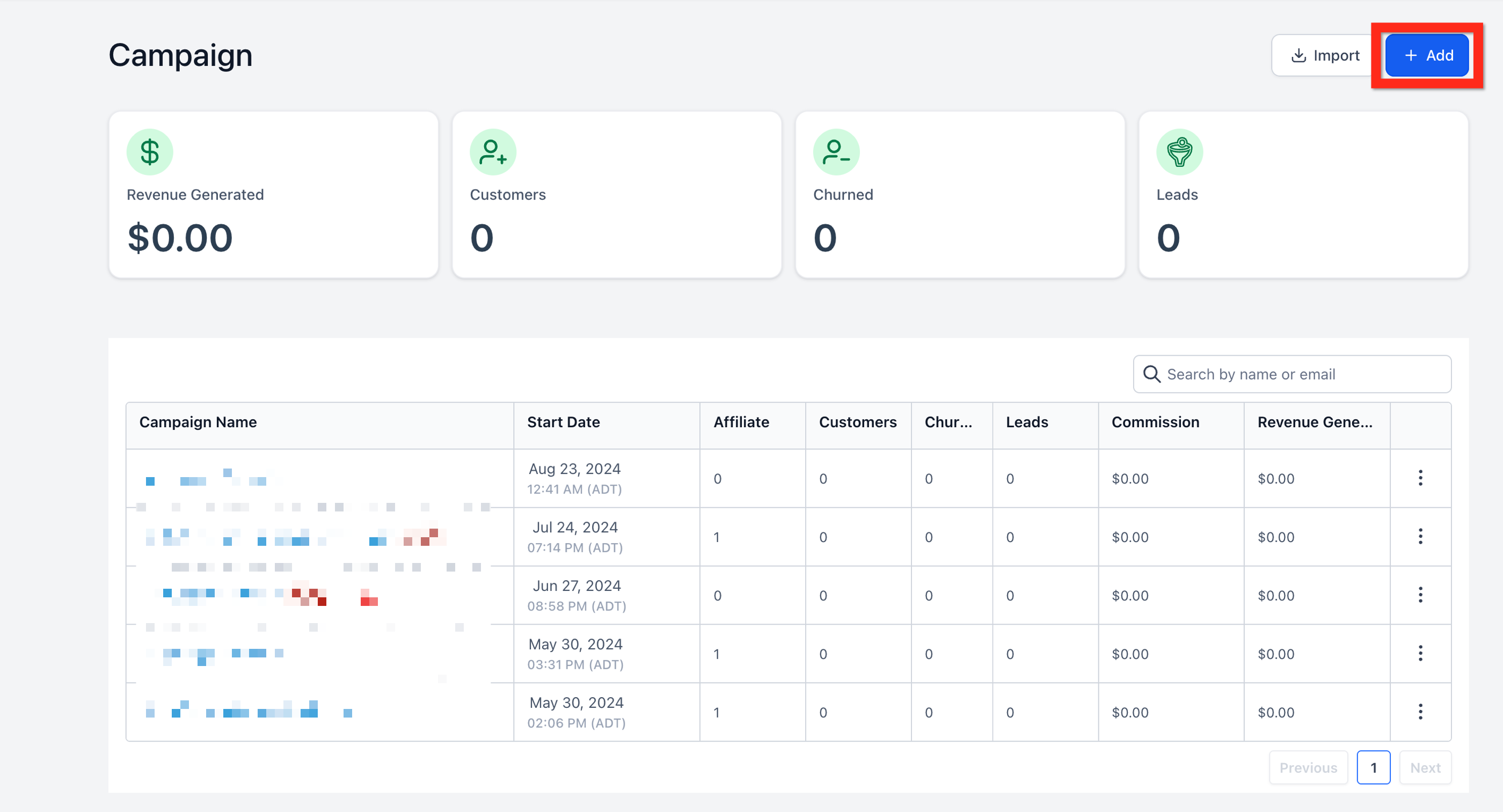
- Click Campaign.
- Press + Add to start a new campaign.
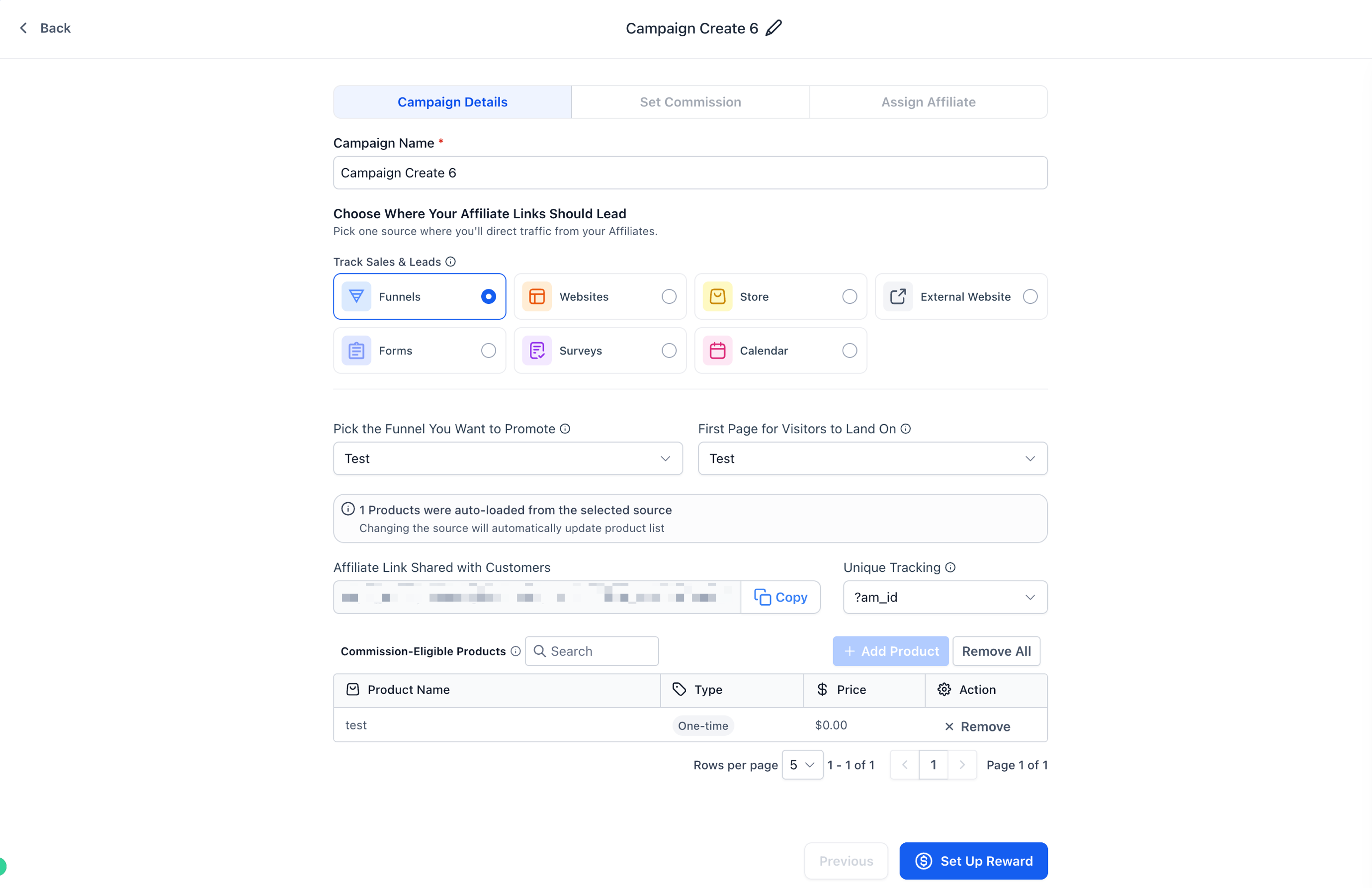
- In Campaign details select the campaign source.
- Pick the appropriate source details.
- Enter the campaign link or landing destination for the source.
- Review the product list attached to the campaign.
- Add or remove products so only commission eligible items remain.
- Proceed to the Commissions step.
Define default commission and product overrides
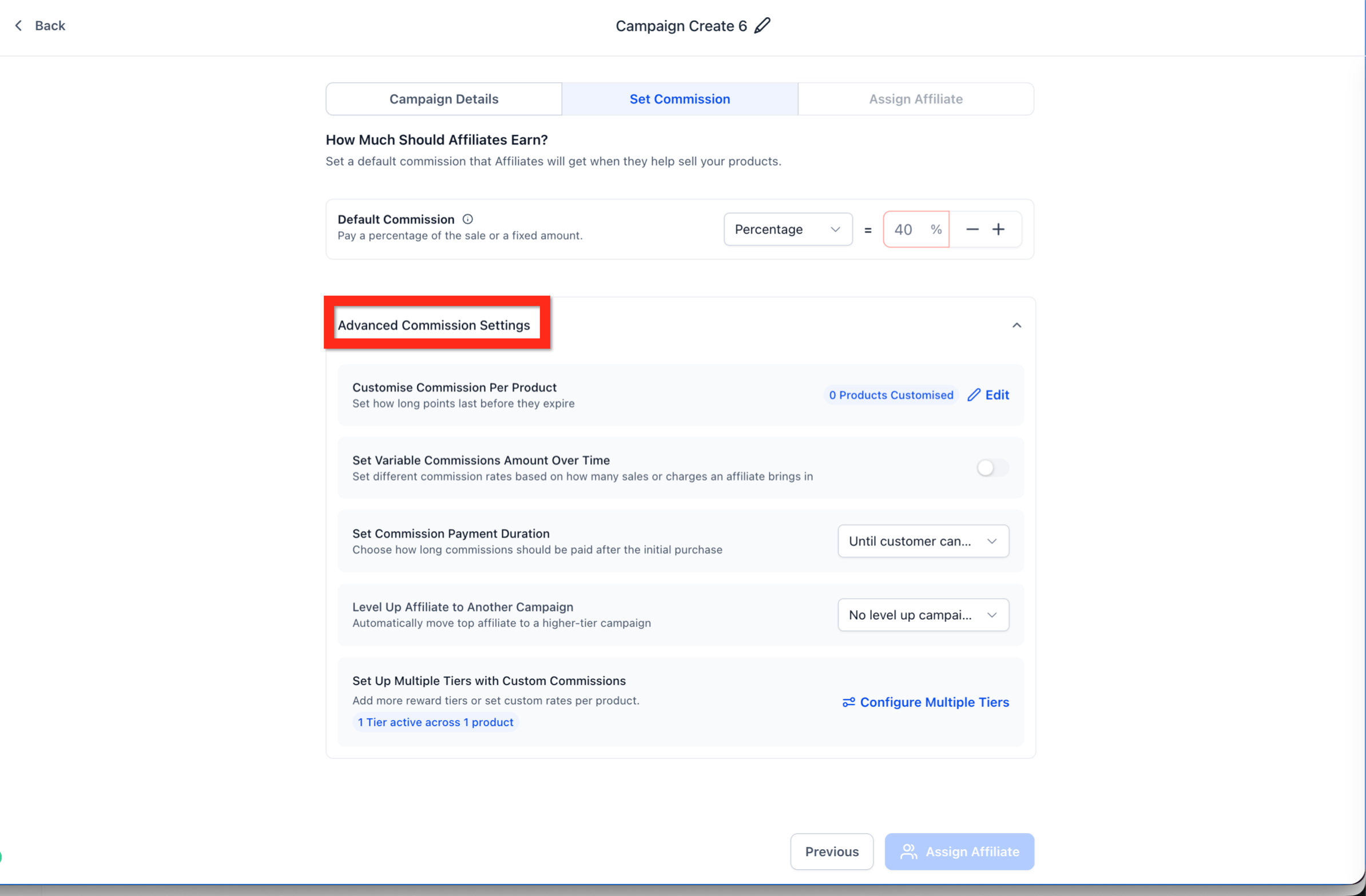
- Enter the default commission amount in the Commissions step.
- Choose whether the default commission is a percentage of the product price or a flat amount.
- If individual products need different rates, use the product level commission controls to set those rates.
Configure tier count and advanced settings
- From the Commissions step open Advanced commission settings.
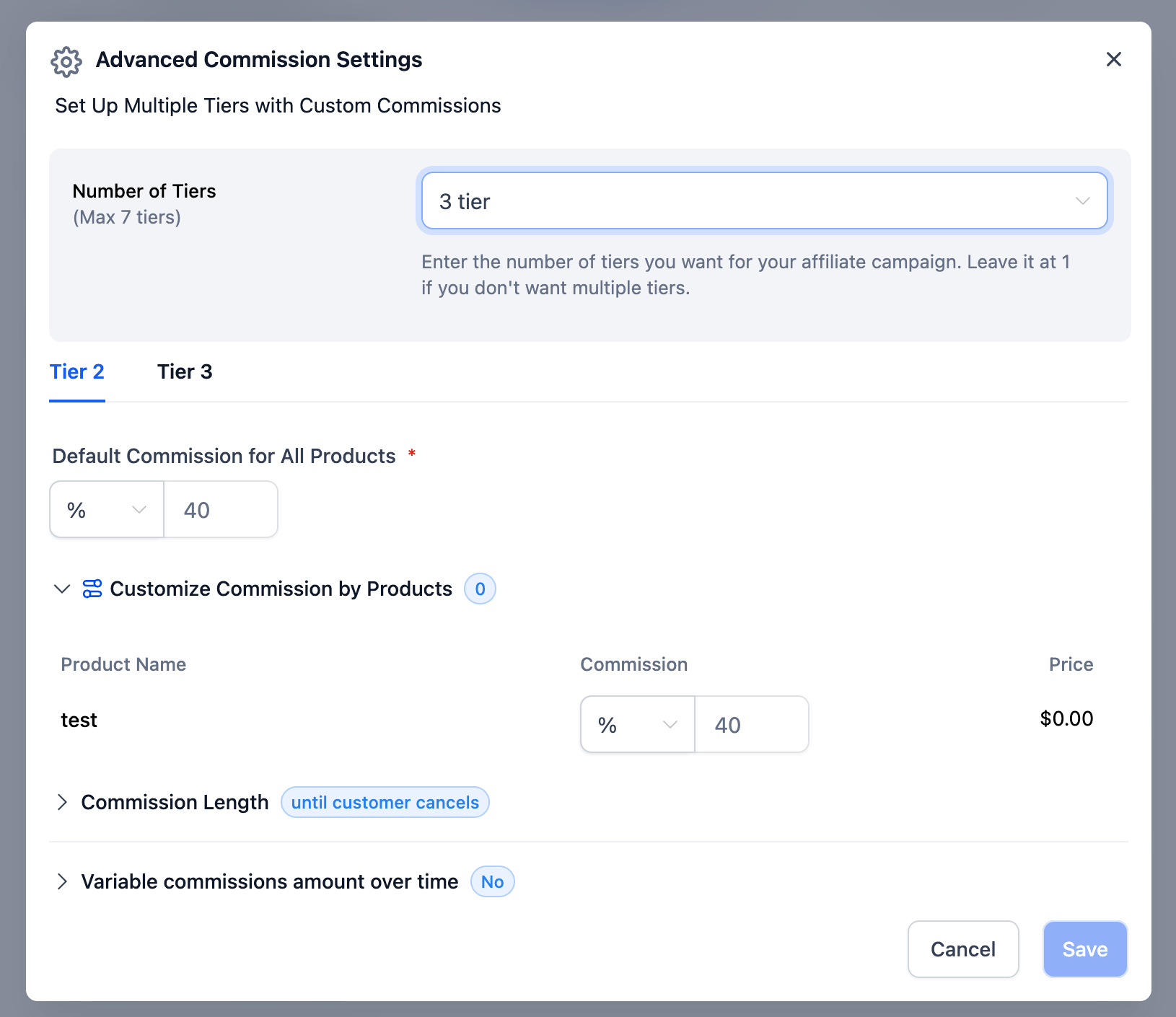
- Locate the Number of tiers field.
- Select the required number of commission tiers for the campaign (up to seven).
- Leave the number at 1 when the campaign does not need a multi tier structure.
Configure each commission tier
- After setting the tier count, open the next tier (for example Tier 2).
- Enter the default commission for all products for that tier.
- If needed, use Customize commission by products to assign different rates to individual products.
- Repeat these actions for each additional tier.
- Review the commission rates across all tiers before moving on.
Optional commission controls
- Commission Length and Variable Commissions can be set for recurring product commissions; they do not affect the tier structure.
Finish the campaign setup
- Click Continue to Finish.
- Add a campaign description if desired.
- Select Assign Affiliate if you want to assign affiliates during creation.
- Review any remaining campaign settings.
- When everything is ready, select Finish to activate the campaign.
07What it looks like in HighLevel
08Settings that matter
- Number of tiers. Determines how many levels of affiliates can receive commissions for a sale.
- Default commission. Sets the base commission value applied to all products unless a product specific rate overrides it.
- Customize commission by products. Allows individual products to have commission rates that differ from the default.
- Commission Length. Controls the duration over which recurring commissions are paid.
- Variable Commissions. Provides extra options for scaling commissions on recurring products.
09Things to know before you rely on it
- A campaign can have a maximum of seven commission tiers.
- At least two tiers must be configured before sub affiliates can be used.
- The tier count is set at the campaign level and cannot be changed from individual affiliate settings.
- Product specific commissions require the product to be included in the campaign’s product list.
10How it connects to the rest of HighLevel
- View all LevelUp 2026 features for additional affiliate tools. LevelUp 2026 features
- Check pricing options and plan eligibility for Affiliate Manager. HighLevel pricing
- Start a free trial to explore affiliate capabilities. 30 day trial
- Learn about the Founder Plan that includes advanced affiliate features. Founder Plan
Michael's take

Affiliate programs often stall because the person who makes the sale gets all the reward while the network that helped bring them in sees nothing. Multitier commissions solve that by sharing a slice of each sale with the recruiter chain, keeping the whole network motivated.
The first setting I would lock in is the Number of tiers. Getting the tier count right at the start defines how deep the payout chain can go and prevents later rework on the campaign structure.