
01Scheduled follow ups, explained
Scheduled Follow Ups allow a Managed Agent to perform an action, wait for a specified time, and continue working with its previous conversation context.
You create the schedule by describing the desired actions and timing to the AI builder in Agent Studio. The builder generates a timeline that you can edit, test, and publish. When you publish an updated plan, agents that are already waiting switch to the newly published plan.
02How businesses use scheduled follow ups
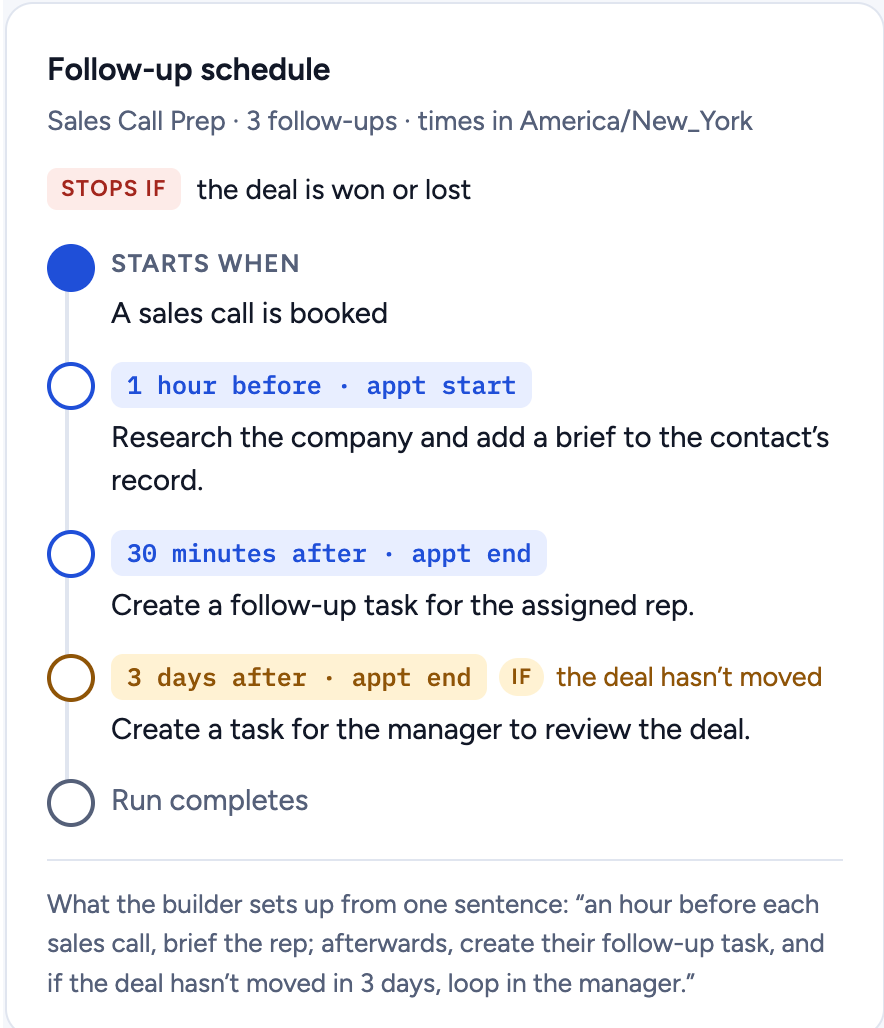
- Reminder before appointments. A sales call agent can prepare a company brief one hour before the appointment. The agent pauses after the preparation and resumes at the scheduled time.
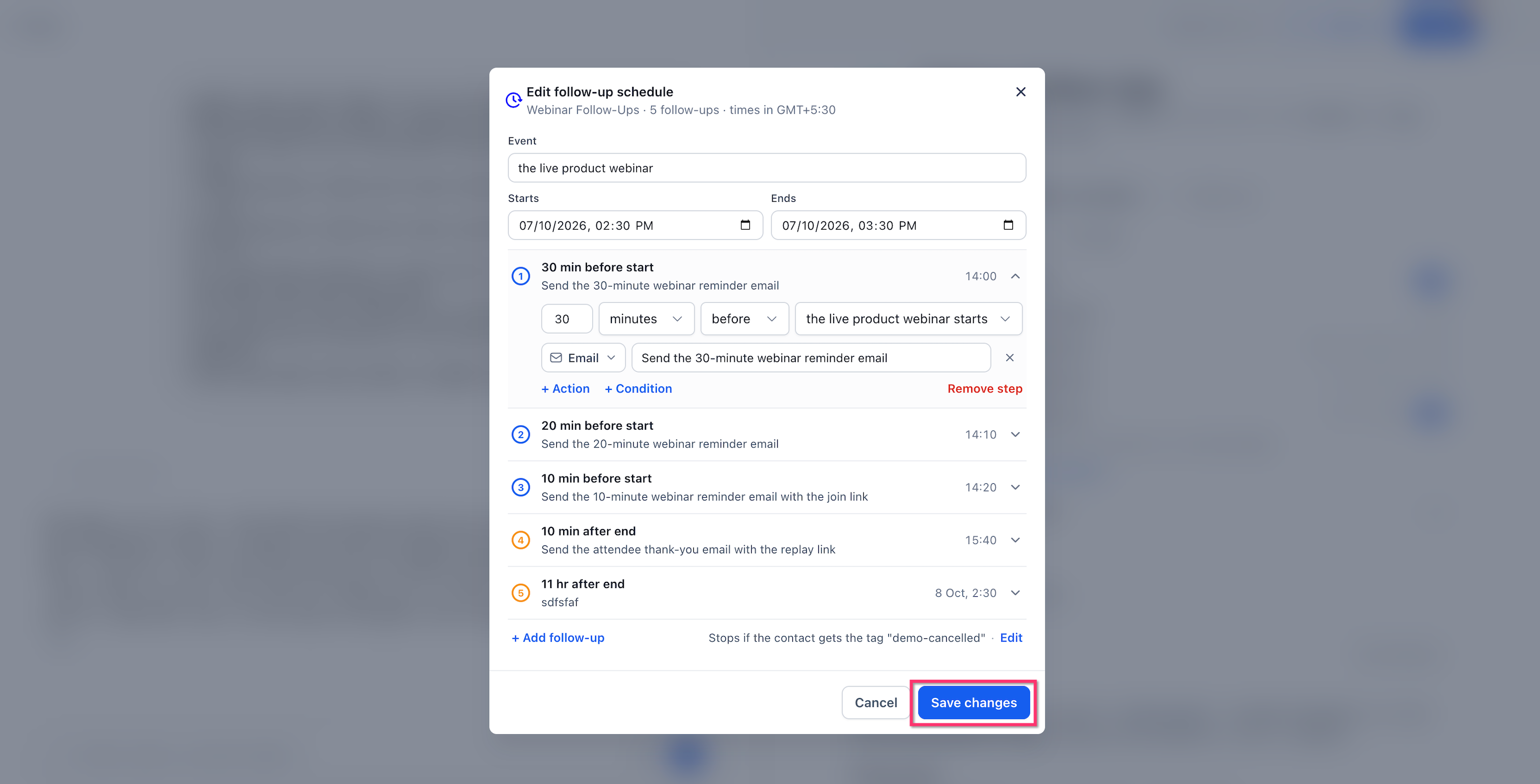
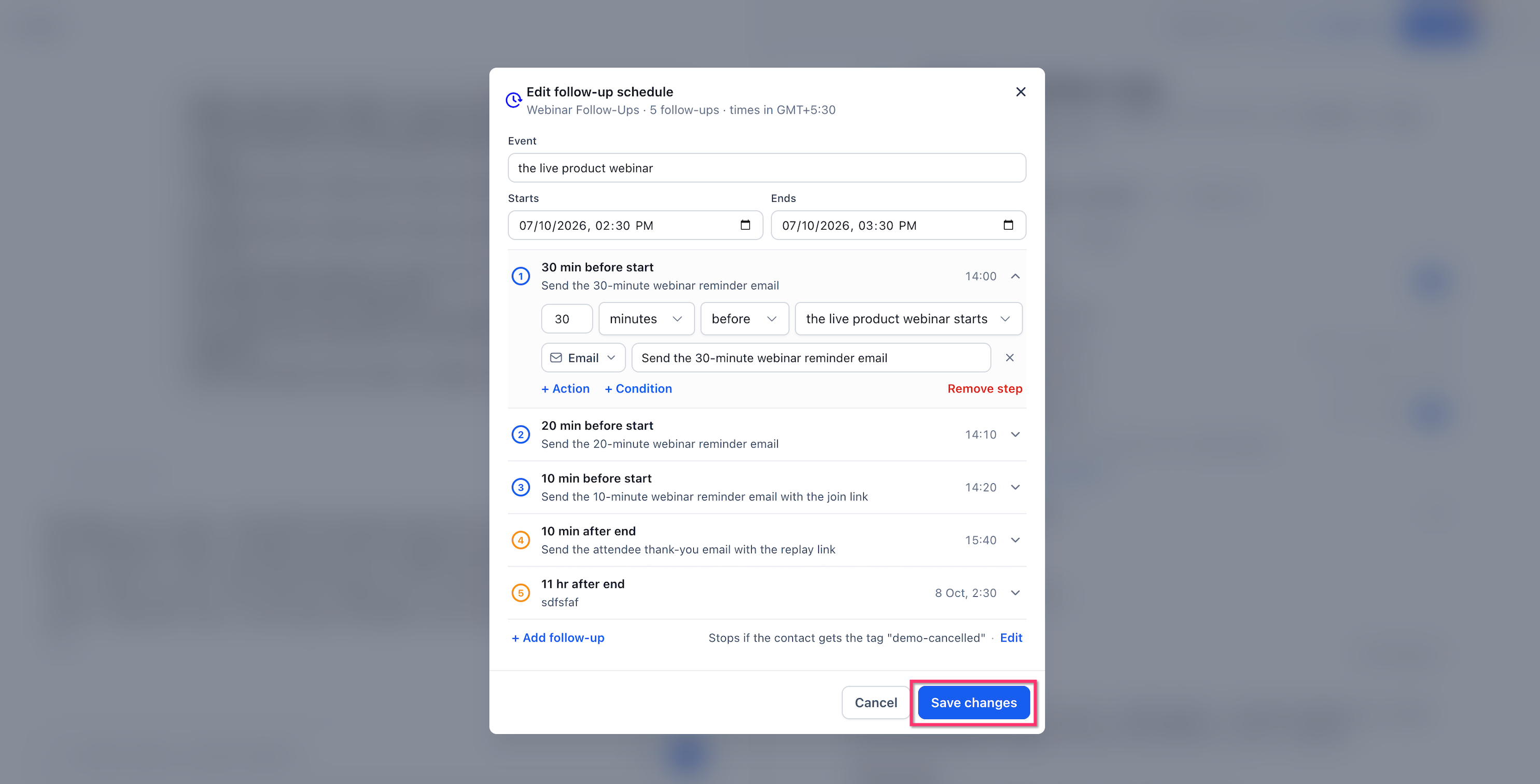
- Postevent follow up tasks. After a webinar ends, the agent can send a thank you message ten minutes later.
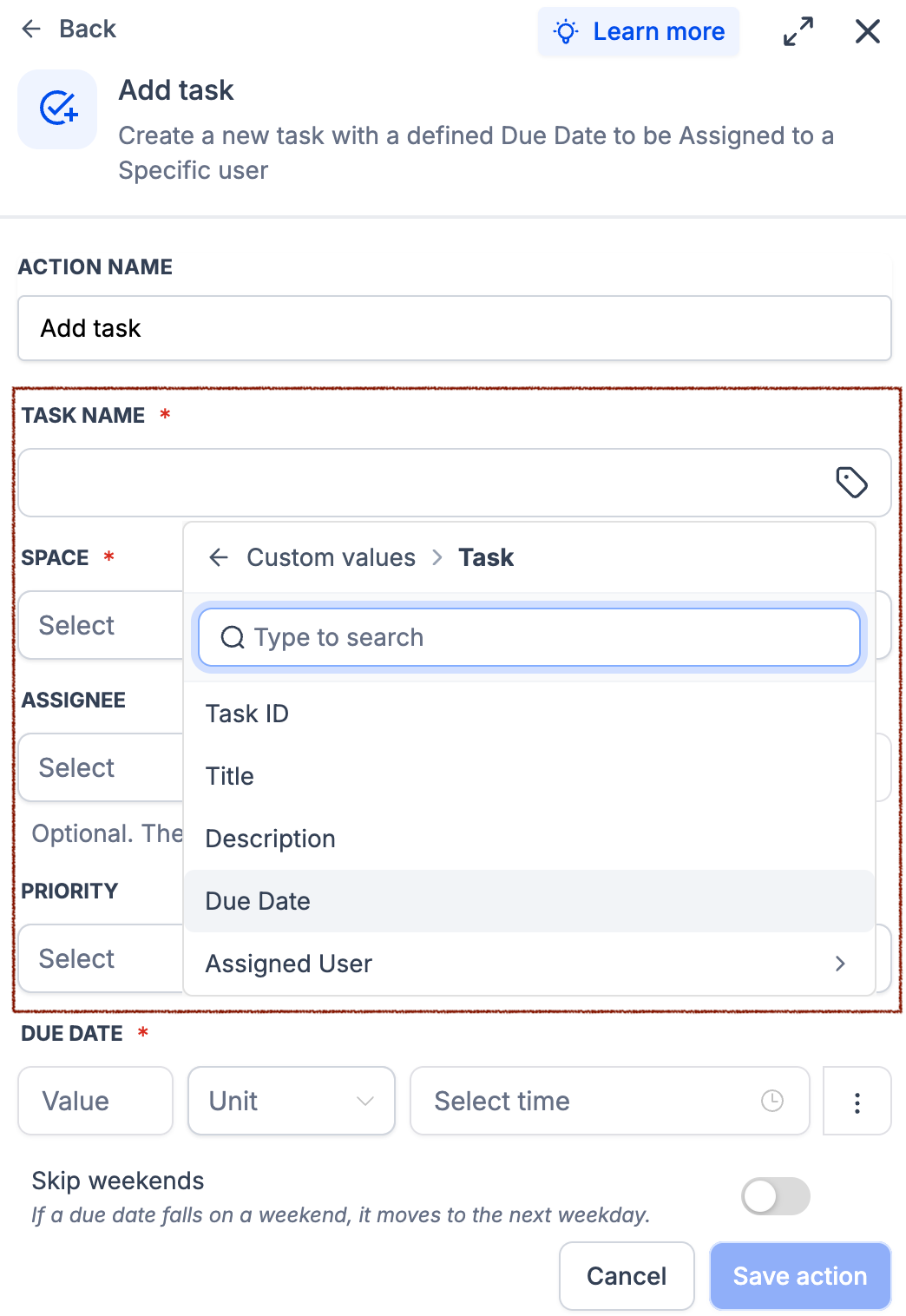
- Deal progress checks. If a deal has not progressed three days after a sales call, the agent can create a manager review task. A stop rule can end the sequence once the contact books an appointment.
03The numbers and rules that matter
- Waiting periods can range from 5 minutes to 30 days per waiting period.
- Waiting is free, whether it lasts 10 minutes or 30 days.
04How to set up and use scheduled follow ups in HighLevel
Set up scheduled follow ups
- Go to AI Agents > Agent Studio.
- Open an existing Managed Agent or create a new one.
- Click Edit agent if you are updating an existing agent.
- Describe your follow up plan to the AI builder, including timing and actions.
- Review the generated schedule, adjust steps, conditions, and stop rules as needed.
- Save changes, then test the schedule with Test Agent using your own contact.
- Publish the Managed Agent and confirm it shows as published.
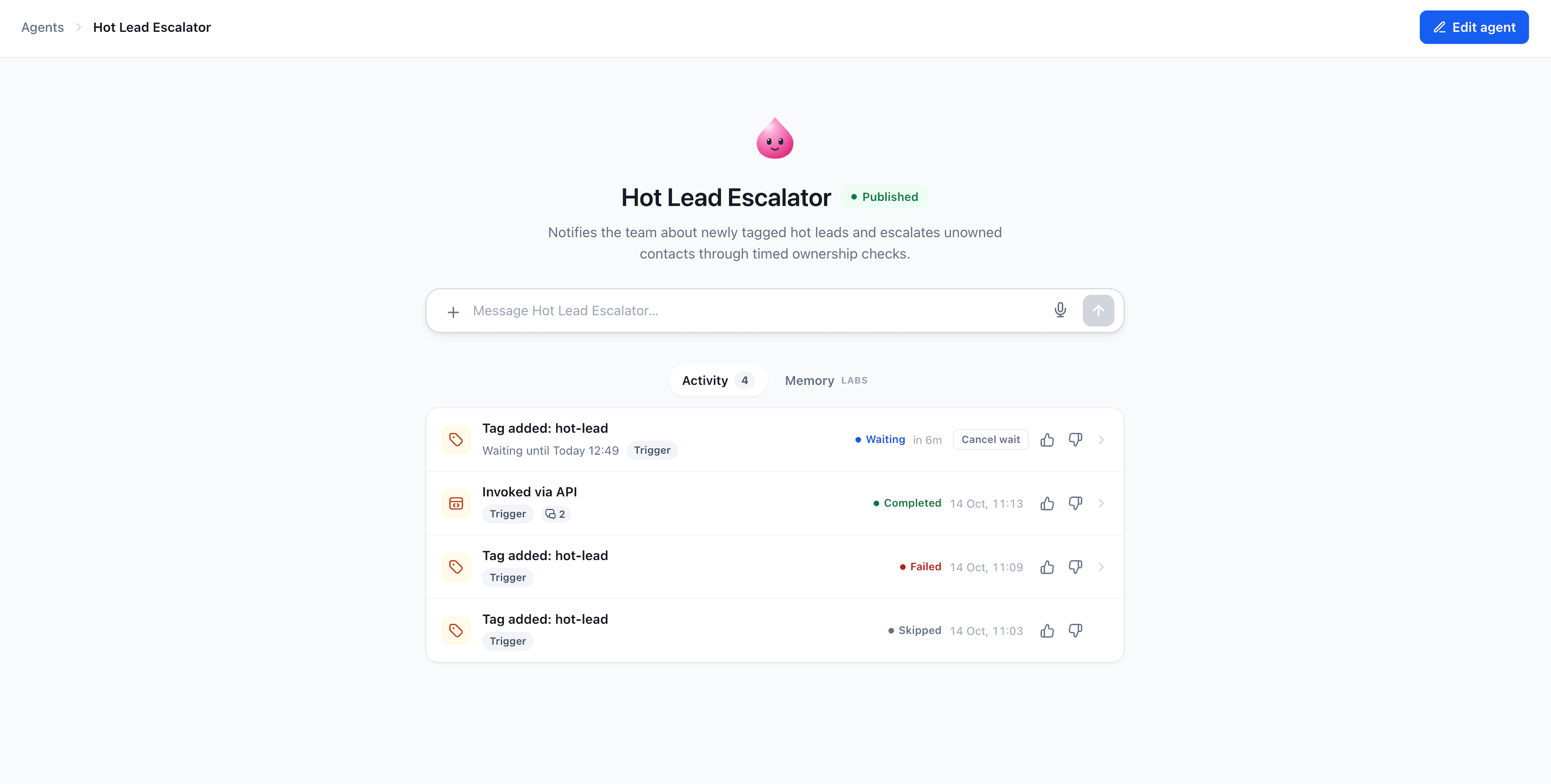
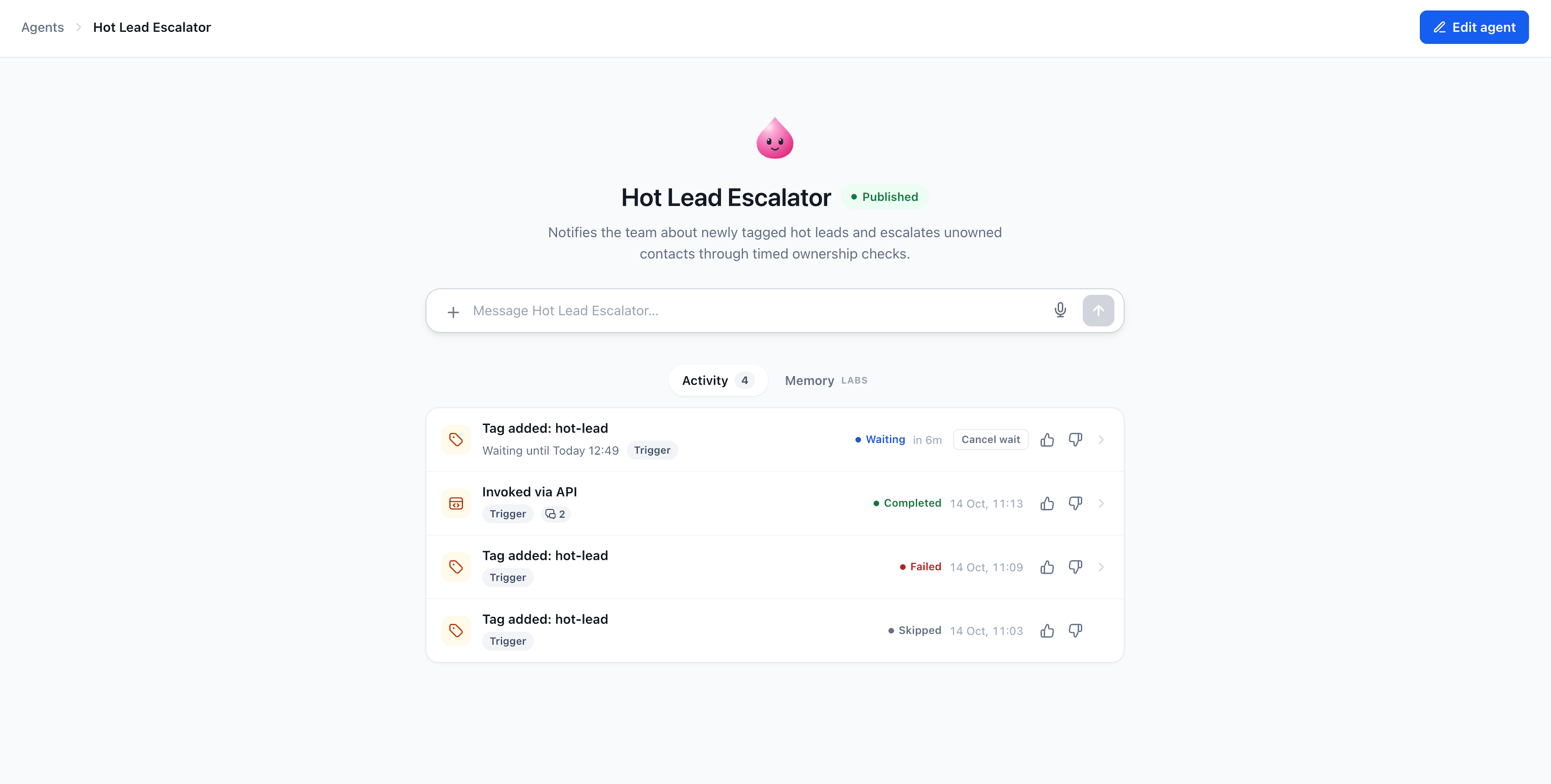
- Monitor executions in the Activity feed and cancel any waiting runs if required.
05What it looks like in HighLevel
06Settings that matter
- Conditions. Control whether a scheduled action runs, such as sending a reminder only if the contact has not replied.
- Stop rules. Determine when remaining follow ups should end, for example stopping when the contact books an appointment.
07Things to know before you rely on it
- Waiting periods are limited to between 5 minutes and 30 days.
- Waiting is free; charges only apply when the agent resumes work.
- Test runs can send real messages, so use your own contact information.
- Unpublishing a Managed Agent stops its pending follow up executions.
08If something goes wrong
- Execution is stuck in Waiting status. Open the Managed Agent's Activity feed, locate the Waiting execution, and select Cancel wait.
- Scheduled action did not run. Check the execution status; if it shows Skipped, review conditions and stop rules that may have prevented the action.
Michael's take

Ever wonder if your bots can handle the timing of follow ups without you watching the clock? They can. By letting a Managed Agent pause and resume at the exact moments you need, you free up the team to focus on higher value work while the AI keeps the schedule tight.
If I were setting this up, I’d start with a simple reminder before a sales call and then let the agent create a task after the call ends. Running a quick test with my own contact makes sure the messages land where they should before you go live.