
01Who this is for
- Ecommerce retailers can award points for online purchases and let shoppers redeem them for discounts, encouraging repeat sales.
- Physical store owners can assign points at checkout and use QR scanning to record visits and give in store rewards.
- Marketing agencies can set up referral rules for client brands, giving both referrer and new customer points.
02Loyalty & Referral programs, explained
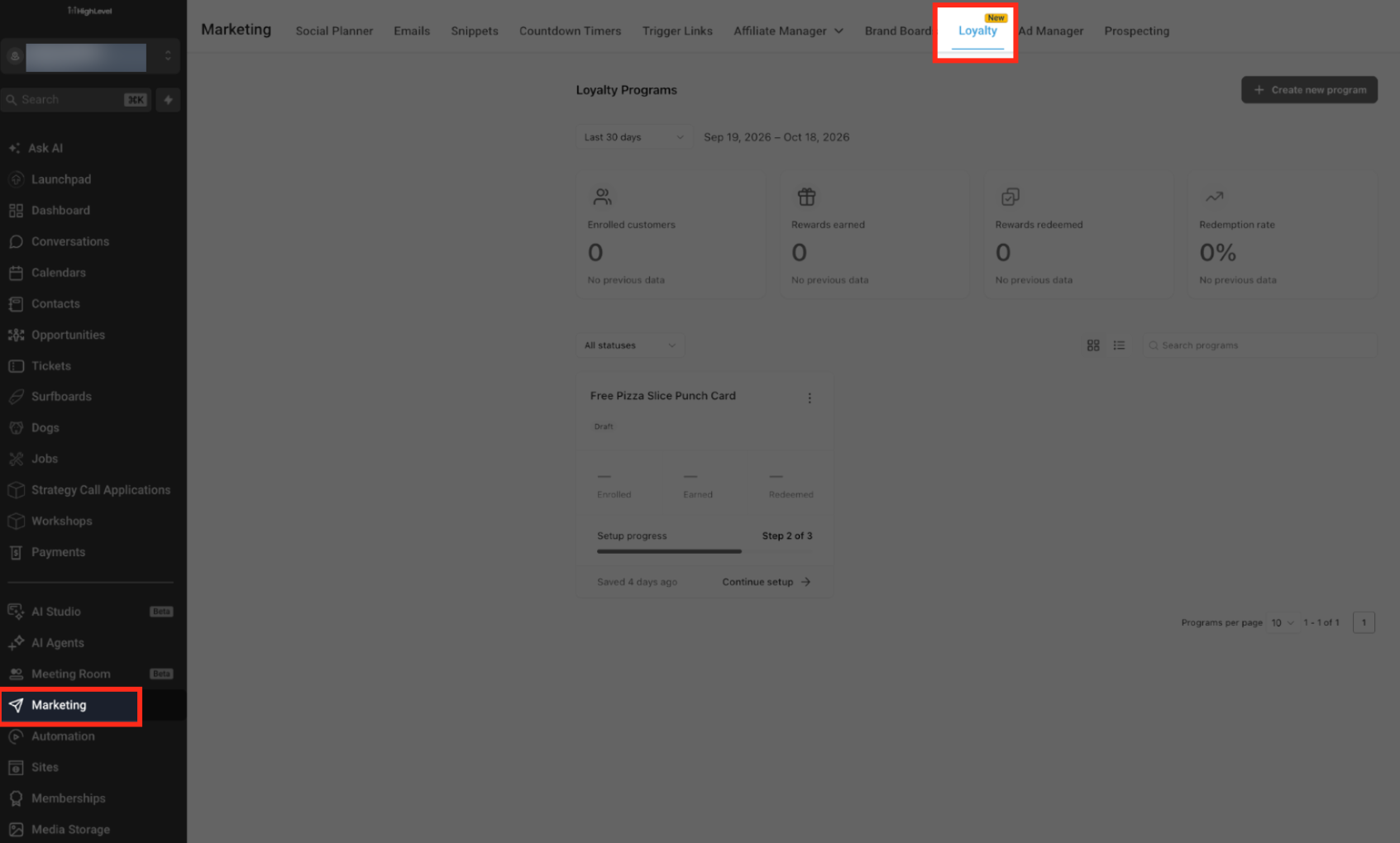
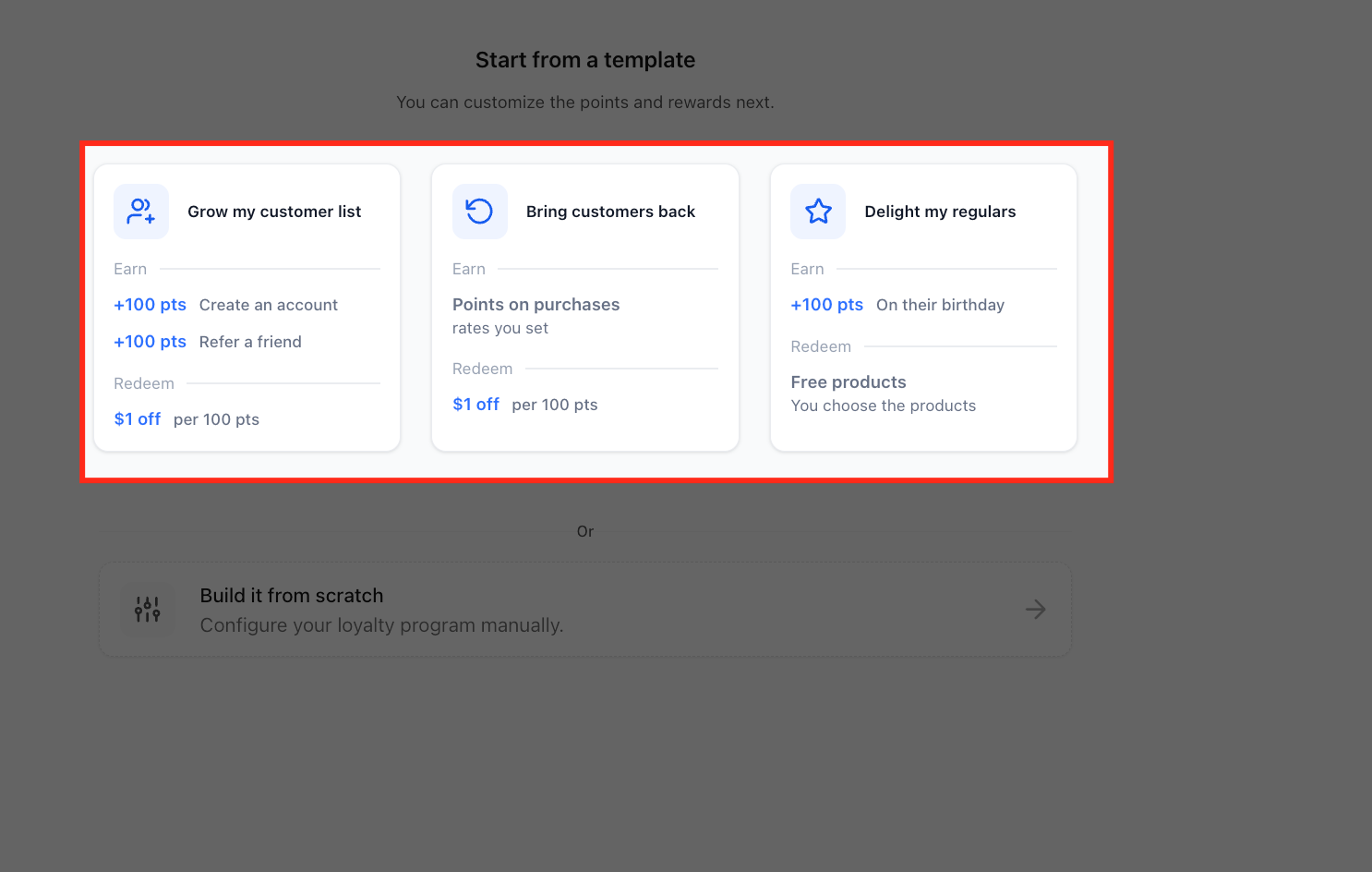
The Loyalty & Referral module lives under Subaccount > Marketing > Loyalty. From the Loyalty Programs page you can create, edit, and monitor programs. A program may be online, physical, or both, and you define earning actions, redemption options, and referral incentives.
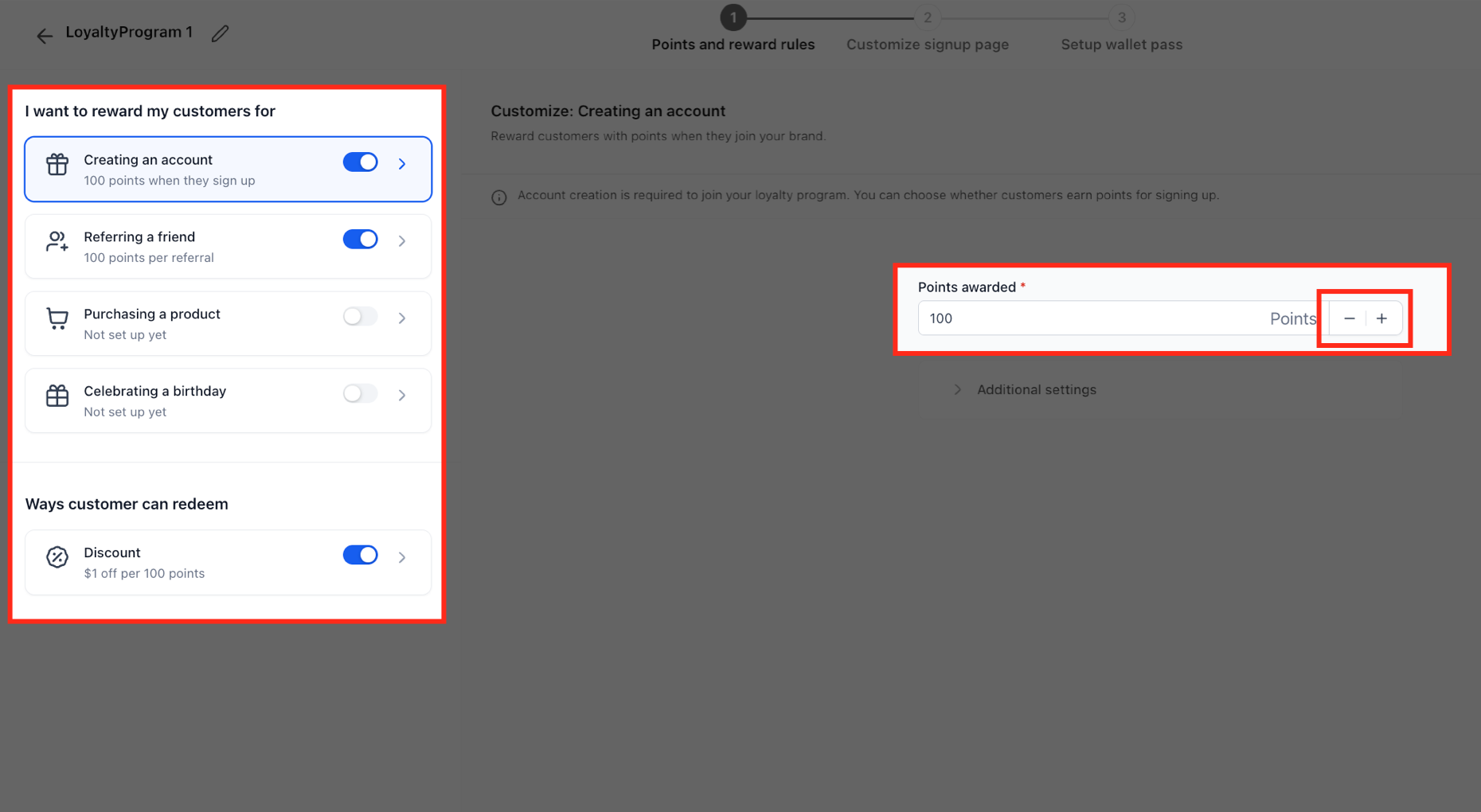
When a program is active, customers earn points for actions such as account creation, referrals, purchases, and birthdays. Points can be exchanged for a monetary discount or a selected free product. The system also generates digital wallet passes that appear in Apple Wallet or Google Wallet, showing a QR code for in store use.
Access to the module is controlled at three levels: the agency can enable or disable Loyalty for each subaccount, team member roles can be granted view/manage or scanner rights, and the Client Portal can expose the loyalty child app to customers.
03How businesses use loyalty & Referral programs
- Online clothing boutique. The boutique creates a program that awards points for each purchase made through its website. It configures a $1 discount for every 100 points (per HighLevel's help center, checked November 2026) and lets customers add the loyalty pass to Apple Wallet, so shoppers can present the QR code in store for extra discounts.
- Family dental practice. The practice sets up a program that gives points for booking appointments online and for patient birthdays. It enables free product rewards, letting patients exchange points for a complimentary dental kit, and configures a custom banner on the wallet pass.
- Marketing agency serving local gyms. The agency builds a referral program for each gym client, assigning points to members who refer friends and welcome points to the new members. It assigns scanner permissions to the gym staff so they can scan QR codes at the front desk.
04Before you start
- The Loyalty & Referral feature must be enabled for the subaccount; it is currently in Private Beta and only available to selected beta customers.
05How to set up and use loyalty & Referral programs in HighLevel
Create a new loyalty program
- Navigate to Subaccount > Marketing > Loyalty.
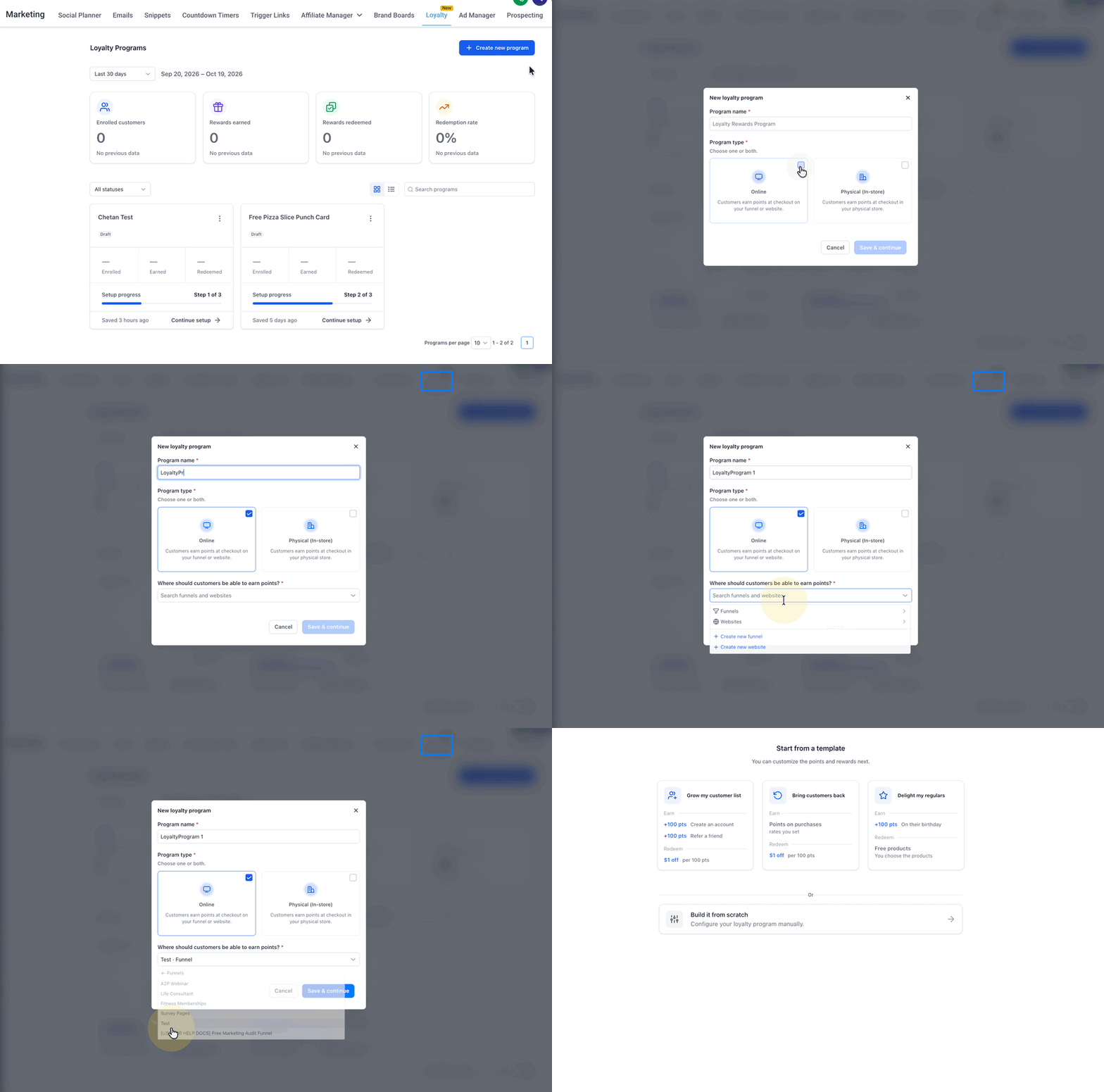
- Select the Create new program button.
- Enter the desired program name.
- Choose Program type, Online, Physical (In store), or both.
- If Online is selected, pick the funnels or websites where points can be earned.
- Press Save & continue to store the program.
Customize the signup page
- Open the Customize signup page screen.
- Edit the page text and visible information in the Content tab.
- Adjust colors, fonts, and layout in the Design tab.
- Set the Heading and Body fields.
- Review the list of Content cards available for the page.
- Toggle each content card on or off as needed.
- Open the Loyalty form settings and choose which fields appear.
- Mark the required fields for the form.
- Change the button label if desired.
- Preview the signup page to see the final layout.
Set up the wallet pass
- Open the Wallet settings section of the program.
- Enter a display name that will appear in the digital wallet.
- Enable Apple Wallet support.
- Enable Google Wallet support.
- Upload a logo image for the wallet pass.
- Turn on the Custom banner option and add a banner image.
Control user permissions
- From the Subaccount, go to Settings > Users.
- Select the user you want to edit.
- Open the Roles & permissions panel.
- Search for the Loyalty permission group.
- Expand the Loyalty group to reveal its options.
- Activate View & manage loyalty & referral and/or Manage scanner app as needed.
- Click Save to apply the changes.
Enable Loyalty for a subaccount
- Navigate to Agency View > Subaccounts > select the subaccount.
- Open Features & Limits for that subaccount.
- Toggle the Loyalty product to enable it for the selected subaccount.
- Save the changes.
06What it looks like in HighLevel
07Settings that matter
- Program name. Identifies the loyalty program and appears in reports and the customer portal.
- Program type. Specifies whether customers earn points online, in store, or both.
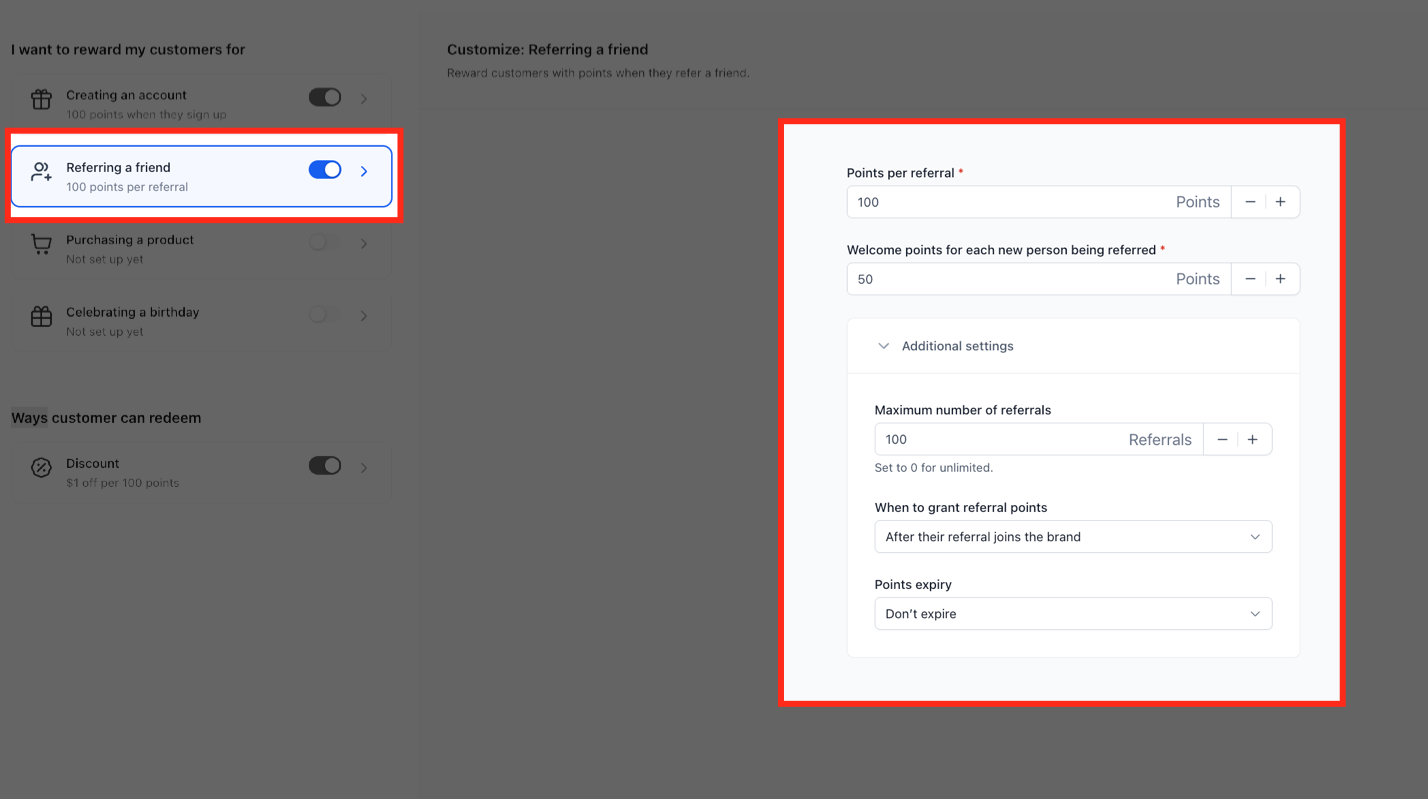
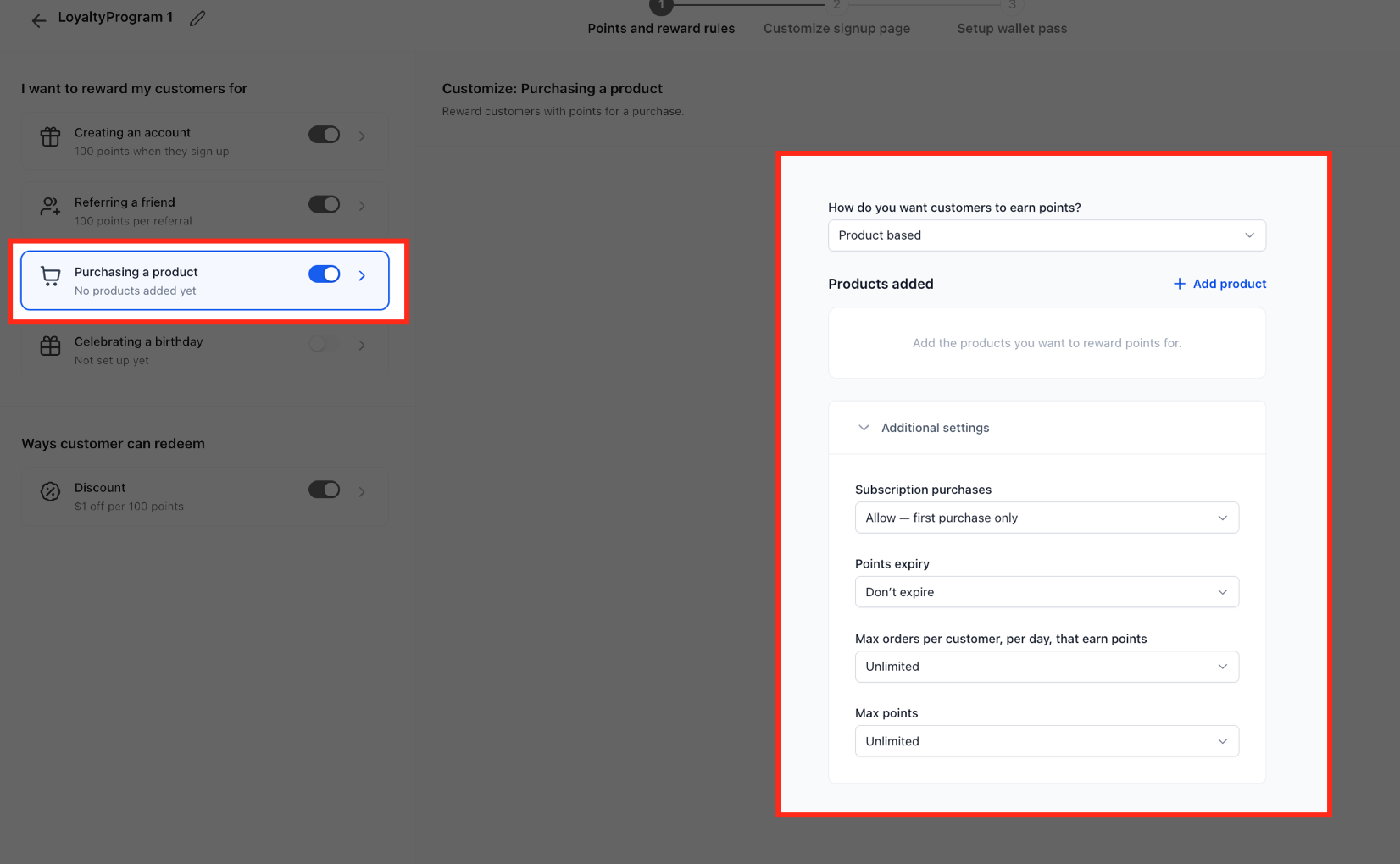
- Ways customer can redeem. Defines the reward options such as discounts or free products that points can be exchanged for.
- Points per referral. Sets how many points the referring customer receives for each successful referral.
- Welcome points. Grants a point amount to a newly referred customer when they enroll.
- Maximum discount allowed on one order. Limits the monetary value a customer can apply from points on a single purchase.
- Wallet display name. The name shown on the Apple or Google wallet pass.
- Custom banner. Adds a banner image to the wallet pass when enabled.
08Things to know before you rely on it
- Loyalty & Referral is in Private Beta and only enabled for selected beta customers.
- The mobile QR scanner is rolling out separately and may not be visible for every user.
09How it connects to the rest of HighLevel
- View all LevelUp 2026 features for context on upcoming tools. All LevelUp 2026 features
- Check pricing and plan eligibility for Loyalty & Referral. HighLevel pricing and plans
- Start a free trial to explore Loyalty & Referral before committing. Start a 30 day HighLevel trial
- Learn about the Founder Plan, which may include early access to beta features. The HighLevel Founder Plan
Michael's take

Wondering if a built in loyalty system can replace a separate platform? It may, especially if you already run your marketing and sales inside HighLevel. You get points, QR codes, digital wallet passes and analytics without adding another tool.
I would begin with mapping the key actions you want to reward. Account sign ups, referrals or purchases. And then use a template that matches that flow. Test the QR scanner in a low risk checkout before you roll it out to the whole store.