
01Who this is for
- Founders who need to automate multi step operations while keeping oversight of each action.
- Sales teams that want research and record updates performed by dedicated specialists.
- Support managers who require parallel data gathering and ticket enrichment before responding.
02Subagents, explained
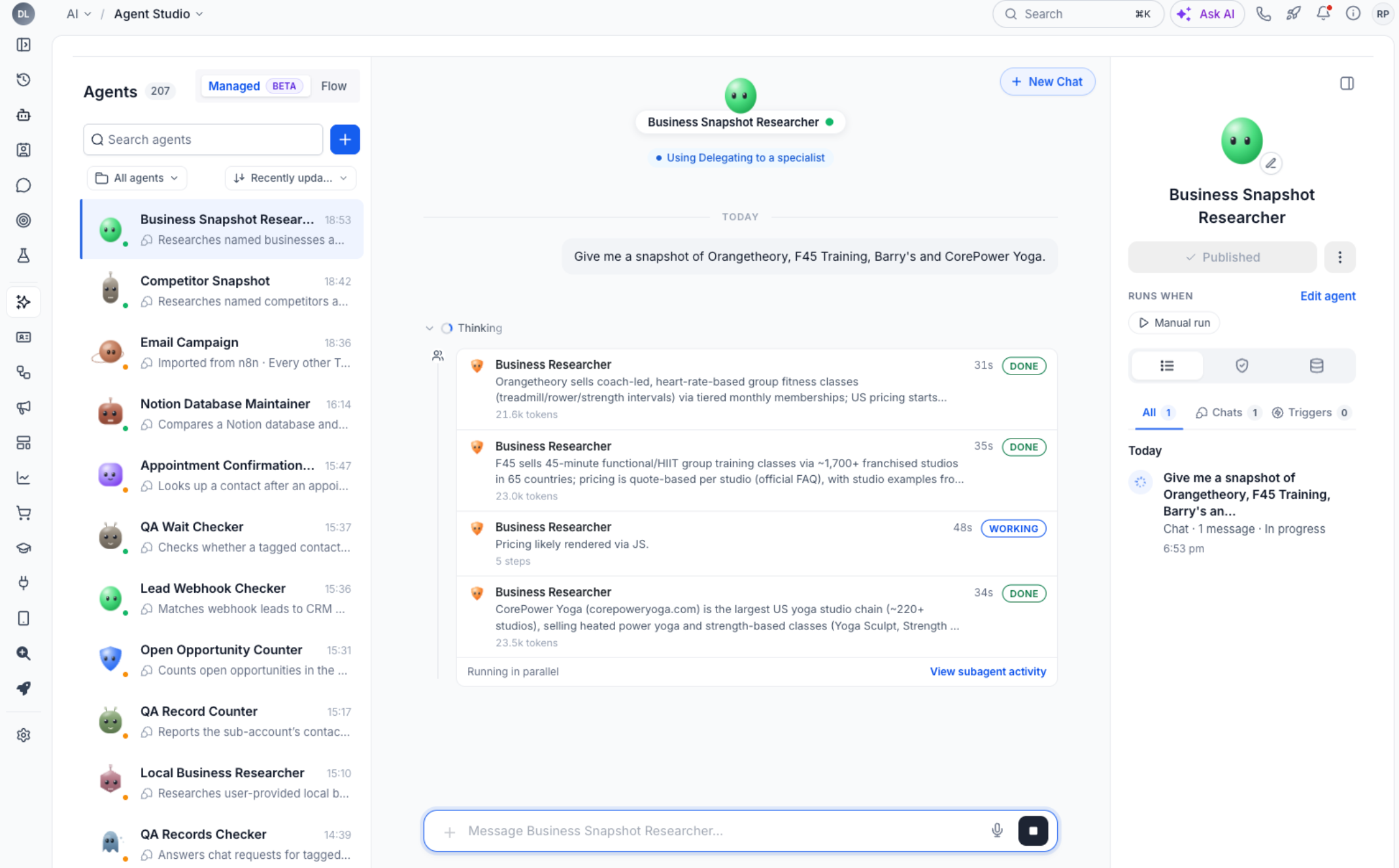
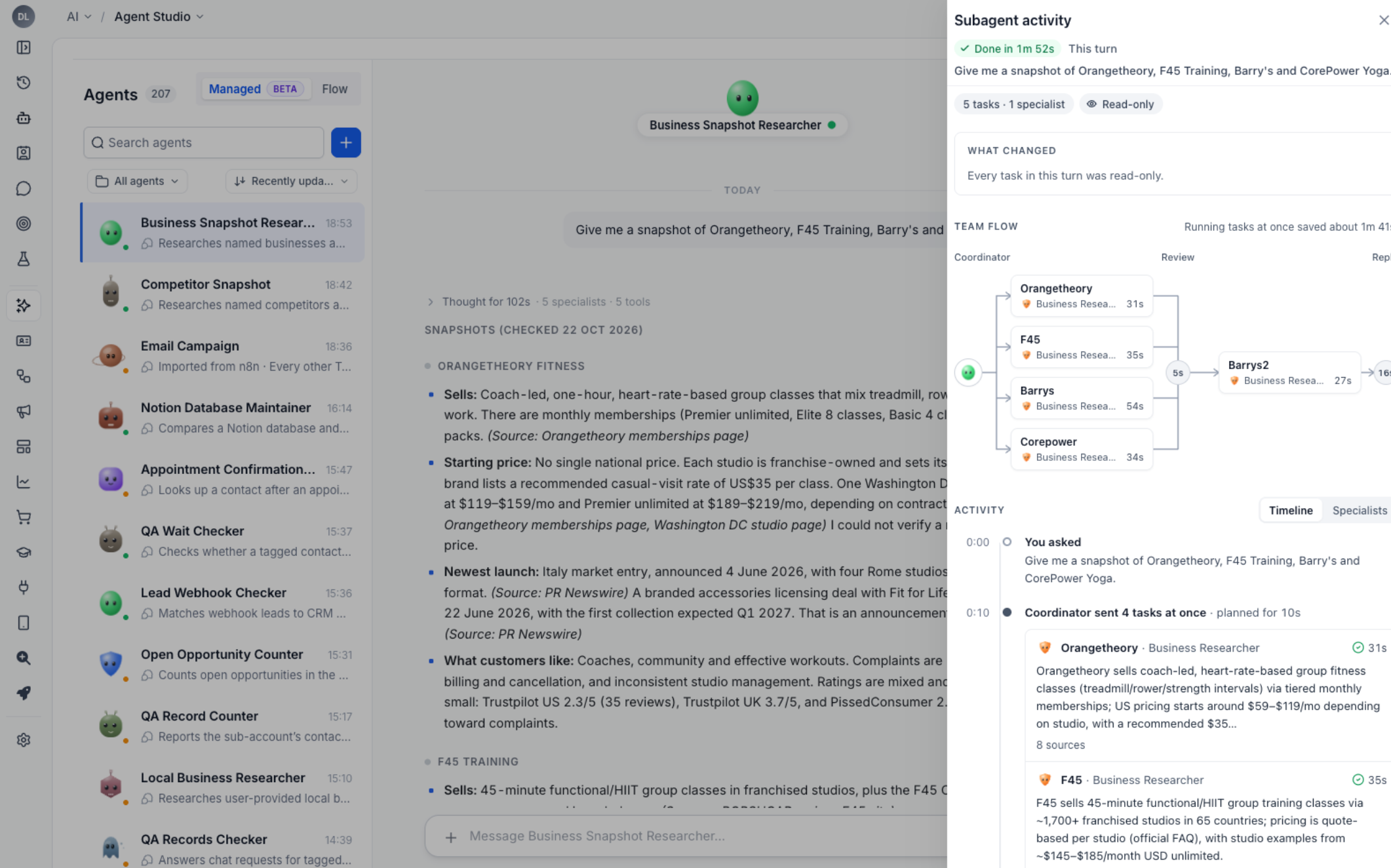
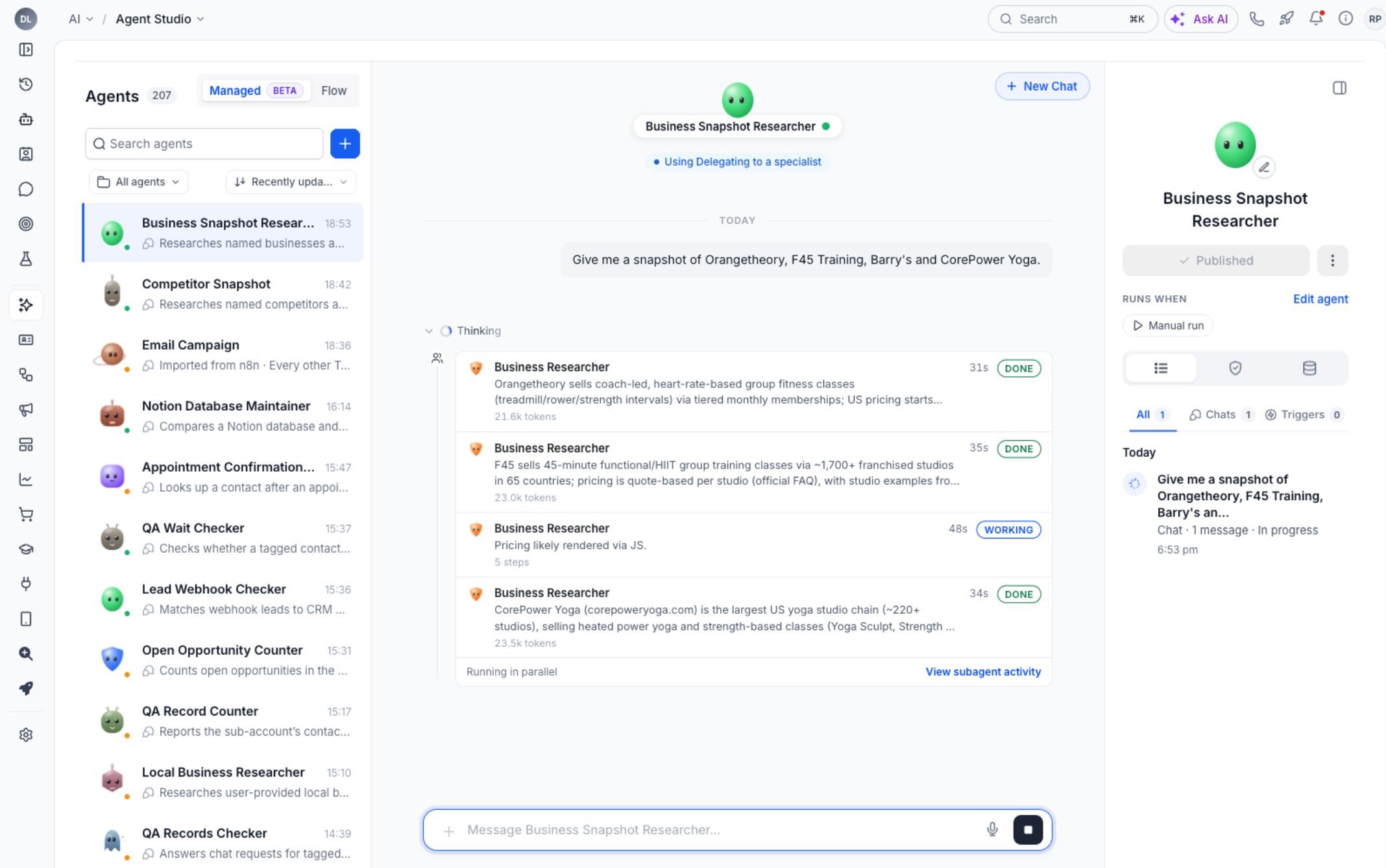
Subagents are individual AI workers attached to a Managed Agent. The main agent plans a request, splits it into discrete tasks, assigns each to a subagent, then reviews the subagents’ reports before forming a final reply. Subagents operate with the same app connections as the main agent but only within the permissions defined for their specific tasks.
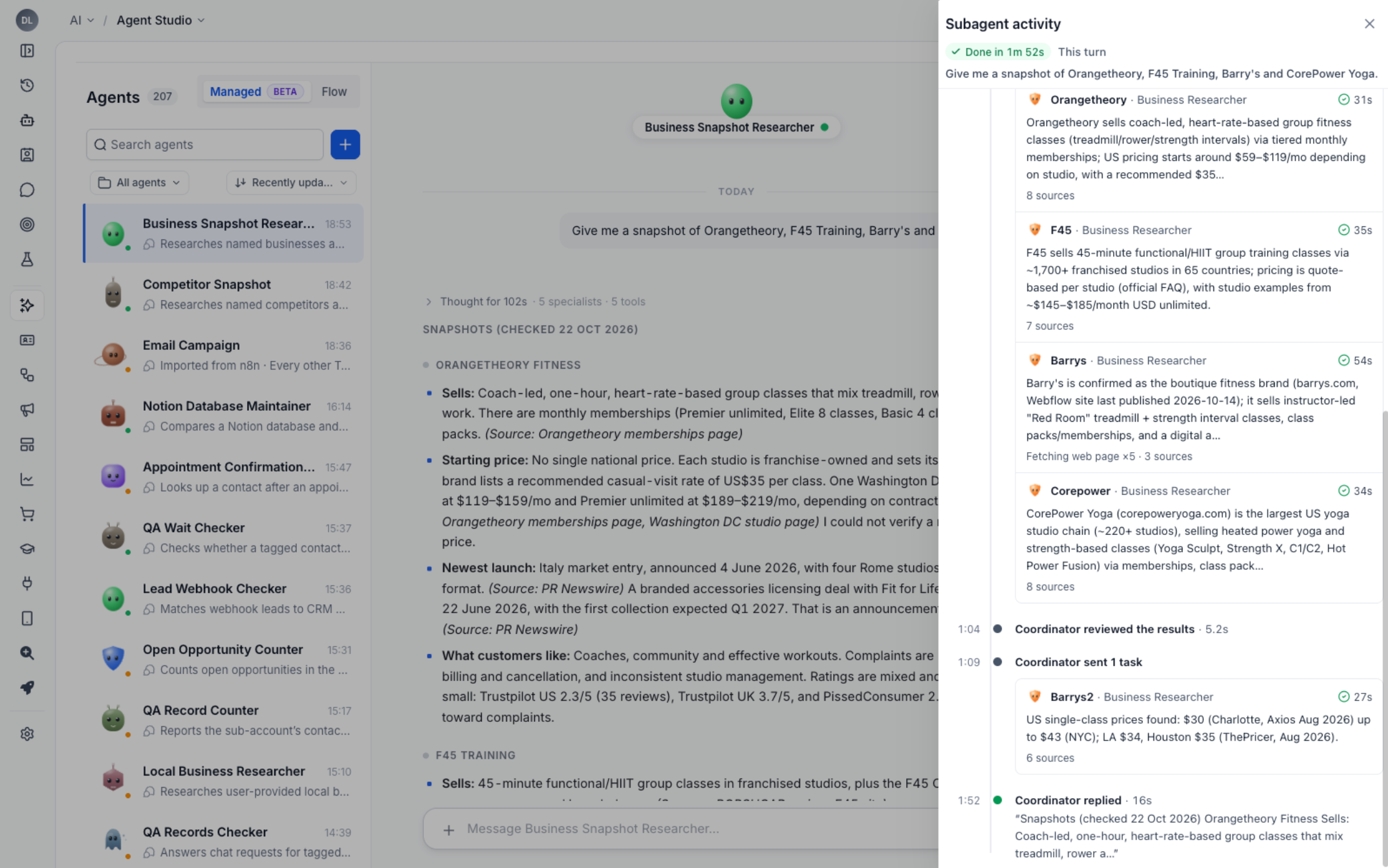
The feature lives inside the Agent Studio section of HighLevel. Users create or edit a Managed Agent, describe the desired workflow, and the builder generates a team of subagents displayed in the Subagents row. After testing, the agent can be published and invoked through chat, supported triggers, waits, follow ups or API calls. Activity panels let users monitor each specialist’s execution, view reports, and troubleshoot any issues.
03How businesses use subagents
- Real estate agency. The agency creates a Managed Agent that delegates property research to a research subagent and client record updates to a CRM subagent. Each specialist runs its task, returns findings, and the main agent compiles a complete market overview for the broker.
- SaaS startup. A startup builds a sales pipeline team where one subagent gathers prospect information and another updates opportunity records. The main agent reviews both outputs and suggests next steps, keeping the sales workflow automated and auditable.
- Consulting firm. The firm configures a Managed Agent that assigns a subagent to pull data from Notion and another to perform financial calculations. After the specialists finish, the coordinator combines the results into a client deliverable.
04The numbers and rules that matter
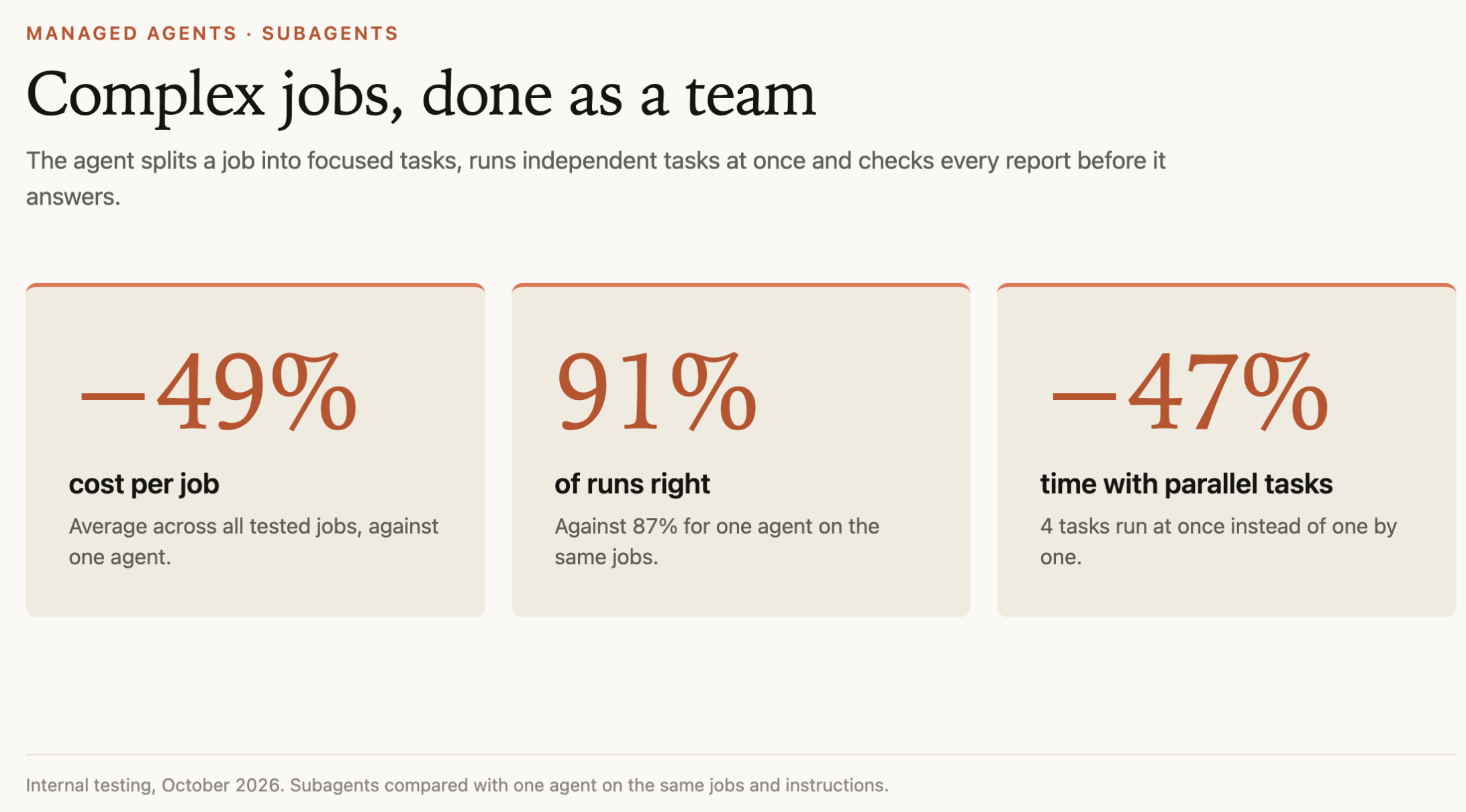
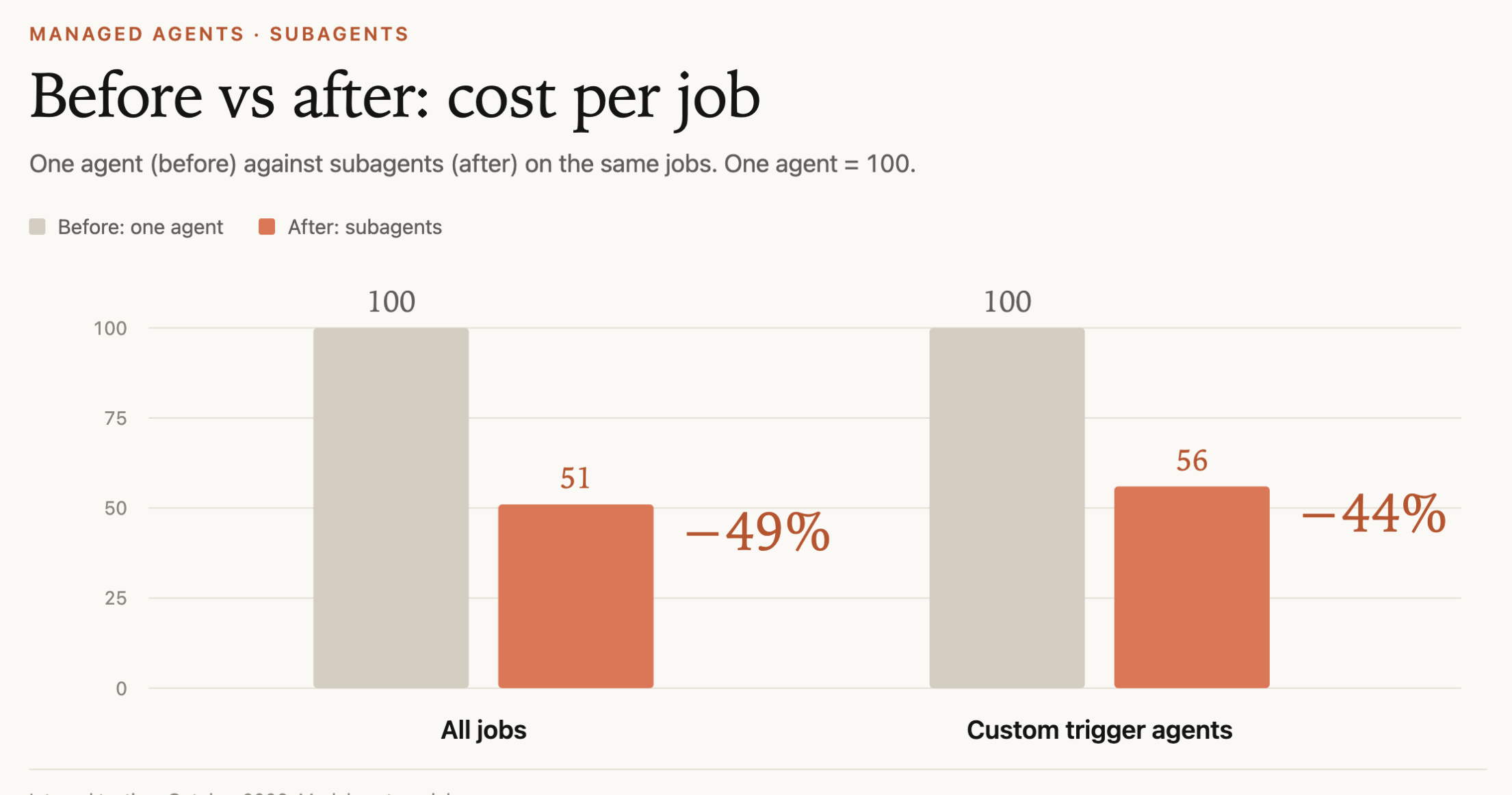
- Average model cost 49% lower (internal testing October 2026).
- Successful runs 91% vs 87% (internal testing October 2026).
- Execution time with four parallel tasks 47% lower (internal testing October 2026).
- Model cost for tested custom trigger agents 44% lower.
- Some trigger based executions achieved savings up to 80%.
05Before you start
- Access to a HighLevel subaccount with the AI Agents feature enabled.
06How to set up and use subagents in HighLevel
Set up subagents in Managed Agents
- Log in to your HighLevel subaccount.
- Navigate to AI Agents > Agent Studio > Managed.
- Open an existing managed agent or click + Create Agent.
- Enter a natural language description of the workflow you want.
- Review the generated Subagents row to see each specialist’s role.
- Ask the builder to add, remove or adjust specialists as needed.
- Verify the main agent’s connected apps, tools and permission settings.
- Click Test Agent and submit a realistic multi step request.
- Open View subagent activity to examine delegated task results.
- Add any supported triggers before publishing.
- Publish the agent after confirming configuration and any triggers.
- Run the agent via chat or a supported trigger.
- Inspect Subagent Activity and Agent Logs to refine the setup.
07What it looks like in HighLevel
08Settings that matter
- Read, Only Tasks. Limits a subagent to research or lookup actions that cannot modify records.
- Scoped Updates. Allows a subagent to change only the records explicitly authorized in its brief.
- Loop Protection. Stops a subagent that repeatedly calls the same tool without making progress.
09Things to know before you rely on it
- Internal testing showed cost and speed improvements, but actual results are not guaranteed.
- Computer capability supports chat and manual runs, not trigger based executions for subagents.
10If something goes wrong
- A subagent repeatedly calls a tool without progress. Review Activity or Agent Logs to identify the loop and adjust the task or permissions.
11How it connects to the rest of HighLevel
- Set up appointment booking in Conversation AI Appointment booking guide
- Customize the HighLevel chat widget Chat widget customization
- View HighLevel pricing and plans Pricing page
Michael's take

Businesses often hit a wall when a single AI tries to juggle research, record updates and recommendation logic all at once. Subagents break that wall down, letting a coordinator hand off focused jobs to specialists and then double check the results before replying.
The first setting I would get right is the read only versus scoped update permission split for each specialist. Getting those limits correct keeps the automation safe while still letting the right subagent make the needed changes.