
01Who this is for
- Restaurant owners can run menus, bookings and payments from a single dashboard, reducing the need for separate tools.
- Agency teams can launch ready made restaurant subaccounts quickly, avoiding the effort of building each feature from scratch.
- Front of house managers can view table status, seat walk ins and track reservation details in real time.
02HighLevel for Restaurants, explained
The restaurant workspace groups six modules, Overview, Menu, Reservations, Restaurant Orders, Restaurant Website and Restaurant Settings, into one place. The Overview panel shows key performance numbers and a checklist that guides you through initial configuration. The Menu module holds a single catalog of items, prices and modifiers that feed into all ordering channels.
Reservations let staff create bookings, assign tables on a visual floor plan and handle walk ins. Orders can be created for dine in, pickup or delivery, with status updates and kitchen round management built in. The website module hosts a guest facing site where customers place orders or reservations, while the Settings module stores hours, payment providers, delivery zones and notification preferences.
All modules are accessible inside the subaccount via the Restaurants top level navigation. The checklist in Overview walks you through creating the subaccount, adding details, connecting payments, building the menu, configuring service channels, setting up tables, defining reservation rules and finally publishing the website.
03How businesses use HighLevel for Restaurants
- Independent coffee shop. The shop creates a subaccount, builds a simple menu with drinks and food items, sets pickup hours and connects a payment provider. Customers place orders through the published website, and the shop tracks each order in the Restaurant Orders module.
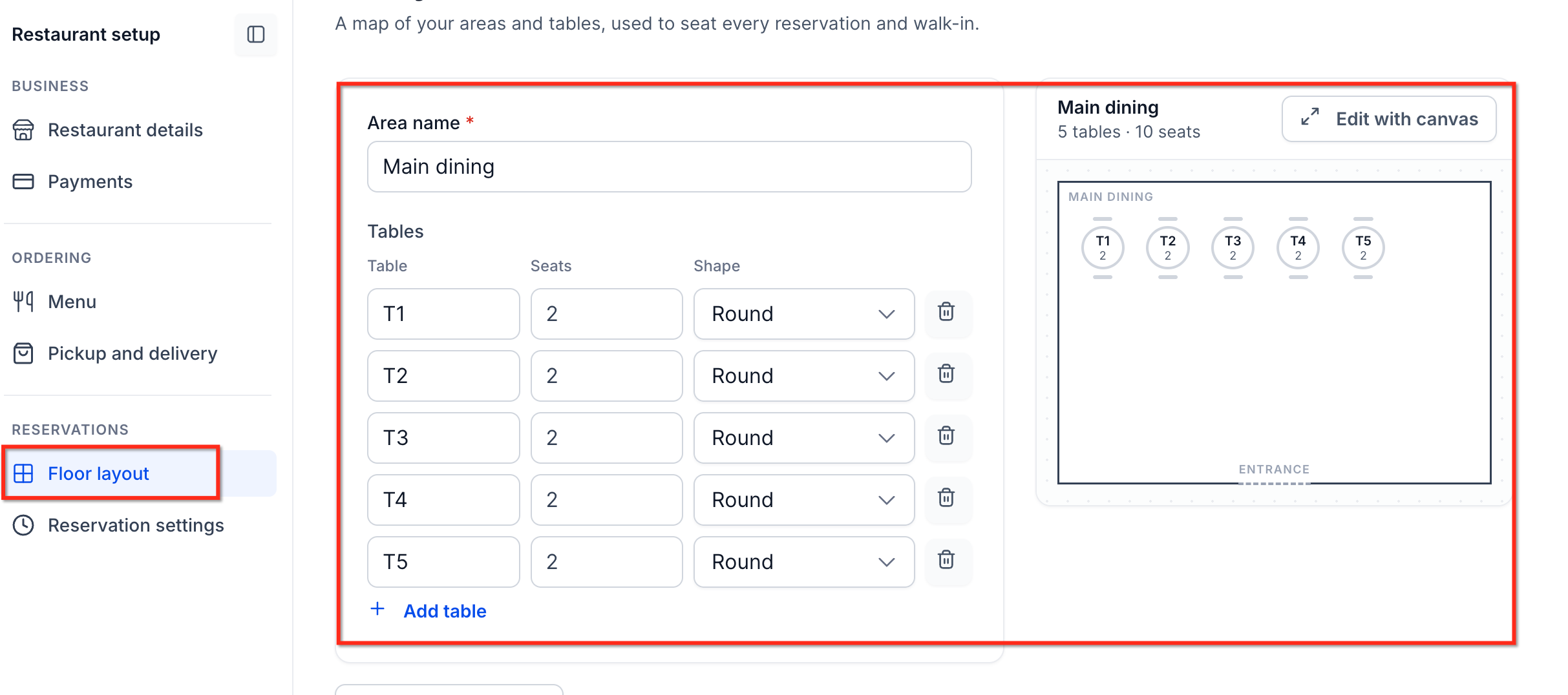
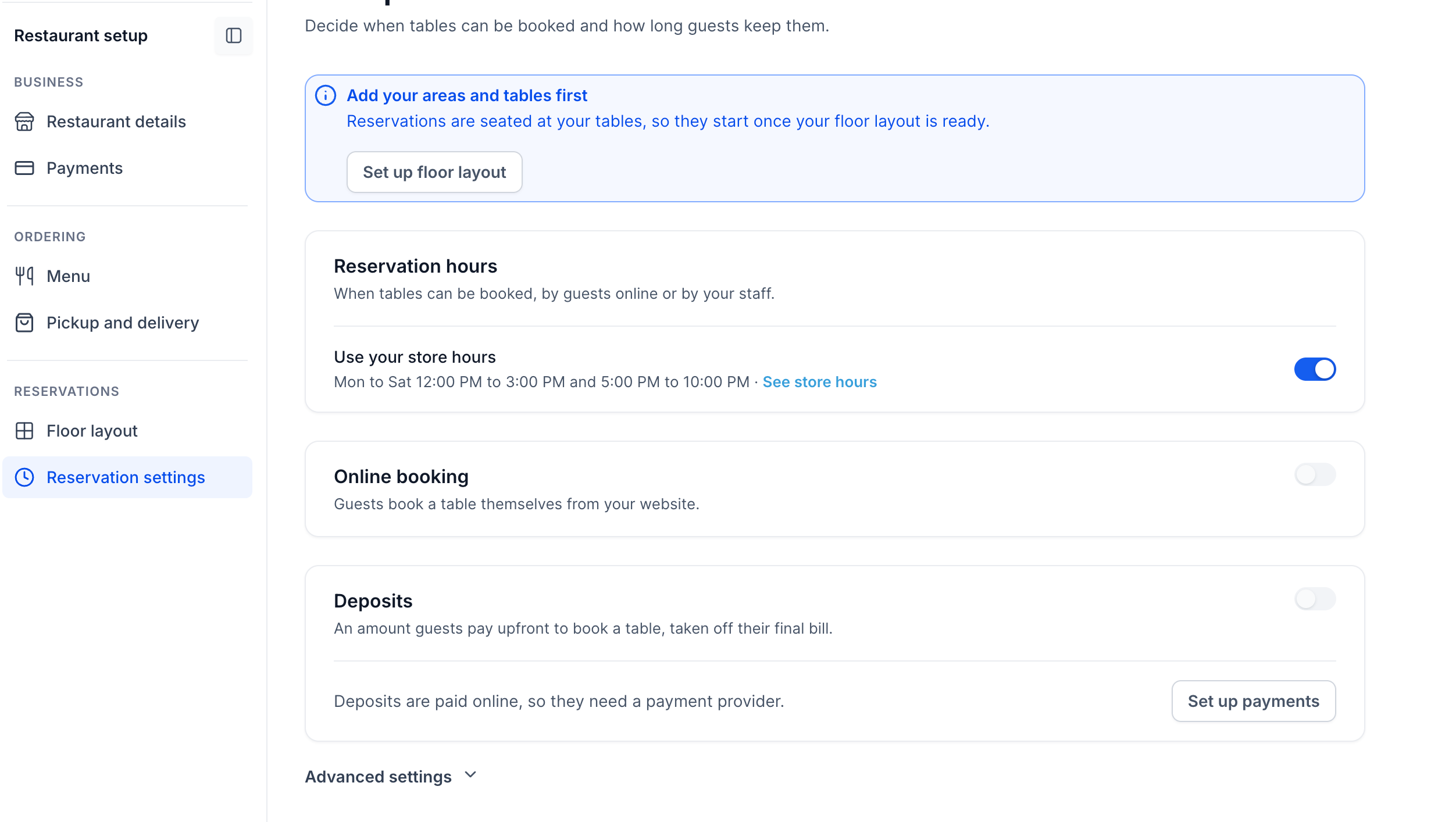
- Family run dine in restaurant. The restaurant sets up its branding, adds table layouts in the floor plan editor, configures reservation windows and optional deposits, and enables online reservations. Staff can seat guests, send kitchen orders and collect payments, all linked to guest contacts.
- Local catering service. The caterer imports its menu, defines delivery zones and fees, and activates delivery service in the Settings module. Clients order via the website, and each order appears in the Restaurant Orders view where the team can update status and record payments.
04How to set up and use HighLevel for Restaurants in HighLevel
Set up restaurant workspace
- Navigate to Subaccounts > Create Subaccount > Start from an industry > Restaurant and enter the business information.
- Inside the new subaccount, go to Restaurants > Overview and open the setup checklist.
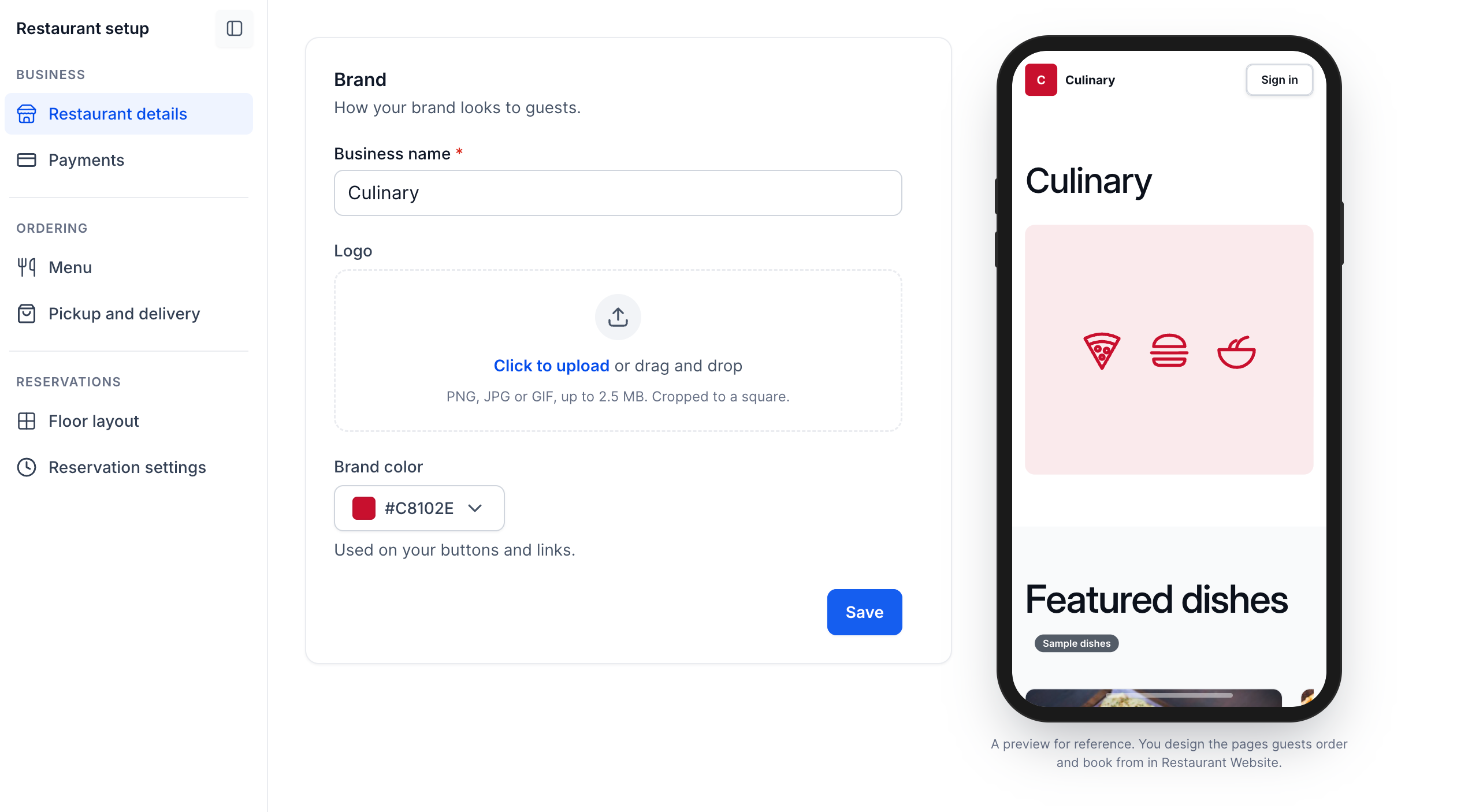
- Enter the restaurant name, upload the branding logo and choose the colour scheme.
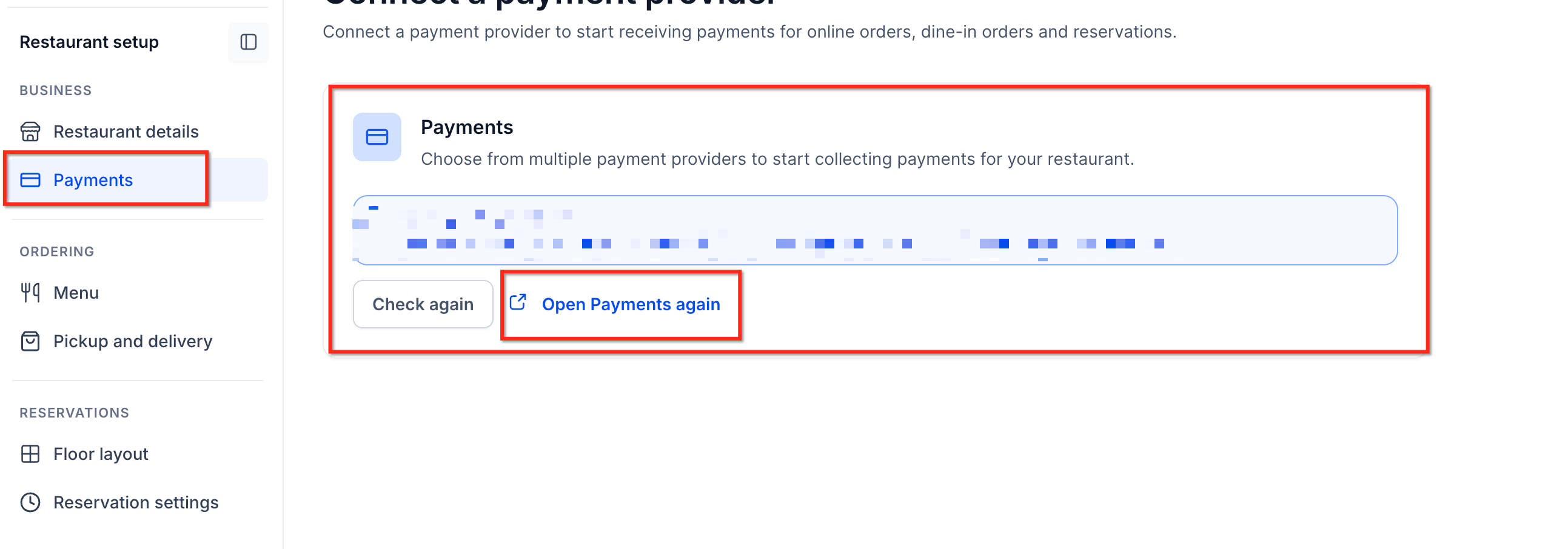
- Open the Payments task in the checklist and link a supported payment provider.
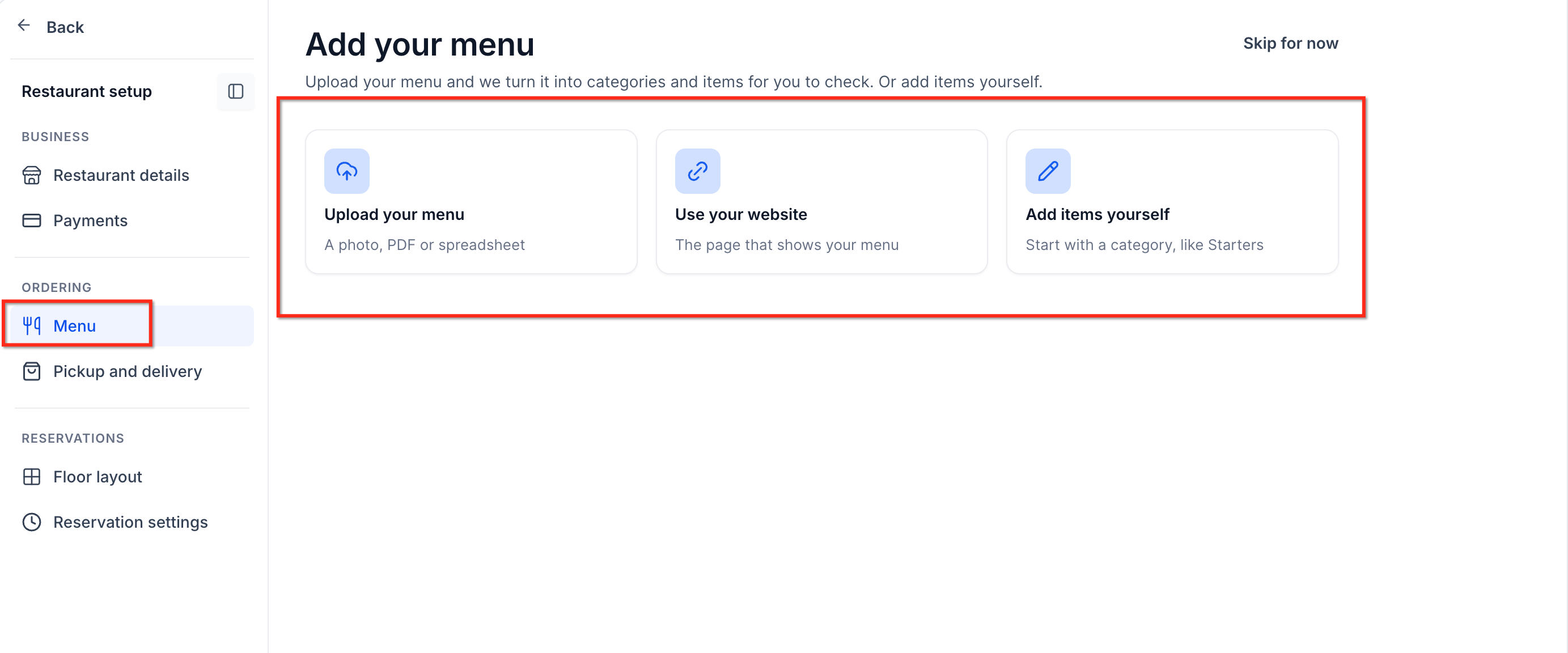
- Add menu content by importing an existing file or manually creating categories, items, prices and modifiers.
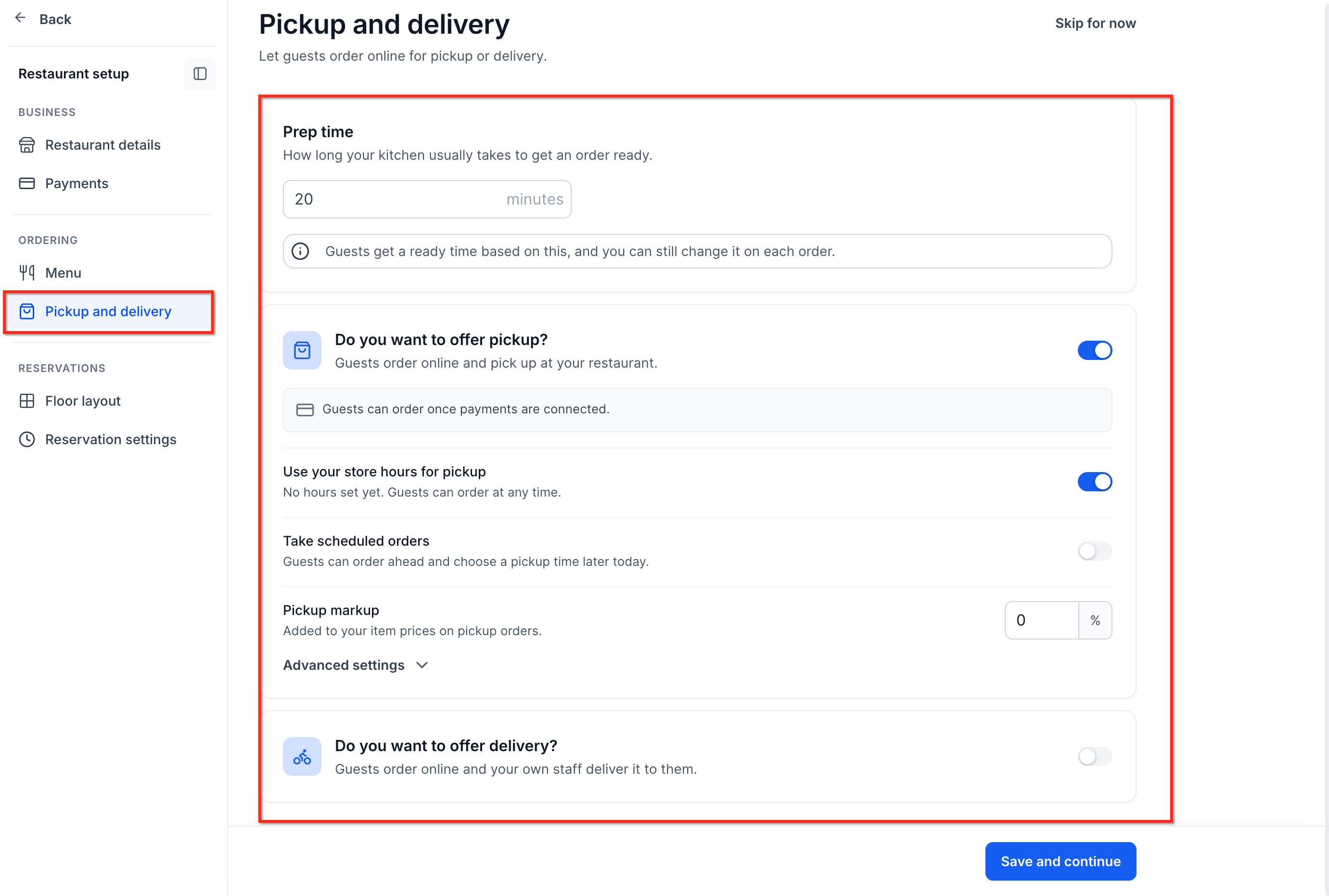
- Define preparation times, service hours, delivery areas and any applicable delivery fees.
- Use the floor layout editor to create dining areas, add tables and set each table’s capacity.
- Set reservation hours, availability rules, reservation length and optional deposit amounts.
- Customize the guest facing website pages, verify checkout settings, attach a domain if needed and publish the site.
05What it looks like in HighLevel
06Settings that matter
- Restaurant Settings. Controls operating hours, payment provider connections, delivery zones, fees and notification preferences for the restaurant workspace.
07Things to know before you rely on it
- The restaurant industry workspace is only available to agencies in the private beta.
- Third party delivery services are not supported; delivery is handled by the restaurant’s own staff.
- Publishing the website does not automatically enable Live payment mode; Live mode must be configured before real payments are accepted.
08How it connects to the rest of HighLevel
- Create and import a menu for the restaurant. Create restaurant menu
- Manage bookings, table assignments and walk in guests. Restaurant reservations
- Handle dine in, pickup and delivery orders and track payments. Restaurant orders
- Full guide to preparing the restaurant website for online ordering and reservations. Restaurant setup guide
- Explore all industry specific features available in HighLevel. All Industries features
Michael's take

HighLevel for Restaurants packs the core tools a small eatery needs into one dashboard, turning menu edits, table bookings and online orders into a single flow that syncs with HighLevel.
Don’t publish the website before you’ve switched the checkout to Live mode.