
01Who this is for
- Course creators who publish many programs benefit from consistent tagging that helps learners locate the right material.
- Community managers can rely on automatic categories to keep groups organized and searchable for members.
- Founders of membership sites save time by removing the need to select categories for each new offering.
02Smart categorization, explained
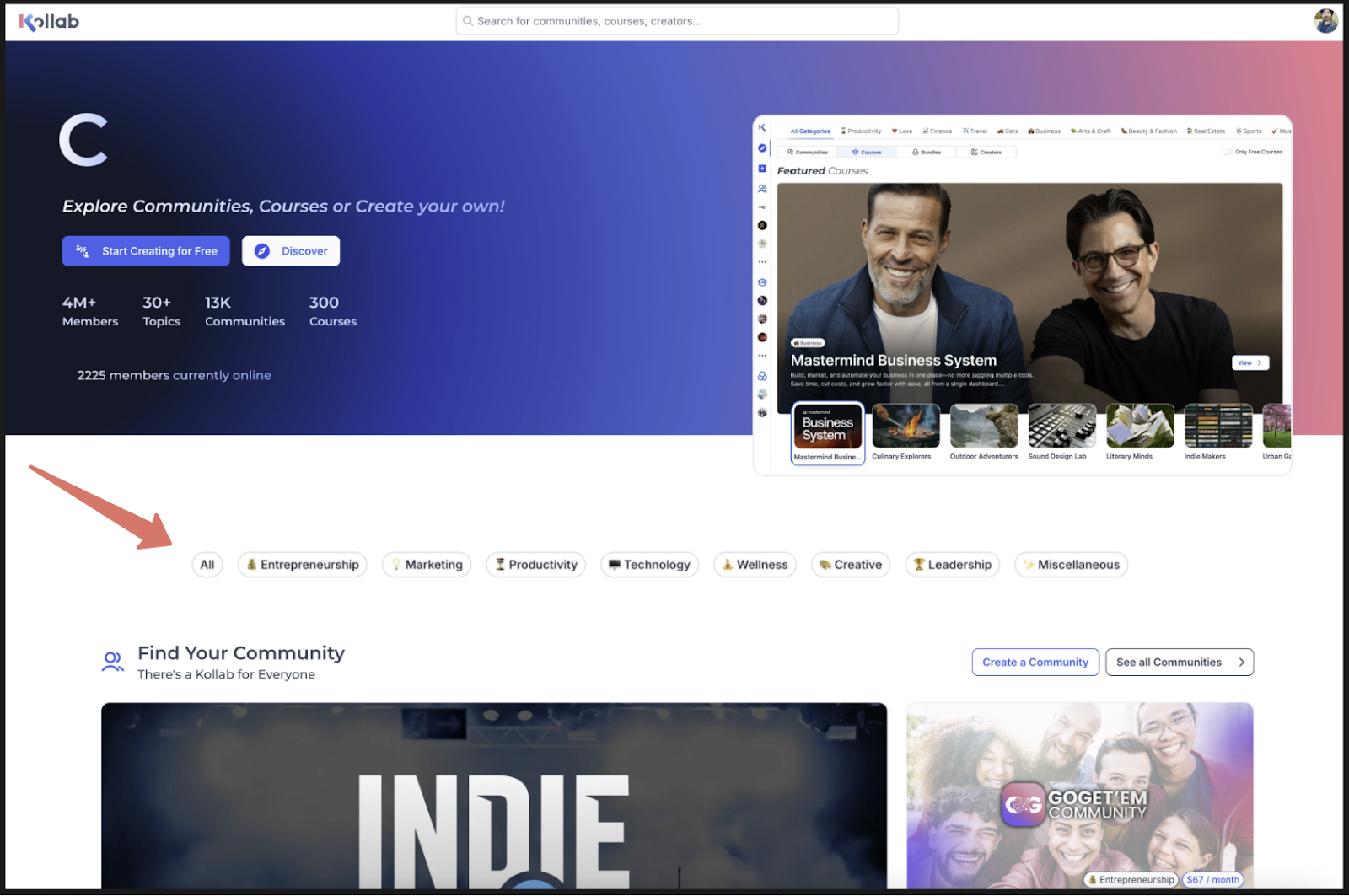
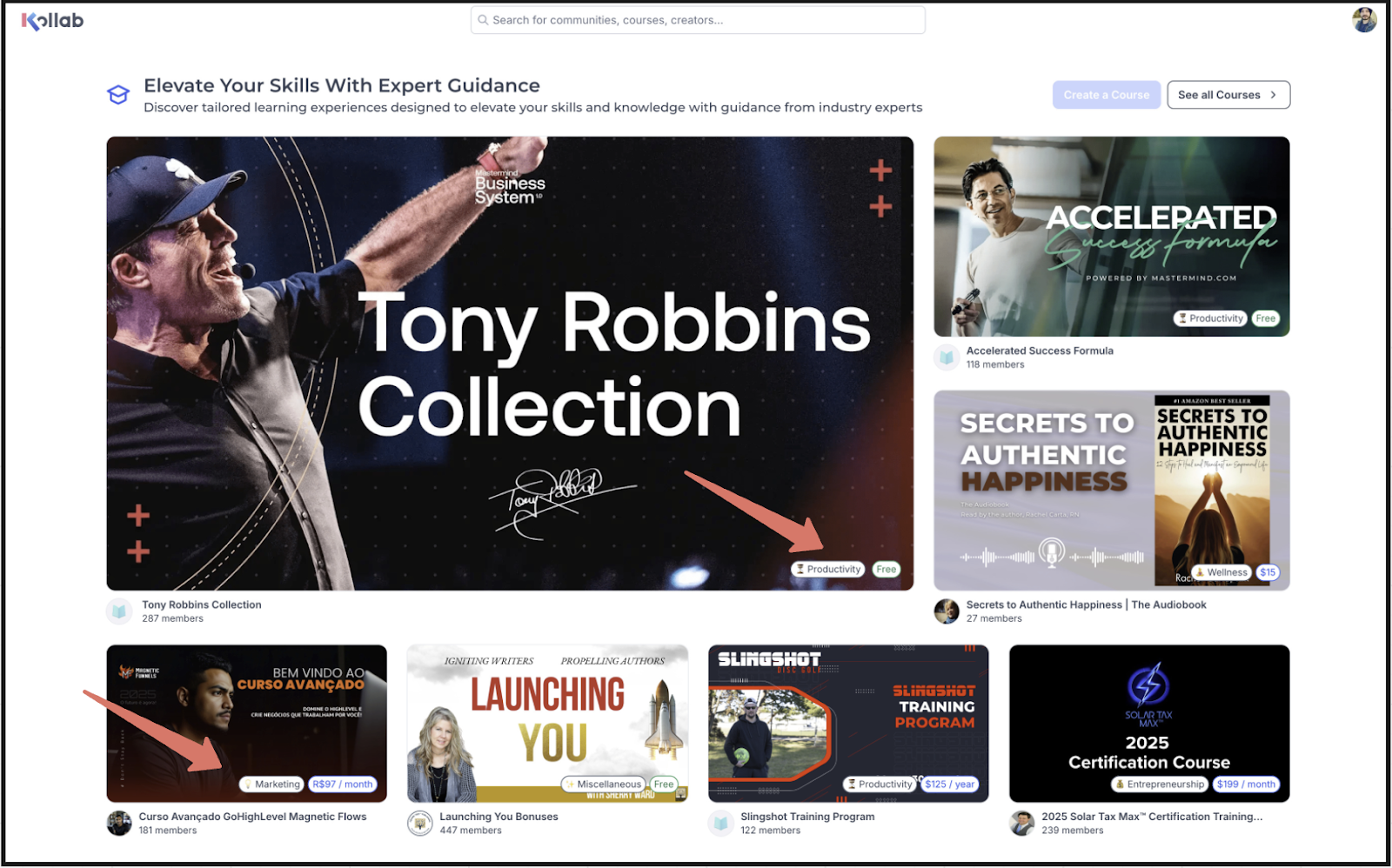
Smart Categorization examines the text you provide for a course or community, the title, description and About section, and selects the best matching category using an AI model. The chosen category appears on the product thumbnail, making it visible in search results and filter lists.
Whenever you edit any of the three fields, the AI re evaluates the content and refreshes the category automatically. This ensures the classification remains accurate as your offering evolves, without any manual re tagging.
The feature runs behind the scenes in the GoKollab area of HighLevel; no separate settings page is required.
03How businesses use smart categorization
- Online coaching business. The coach writes clear, keyword rich titles and descriptions for each training program. After saving, the platform tags the program with the appropriate category, so prospective clients can filter results by topic without the coach selecting a tag.
- Fitness membership platform. When a new workout community is created, the owner fills in an About section that explains the focus. The AI automatically assigns a category that appears on the community’s thumbnail, helping members find relevant groups.
- Digital marketing academy. Each course description is updated to reflect new modules. The system detects the change and updates the category, keeping the course listed under the most relevant subject area.
04Before you start
- Create or open a course or community in GoKollab.
- Enter a descriptive title that clearly reflects the topic.
- Write a detailed description that explains purpose, audience and scope.
- Complete the About section with relevant information.
05What it looks like in HighLevel
06Settings that matter
- Smart Categorization. Controls automatic assignment of the most relevant category to each course or community based on its title, description and About content.
07Things to know before you rely on it
- Manual changes to the assigned category are not available.
- Categories are displayed on every course and community thumbnail, so clear content is essential.
- The AI updates the category each time the title, description or About section is edited.
08If something goes wrong
- Wrong category shown for a product. Check that the title and description clearly describe the topic. If the problem persists, contact support for review.
09How it connects to the rest of HighLevel
- Explore all GoKollab capabilities All GoKollab features
- Manage purchases for courses and communities Manage purchases
- Use Kollab Studio to organize communities and courses Kollab Studio
Michael's take

Smart categorization is a handy AI feature, but if you prefer full control over every label, you can skip it.
The feature shines for creators who want to save time on tagging and keep their catalog tidy without constant manual updates.