
01Who this is for
- Online teachers, they can quickly verify which classes a learner has bought and confirm enrollment status.
- Community platform owners, members can view both free and paid groups they belong to without leaving the portal.
- Subscription based service providers, customers can see past invoices and the payment methods used for each transaction.
02Manage purchases, explained
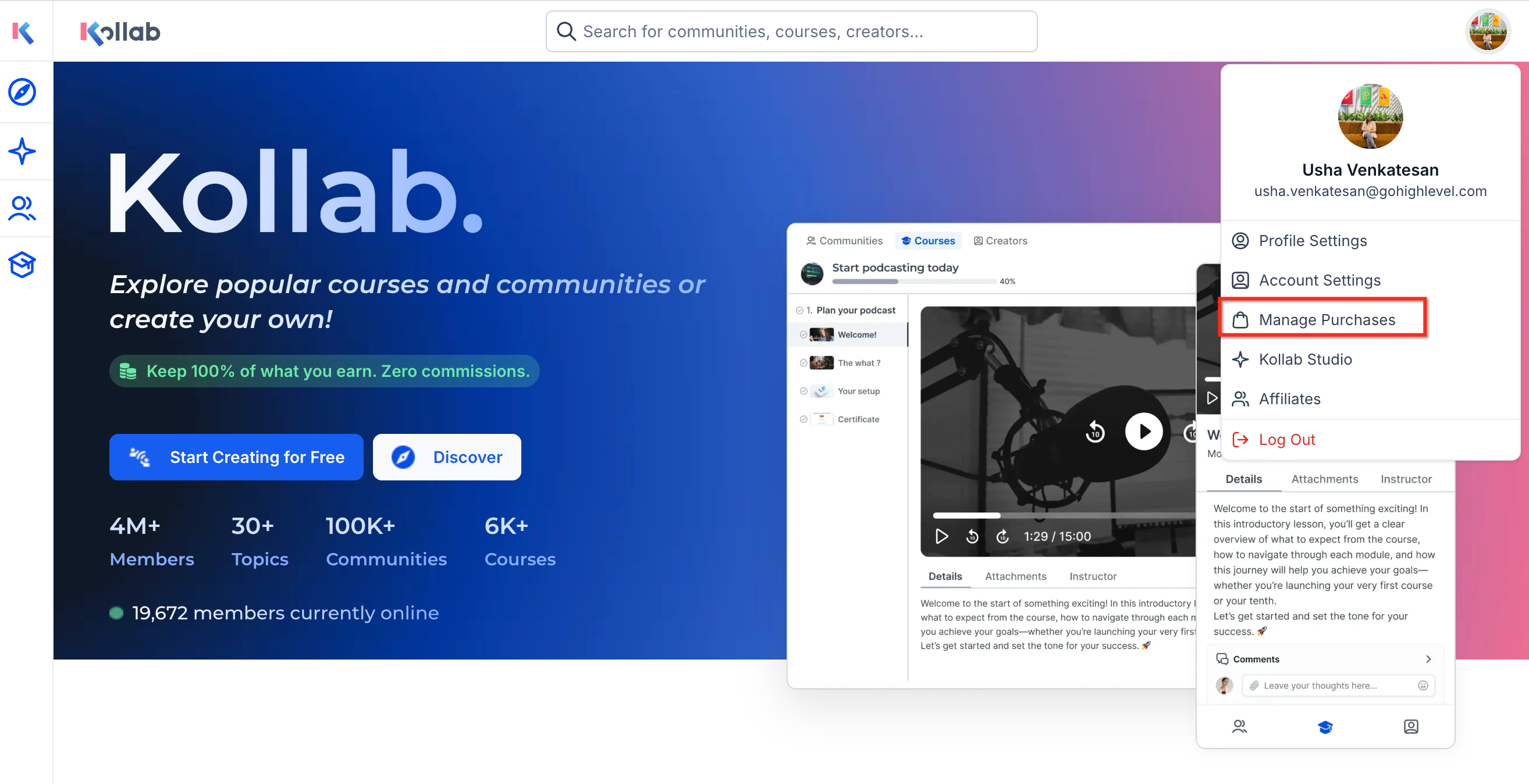
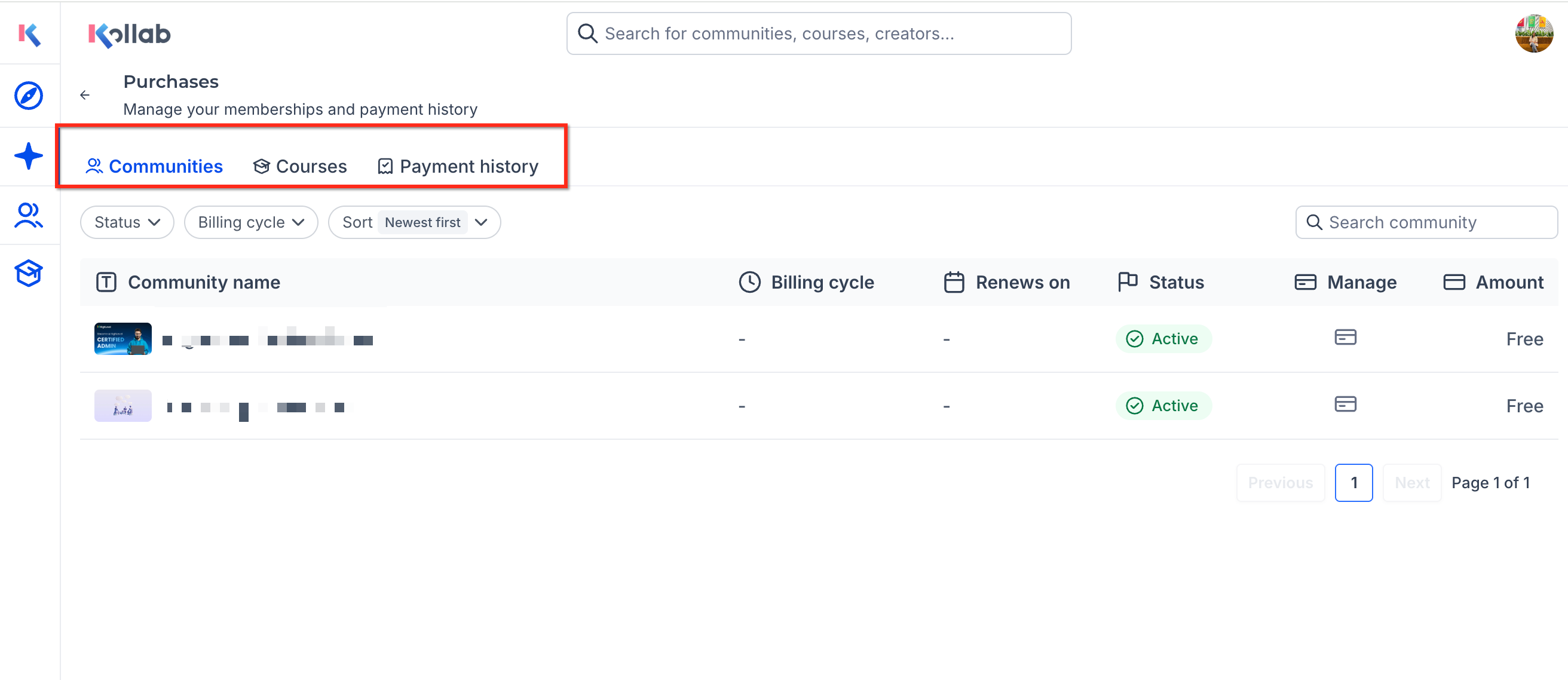
The Manage Purchases page gathers a user’s community memberships, course enrollments, and payment records into one view. It sits behind the profile menu on the GoKollab home screen and displays three tabs: Communities, Courses, and Payment History. Each tab lists the relevant items and, for payments, allows invoice downloads and shows the payment method used. This area is meant for learners and community participants, not for creators who manage the content. Creators use GoKollab Studio for that purpose.
03How businesses use manage purchases
- Yoga studio offering online class packages. Members log in, open the Manage Purchases section, and check the Communities tab to see which virtual studio groups they belong to. The Courses tab shows any class bundles they have bought, and the Payment History tab provides downloadable receipts.
- Professional association with tiered membership levels. Attendees use the Manage Purchases area to confirm they are enrolled in the correct membership tier, view any paid discussion groups in the Communities tab, and verify past dues in the Payment History tab.
- E learning platform selling on demand courses. Learners access Manage Purchases to see a list of purchased courses, open the Courses tab to launch content, and download invoices from the Payment History tab for their records.
04How to set up and use manage purchases in HighLevel
Open the Manage Purchases screen from the profile menu
- Navigate to the GoKollab home page.
- Click the profile icon at the top of the page.
- Choose the Manage purchases option from the dropdown.
- Select the Communities, Courses, or Payment History tab to review the corresponding information.
05What it looks like in HighLevel
06If something goes wrong
- A course or community does not appear in the list. Make sure you are signed in with the same account that was used to purchase or join the item. If the item is still missing, contact the business or community owner for assistance.
07How it connects to the rest of HighLevel
- Learn how creators manage their offerings with GoKollab Studio GoKollab Studio
- See how membership courses integrate with GoKollab Membership courses integration
- Review pricing options for HighLevel plans HighLevel pricing
Michael's take

People often think Manage purchases is where they can change billing details or cancel subscriptions, but the page only shows what they already own. It’s a read only view of memberships, courses and past payments.
If I were using it, I’d first open the page to confirm which courses I’ve signed up for and download the invoices I need for tax records. After that I’d double check the list against my email confirmations to make sure nothing is missing.