
01Who this is for
- Community managers benefit because the app lets members move quickly between groups, courses, and live events.
- Course creators gain a reliable way to deliver content and send notifications to learners on mobile devices.
- Event organizers can promote and host events within the app, reaching attendees through push alerts.
02GoKollab mobile app (beta v2), explained
The Kollab mobile app (Beta v2) is a native application for iOS and Android that centralises community and learning experiences. It lets users explore Communities, Courses, Events, and Chats from a single mobile interface. The redesign speeds up launch times, smooths navigation, and uses Media Core for faster image and video rendering.
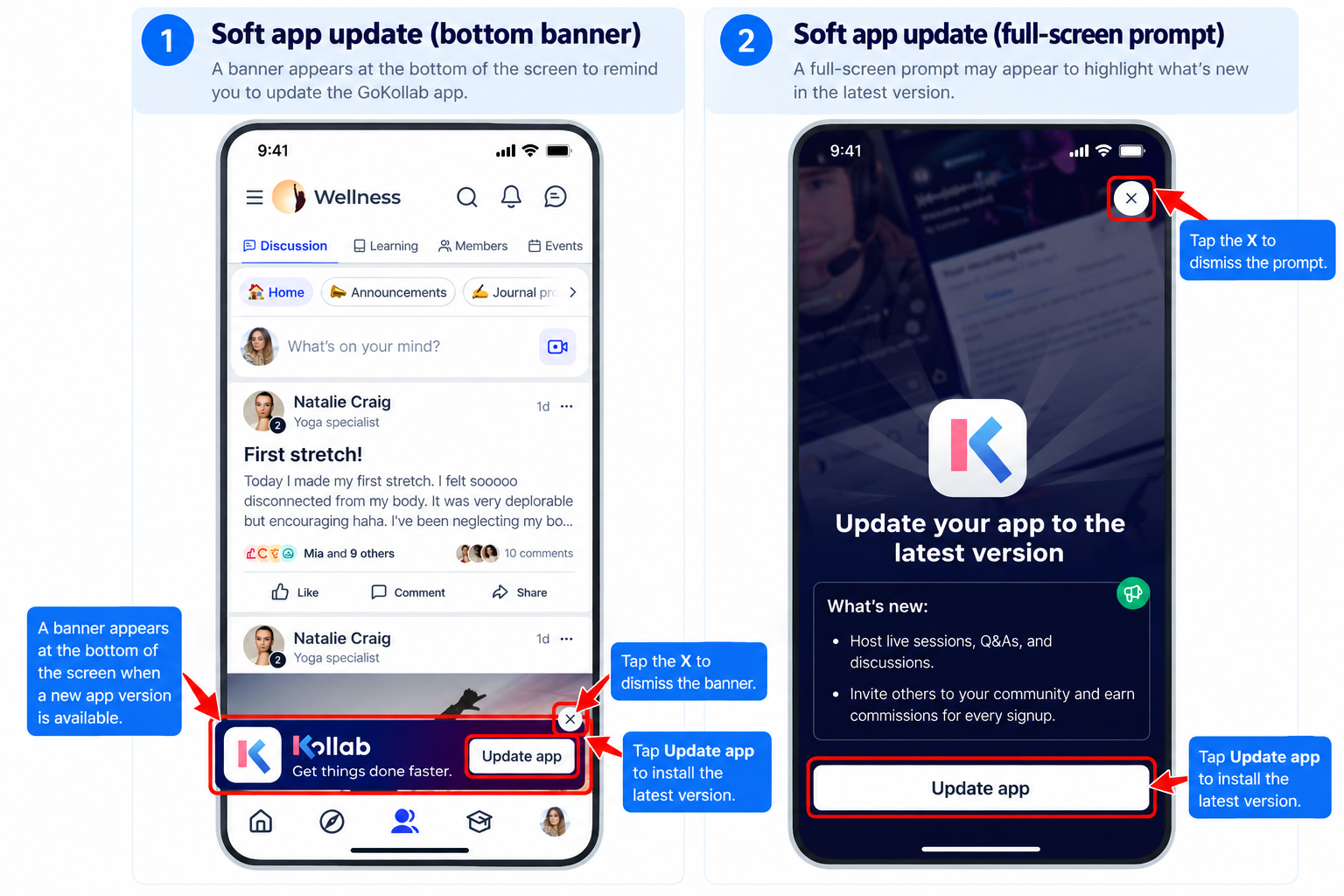
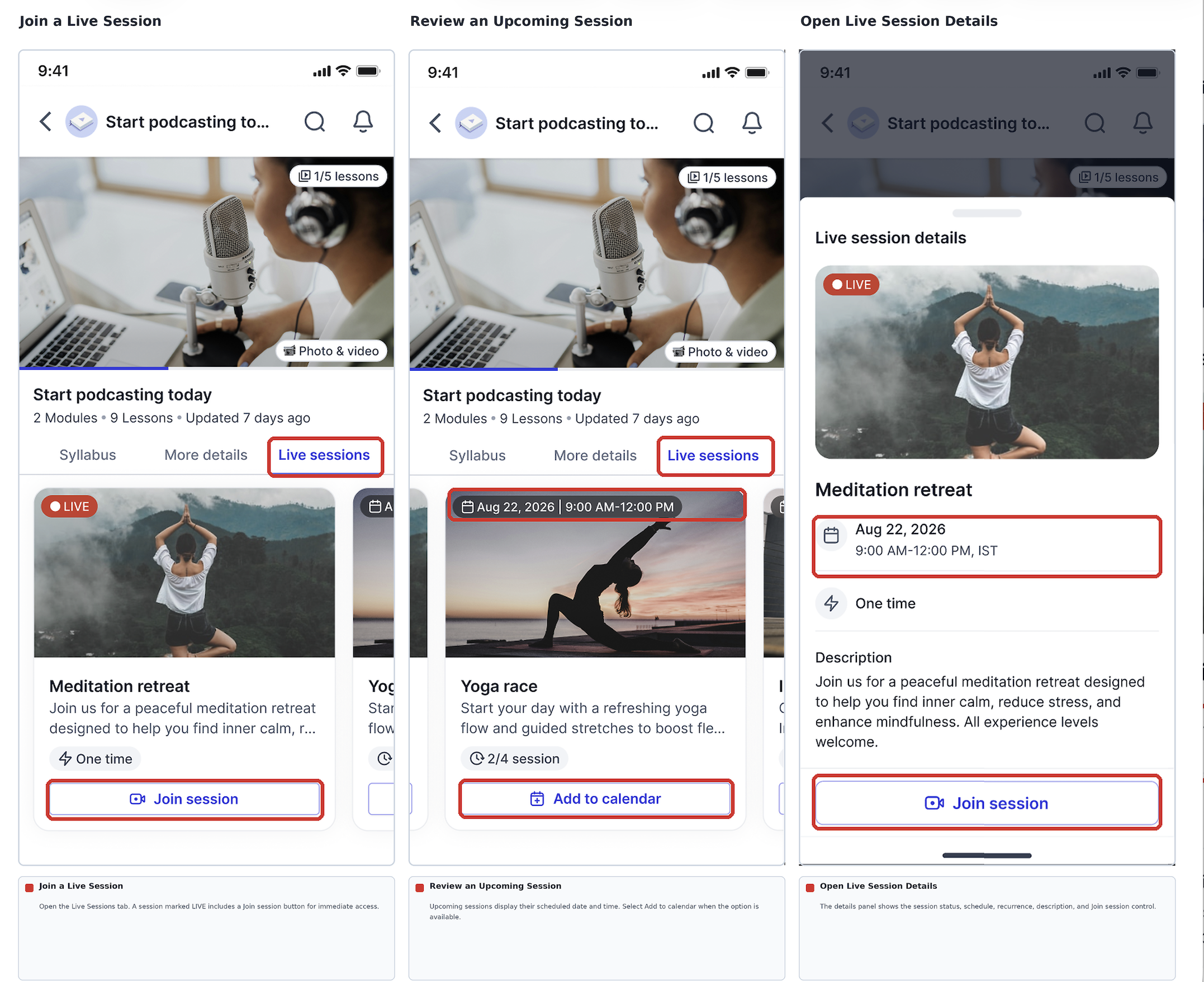
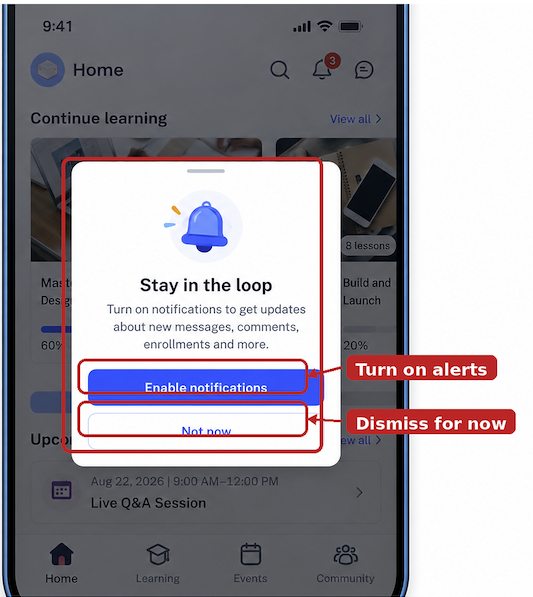
After the initial launch, the app received additional updates. These include prompts that nudge users to install newer versions, Live Sessions that creators can run inside Courses via LevelUp, and reminders that encourage users to enable device notification permissions. The update also fixes a bug that caused a blank screen after tapping a push notification and adds various stability improvements. The app is accessed through the LeadConnector branded listing in the Apple App Store or Google Play Store.
03How businesses use GoKollab mobile app (beta v2)
- Community engagement. Members sign in, browse Communities, and receive push alerts for new posts or events, keeping participation active.
- Course delivery. Creators publish Courses, schedule Live Sessions via LevelUp, and use notifications to remind learners of upcoming sessions.
- Event promotion. Organisers list Events in the app and send push notifications to attendees, who can view event details and join related chats.
04The numbers and rules that matter
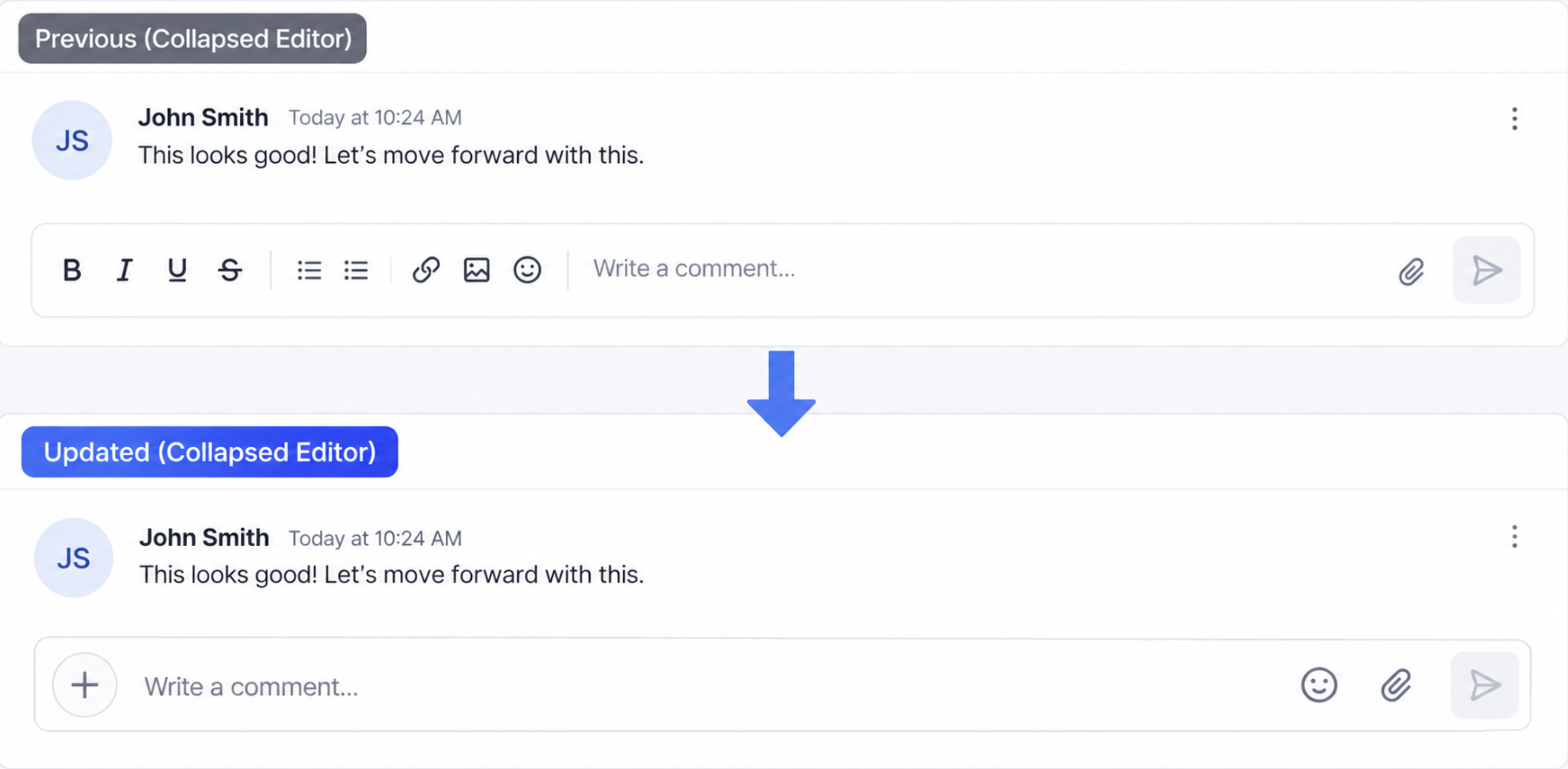
- Version 26.04.140+2604140 adds update nudges, Live Sessions, notification permission reminders and editor improvements.
05How to set up and use GoKollab mobile app (beta v2) in HighLevel
Get started with the Kollab mobile app
- Find and install the Kollab app from the Apple App Store or Google Play Store. If the app is already installed, check for an available update; you do not need to delete the app unless official update instructions specifically require it.
- Open the app and sign in using the credentials linked to your course or community.
- When prompted, allow notifications or adjust the app’s notification permissions in your device settings. Notification permissions remain under the user's control in the device settings.
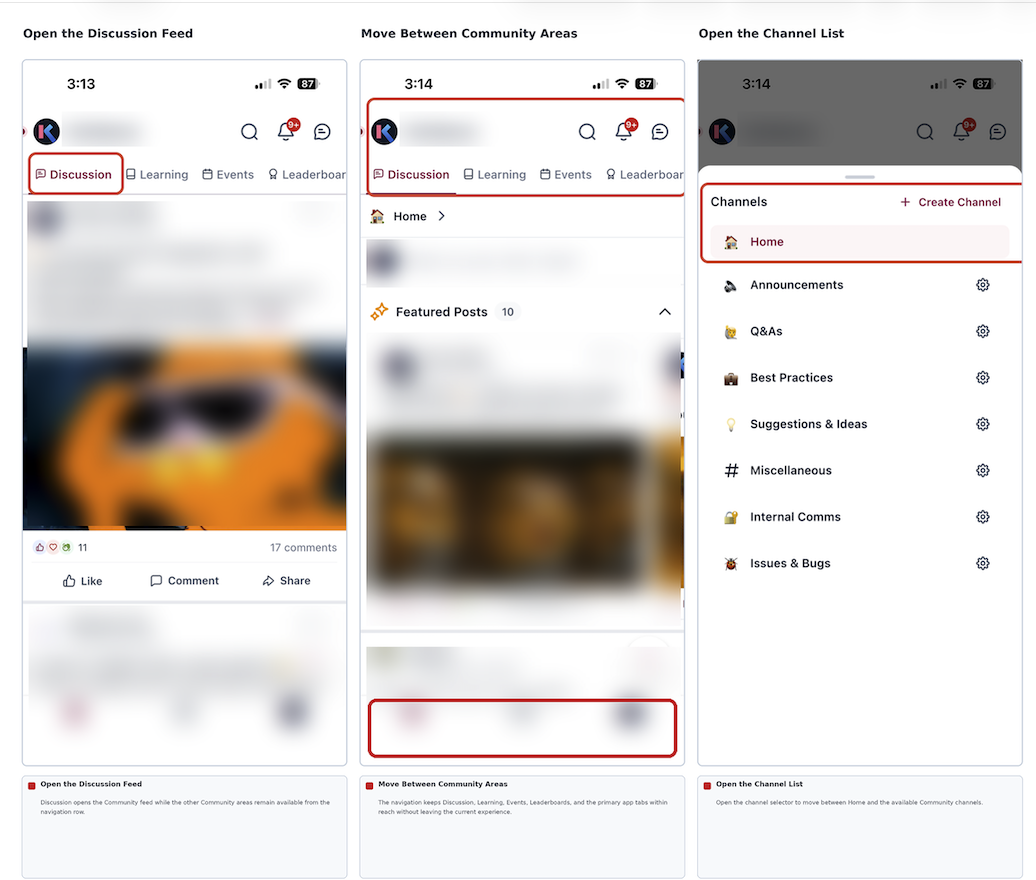
- Browse and open your available Communities, Courses, Events, and Chats.
- If an update reminder appears, follow the on screen instructions to install the newest version.
06What it looks like in HighLevel
07Things to know before you rely on it
- Beta v2 is a testing release and may contain bugs.
- Live Sessions are only available when the specific course and app experience support them.
- Offline access is not guaranteed; an internet connection is required to view current content.
- App update nudges can appear as hard or soft prompts and require user action to proceed.
08If something goes wrong
- Blank screen after tapping a push notification. Install the latest app version that includes the bug fix for this problem.
09How it connects to the rest of HighLevel
- Manage communities and courses with Kollab Studio Kollab Studio
- Set up community affiliate commissions in HighLevel Affiliate commissions
- View all GoKollab features GoKollab feature list
Michael's take

Wondering if a native mobile app is worth the effort for your community members? The GoKollab mobile app (beta v2) delivers the same content you host online but feels faster and more reliable on a phone, and it pushes alerts so users stay in the loop.
If I were rolling out a new course, I’d enable the Live Sessions feature right away so learners can join real time classes from the app. I’d also double check the notification permission prompt works on both iOS and Android before announcing the launch.