
01Who this is for
- Agency owners who manage multiple client locations benefit because they can assign email providers per location.
- Founders of SaaS businesses gain control by setting an agency wide default that applies to new locations automatically.
- Marketing teams that run high volume campaigns can rely on the fallback LeadConnector email when no other provider is configured.
02Email provider order, explained
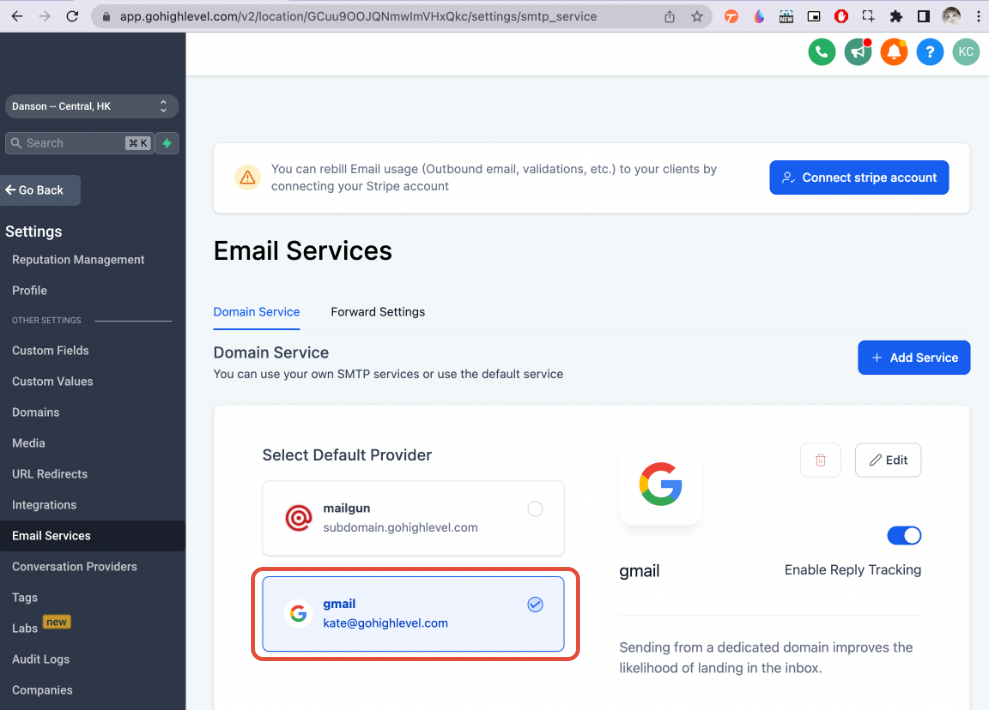
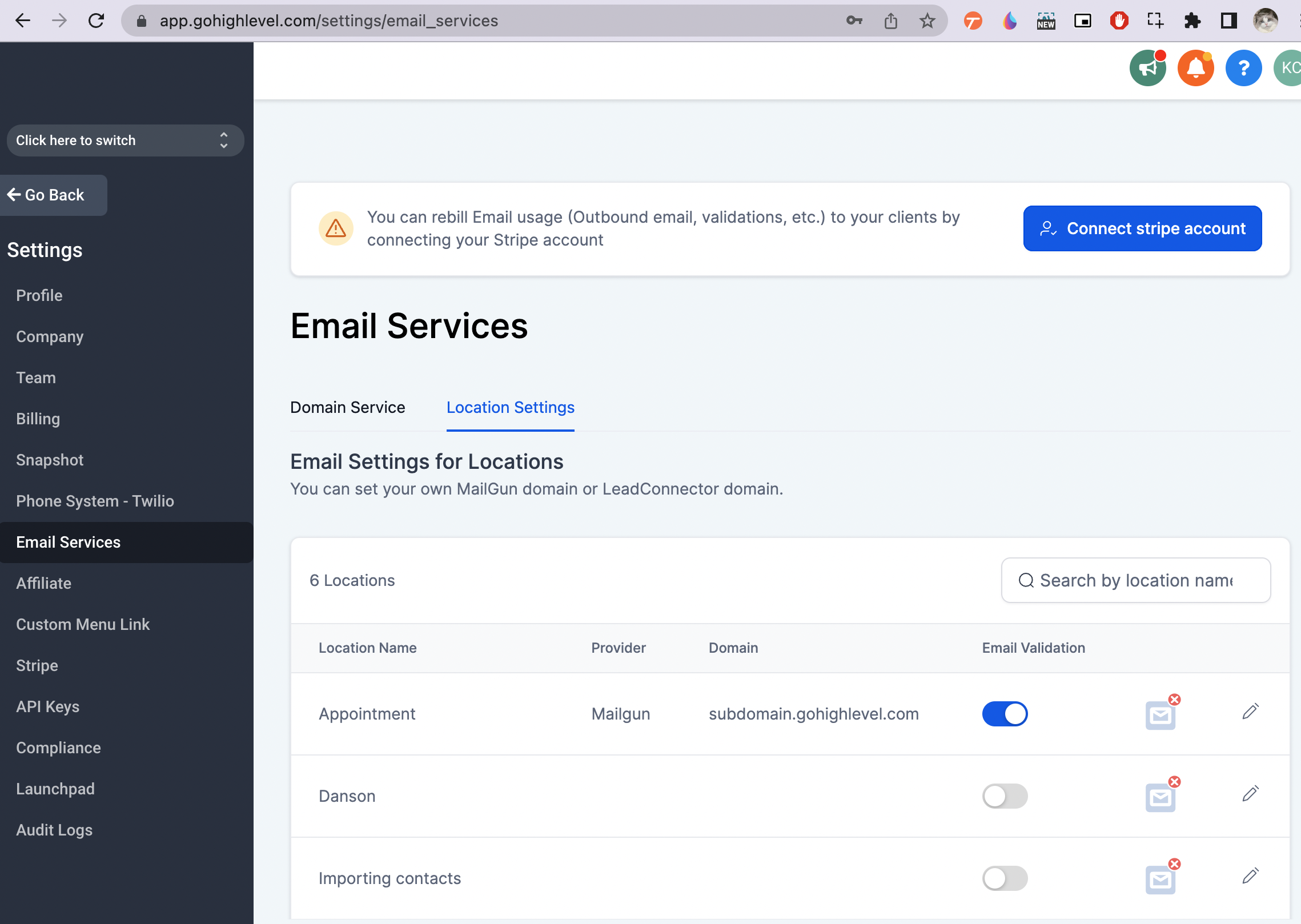
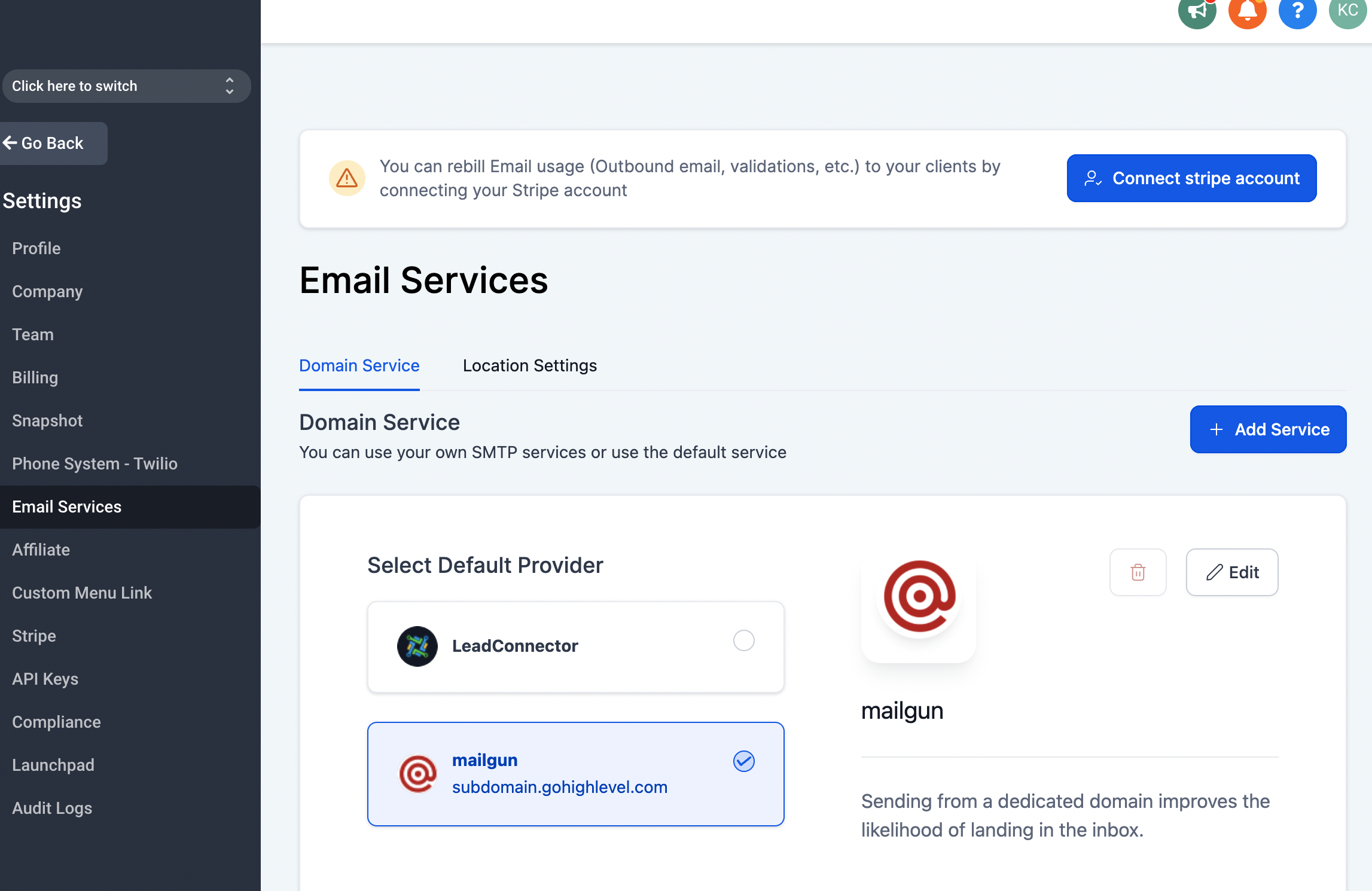
HighLevel follows a four step hierarchy to decide which email service sends a message. The first level is the Subaccount Default Provider, which is set in the subaccount view. If a location does not have its own provider, HighLevel looks at the Email Settings for Locations defined in the agency view. When neither of those levels defines a provider, the Agency Default provider configured in the Email Services tab is used. As a final fallback, LeadConnector Email is used when no other provider is set.
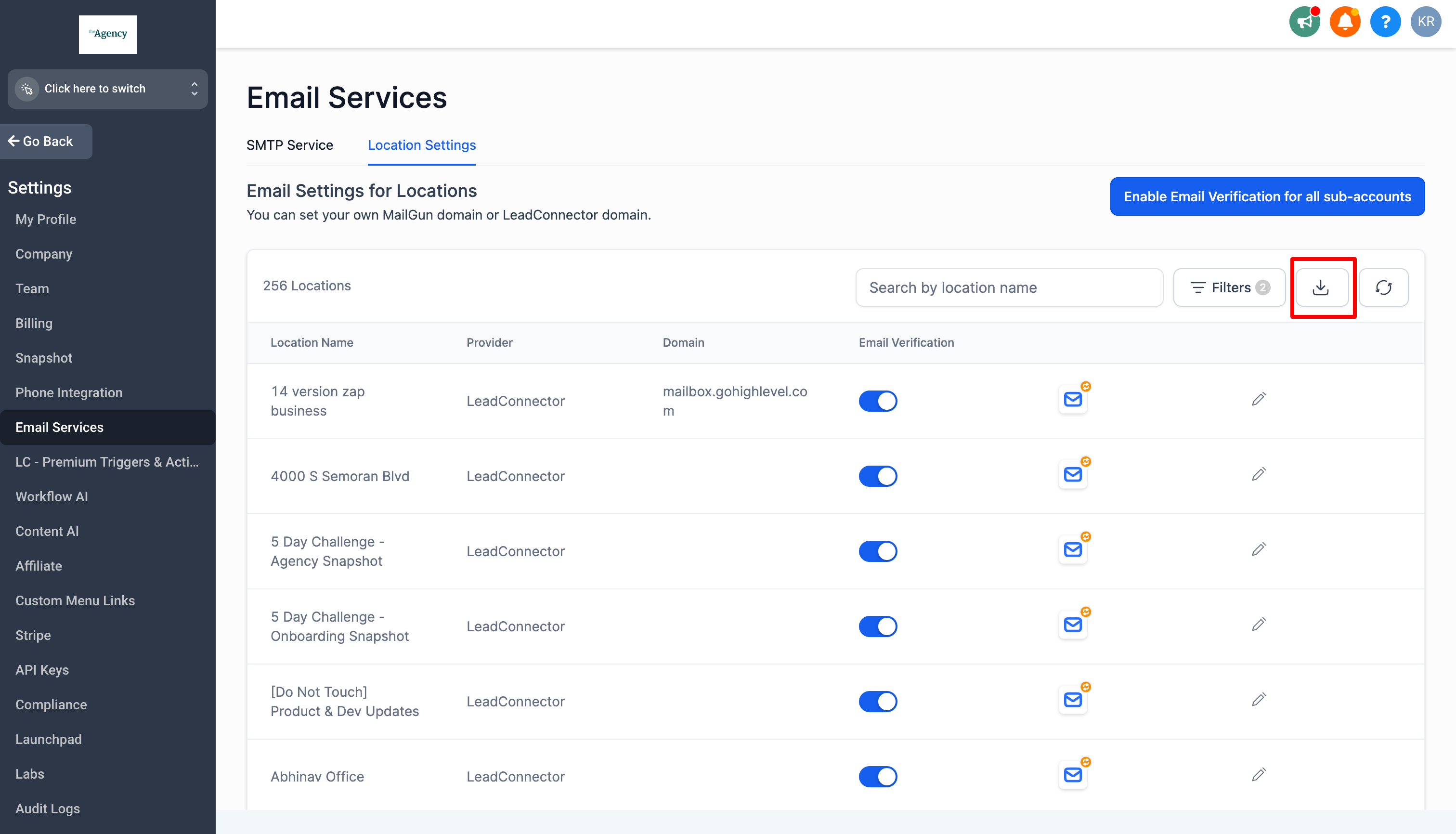
These settings are accessed via the Email Services page at https://app.gohighlevel.com/settings/email_services. The hierarchy lets users apply a single Mailgun API key to many locations, assign different domains or subdomains per location, or use entirely separate Mailgun accounts for individual locations. A similar priority applies to LC Email custom domains, where an agency level domain is inherited by subaccounts until a subaccount adds its own custom domain, which then takes precedence.
03How businesses use email provider order
- Dental practice. The practice can set a unique Mailgun domain for each clinic location, allowing appointment reminders to be sent from the clinic’s own subdomain. This is done by selecting the location in HighLevel and configuring the Mailgun API and domain as needed.
- Marketing agency. The agency can define a single Mailgun API key at the agency level to be inherited by all client subaccounts, ensuring consistent sending infrastructure while still allowing overrides per location if required.
- Real estate brokerage. The brokerage adds a custom LC Email domain at the agency level, then creates a separate custom domain for each sales team at the subaccount level so that emails appear to come from the team’s own domain.
04The numbers and rules that matter
- A unique domain/subdomain can be set per location to capture cold inbound emails.
05How to set up and use email provider order in HighLevel
Set up Mailgun for a location
- Choose whether the location will use the client’s Mailgun account or your own.
- Use the same Mailgun API key and domain or subdomain for multiple locations.
- Keep the same Mailgun API key while assigning different domains or subdomains per location.
- Use a completely different Mailgun API key and domain or subdomain for the location.
- Configure a unique domain or subdomain for the location to capture cold inbound emails.
Set up LC Email custom domain
- Add a custom LC Email domain at the agency level to apply to all subaccounts.
- Add a custom domain at a subaccount level to override the agency domain for that subaccount.
- Confirm that the subaccount custom domain is prioritized over the agency domain.
06What it looks like in HighLevel
07Settings that matter
- Subaccount Default Provider. Specifies the email service that the subaccount will use unless a location overrides it.
- Email Settings for Locations. Allows each location to define its own email provider, overriding the subaccount default.
- Agency Default provider in Email Services tab. Sets an agency wide email provider that is inherited by new locations when no other provider is defined.
- LeadConnector Email. Acts as the final fallback email service when no other provider is configured at any level.
08Things to know before you rely on it
- A single Mailgun API key can be shared across multiple locations.
- Different domains or subdomains can be assigned per location even when using the same API key.
- A unique Mailgun API key and domain can be set for each location if needed.
- Custom LC Email domains set at the agency level are inherited by all subaccounts until a subaccount adds its own domain, which then takes priority.
09How it connects to the rest of HighLevel
- Learn about Mailgun pricing, domains and setup choices. Mailgun overview
- Read the overview of LC Email built in sending, limits and upgrades. LC Email overview
- View HighLevel pricing and plan options. Pricing
Michael's take

The system checks the subaccount defaults first, then the location settings, then the agency default, and finally falls back to LeadConnector Email.
When I set up a new client account, I create a dedicated Mailgun API for that location and assign a unique domain.