
01Who this is for
- Marketing managers who need a verified sending domain for campaigns benefit from reliable delivery.
- IT administrators managing a GoDaddy registered domain can connect Mailgun without disrupting existing Google Workspace email.
02Mailgun DNS records, explained
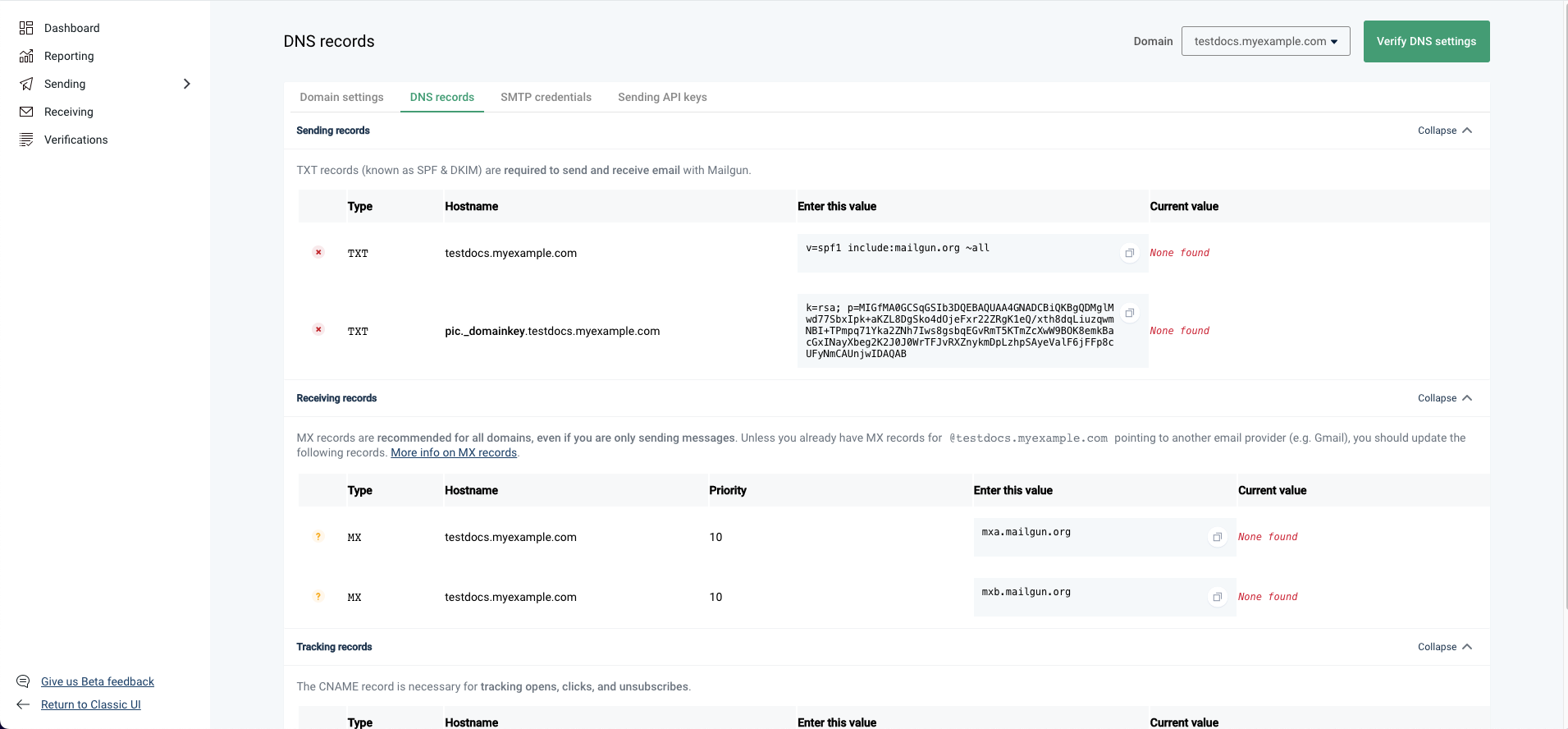
Mailgun is an external email sending service that HighLevel can use via an API key. To activate it, you register a domain, or a subdomain, in Mailgun, then add the DNS records Mailgun provides. The records (two TXT, two MX, one CNAME) are entered in GoDaddy’s DNS editor; host names vary for root domains versus subdomains, while the record values stay the same. After Mailgun verifies the records, you copy the API key into HighLevel’s email service settings so outbound mail is sent through Mailgun.
03How businesses use Mailgun DNS records
- Dental practice. Create a subdomain like mail.dentalclinic.com in Mailgun, add the five DNS records in GoDaddy, verify them, then insert the API key in HighLevel to send appointment reminders.
- SaaS startup. Add the main domain to Mailgun under the US region, configure the SPF, DKIM, MX and CNAME records in GoDaddy, verify the setup, and connect the API key so system notifications are sent from the company domain.
- Online retailer. Set up a subdomain such as campaigns.shop.com in Mailgun, input the required DNS records via GoDaddy, confirm verification, and enable the API key in HighLevel to separate marketing emails from order confirmations.
04The numbers and rules that matter
- Two TXT records: SPF value is v=spf1 include: Mailgun.org ~all.
- Two MX records: Mxa.mailgun.org and mxb.mailgun.org, priority 10.
05Before you start
- A domain that is registered and managed in GoDaddy.
- A Mailgun account with the domain you want to use added.
06How to set up and use Mailgun DNS records in HighLevel
Sign up for Mailgun and add your domain
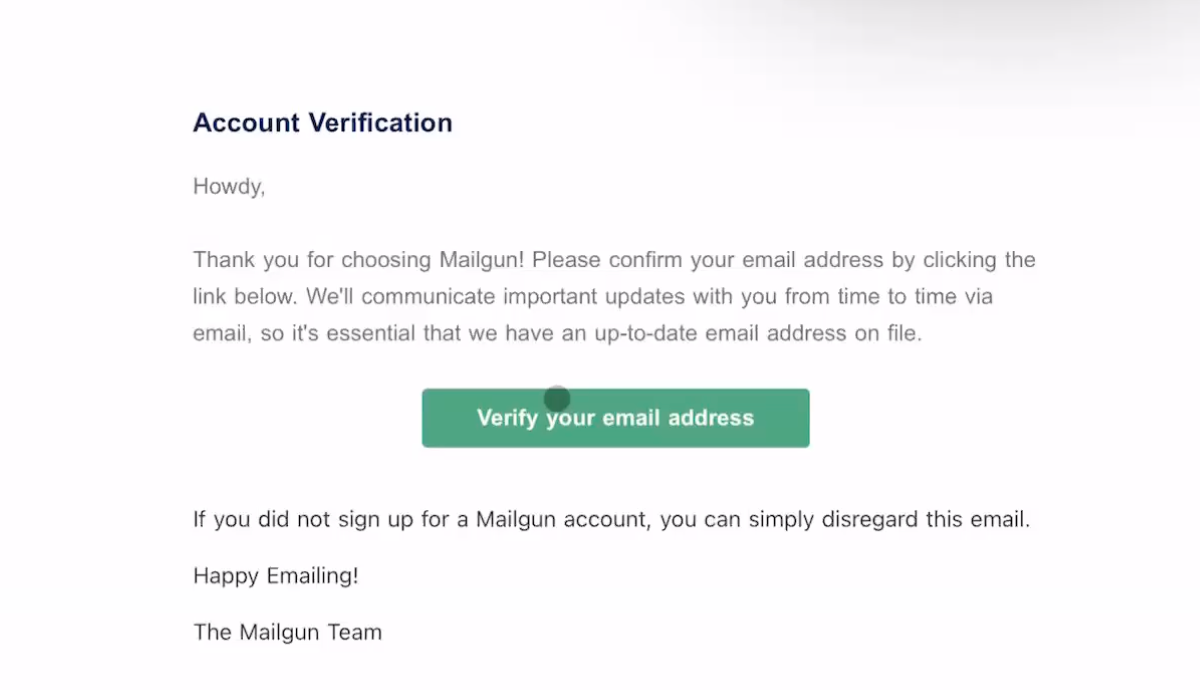
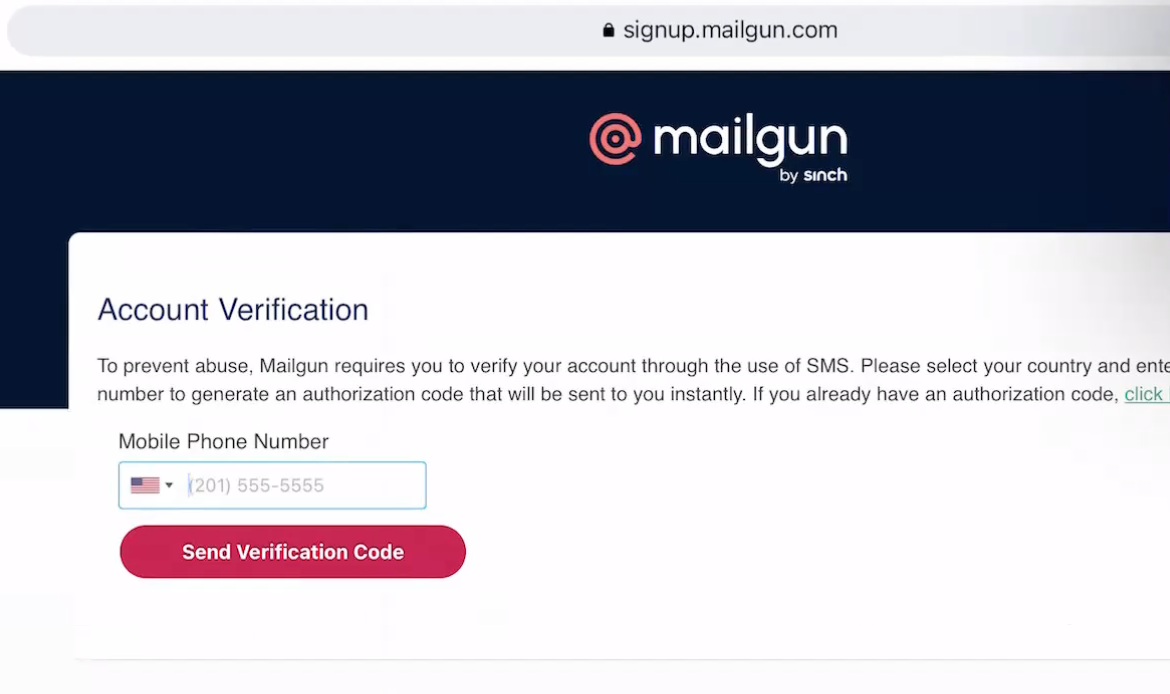
- Visit Mailgun.com, create an account, and confirm the verification email.
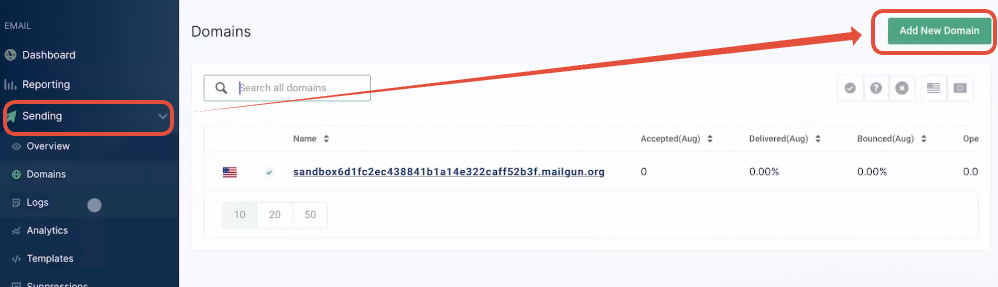
- Log into the Mailgun dashboard, navigate to Sending > Add New Domain.
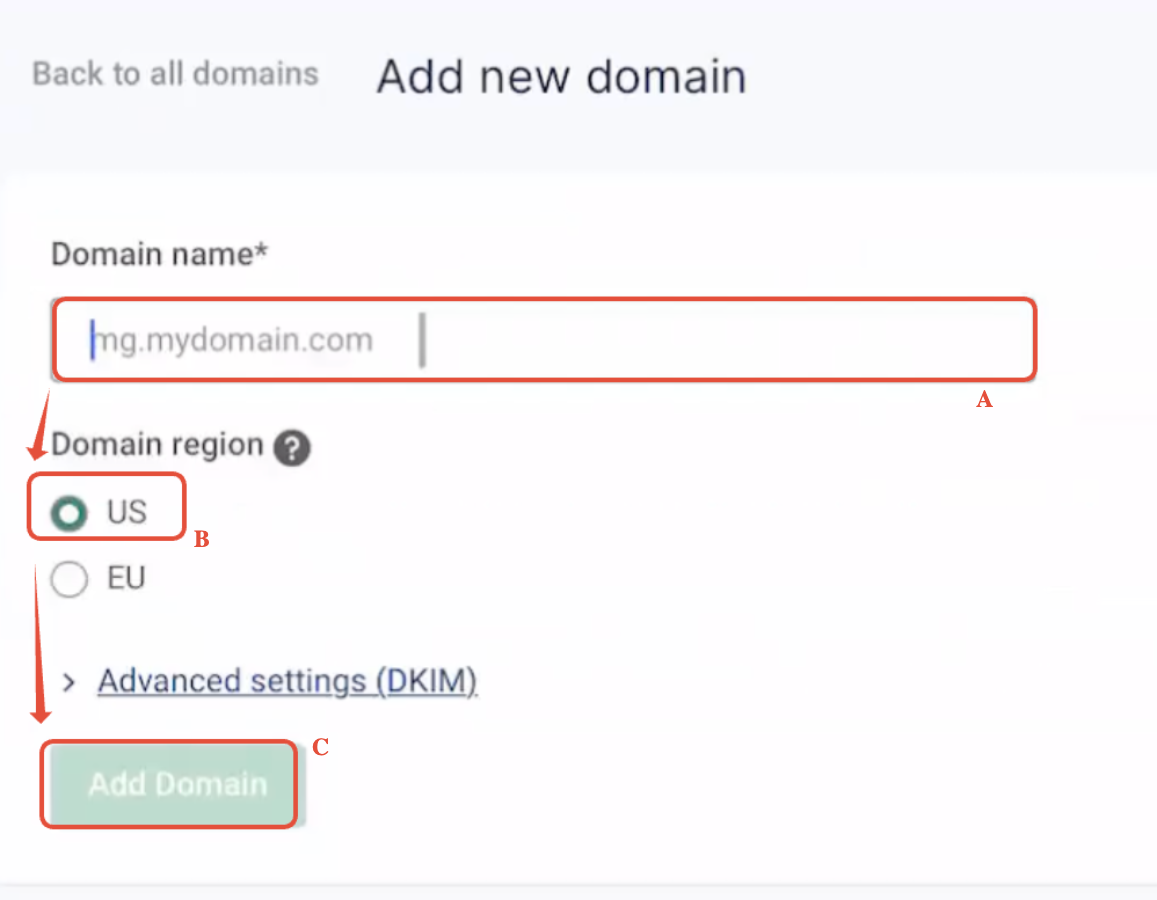
- Choose either the root domain or a subdomain, set the region to US, and confirm the choice.
- Click Add domain and keep the DNS record screen open for later steps.
Access DNS records in GoDaddy
- Sign in to GoDaddy and open the Domain Portfolio view.
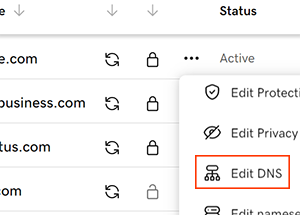
- Select the three dot menu next to the chosen domain and choose Edit DNS (you may need to scroll down to see the Edit DNS option).
- Press the Add button to start adding a new DNS record (repeat for each of the five records).
Add the 1st TXT record (SPF)
- Select TXT as the record type.
- Enter the host value, use “@” for a root domain or the subdomain label such as “mg”.
- Paste the string v=spf1 include:mailgun.org ~all into the value field.
- Click Save.
Add the 2nd TXT record (DKIM)
- Click Add, choose TXT as the type.
- Copy the host portion up to the sub domain delimiter from Mailgun’s DKIM line and paste it into the Host field.
- Copy the full DKIM TXT string from Mailgun and paste it into the value field.
- Click Save.
Add the 1st MX record
- Select MX as the record type.
- Set the host to “@” for a root domain or the appropriate subdomain label.
- Enter mxa.mailgun.org as the destination.
- Set priority to 10.
- Heads Up: If you have a Google Workspace account handling incoming mail for the main domain, use a subdomain for Mailgun instead.
- Click Save.
Add the 2nd MX record
- Choose MX as the record type.
- Use the same host value as the first MX record.
- Enter mxb.mailgun.org as the destination.
- Set priority to 10.
- Click Save.
Add the CNAME record
- Pick CNAME as the record type.
- Enter the host, “email.” followed by the subdomain label, or just “email” for the root domain.
- Set the target to mailgun.org.
- Click Save.
Verify DNS and finish setup
- Return to Mailgun’s domain page and click Verify DNS Settings.
- If any record shows pending, click Verify again after a short wait (DNS propagation can take a little time).
- When all records are green, copy the Mailgun API key.
- Paste the API key into HighLevel’s email service settings and send a test email.
07What it looks like in HighLevel
08Settings that matter
- Type. Specifies the DNS record category, such as TXT, MX, or CNAME.
- Host. Defines the sub domain part of the record; use “@” for the root domain or the chosen subdomain label.
- TXT Value. Contains the text string for SPF or DKIM verification.
- Points to. For MX and CNAME records, indicates the destination server address.
- Priority. Sets the precedence for MX records; Mailgun requires a value of 10.
09Things to know before you rely on it
- Domain must be created in the US region; the EU region is not supported.
- Host values differ between a root domain and a subdomain, but the record values themselves stay constant.
- DNS propagation may delay verification, so multiple checks might be needed.
- Using the main domain together with Google Workspace can cause conflicts; a subdomain is recommended for Mailgun.
- All five records (2 TXT, 2 MX, 1 CNAME) are required regardless of registrar.
10If something goes wrong
- Errors during setup. Confirm the API key and domain details in Mailgun, verify each DNS entry in GoDaddy, and ensure the domain shows as verified in Mailgun’s dashboard.
- Missing Edit DNS option in GoDaddy. Make sure you are viewing the domain from the Domain Portfolio and using the three dot menu. If DNS is managed elsewhere, edit the records with that provider instead.
11How it connects to the rest of HighLevel
- Mailgun overview, pricing and domain options Mailgun overview
- Step by step guide to configure Mailgun domain and DNS Mailgun DNS guide
- HighLevel pricing and plans Pricing
Michael's take

Mailgun DNS records feel like a small convenience that can become a real shift in how you handle outbound email. Hooking your GoDaddy domain to Mailgun lets you send newsletters, alerts or transactional messages without fighting spam filters.
A software startup that already uses Google Workspace for incoming mail benefits from setting up Mailgun on a subdomain like mg.startup.com. That way you keep Gmail working while routing outgoing mail through Mailgun’s servers.