
01Who this is for
- Founders of SaaS companies need a reliable channel for welcome and notification emails.
- Marketing agencies that manage client campaigns benefit from separate subdomains to keep deliverability clean.
- Service based businesses that automate appointment reminders can use Mailgun to ensure messages reach inboxes.
02Mailgun setup, explained
The Mailgun integration lets HighLevel use Mailgun’s sending infrastructure. After you link a domain, the platform publishes the TXT, CNAME and MX records Mailgun requires. Once the records verify, you paste the Mailgun API key into HighLevel and can start sending emails.
All actions occur inside the HighLevel UI. The domain selection screen prompts you to choose the root domain or a subdomain, then forces the US region for this workflow. DNS changes are made at your registrar, not within HighLevel, but the platform monitors verification status.
03How businesses use Mailgun setup
- SaaS startup. The team creates a subdomain like mg.startup.com, adds the five Mailgun records at their DNS host, enters the API key in HighLevel, and sends a test email. With verification complete, automated onboarding messages are sent through Mailgun.
- Marketing agency. The agency sets up a dedicated subdomain for each client (e.g., client1.mg.agency.com), follows the DNS steps, records the client specific API key, and then launches campaign emails from HighLevel using the client’s Mailgun sender.
- Online retailer. The retailer chooses a subdomain such as support.store.com, updates DNS records, inputs the API key, and sends order confirmation and shipping updates as test emails before activating full scale email flows.
04The numbers and rules that matter
- Add 5 DNS records as provided by Mailgun.
- DNS propagation can take anywhere from a few minutes to 48 hours, though most records verify within an hour.
05Before you start
- A Mailgun account must be created.
- You must own a domain you can edit DNS records for.
06How to set up and use Mailgun setup in HighLevel
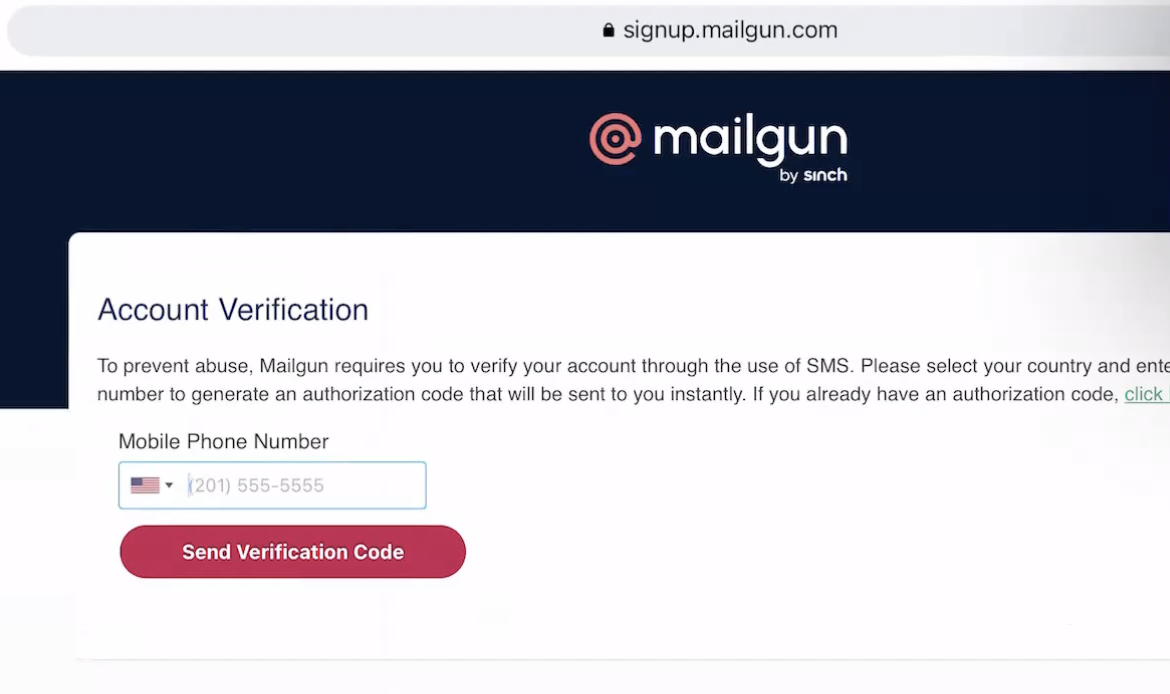
Sign up for Mailgun
- Open the Mailgun signup page at signup.mailgun.com/new/signup and complete the registration form.
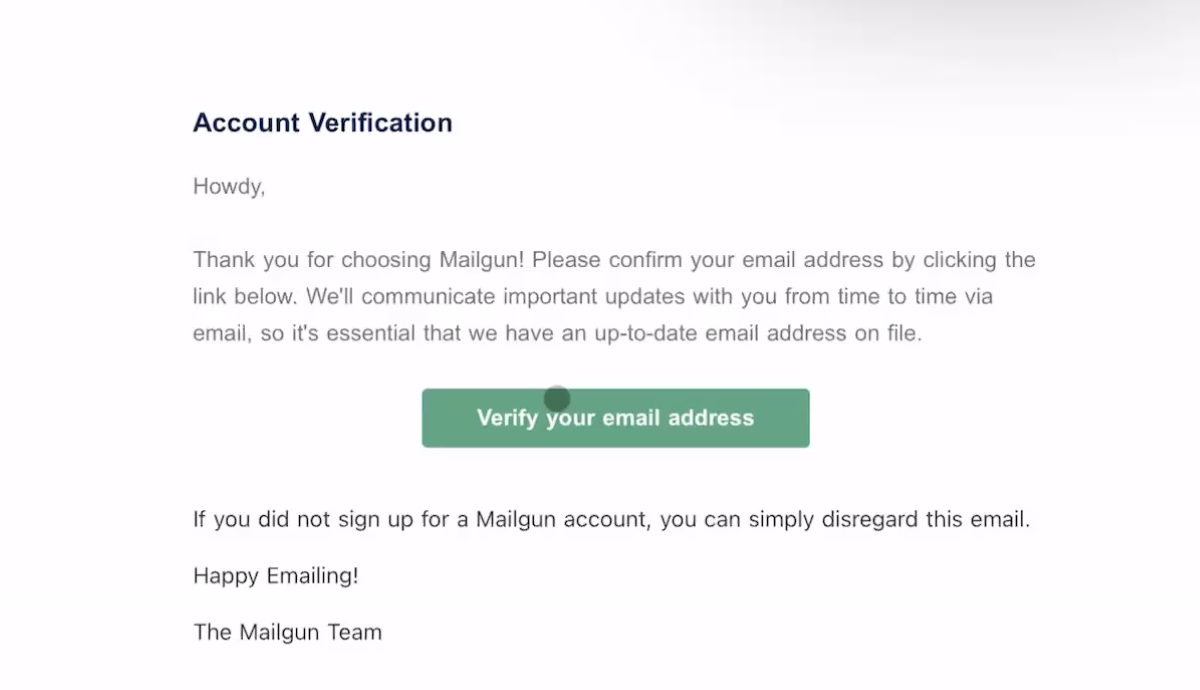
Verify your email address
- Open the verification message from Mailgun and click the link to confirm the account.
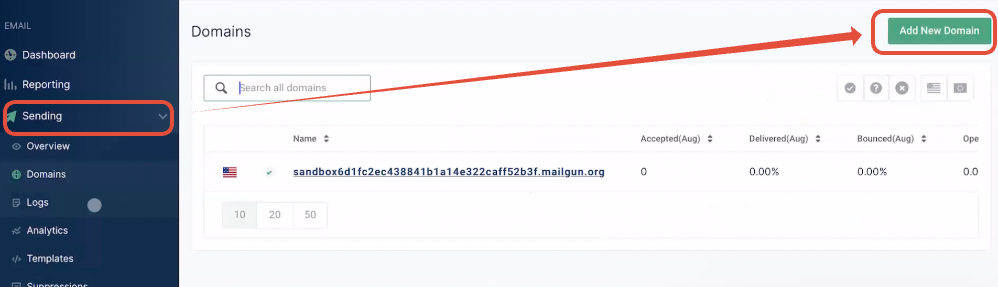
Add a new sending domain
- In the Mailgun console, navigate to Sending then select Add New Domain.
Choose a main domain or subdomain
- Identify your base domain, such as companyname.com.
- Decide whether to use the base domain directly or create a subdomain.
- If using the base domain, verify it is not already tied to Google Workspace or another provider.
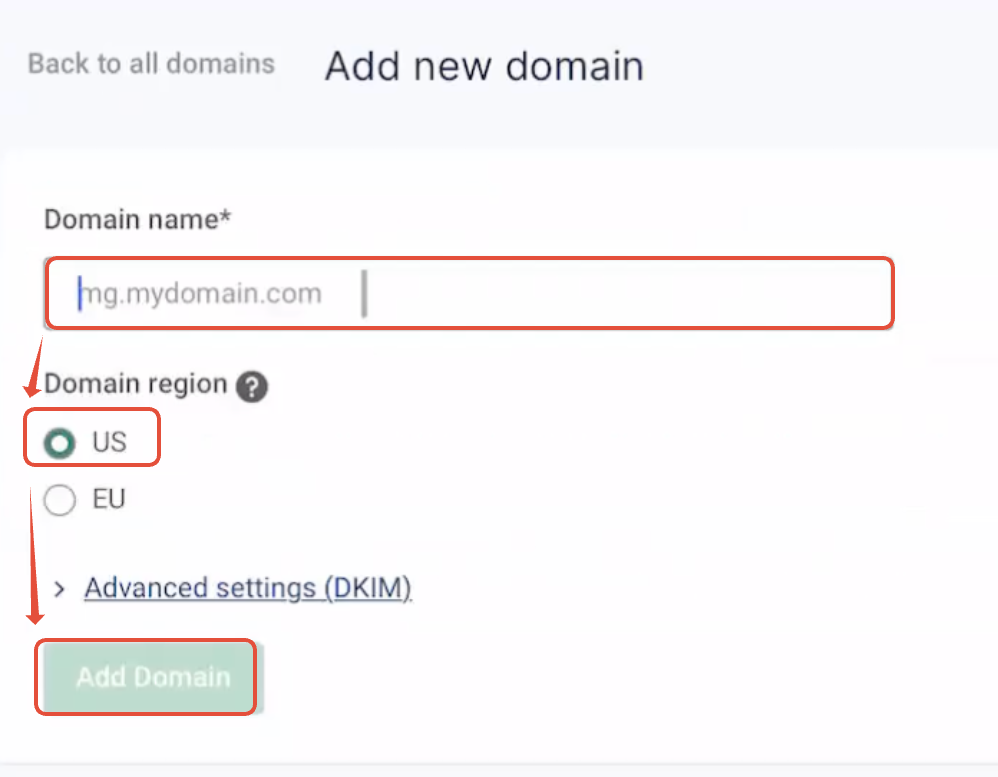
- If using a subdomain, type a prefix like mg, replies, or support before the base domain.
- Select the US region and click Add domain.
Add your DNS records
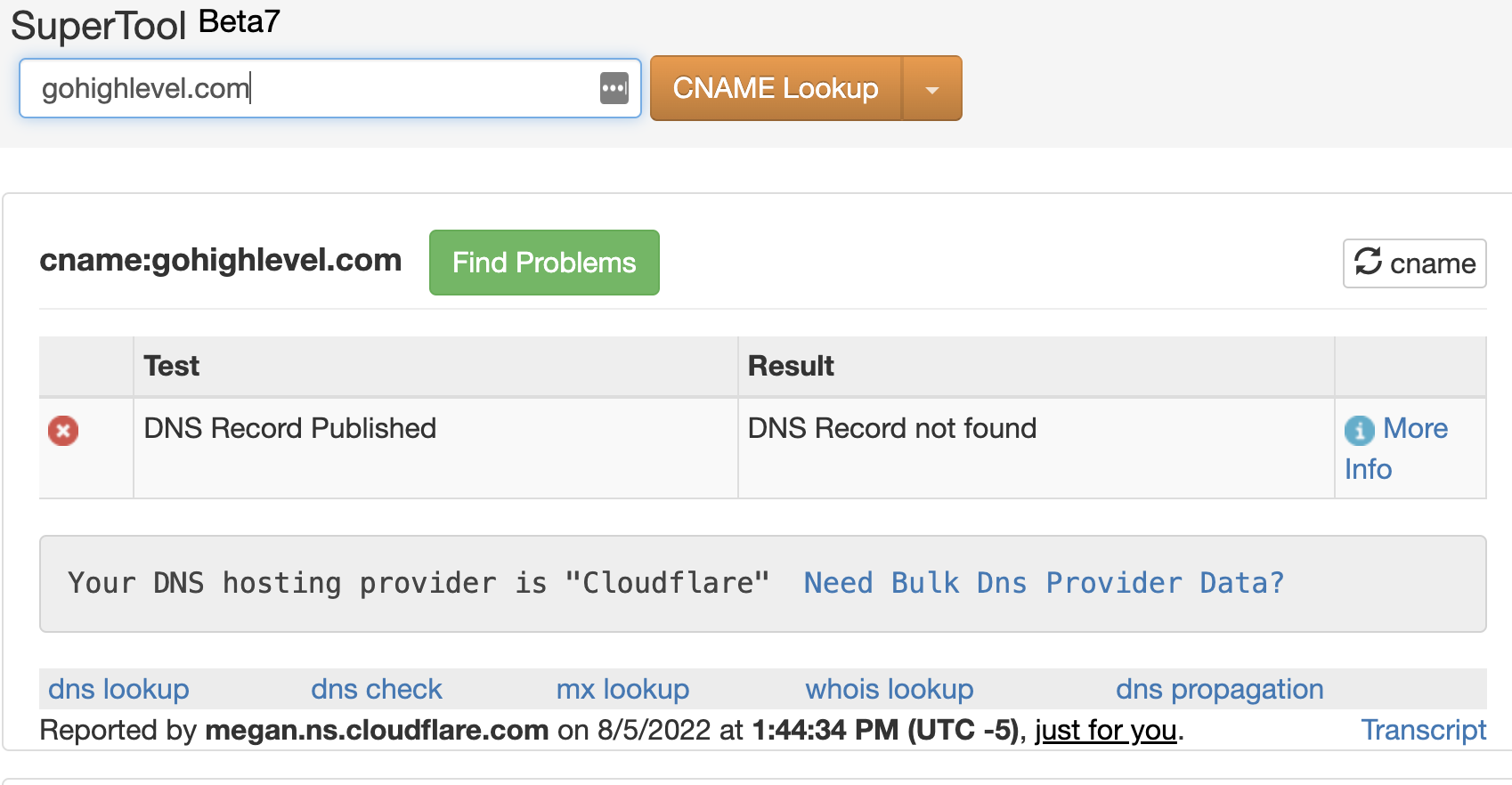
- Search the domain on MXToolbox to see which DNS host manages it.
- Log in to that DNS provider’s control panel.
- Enter the five records that Mailgun supplies into the DNS management area.
- Save the entries and wait for propagation.
Get your API key and send a test email
- Copy the API key from the Mailgun dashboard and paste it into HighLevel’s Mailgun settings.
- Use HighLevel’s test email function to send a message and confirm delivery.
07What it looks like in HighLevel
08Settings that matter
- Region. Determines whether Mailgun’s US or EU servers handle your mail; the guide requires the US option.
09Things to know before you rely on it
- DNS propagation can take from a few minutes up to 48 hours; most records verify within an hour.
- Using the main domain is not recommended if it already serves another email provider.
10If something goes wrong
- Test email fails to deliver. Check that all five DNS records show as verified in Mailgun and verify the API key was entered correctly.
11How it connects to the rest of HighLevel
- Mailgun overview and pricing Mailgun overview
- Step by step DNS record guides for common hosts DNS setup guides
- How to add SMTP providers in HighLevel SMTP providers
- HighLevel pricing and plan details Pricing page
- Start a 30 day HighLevel trial Free trial
Michael's take

Michael ReimerFounder of CRM Pros, HighLevel Commander and Certified Admin
Mailgun setup is worth the effort for anyone who needs reliable email sending.
If you already have a fully configured email service that meets your needs, you can skip this step.
Get More InformationOpens on HighLevelPublished November 2, 2026 · Updated November 16, 2026