
01Who this is for
- Marketing agencies that collect leads through forms and need to keep email lists clean for campaigns.
- SaaS Founders who want to reduce bounce rates by confirming subscriber addresses automatically.
- Small business owners using chat widgets or calendar bookings and wanting to verify each new contact.
02Email verification, explained
The feature connects HighLevel to Mailgun's email verification API. When a contact is added via a form, survey, calendar, or chat widget, Mailgun checks the address and returns a status that HighLevel stores. The result appears as a green envelope icon for a valid address or a red one for invalid, older, bounced or unsubscribed addresses.
If the 90 day re verification option is enabled, the same lookup runs for every email in the subaccount on a rolling 90 day schedule. This keeps the list up to date as addresses become invalid over time. All verification activity is recorded inside each contact record.
The controls for both initial verification and the 90 day re verification live in the Email Services settings of each subaccount. They are toggle switches that can be turned on or off at any time.
03How businesses use email verification
- Digital marketing agency. The agency enables Email Verification for each client subaccount. When a new lead fills a landing page form, Mailgun validates the address right away, helping the agency keep high deliverability for email blasts.
- Online education platform. The platform turns on 90 day re verification so student email addresses are re checked periodically, ensuring course notifications continue to reach active inboxes without manual list cleaning.
- Appointment booking service. The service activates verification for contacts created through calendar widgets. Each new appointment email is checked, and the result icon on the contact tells staff whether the address is usable.
04The numbers and rules that matter
- $0.012 per email verification (per HighLevel's help center, checked November 2026).
05How to set up and use email verification in HighLevel
Enable email verification for a subaccount
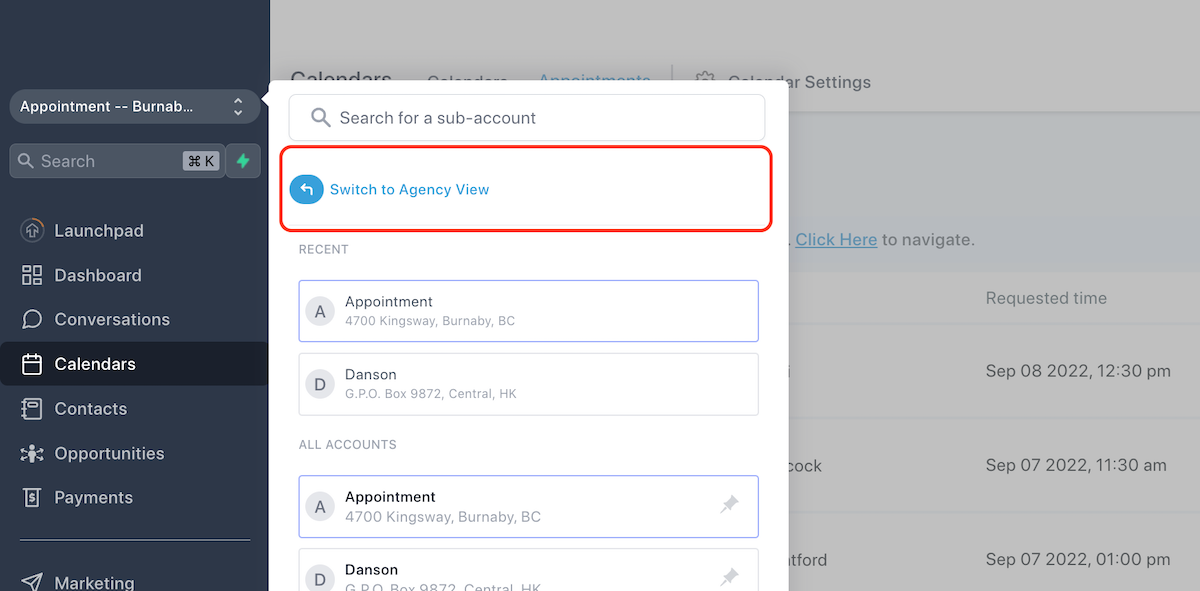
- Select Switch to Agency View from the account menu.
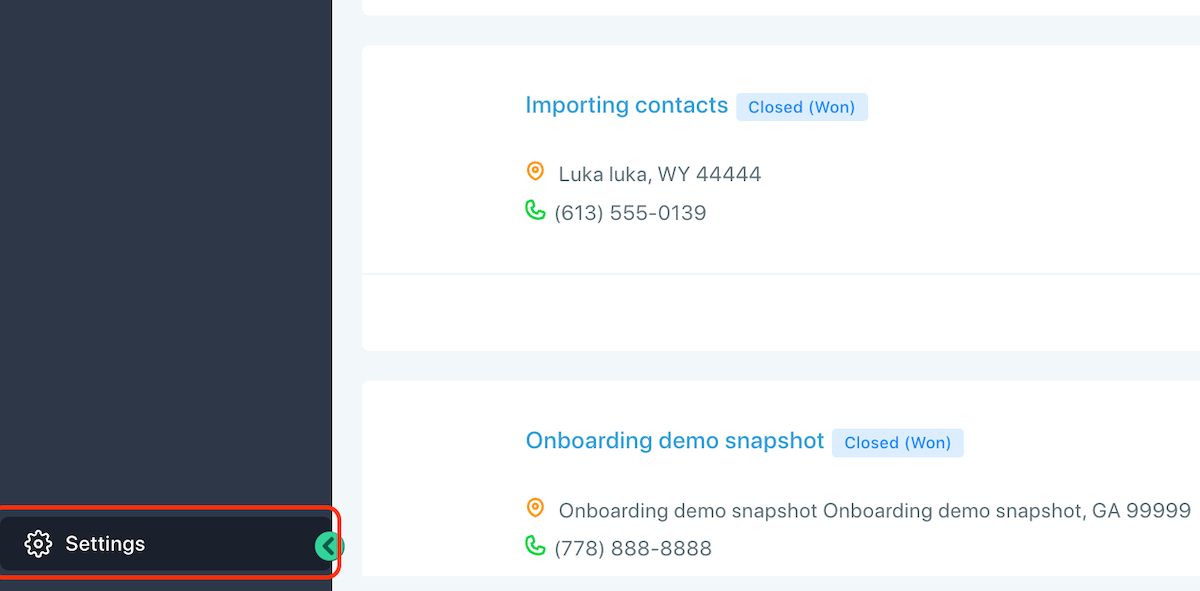
- Open Settings using the left hand navigation.
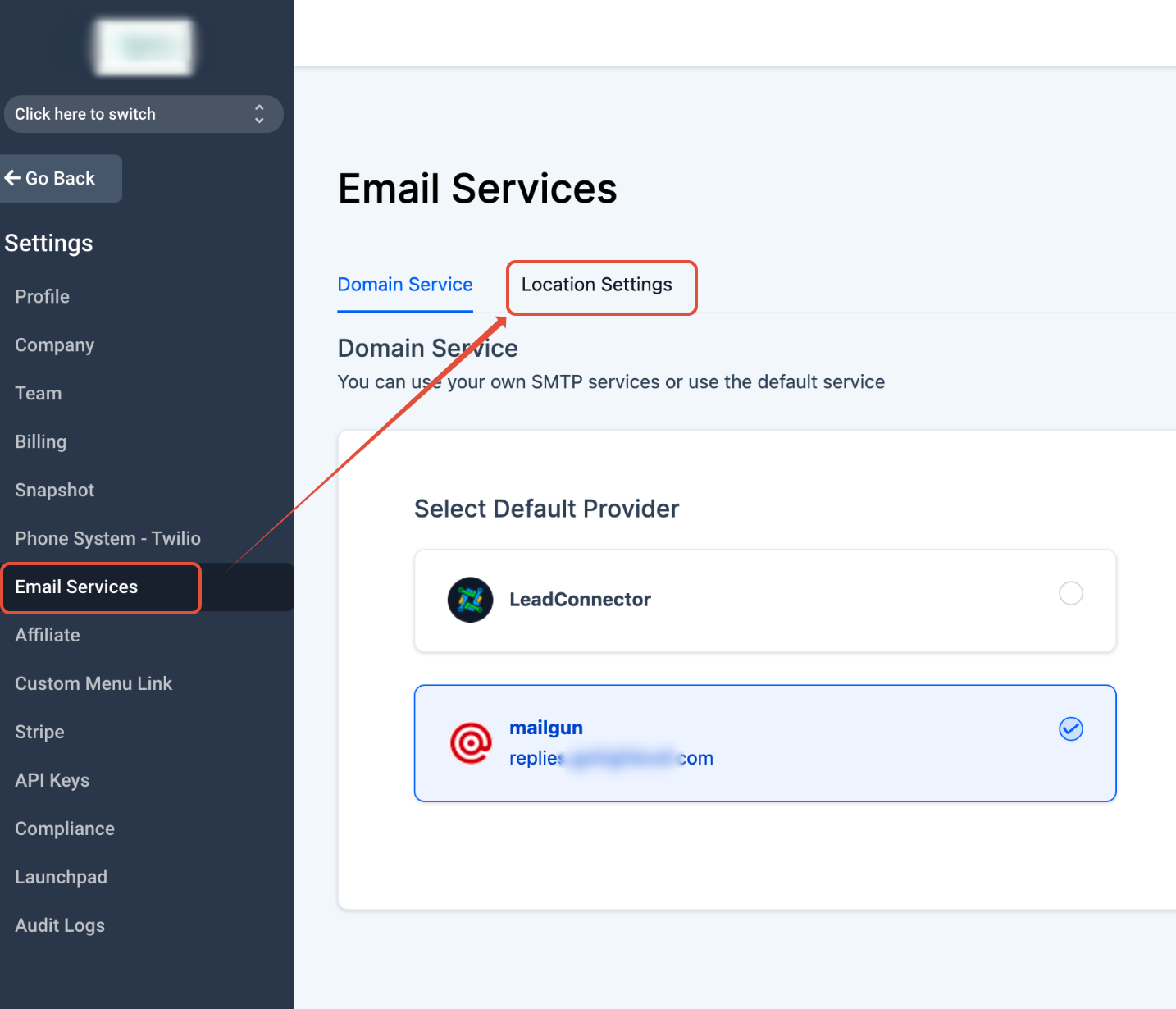
- Click Email Services and then choose Location Settings.
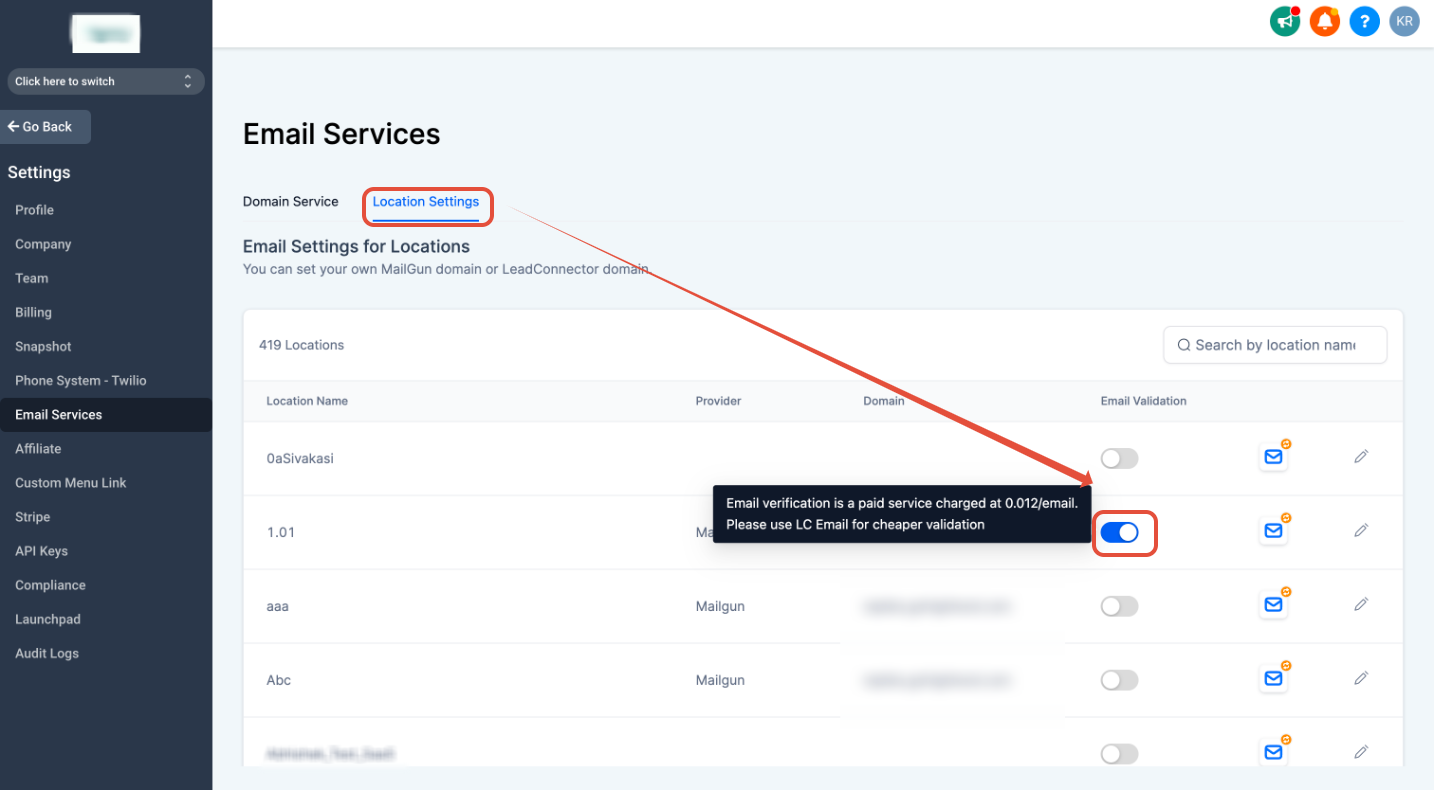
- Turn on Email Verification by clicking the toggle next to the desired subaccount.
- Note: Email verification is a paid service and is charged at $0.012 per email (per HighLevel's help center, checked November 2026).
Enable 90 day email re verification for a subaccount
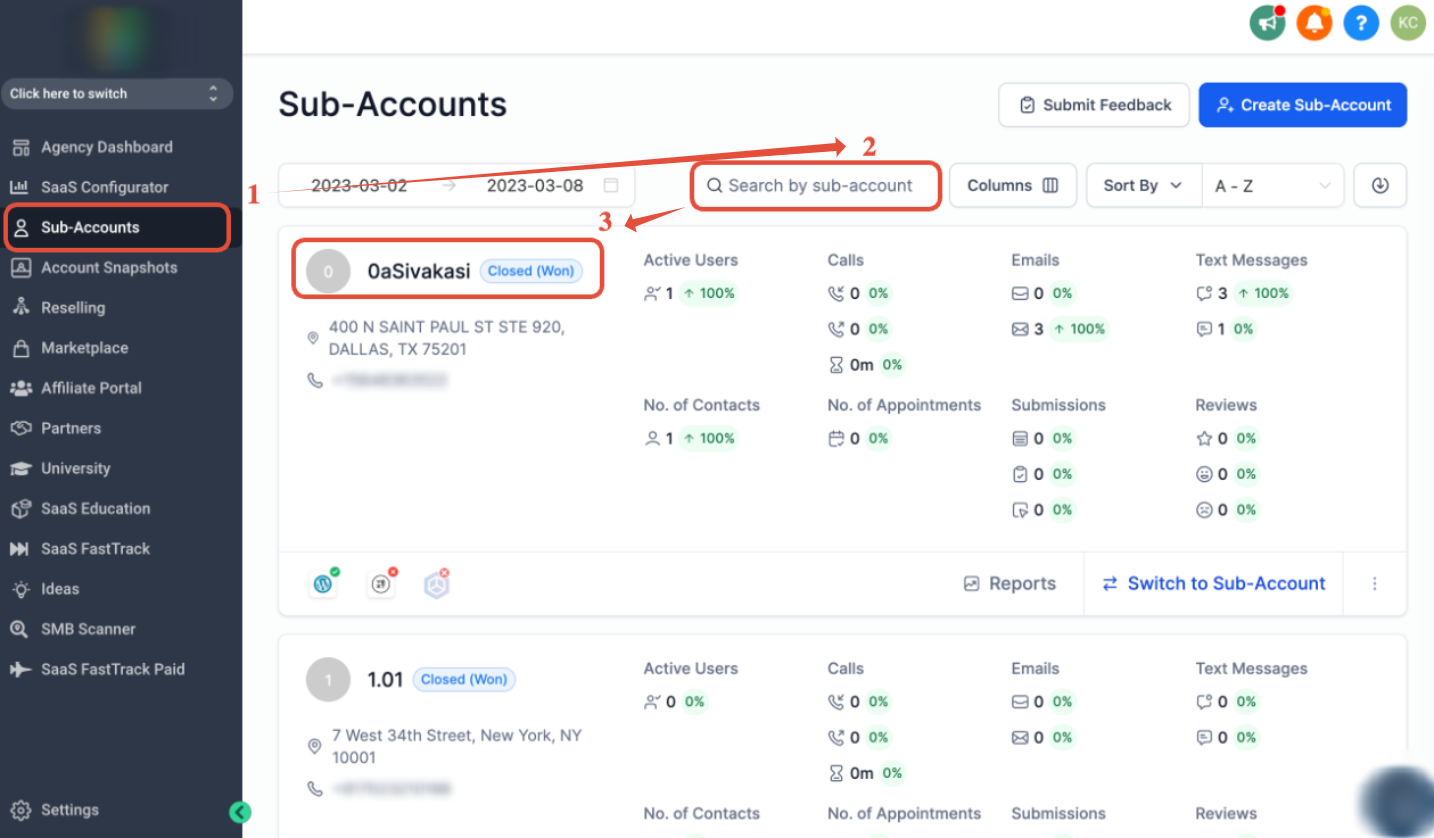
- In Agency View, click Subaccounts.
- Search for the target subaccount by name.
- Open the subaccount by clicking its name.
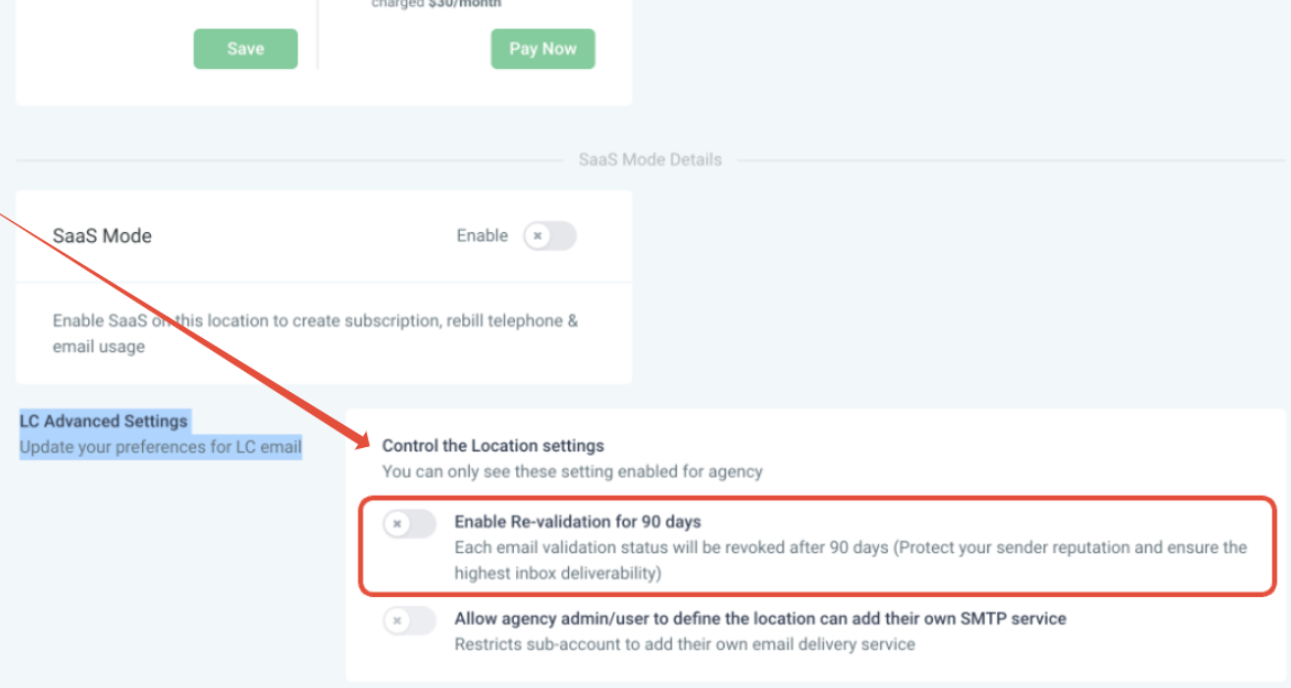
- Scroll to Email Advanced Settings, locate Enable Re verification for 90 days, and switch it on.
- Note: Re verification runs every 90 days and incurs the same $0.012 per email charge (per HighLevel's help center, checked November 2026).
06What it looks like in HighLevel
07Settings that matter
- Email Verification. Activates Mailgun’s lookup for each new email entering HighLevel and stores the validation result on the contact record.
- Enable Re, verification for 90 days. Runs the Mailgun verification process again for all contacts in the subaccount on a rolling 90 day cycle.
08Things to know before you rely on it
- Each email verification costs $0.012 and is billed to the connected Mailgun account (per HighLevel's help center, checked November 2026).
- Re verification checks are charged at the same $0.012 per email rate as the initial verification (per HighLevel's help center, checked November 2026).
09How it connects to the rest of HighLevel
- Mailgun overview and pricing Mailgun overview
- How to enable and bill email verification in HighLevel Verification billing
- HighLevel pricing and plans Pricing page
Michael's take

When you’re sending campaigns or booking appointments, each bad address adds extra work. The verification cost may be worthwhile for clients that rely heavily on email outreach and need a clean list without manual vetting.
If your business only sends occasional emails or already has a small, static list, the per email charge could outweigh the benefit.