
01Who this is for
- Agency owners who manage multiple client subaccounts need centralized control of outbound email.
- Marketing agencies can route all campaign messages through their own Mailgun infrastructure.
- SaaS Founders can keep email deliverability under their own domain and provider.
02Mailgun private API keys, explained
Connecting Mailgun uses the Private API key to authenticate HighLevel with a Mailgun account that holds a verified US region domain. After the key is entered, HighLevel can list the eligible domains for selection.
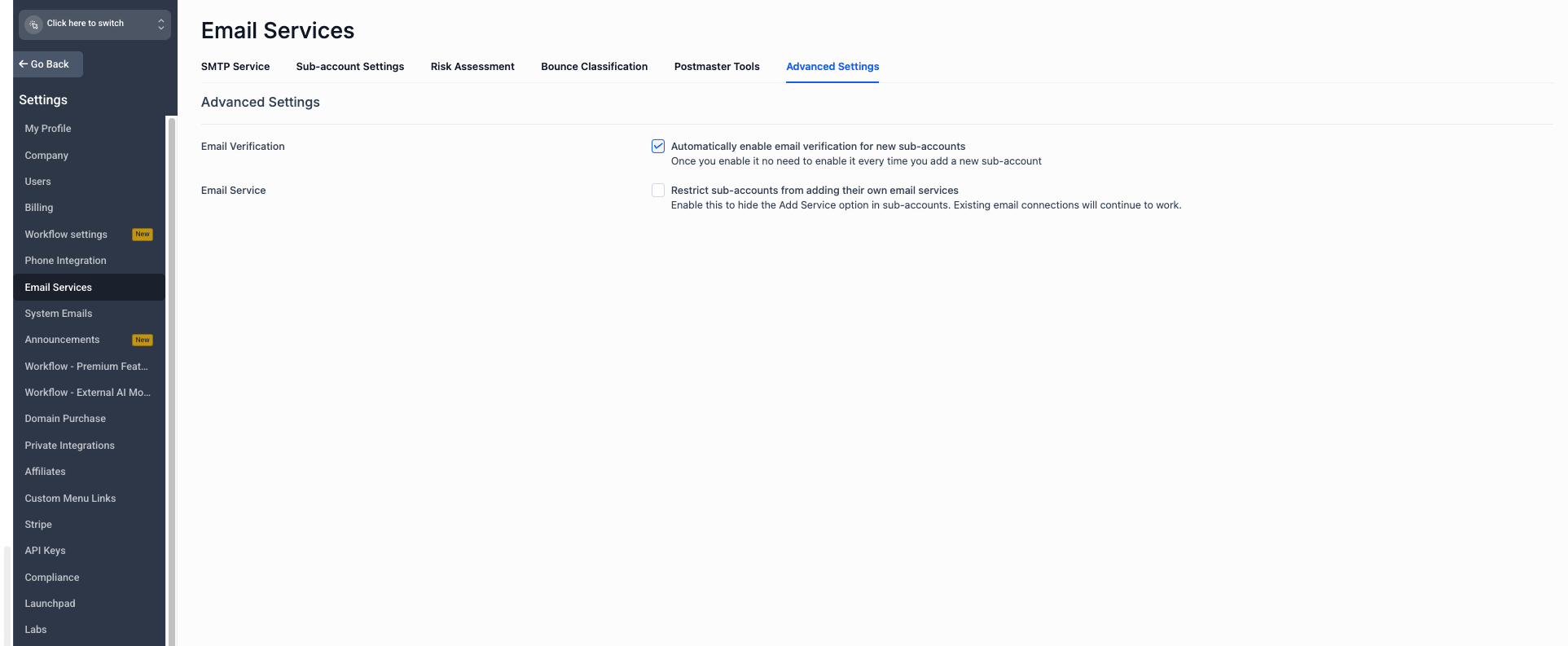
The service appears in Agency View under Settings > Email Services > SMTP Service. Once saved, the service must be marked as Active to become the default for eligible subaccounts. Subaccount providers override the Agency level setting.
03How businesses use Mailgun private API key
- Digital marketing agency. The agency stores its Mailgun private API key in the Agency Email Services area, selects the verified sending domain, and activates Mailgun. All client subaccounts without a personal provider then send through the agency’s Mailgun account.
- Ecommerce brand. The brand adds its Mailgun private API key, picks a dedicated sending subdomain, and sets Mailgun as Active. Order confirmation and promotional emails are sent using the brand’s own Mailgun infrastructure.
- Coaching business. The coach enters the Mailgun private API key, selects the verified domain, and activates the service. Coaching session reminders are delivered via the connected Mailgun account, while other coaches can add their own providers if needed.
04Before you start
- An active Mailgun account
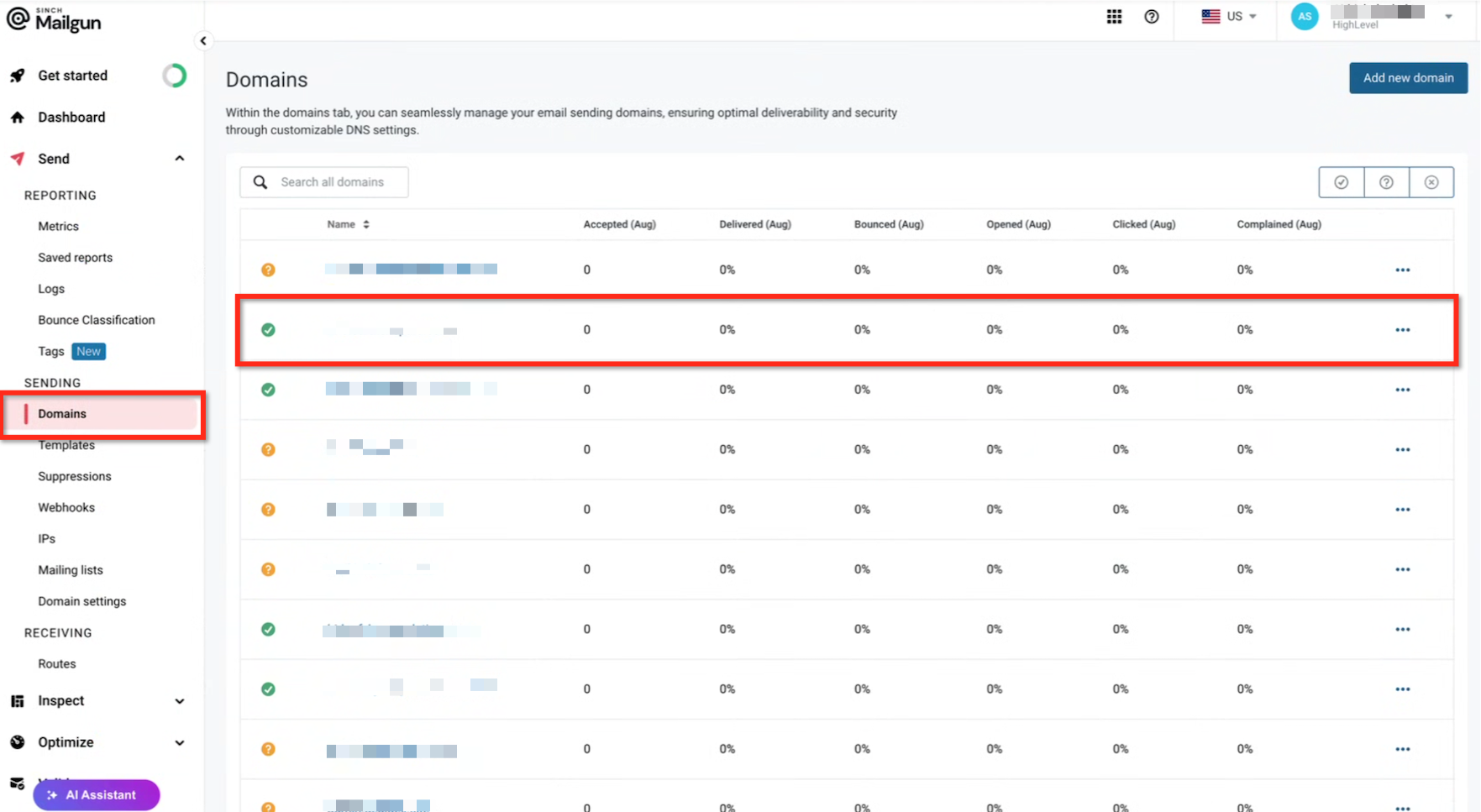
- At least one verified Mailgun sending domain in the US region
- Completed DNS records for the Mailgun configuration
- Access to Agency View > Settings > Email Services
- The Mailgun Private API key
05How to set up and use Mailgun private API key in HighLevel
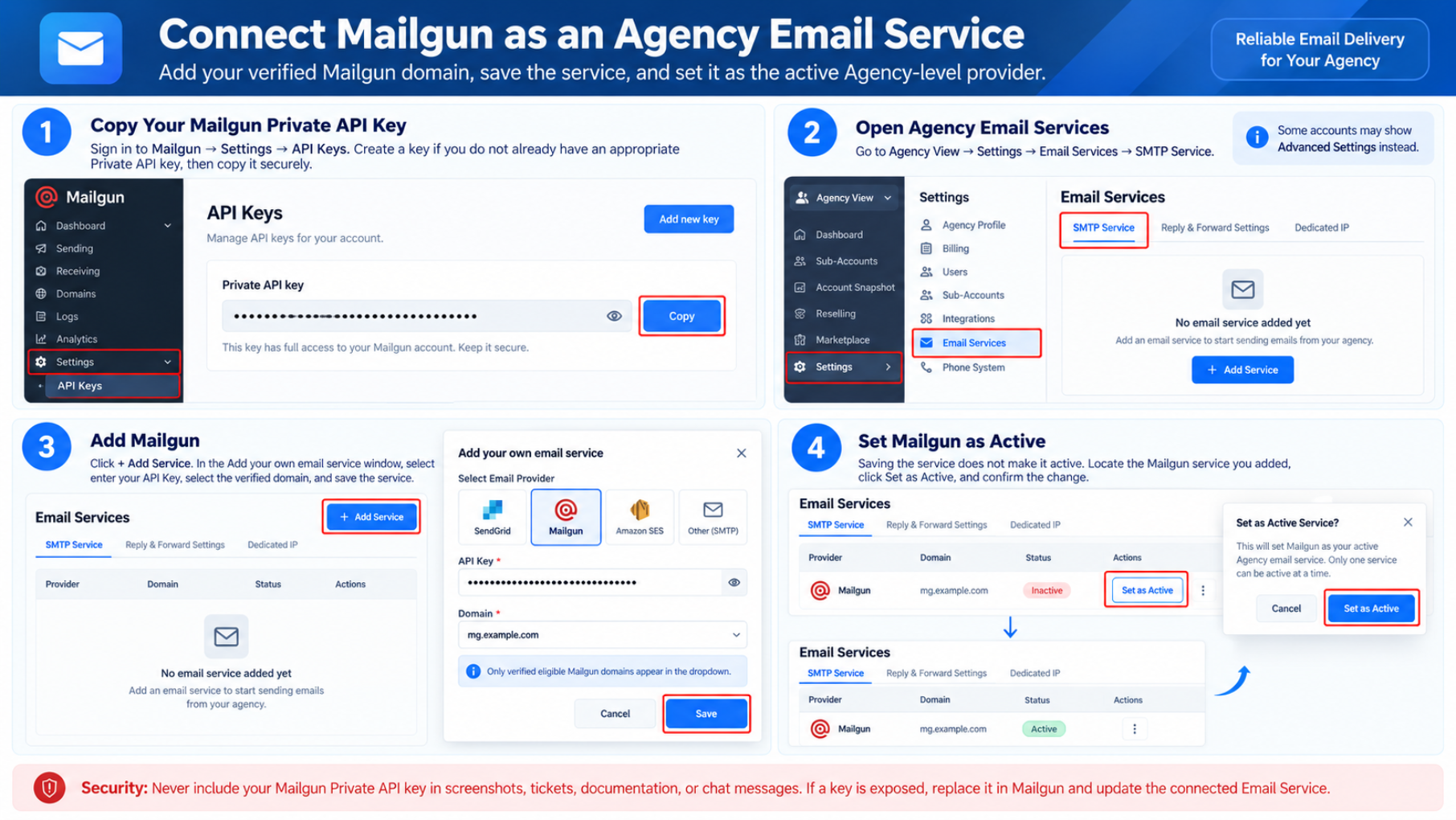
Copy Mailgun private API key
- Log in to Mailgun.
- Open Settings and select API Keys.
- Create a new private API key if one does not already exist.
- Copy the private API key to a secure location.
- Security: Never expose the private API key in screenshots, tickets, documentation, or public messages.
Add Mailgun as an agency email service
- Open Agency View.
- Click Settings.
- Select Email Services.
- Open the SMTP Service tab.
- Press the + Add Service button.
- Choose Mailgun from the list of services.
- Paste the Mailgun private API key into the field.
- Select the verified Mailgun domain from the dropdown.
- Save the new email service.
- If the domain is missing, confirm it is fully verified in Mailgun, belongs to the account associated with the API key, and was created in the US region.
Set Mailgun as Active
- Locate the Mailgun service you added.
- Click the Set as Active button.
- Confirm the activation.
06What it looks like in HighLevel
07Settings that matter
- Mailgun API Key. Authenticates HighLevel with the Mailgun account that holds the verified domain.
- Verified Mailgun Domain. Specifies which Mailgun domain HighLevel will use for outbound email.
- Active. Designates the chosen email service as the default provider for the agency.
08Things to know before you rely on it
- Only verified Mailgun domains in the US region are shown.
- Saving a Mailgun service does not automatically make it Active.
- Only one Agency level email service can be Active at a time.
- A subaccount’s own provider takes priority over the Agency level service.
- Inbound reply handling needs additional Mailgun receiving and DNS setup.
- Mailgun billing, volume caps, and provider restrictions are managed by Mailgun.
09If something goes wrong
- The Mailgun domain does not appear. Confirm the domain belongs to the Mailgun account linked to the API key, is fully verified, was created in the US region, and that all required DNS records are in place.
- Mailgun is saved but email uses another provider. Make sure the Mailgun service is marked as Active and verify that the subaccount does not have its own default provider configured.
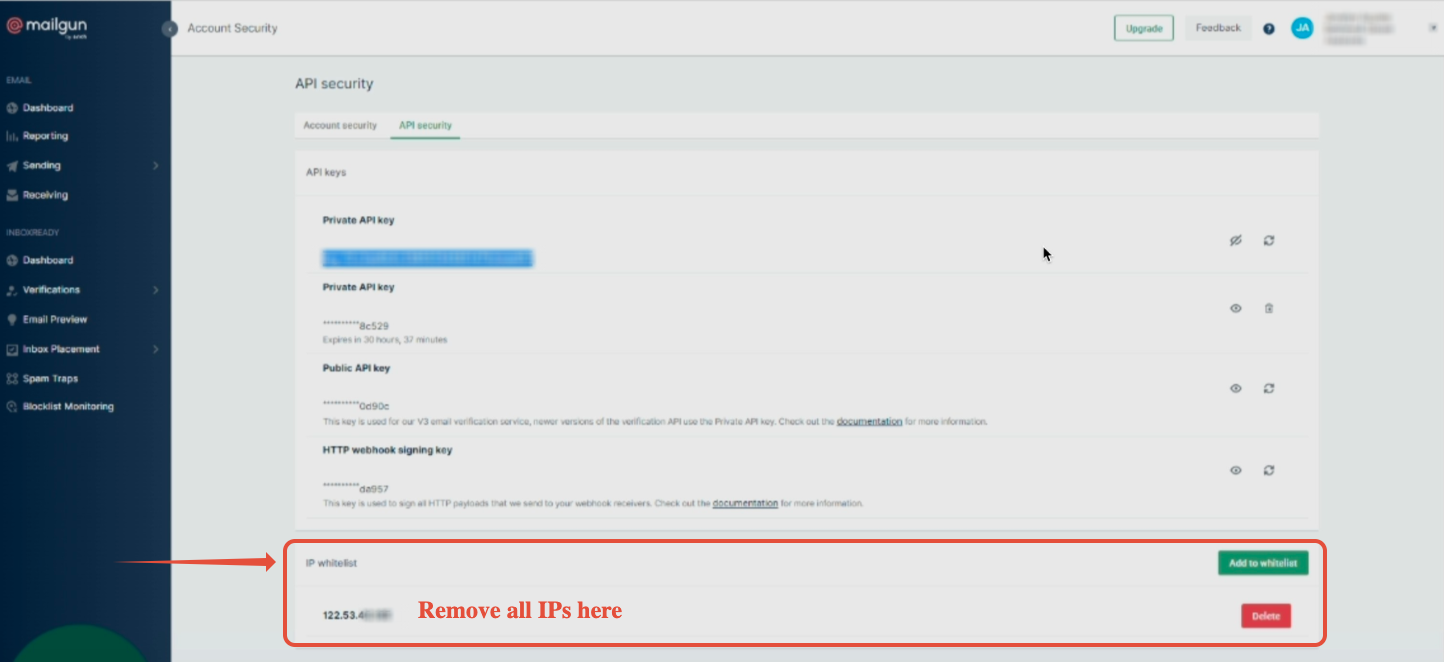
- The API key cannot retrieve domains. Verify you are using the Private API key from the correct Mailgun account, ensure the key has not been deleted or revoked, and temporarily adjust any IP restrictions that may block HighLevel.
- Email sends successfully but replies do not appear in Conversations. Check the Mailgun receiving route, webhook, and MX configuration, and confirm the domain is associated with the correct subaccount. Use a unique subdomain for cold inbound email if needed.
10How it connects to the rest of HighLevel
- Overview of Mailgun pricing, domains and setup options Mailgun overview
- Step by step guide to configure a Mailgun domain and DNS records Domain and DNS guide
- Instructions for adding any SMTP provider in HighLevel Setup SMTP providers
Michael's take

Getting outbound email off the ground for an agency can be a bottleneck when you rely on a shared provider that doesn’t match your branding or deliverability needs. The first thing I would get right is the Private API key. Copy it from Mailgun, store it securely, and make sure it’s the exact key you paste into the agency Email Service.
Once the key is locked in, I’d double check that the domain you plan to send from is verified in the US region and that the DNS records are fully applied. Those two steps prevent the most common hiccups and let the agency start sending with confidence.