
01Who this is for
- Agency owners who need to standardize email sending across all client accounts can quickly see each subaccount’s provider.
- Marketing managers can shift subaccounts from external SMTP services to LC Email to keep deliverability under one platform.
02Subaccount email settings and migration, explained
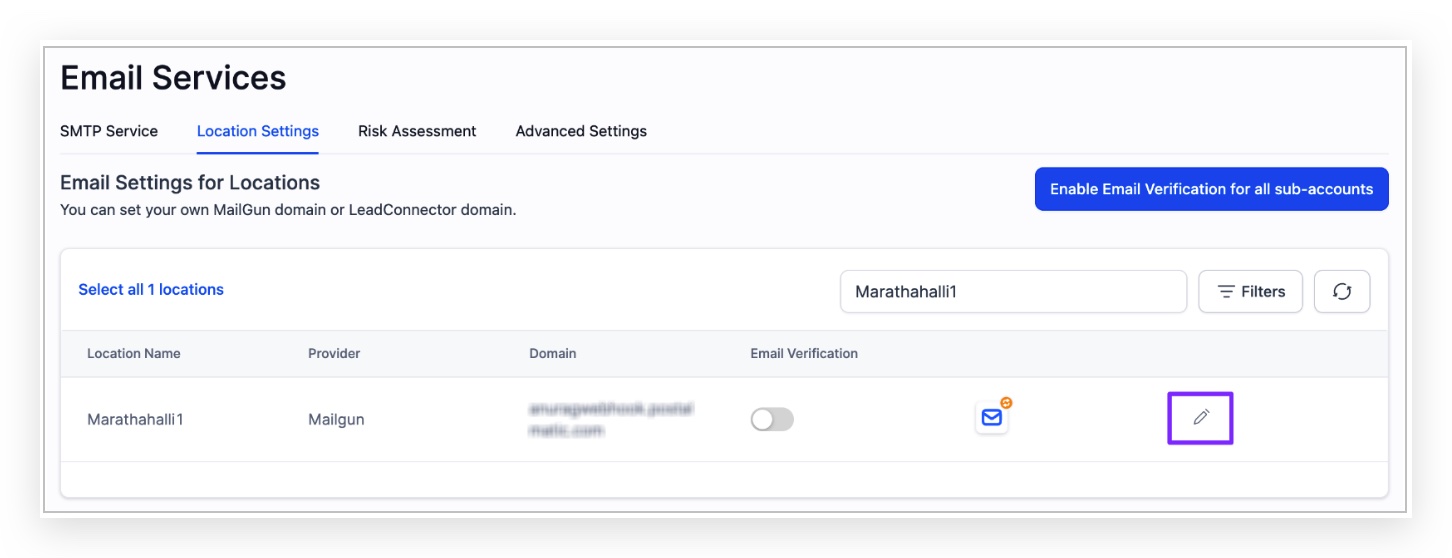
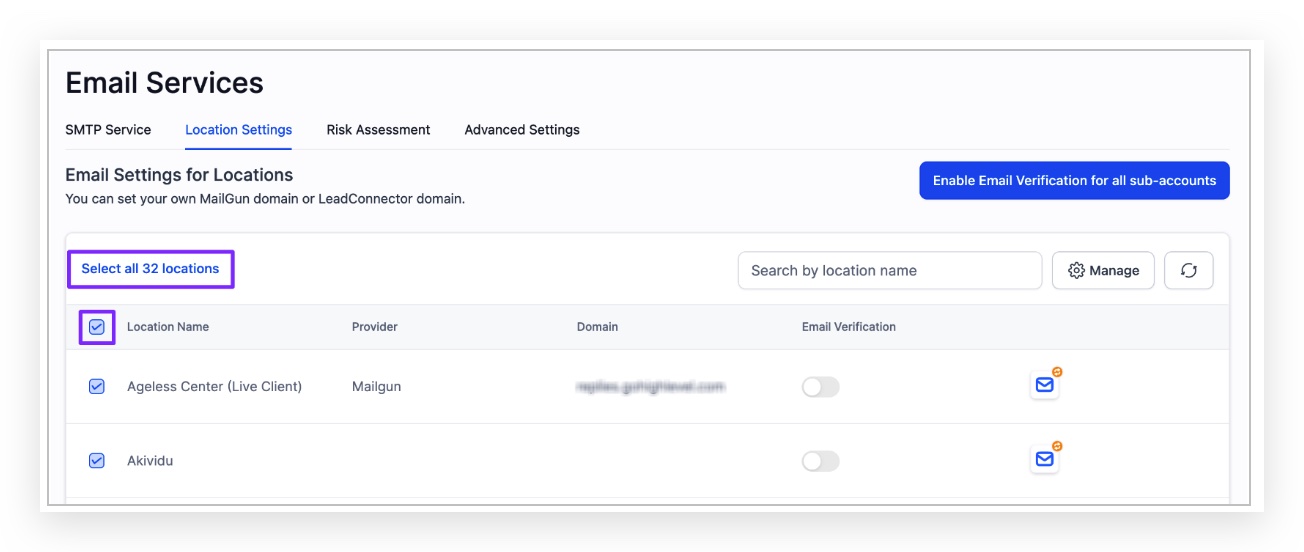
The feature lives in Agency Settings under Email Services > Location Settings. It shows every subaccount’s current email service record and offers a Filter button to narrow the list by provider, domain, or verification status. Once filtered, owners can edit individual accounts or run bulk actions.
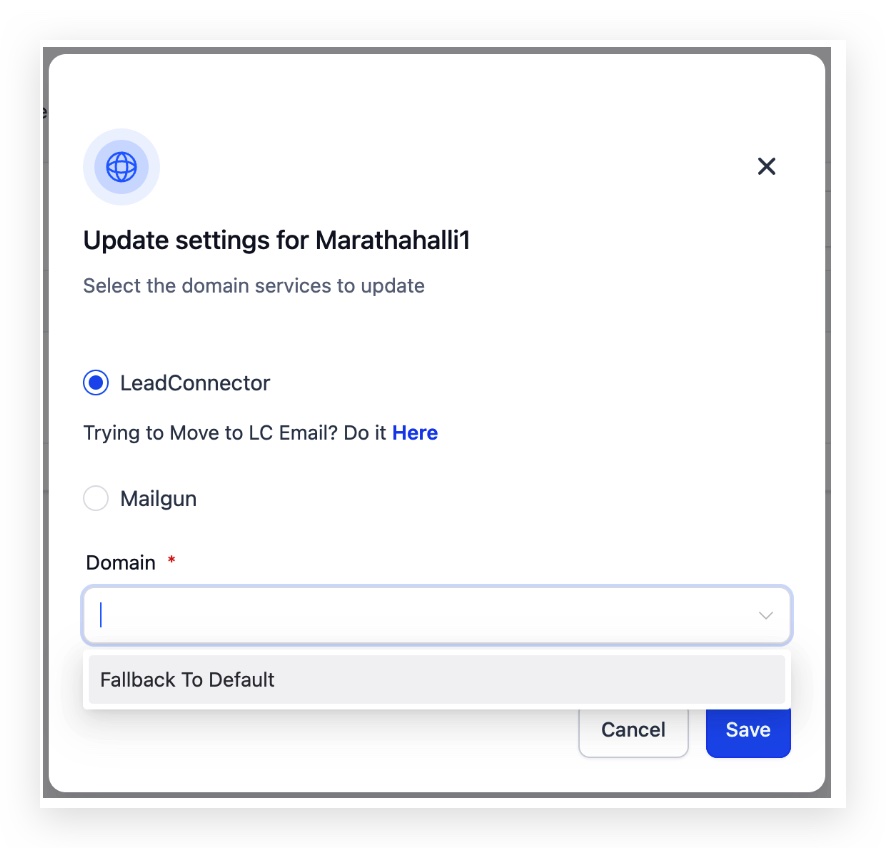
When editing a subaccount, the email service can be changed to LeadConnector and a dedicated domain chosen, or the fallback to the agency’s default domain can be set. Bulk migration uses the Manage panel to apply the same change to all filtered accounts at once.
03How businesses use manage subaccount email settings and migration
- Digital marketing agency. The agency filters all client subaccounts that still use Mailgun, selects them in bulk, and migrates them to LC Email with a shared dedicated domain. This centralizes sending and removes the need for external SMTP credentials.
- Coaching business. A coach edits each of their subaccounts individually, switches the email service to LeadConnector, and picks the agency’s default domain as a fallback. This ensures all client communications originate from the same verified domain.
- Ecommerce consultancy. The consultancy filters subaccounts that use third party providers, then assigns a custom dedicated domain to each selected account through the edit screen, keeping branding consistent for each store.
04How to set up and use manage subaccount email settings and migration in HighLevel
Filter subaccounts by their email provider
- Navigate to Agency Settings > Email Services > Location Settings.
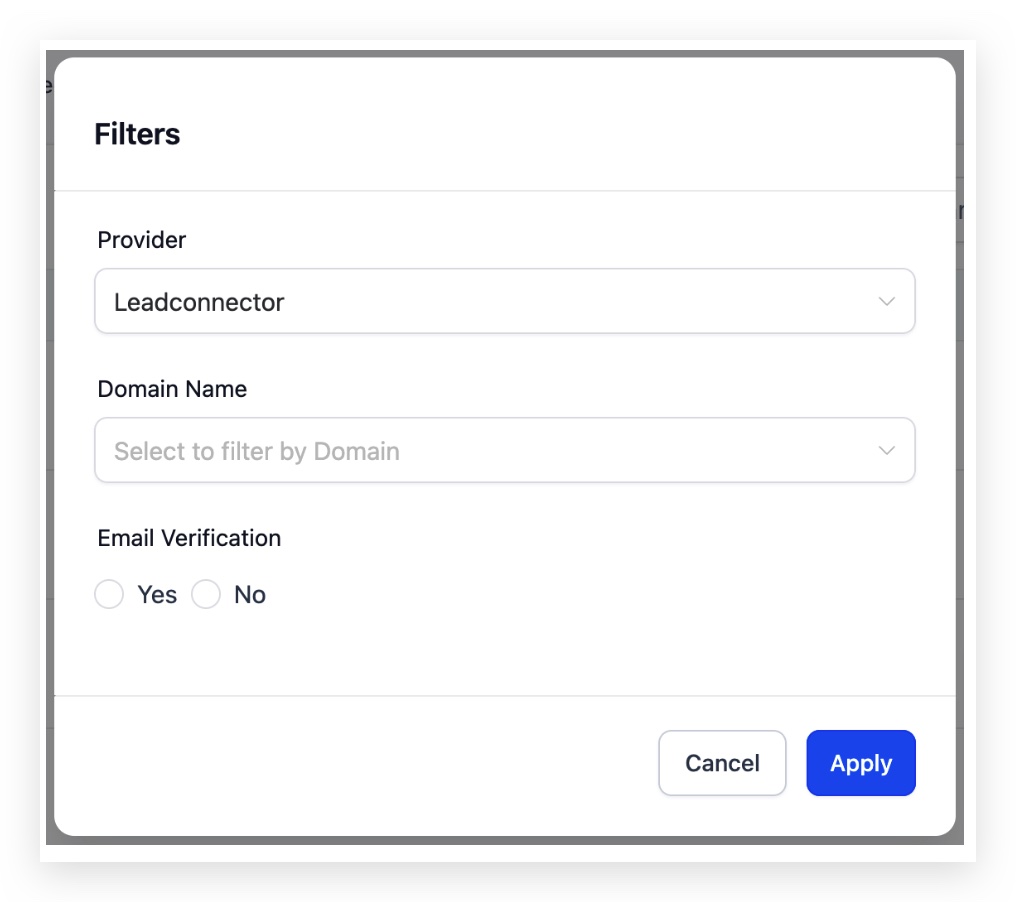
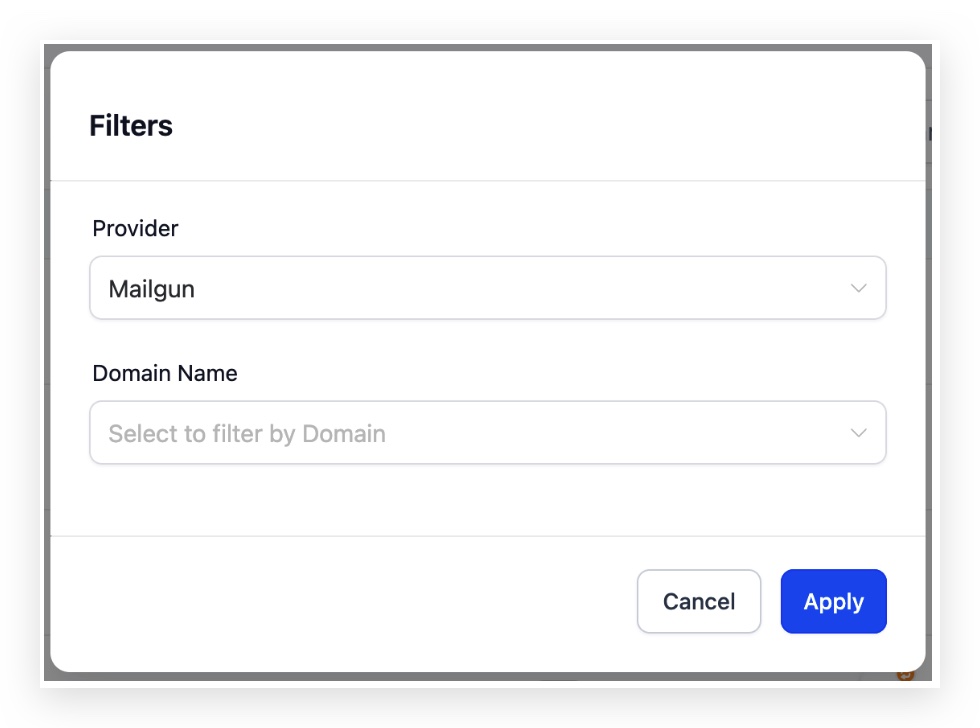
- Click the Filter button displayed at the top of the page.
- Choose one of the three provider options: LeadConnector, Mailgun, or Others.
- The list updates to show only subaccounts that match the selected provider.
Migrate a single subaccount to LC Email
- Open Location Settings via Agency Settings > Email Services > Location Settings.
- Locate the desired subaccount and click the pencil icon to edit it.
- Select LeadConnector as the email service for that subaccount.
- Pick a dedicated domain for the subaccount or set the domain to fallback to the agency default.
- Save the changes to complete the migration.
Migrate multiple subaccounts to LC Email in bulk
- Filter the subaccounts you want to move by provider (for example, choose Mailgun) in Location Settings.
- Check the box next to any subaccount, then click the Select all option in the table header to include every filtered account.
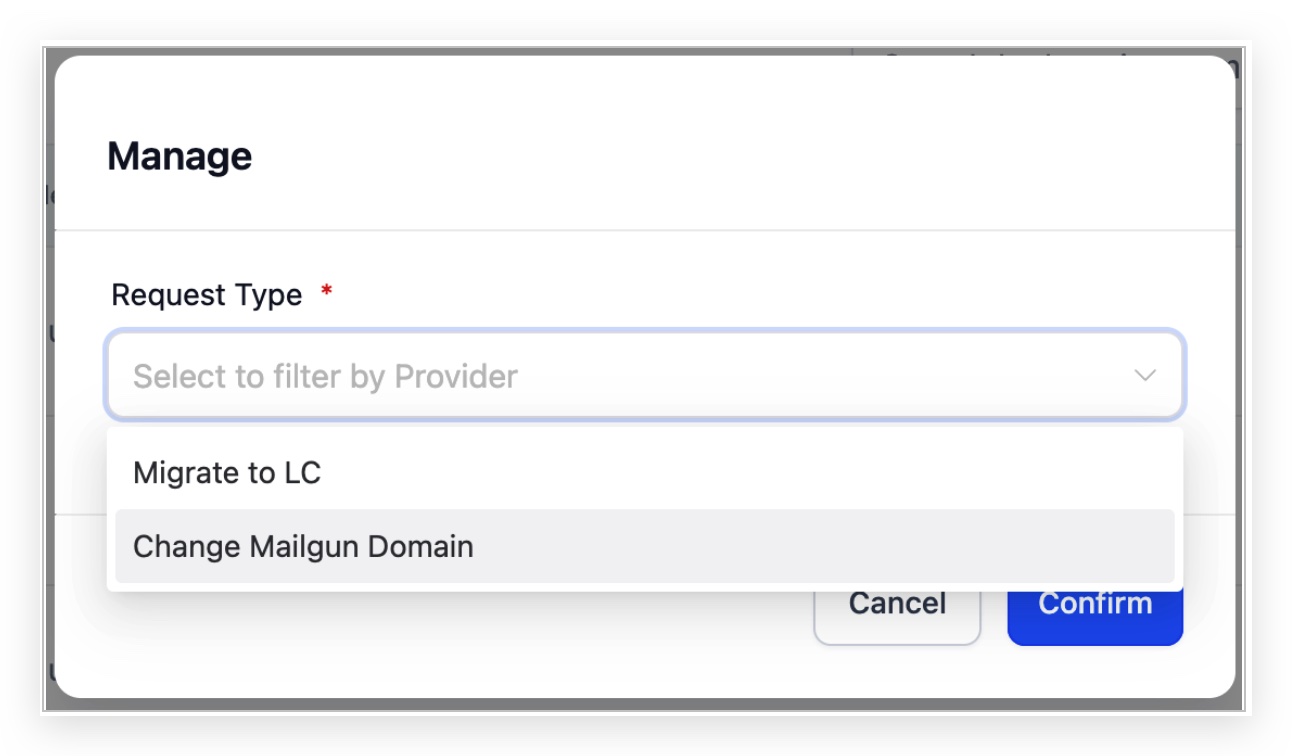
- Press the Manage button and select the request type "Migrate to LC".
- Click Confirm to proceed to domain selection.
- Choose the LC dedicated domain that will be applied to the selected accounts.
- Click Confirm again to finish the bulk migration.
Assign or update a dedicated LC domain for a subaccount
- Open Location Settings from Agency Settings > Email Services > Location Settings.
- Find the subaccount and click the pencil icon to edit its email settings.
- Select the desired LC dedicated domain or choose the fallback to the agency default.
- Save the changes.
05What it looks like in HighLevel
06Settings that matter
- LeadConnector. Marks the subaccount as using the platform’s built in LC Email service.
- Mailgun. Identifies subaccounts that are currently routing email through the Mailgun service.
- Others. Groups subaccounts that rely on any third party email provider other than LeadConnector or Mailgun.
- LC dedicated domain. Specifies a custom sending domain that LC Email will use for the subaccount’s outbound mail.
- Fallback to Default. Sets the subaccount to use the agency’s default dedicated domain when no specific domain is assigned.
07Things to know before you rely on it
- If a subaccount does not have its own dedicated domain, it automatically shares the agency’s default domain.
08How it connects to the rest of HighLevel
- HighLevel LC Email overview and limits LC Email overview
- How to migrate an entire agency to LC Email Agency migration guide
- Add and verify a sending domain in HighLevel Domain verification
Michael's take

This feature feels like a small convenience that can turn a messy email setup into something you actually control. Pulling all those subaccounts into one place and moving them to LC Email with a few clicks saves you the headache of juggling multiple providers.
A marketing agency that runs campaigns for dozens of clients will love this. You can quickly shift all Mailgun accounts to your agency’s dedicated domain, keep branding consistent.