
01Who this is for
- Agency owners who need a single view of communication costs across multiple client accounts.
- Finance managers at marketing firms tracking daily spend against budget thresholds.
- Operations leads in SaaS agencies that rebill usage to clients and require accurate invoicing.
02Agency spend analytics, explained
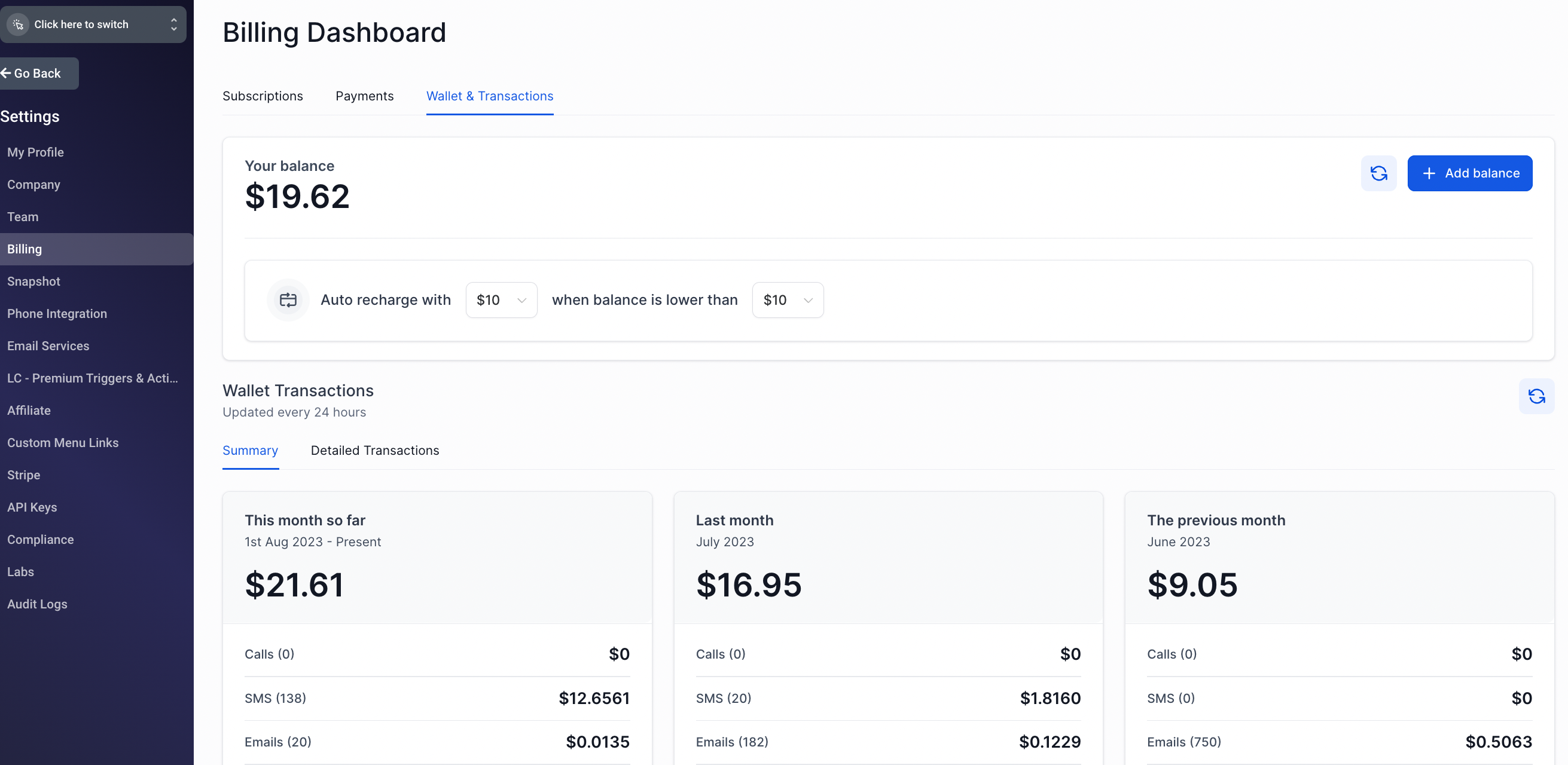
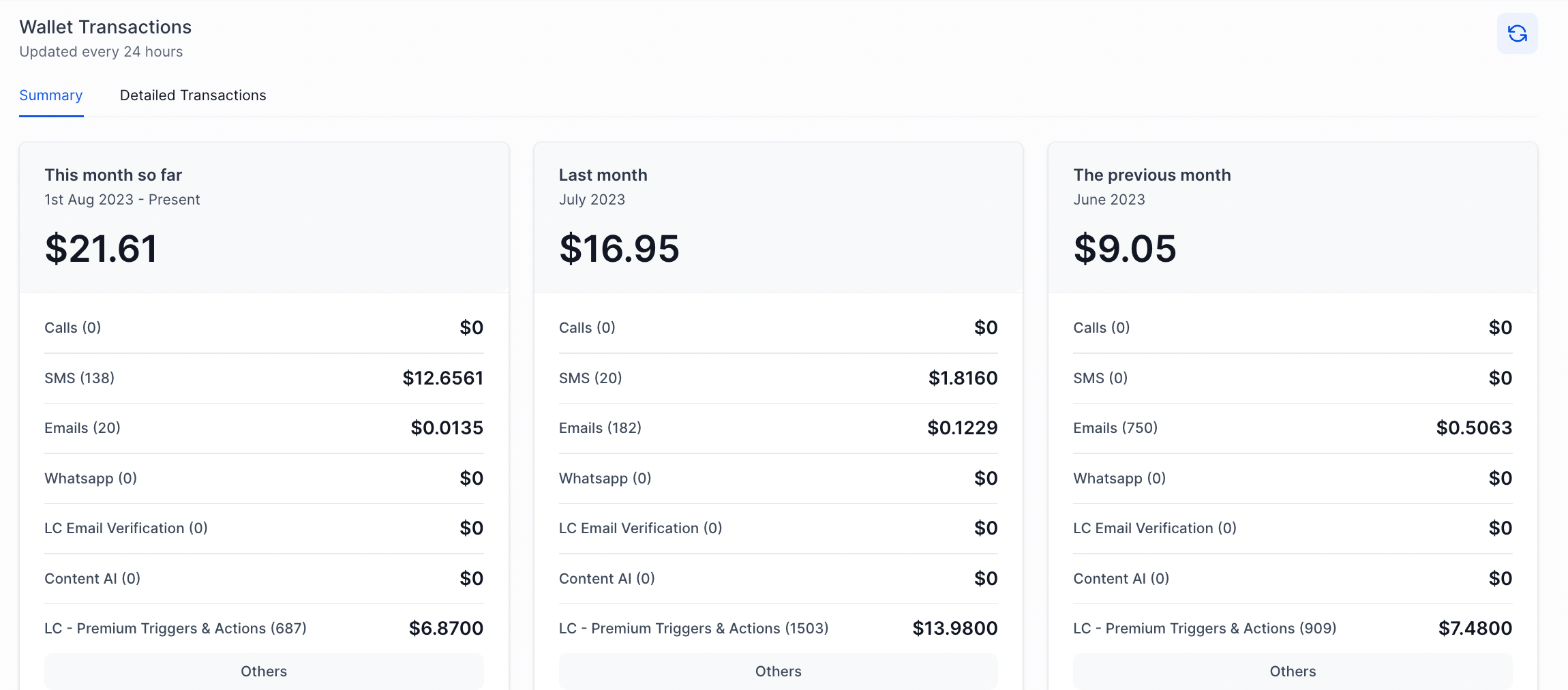
The spend analytics feature lives in the Agency Settings area of HighLevel. From the Billing tab you can see the current wallet balance, a summarized view of the last three months’ spend by category, and a detailed transaction log that aggregates all subaccount activity.
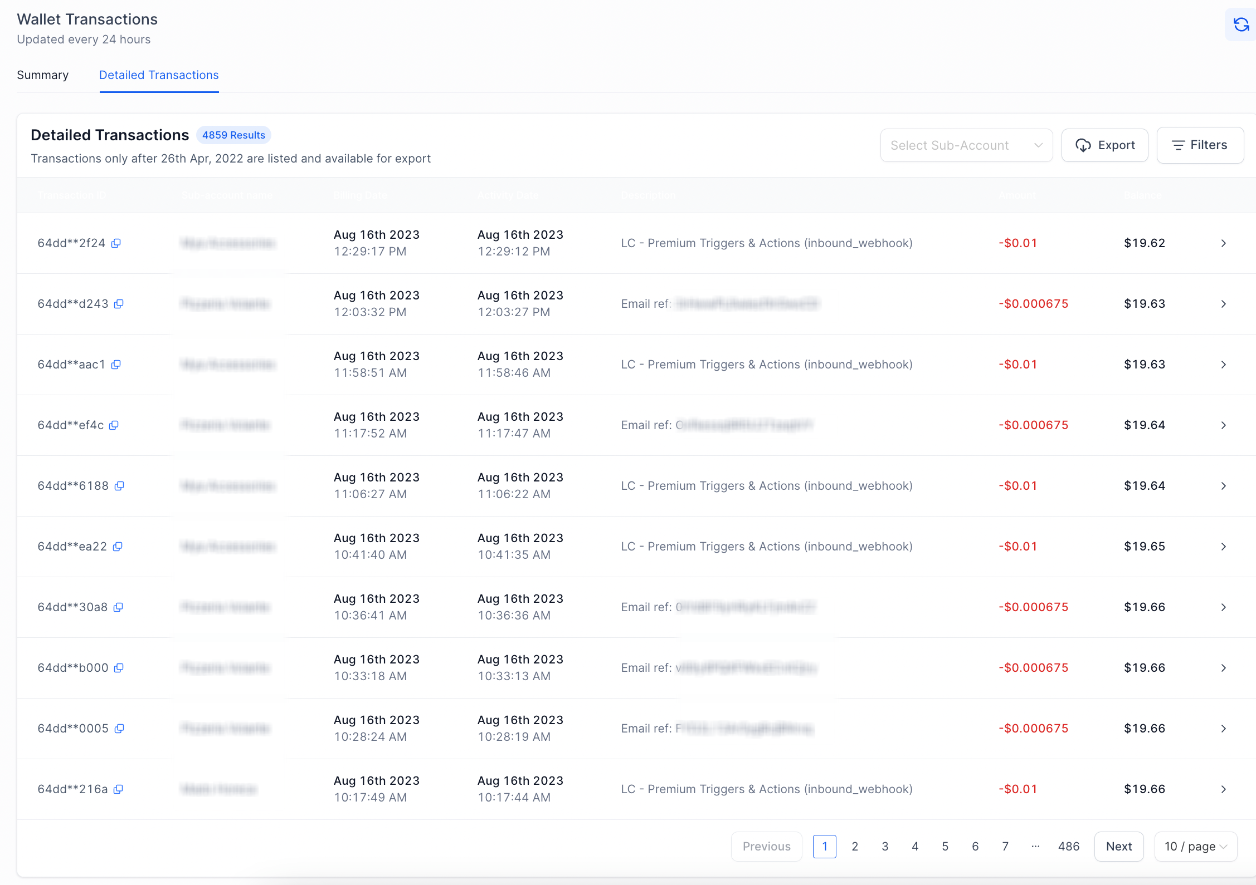
The dashboard refreshes once per day, so the most recent spend may lag by up to 24 hours. An export button in the top right corner lets you download every LC Communication charge as a CSV file, limited to the most recent one million transactions.
03How businesses use agency spend analytics
- Digital marketing agency. Open Agency View, navigate to Billing > Wallet & Transactions, and verify the credit balance before launching a new SMS campaign. The balance shows how much budget remains for client messaging.
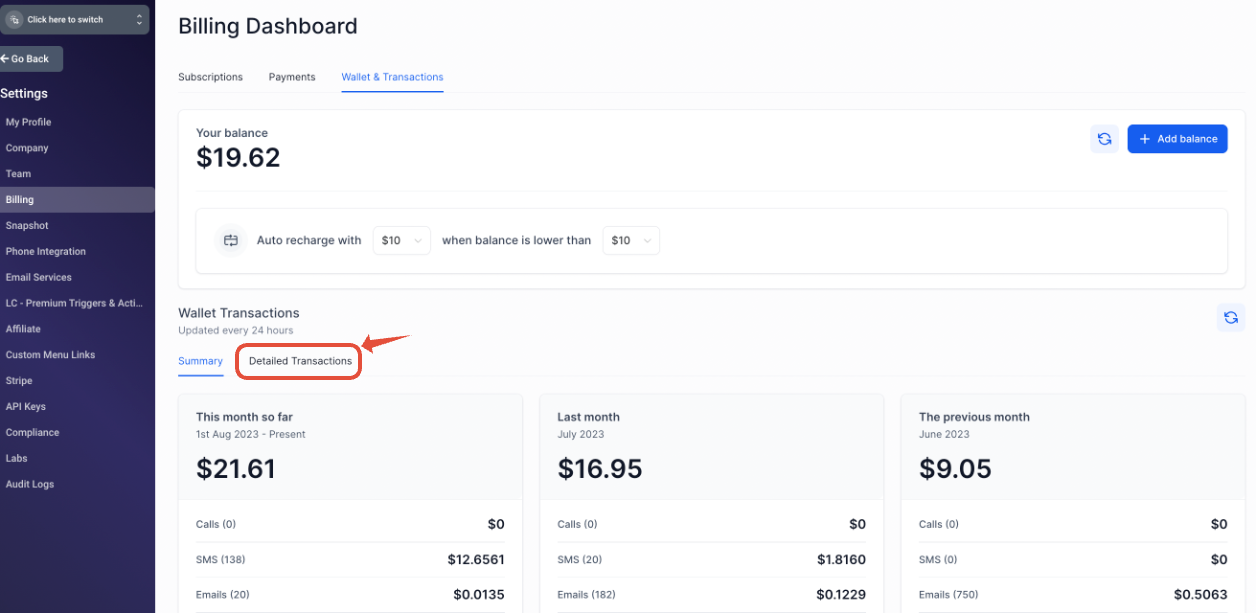
- SaaS product consultancy. Select Detailed Transactions to view a month over month spend summary, then expand each category to see how many email or call units each client location has used. This informs client billing cycles.
- Real estate brokerage. Click the export button on the transactions page to download a CSV of all phone, email and WhatsApp charges. Import the file into the brokerage’s internal reporting tool for monthly cost analysis.
04The numbers and rules that matter
- As of Nov 1, 2022, US rates are 10% cheaper than Twilio and approximately 8% cheaper than Mailgun.
- Summary data refreshes once daily; you may need to wait up to 24 hours for the most accurate reporting.
- Export limit is the last 1,000,000 (1 million) transactions due to storage limits.
- Default autorecharge: When balance falls below $10, the card is charged $10 to bring the balance up to $20 (per HighLevel's help center, checked November 2026).
05How to set up and use agency spend analytics in HighLevel
Check agency credit balance
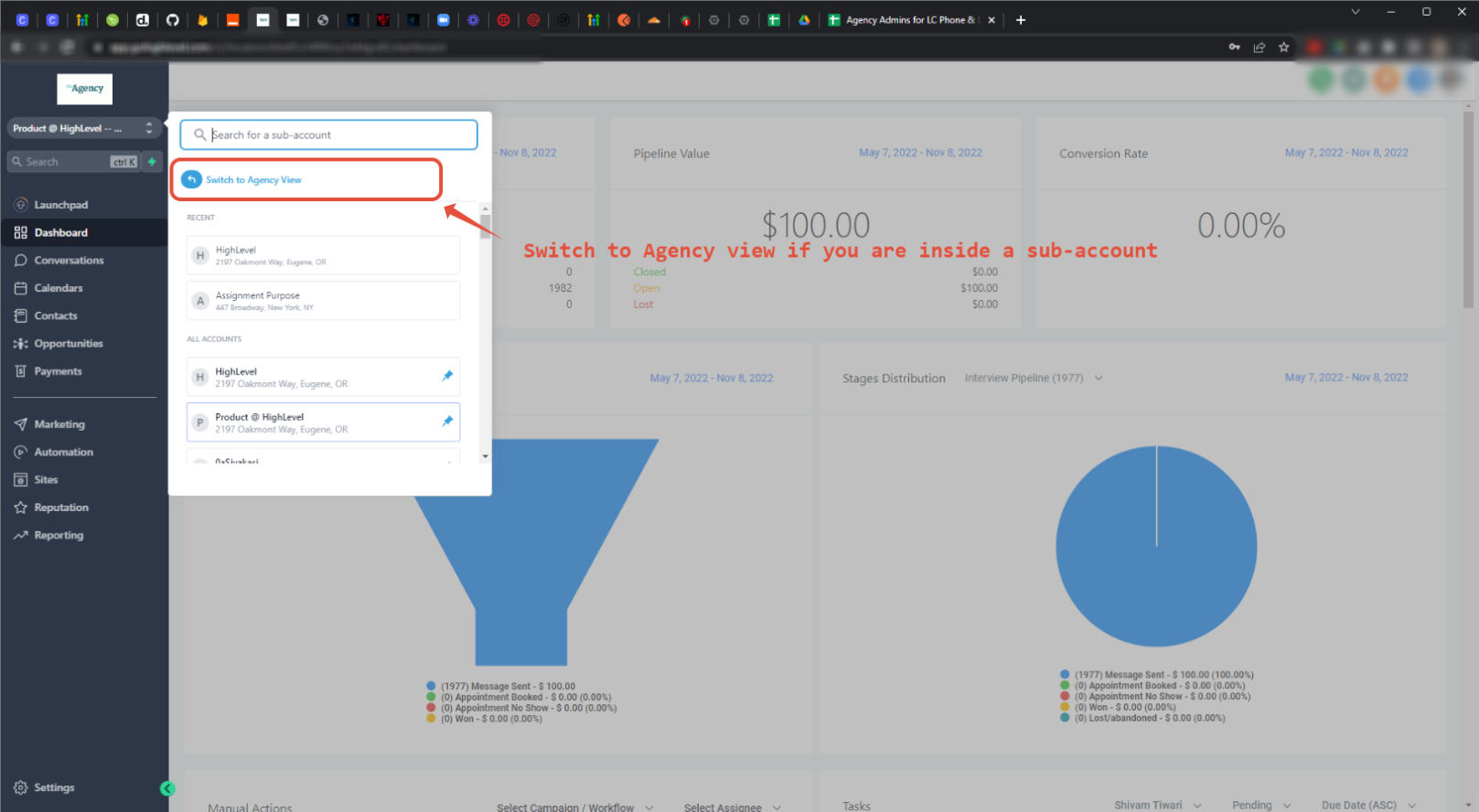
- Switch to Agency View using the account switcher.
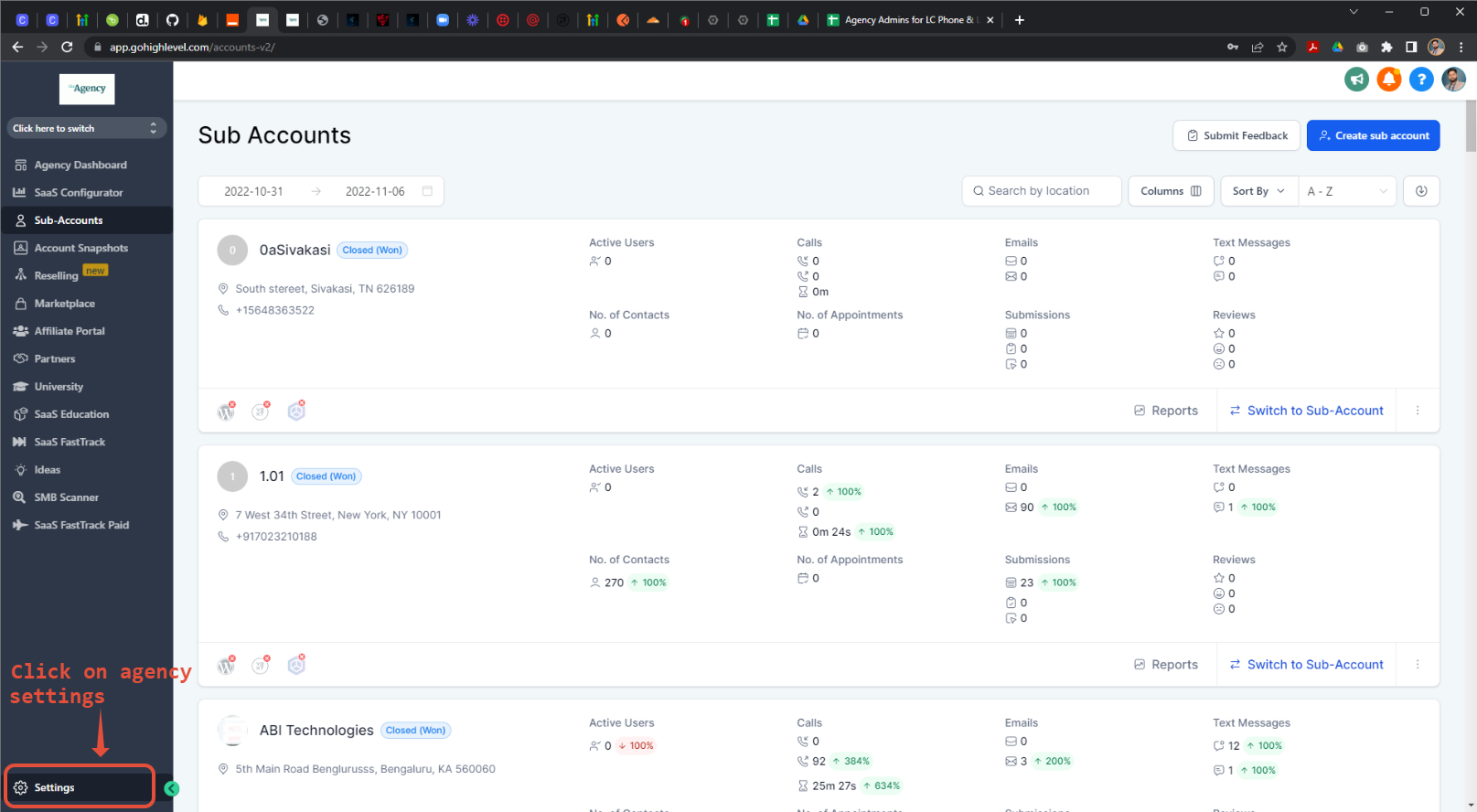
- Open the Agency Settings section.
- Select Billing > Wallet & Transactions to view the current credit balance.
Viewing a historical summary of your spend
- Click the Detailed Transactions link on the Billing page.
- Review the unified log that shows spend across all subaccounts for the last three months.
- Expand each category to see month by month totals for that communication type.
Download all transactions as CSV
- Locate the export button in the top right corner of the transactions page.
- Click the button to generate a CSV file of all LC Communication charges.
- Save the file; note that only the most recent one million transactions are included.
06What it looks like in HighLevel
07Settings that matter
- auto, recharge amount. Determines how much the platform adds to the wallet when the balance falls below the defined threshold.
- when balance is lower than. Sets the credit level that triggers an automatic recharge of the wallet.
08Things to know before you rely on it
- Summary data updates once daily, so the most current spend may be up to 24 hours old.
- CSV export includes a maximum of one million recent transactions because of storage limits.
- If a recharge fails, the platform may issue a second charge equal to the auto recharge amount, potentially doubling the charge.
09If something goes wrong
- Payment to the credit card fails. All agency admins are notified; outbound SMS, calls and emails stop when the balance drops below zero.
- Balance is insufficient to send messages. Raise the auto recharge threshold so the wallet stays above 50 % of the configured trigger value.
10How it connects to the rest of HighLevel
- Learn about LC Email limits and upgrade options LC Email overview
- View HighLevel pricing and plan details Pricing page
- Start a free 30 day trial of HighLevel 30 day trial
Michael's take

Be aware that the autorecharge system can double charge you if the balance drops below zero and the first recharge doesn’t bring it back above the set threshold. This can happen during a high volume send or a payment processing delay.