
01Who this is for
- Marketing managers who run multiple email blasts need per campaign domain control to avoid send failures.
- Agencies managing client accounts benefit from domain selection to protect each client’s reputation.
- Small business owners using LC Email can select a dedicated domain to improve inbox placement.
02Sender domains, explained
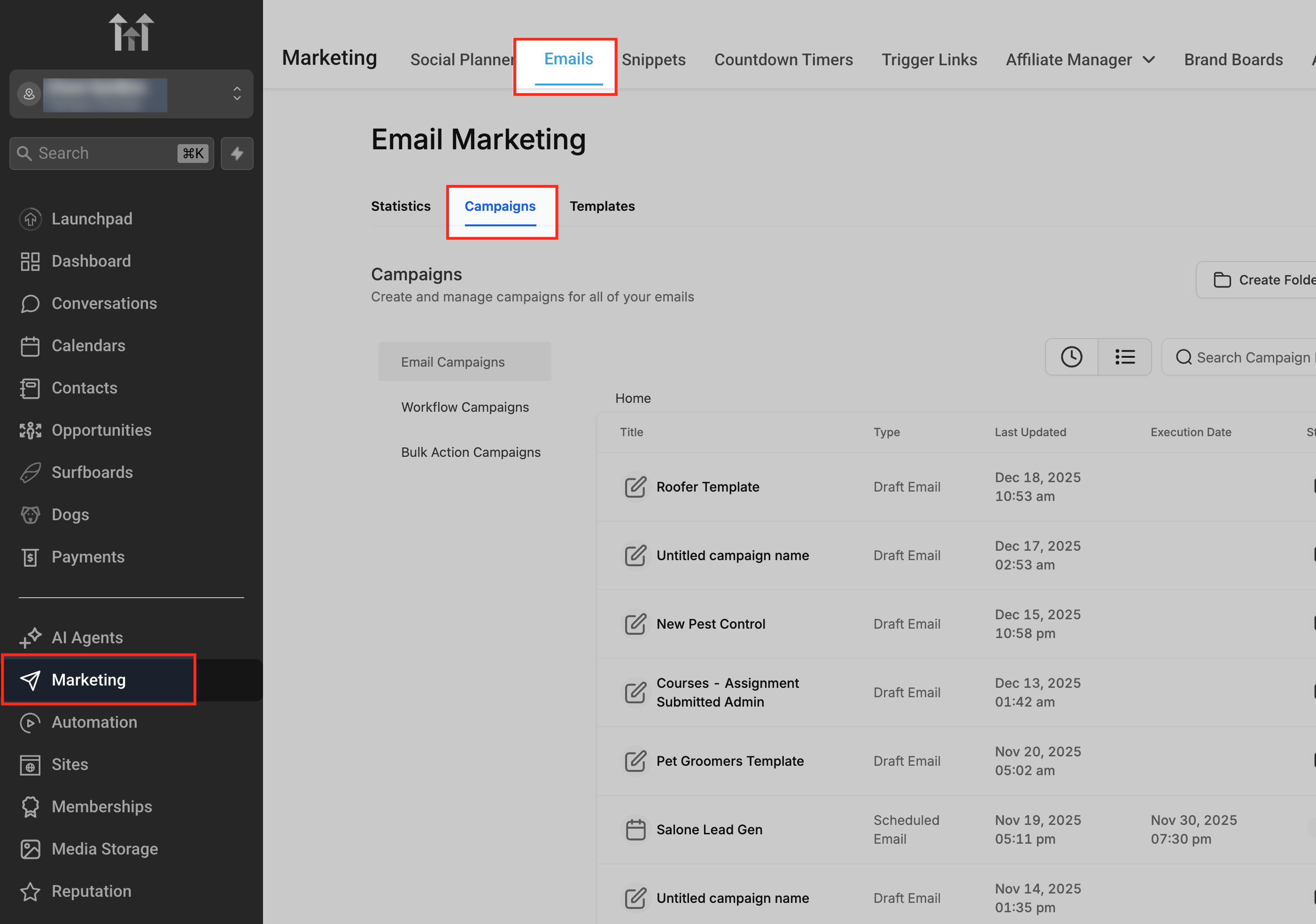
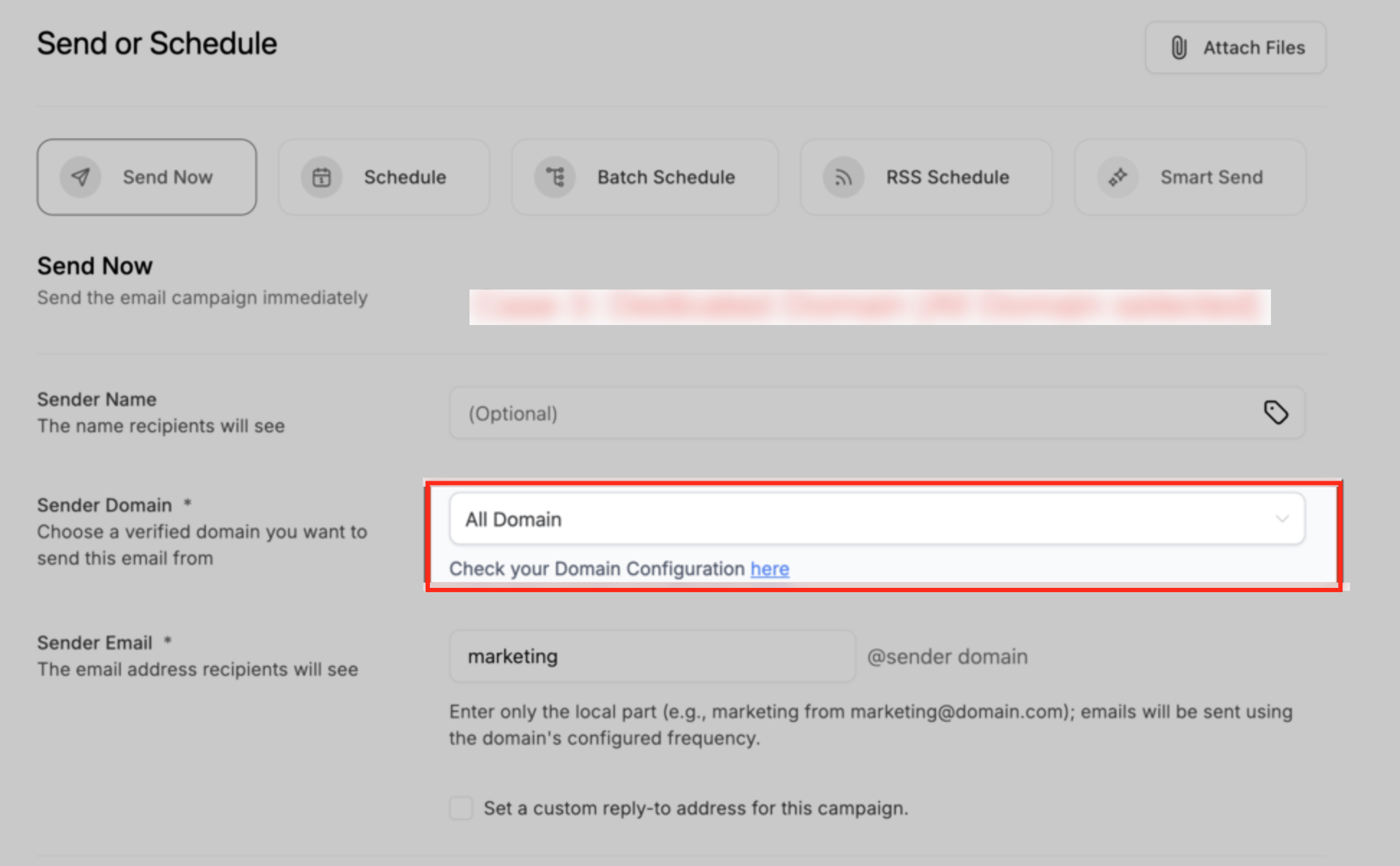
Sender Domain Settings are available in the email campaign builder under Marketing > Emails > Campaigns. They let you decide which verified domain will be used for a specific campaign and ensure the From email aligns with that domain. Real time validation checks the match and warns or blocks sending if the domain is unverified or mismatched.
When a campaign is sent or scheduled, the selected domain becomes locked to that campaign. The feature works only for LC Email locations; any SMTP based sending follows its existing workflow. Depending on your setup, shared domain, a single dedicated domain, or multiple verified domains, the platform may auto adjust public email addresses, pre select a domain, or rotate among domains when “All Domains” is chosen.
03How businesses use sender domains
- Digital marketing agency. The agency opens each client’s campaign draft, verifies the Sender Email matches a verified dedicated domain, and selects that domain from the dropdown. If a warning appears, the agency clicks the Review Domain Configuration link to resolve mismatches before scheduling.
- Ecommerce store. The store owner creates a promotion email, checks the Sender Details, and chooses the “All Domains” option to let HighLevel rotate sending across all verified domains, helping balance deliverability across campaigns.
- Health clinic. The clinic sets a Reply To address that differs from the sender domain, ensuring patients’ replies go to a monitored inbox while the From address remains compliant with a verified domain.
04How to set up and use sender domains in HighLevel
Set up sender domain for a campaign
- Navigate to Marketing > Emails > Campaigns.
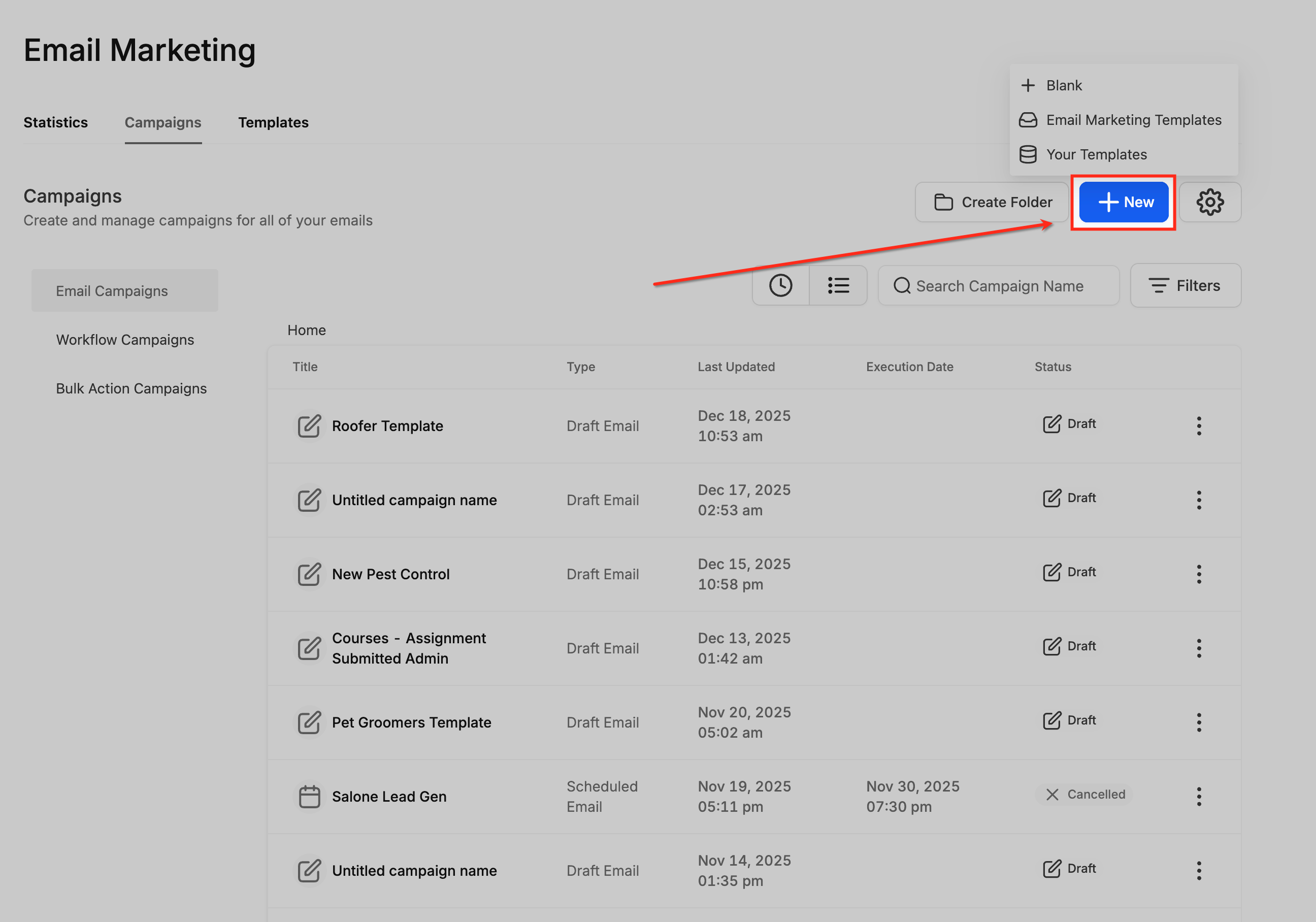
- Open a new campaign or an existing draft.
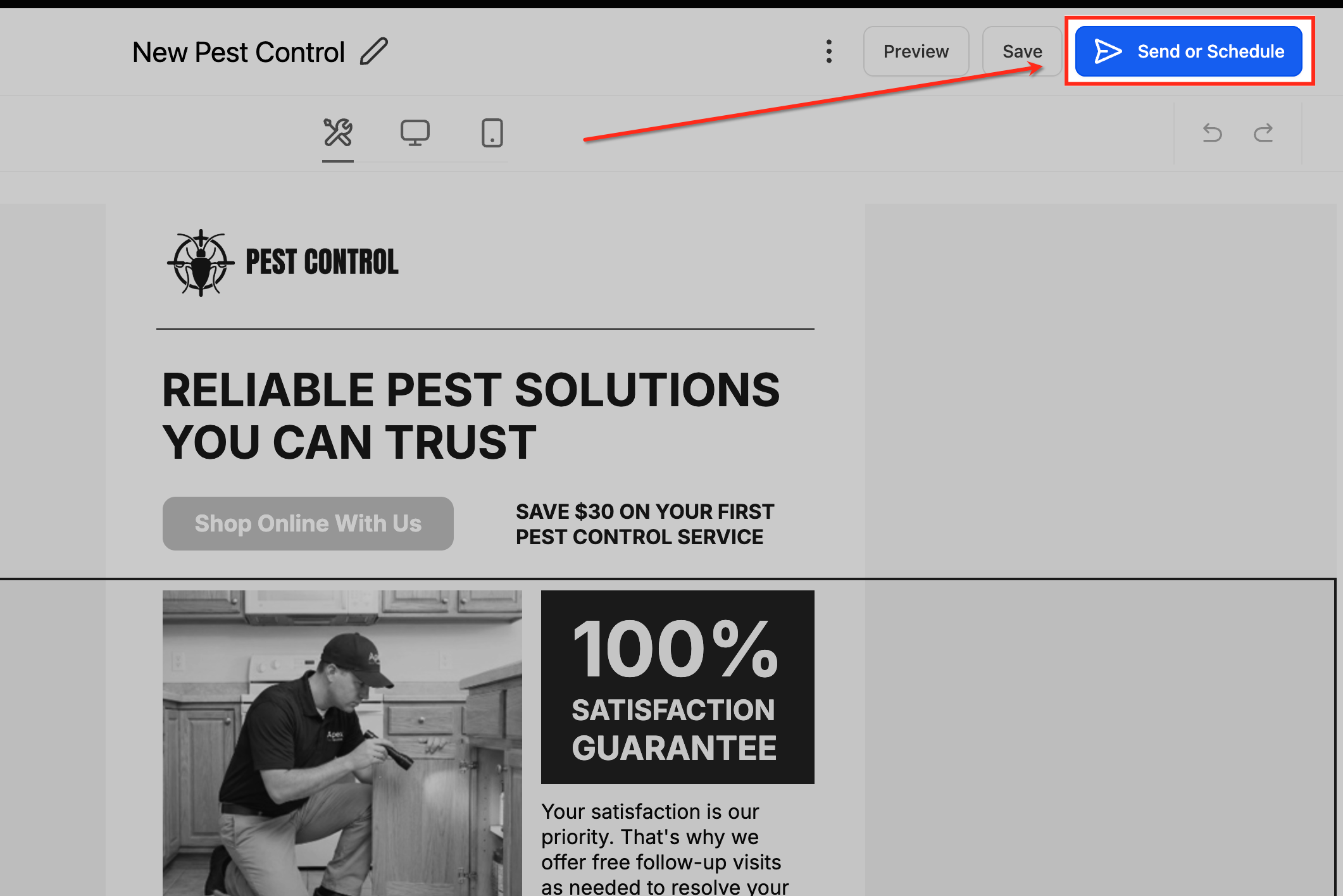
- Click Send or Schedule inside the builder to view campaign details.
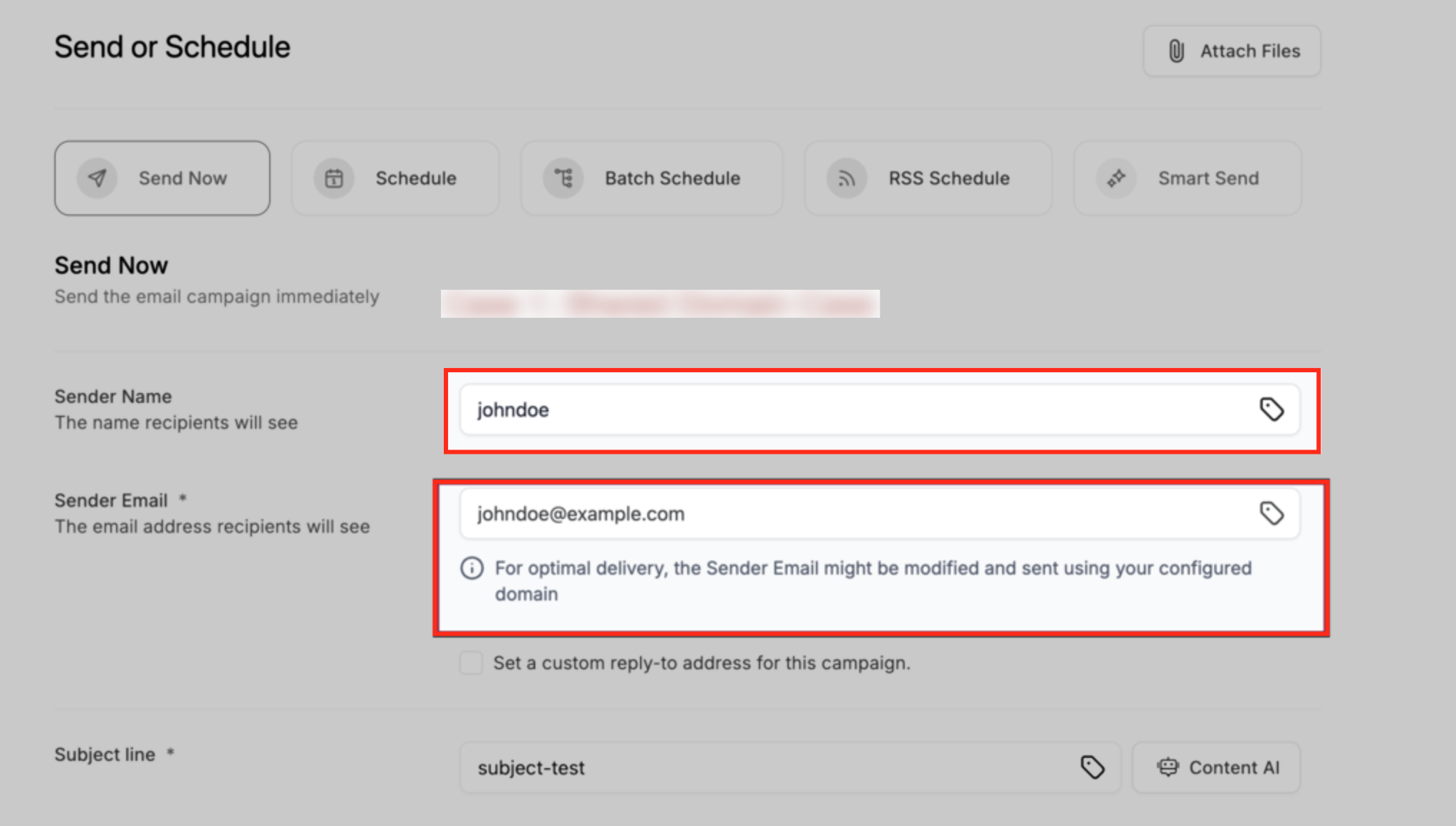
- Review the Sender Name and Sender Email in the Sender Details section.
- Open the Sender Domain dropdown and pick the appropriate domain or select All Domains.
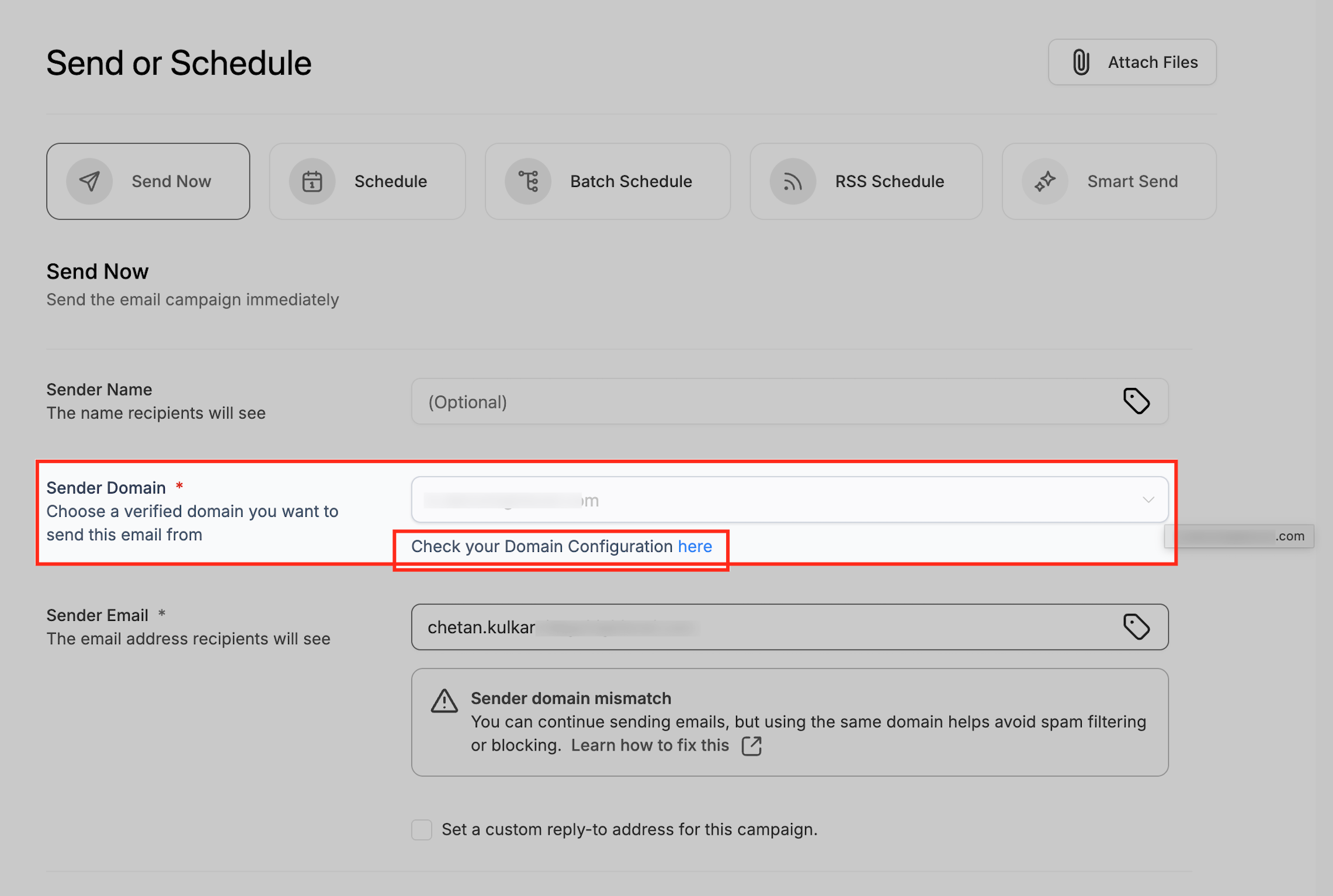
- If a warning or error appears, click the Review Domain Configuration link to address verification or warm up issues.
- Finish sending or scheduling; the chosen sender domain is then locked to the campaign.
05What it looks like in HighLevel
06Settings that matter
- Sender Domain. Controls which verified domain is used to send the campaign and enforces alignment with the From email address.
07Things to know before you rely on it
- Sender Domain Settings apply only to LC Email locations; SMTP based sending follows its own workflow.
- A campaign cannot be sent if the selected domain is not verified or warmed up; an error will block the send.
- Warnings allow the send to proceed but recommend matching the sender email to the domain to reduce spam risk.
- Once a campaign is sent or scheduled, the chosen sender domain is locked and cannot be changed without duplicating the campaign.
08If something goes wrong
- Warning about sender email and domain mismatch. Adjust the Sender Email to match the selected domain, or ignore the warning if acceptable, but matching is recommended.
- Error due to unverified or unwarmed domain. Use the Review Domain Configuration hyperlink to complete DNS verification or warm up steps before attempting to send.
09How it connects to the rest of HighLevel
- Add and verify a sending domain Add domain guide
- Email warm up and DMARC best practices Warm up guide
- LC Email limits and upgrades LC Email limits
Michael's take

Most people think they can swap the sender domain after a campaign is scheduled and still expect it to send. The platform locks the domain the moment you hit send or schedule, so any later change is ignored.
If I were setting up a launch, I would lock in the correct domain before I even draft the email, double check the From address matches, and resolve any warnings right away.