
01Who this is for
- Marketers using HighLevel who need a quick way for contacts to correct accidental opt outs without manual support tickets.
- Agencies that manage multiple client email lists and want an automated path for consent recovery.
02Resubscribe links, explained
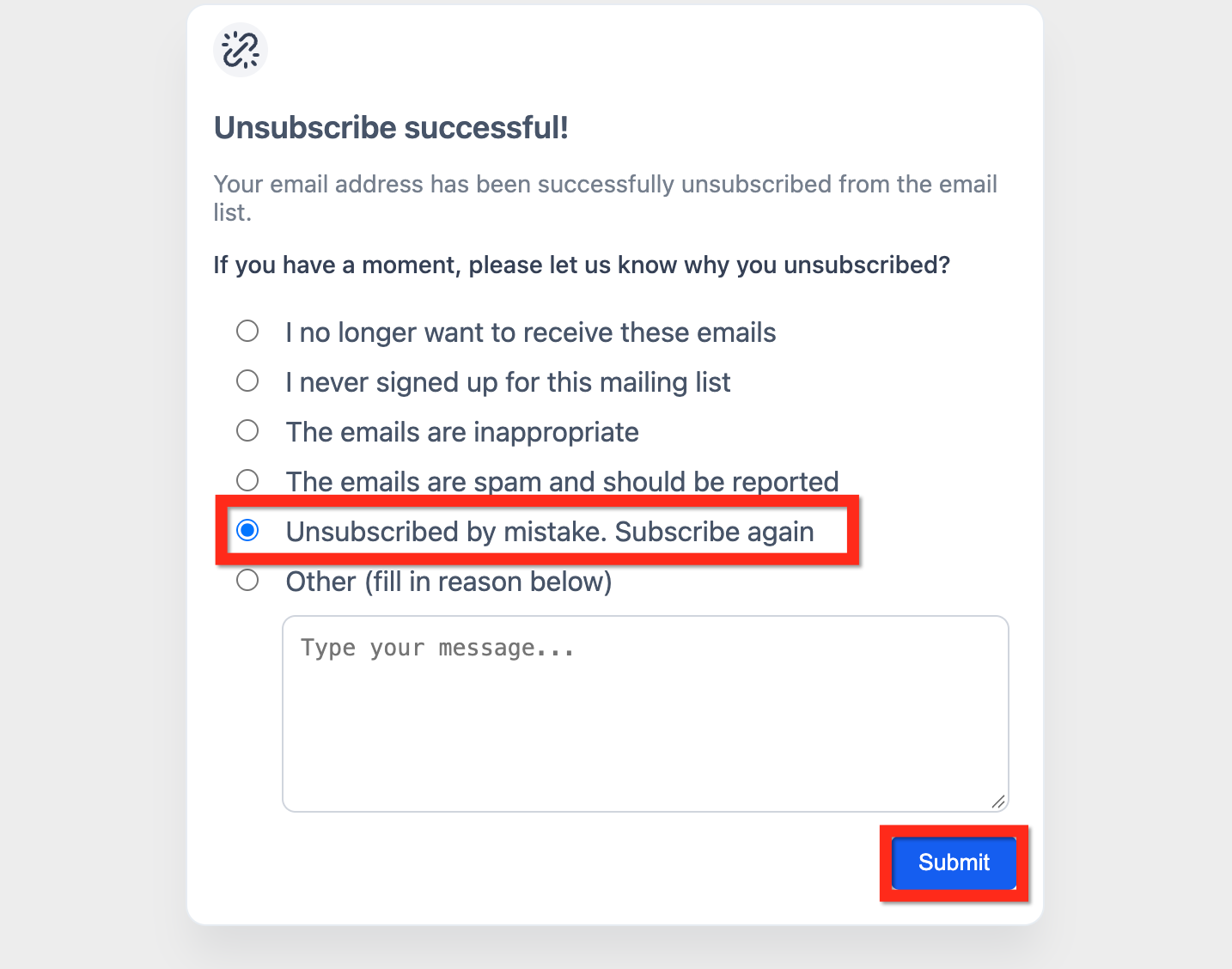
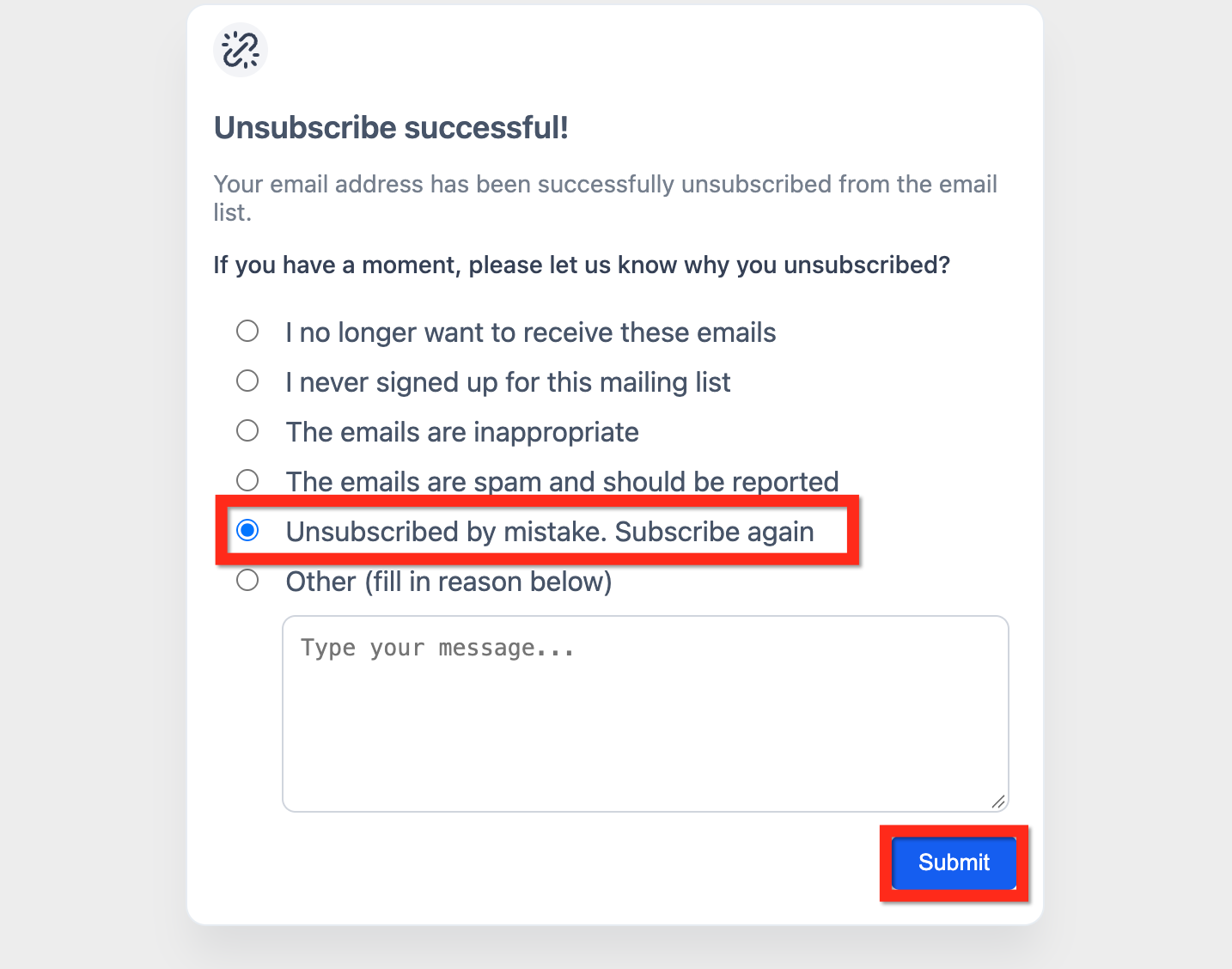
The resubscribe feature appears on the default unsubscribe feedback questionnaire after a contact clicks the unsubscribe link. It adds a choice labeled “Unsubscribed by mistake, subscribe again”. Selecting this option and submitting the form updates the contact’s email eligibility from Unsubscribed or Blocked to Eligible and clears any DND flag for email.
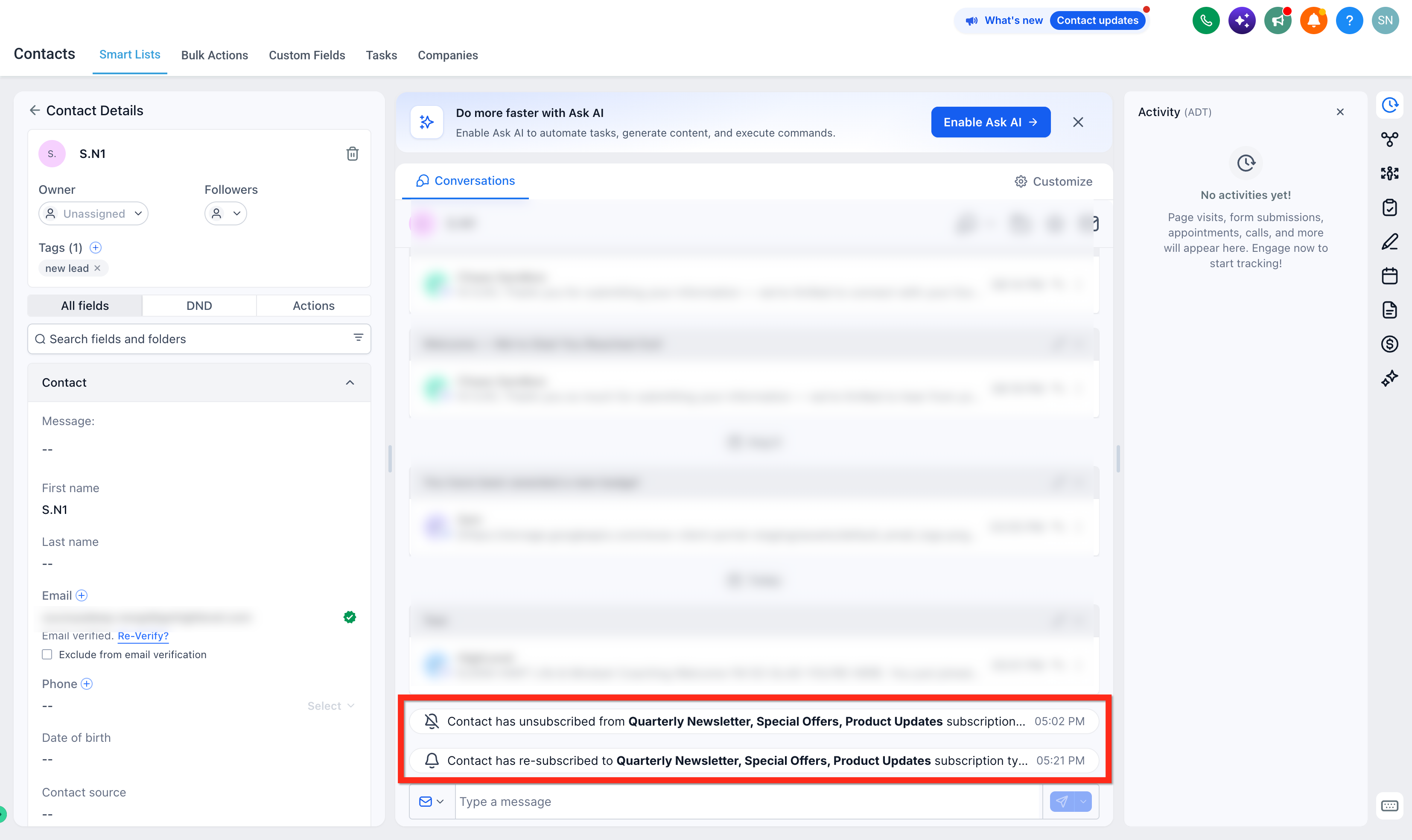
The change is reflected in the contact’s record where the Email status switches, and a tag or note can be added for audit tracking. Campaign reports may take time to reflect the new status, so use contact level data for immediate verification. The feature lives entirely within the built in unsubscribe flow; no extra workflow is required to restore email consent.
03How businesses use resubscribe links
- SaaS startup. When a trial user clicks unsubscribe by mistake, they select the resubscribe option on the feedback form. HighLevel right away restores their email eligibility, allowing the startup to re engage the user with onboarding emails without manual intervention.
- Local service business. A customer who unsubscribed after a promotional blast can indicate the error on the feedback form. The business sees the contact’s email status change back to eligible and can tag the record for follow up, keeping the contact list accurate.
- Digital marketing agency. Agency managed client lists include the resubscribe element. When a prospect rescinds an unsubscribe, the contact’s status updates automatically, and the agency can trigger a confirmation email workflow using the contact DND change trigger.
04Before you start
- A default unsubscribe link must be present in the email footer or configured unsubscribe method.
- The unsubscribe feedback questionnaire must be active, which is the default configuration in HighLevel.
05How to set up and use resubscribe links in HighLevel
Set up and test the resubscribe flow
- Create or select a test contact who can receive emails and is not currently suppressed.
- Send a test email that includes the default unsubscribe link to that contact.
- Open the email, click the Unsubscribe link, and complete the unsubscribe flow to reach the success page.
- On the feedback questionnaire, choose “Unsubscribed by mistake, subscribe again” and click Submit.
- Open the test contact’s record, verify the Email status changed to Eligible, and add a tag or note such as “Resubscribed, {date}”.
06What it looks like in HighLevel
07Settings that matter
- Unsubscribed by mistake, subscribe again. An option inside the unsubscribe feedback form that, when selected and submitted, changes the contact’s email eligibility back to Eligible.
08Things to know before you rely on it
- Campaign analytics may continue to list the contact as unsubscribed for a short period after resubscription.
- The resubscribe link is available only on the default unsubscribe success page; custom pages must retain the element for it to work.
09How it connects to the rest of HighLevel
- Preference Management, Email unsubscription handling Preference Management
- How to build a custom unsubscribe link and DND workflow Custom Unsubscribe Links
- HighLevel email event trigger: add clicked or opened actions Email Event Triggers
- HighLevel pricing and plans Pricing
- Start a 30 day HighLevel trial Free Trial
Michael's take

Resubscribe links are useful when you get occasional “I clicked unsubscribe by mistake” emails. Small businesses that don’t want to chase every support ticket will appreciate the automation.
Skip it if you never allow contacts to unsubscribe or if you handle consent entirely outside of email. The feature adds little value in those cases.