
01Who this is for
- Founders who rely on email analytics for decision making, because it guarantees data reflects real users.
- Marketing managers running automated workflows, as it avoids bots triggering unintended actions.
- Small agencies using LC Email or Mailgun for client campaigns, to maintain clean performance reports.
02Bot detection prevention, explained
The bot detection feature watches email opens and clicks and determines whether the activity originates from a bot. It works only for subaccounts that use the LC Email system or Mailgun as the sending provider. When a bot is spotted, the open and click counters are not increased.
In addition, any automation events that would normally fire on an email open or click are blocked if a bot performed the action. This protects workflows from executing on non human activity.
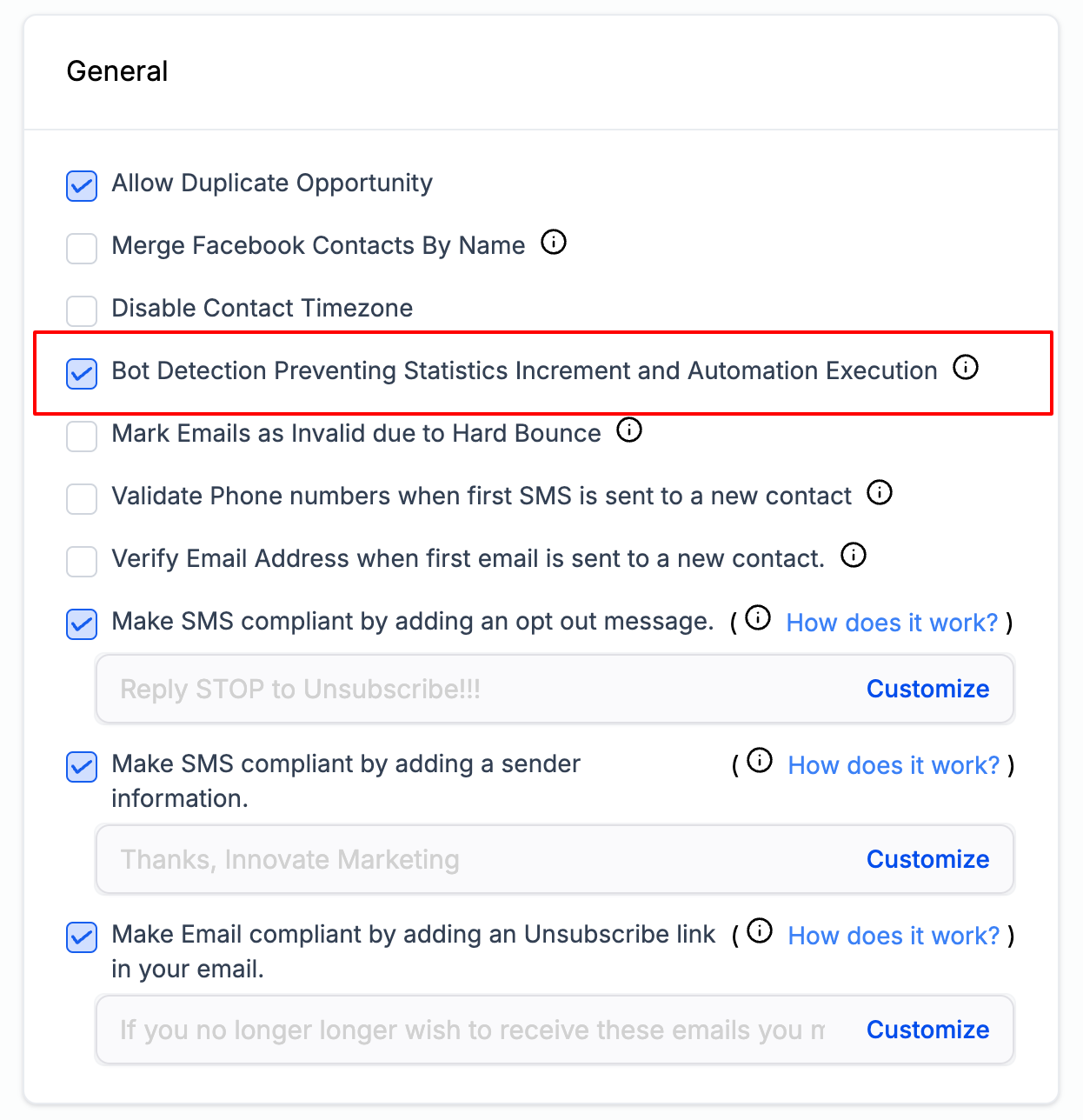
The setting lives in the Business Profile area. Go to Settings > Business Profile, scroll to the General section, and toggle the Bot Detection Prevention checkbox. The change takes effect for all future email sends immediately.
03How businesses use bot detection prevention
- Ecommerce store. The store turns on bot detection in the Business Profile so that opens and clicks generated by bots are ignored, keeping the email performance dashboard accurate.
- SaaS company. The SaaS team enables bot detection to prevent automations that enroll users based on email clicks from firing when bots click the links.
- Real estate agency. The agency disables bot detection for a test campaign to compare metrics with the filter off versus on.
04Before you start
- Subaccount must be using LC Email or Mailgun as the email sending provider.
05How to set up and use bot detection prevention in HighLevel
Enable or disable bot detection
- Open Settings > Business Profile.
- Scroll to the General section.
- Check the box to enable, or uncheck to disable; changes apply immediately to future sends.
06What it looks like in HighLevel
07Settings that matter
- Bot Detection Prevention. Controls whether bot driven opens and clicks are filtered out of engagement metrics and automation triggers.
08Things to know before you rely on it
- The feature is off by default.
- It is available only for subaccounts using LC Email or Mailgun; other SMTP providers are not supported.
09How it connects to the rest of HighLevel
- View all email related features in HighLevel. All Email features
- See which system generated emails HighLevel sends. Outgoing system emails
- Check the pricing plans that include LC Email. HighLevel pricing
Michael's take

A small convenience that can feel like a real shift for anyone who leans on email metrics. Bots can silently skew open rates, and that distortion ripples into automation decisions. Turning on this filter gives you cleaner data without any extra work.