
01Who this is for
- Ecommerce retailers who need to accept cash or in person payments, because they can offer a delivery time payment choice.
- Service based businesses that bill on receipt, allowing clients to settle invoices when a technician arrives.
02Manual payment methods, explained
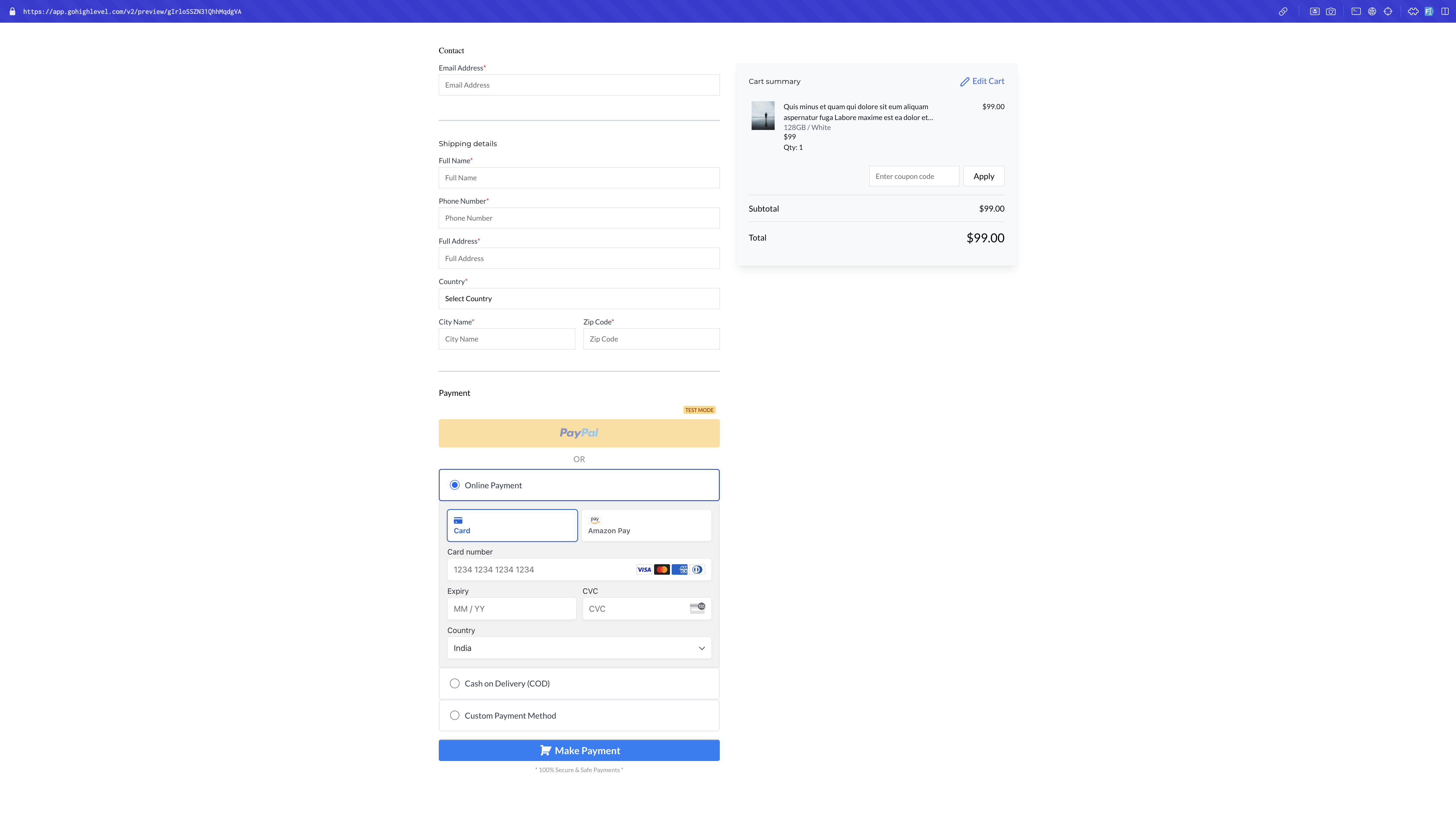
The feature adds a new payment category that does not rely on card processors. Store owners can choose the built in Cash on Delivery option or define a custom method with their own wording. The option appears only if it is switched on for the checkout page.
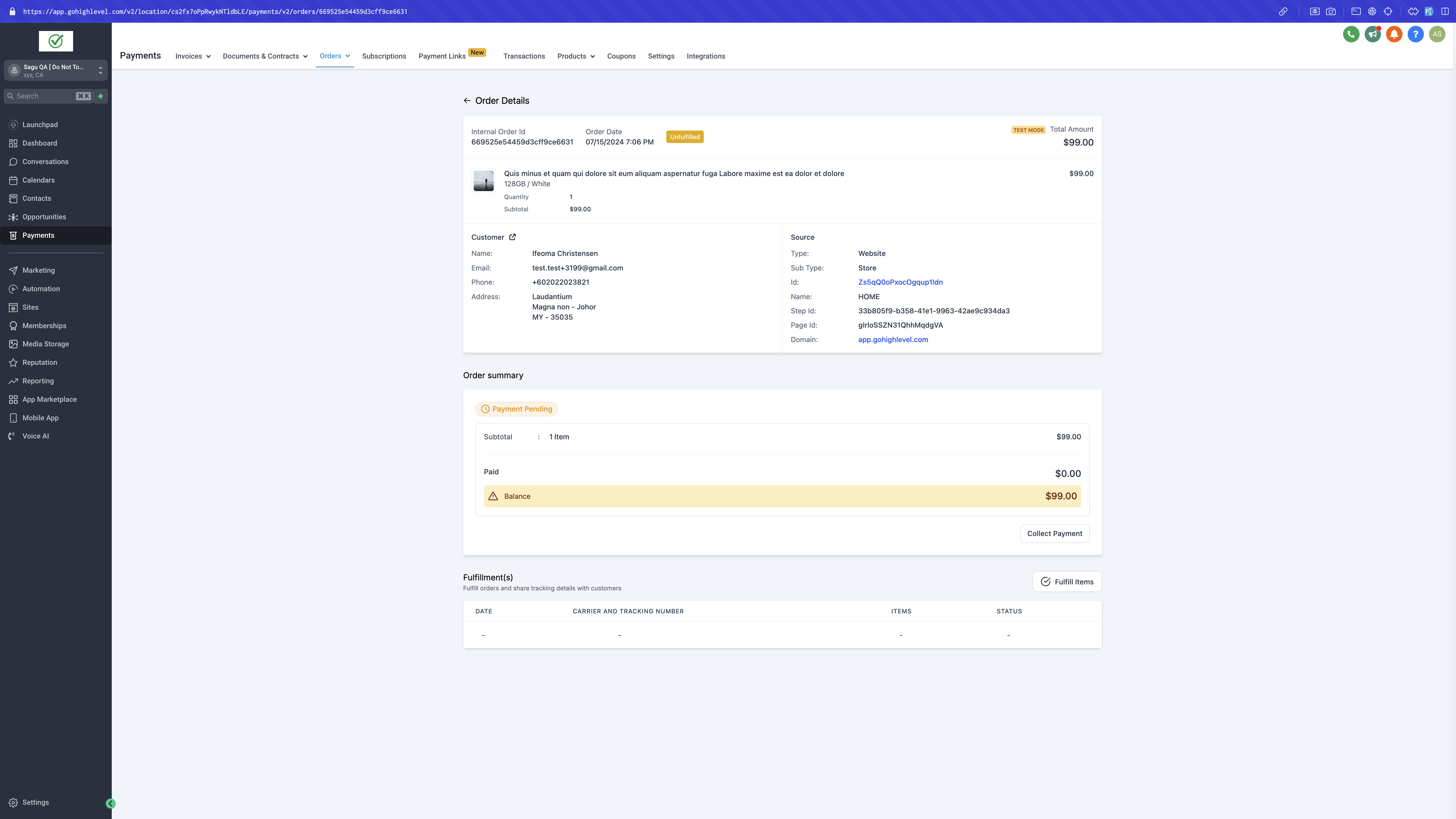
When a buyer selects a manual method, the order is created without an immediate transaction. After the merchant collects the money, they open the order record, select the appropriate mode, add any notes, and mark the order as paid. Once marked, the status cannot be changed back.
The setup lives under the Payments section of the platform. It works independently of other online processors and does not show for orders that contain recurring items.
03How businesses use manual payment methods
- Boutique clothing shop. The owner enables Cash on Delivery for the storefront, writes simple pickup instructions, and later opens each order to record the cash received, which updates the order status to paid.
- Home repair service. A custom payment method is created with the wording "Pay the technician on site". The service team selects this method at checkout, and after completing the repair they log the cash amount in the order details.
- Farmers market vendor. Both cash on delivery and a custom "mobile wallet" option are activated. Customers choose their preferred method, and the vendor records the payment in the system once the goods are handed over.
04How to set up and use manual payment methods in HighLevel
Set up a manual payment method
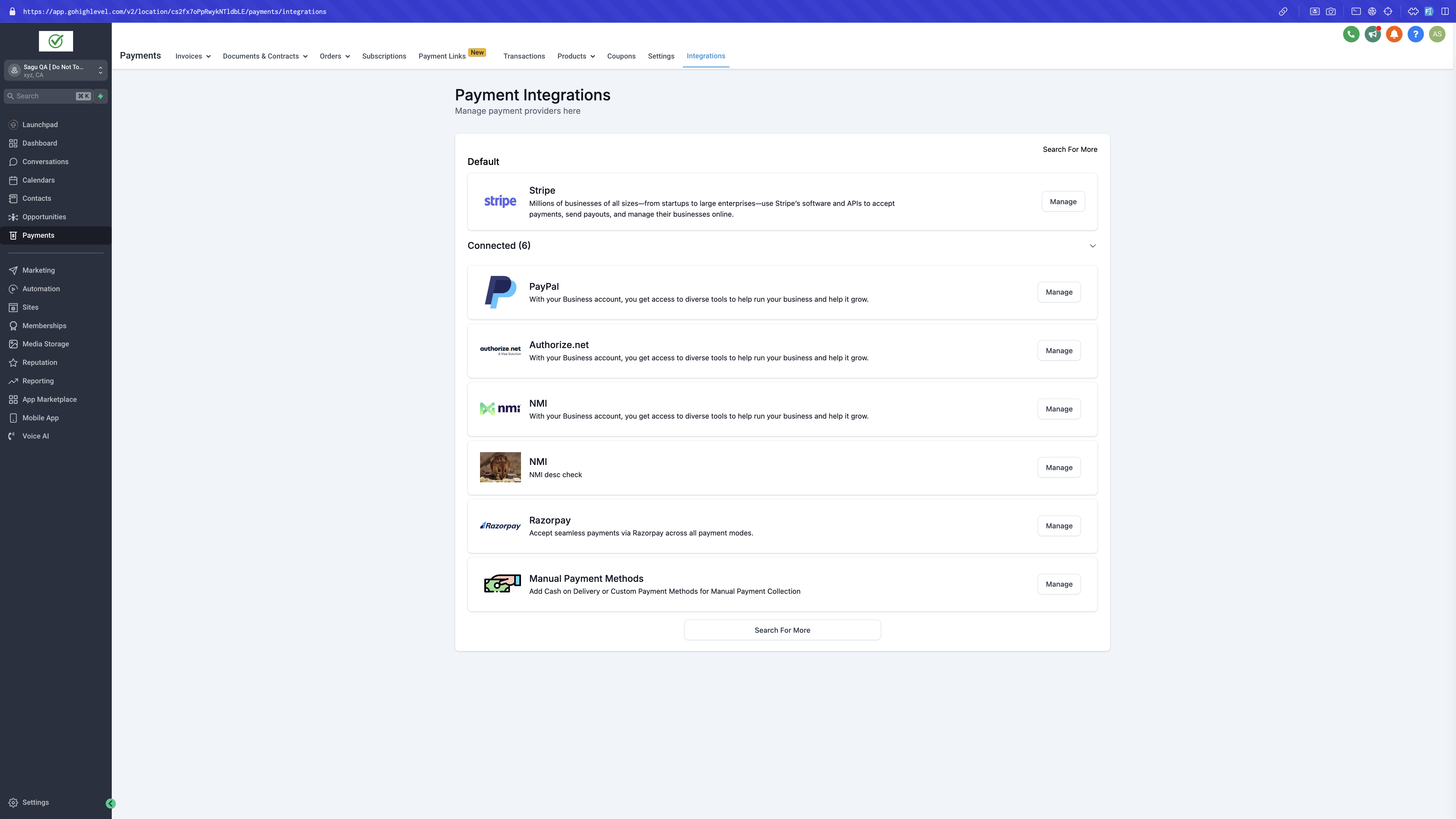
- Open Payments, go to Integrations, then select Manual Payment Methods.
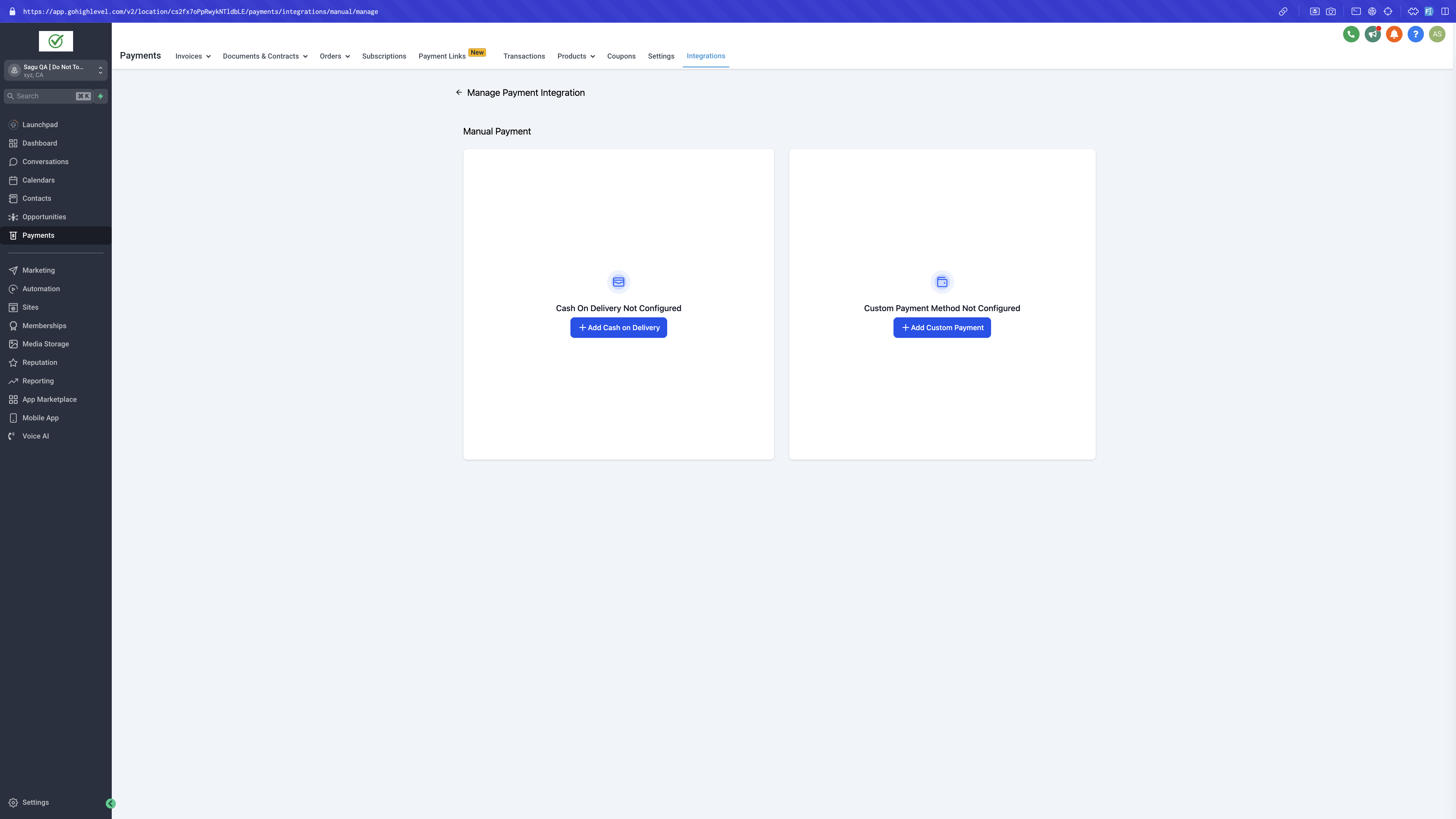
- Pick either the built in Cash on Delivery option or add a new custom method.
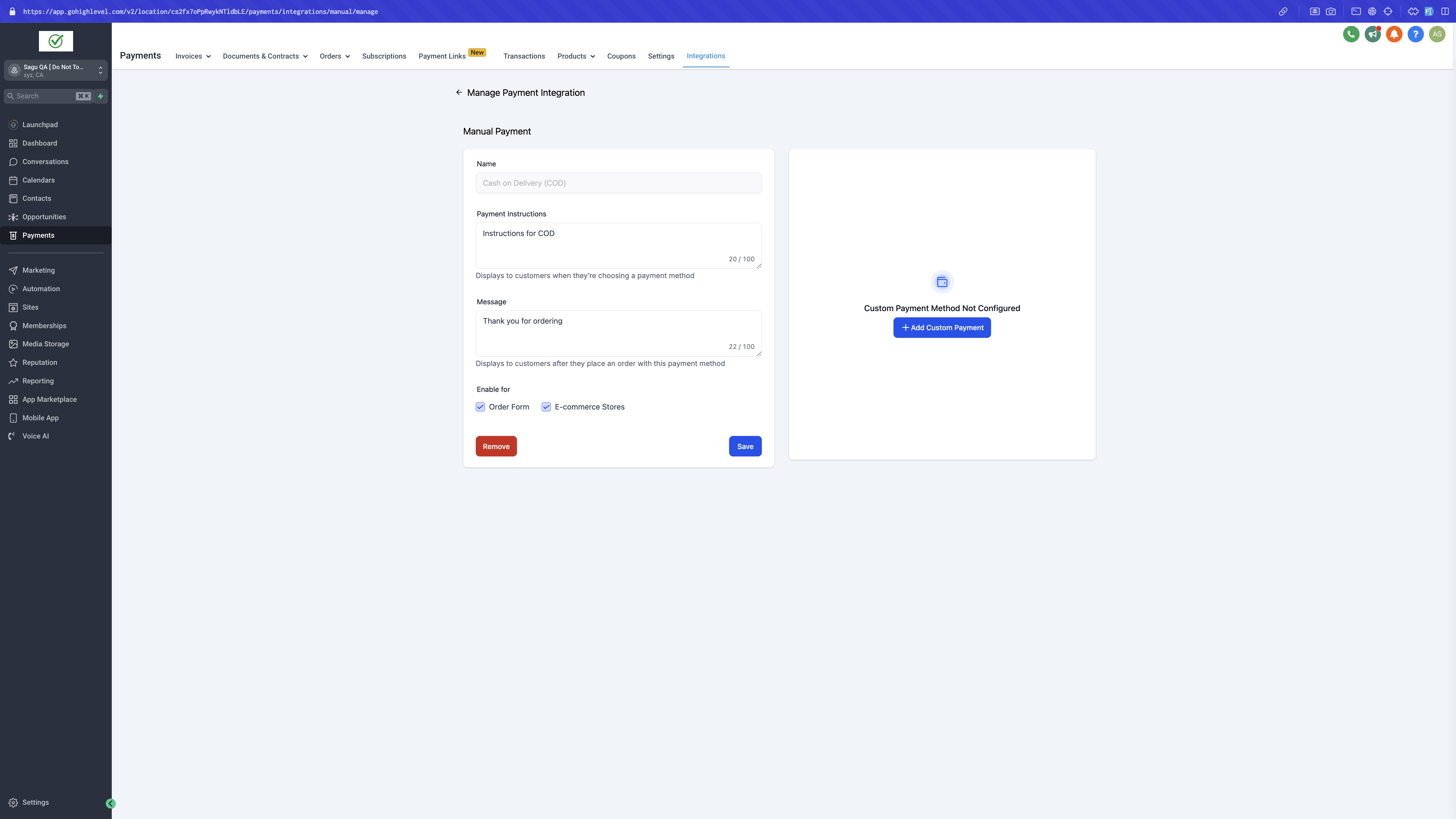
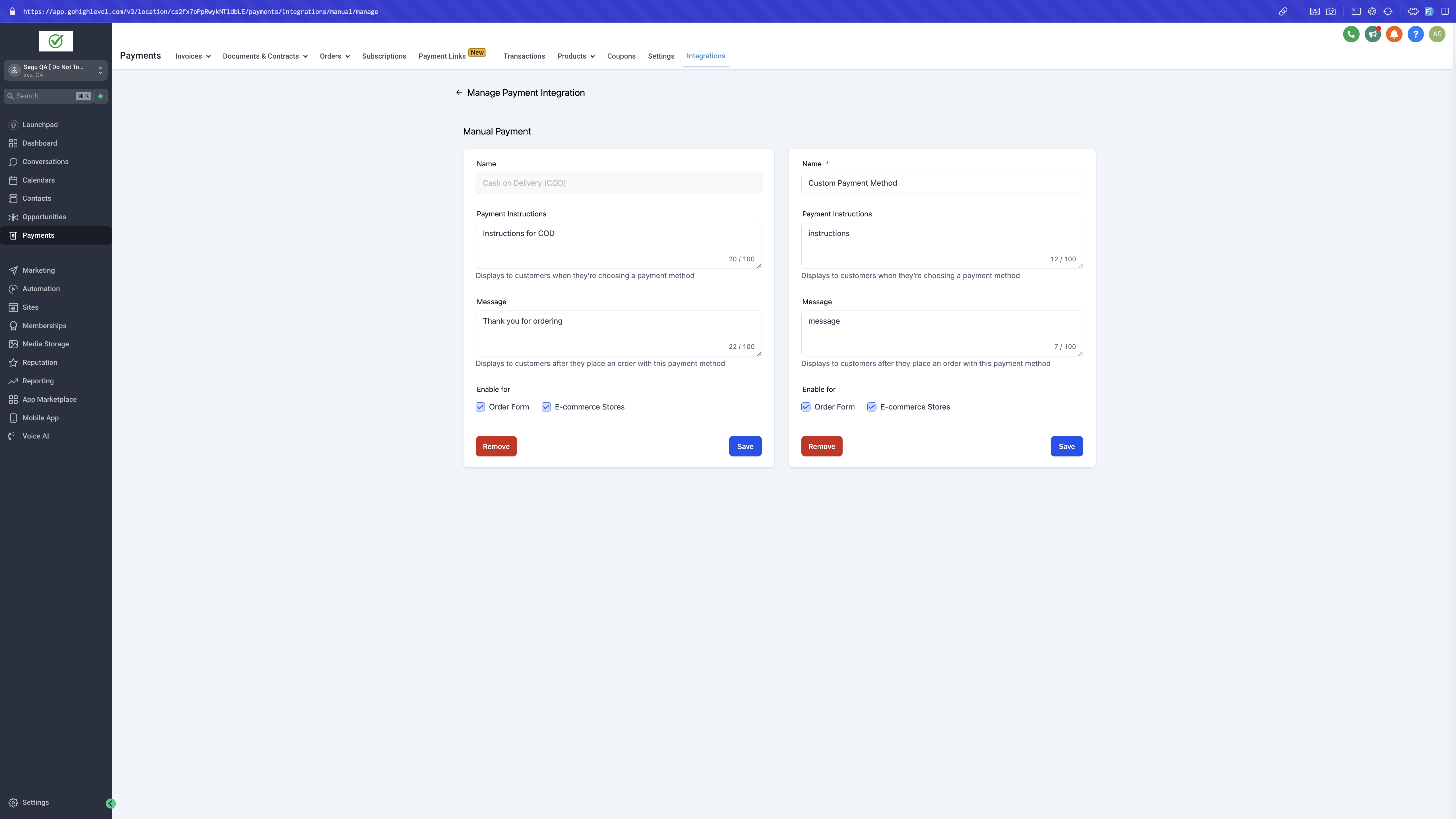
- Enter any optional instruction text and a message that will display to buyers.
- Turn on the method for checkout pages of Order Forms or E commerce Stores as needed.
- Save the configuration to make the method available at checkout.
Record a collected payment for a manual order
- Navigate to Payments and open the Orders list.
- Find the order that was paid in person and click the Collect Payment button.
- Select the appropriate payment mode from the dropdown list.
- Add any optional notes describing the transaction.
- Mark the order as paid, which updates the transaction status permanently.
05What it looks like in HighLevel
06Settings that matter
- Payment Instructions. Text shown to customers that explains how to complete the manual payment.
- Messages. Additional information displayed at checkout for the selected manual method.
- Enable Payment Methods. Toggle that determines whether the manual option appears on Order Forms or Ecommerce Store checkouts.
07Things to know before you rely on it
- Manual methods are unavailable when an order includes a recurring product.
- After an order is marked as paid, the status cannot be changed back.
- If a manual method is not enabled for the relevant checkout type, it will not be visible to buyers.
- Both Cash on Delivery and a custom method can coexist, but each must be enabled separately.
08How it connects to the rest of HighLevel
- Set up your HighLevel online store store setup guide
- Connect Stripe for automated payments Stripe integration
- Review HighLevel pricing and plans pricing page
Michael's take

Most people forget to actually enable the manual option for the checkout they are using, so the method never appears for customers.
If I were setting this up, I’d add a clear payment instruction that tells the buyer exactly how to complete the cash on delivery or custom payment, then I’d test the flow by placing a test order and using the Collect Payment button to confirm the status updates correctly.