
01Who this is for
- Agency owners Need agency level spending visibility across subaccounts.
- Developers building billing dashboards Require programmatic access to wallet balances and usage data.
- Finance teams managing credits Use the write scope to add complimentary credits safely.
02Wallet public APIs, explained
The wallet public APIs expose nine HTTP endpoints that return financial information for an agency or its subaccounts. Four existing endpoints were migrated to the Blade Platform and five new endpoints add reporting capabilities such as top product usage and location based spending.
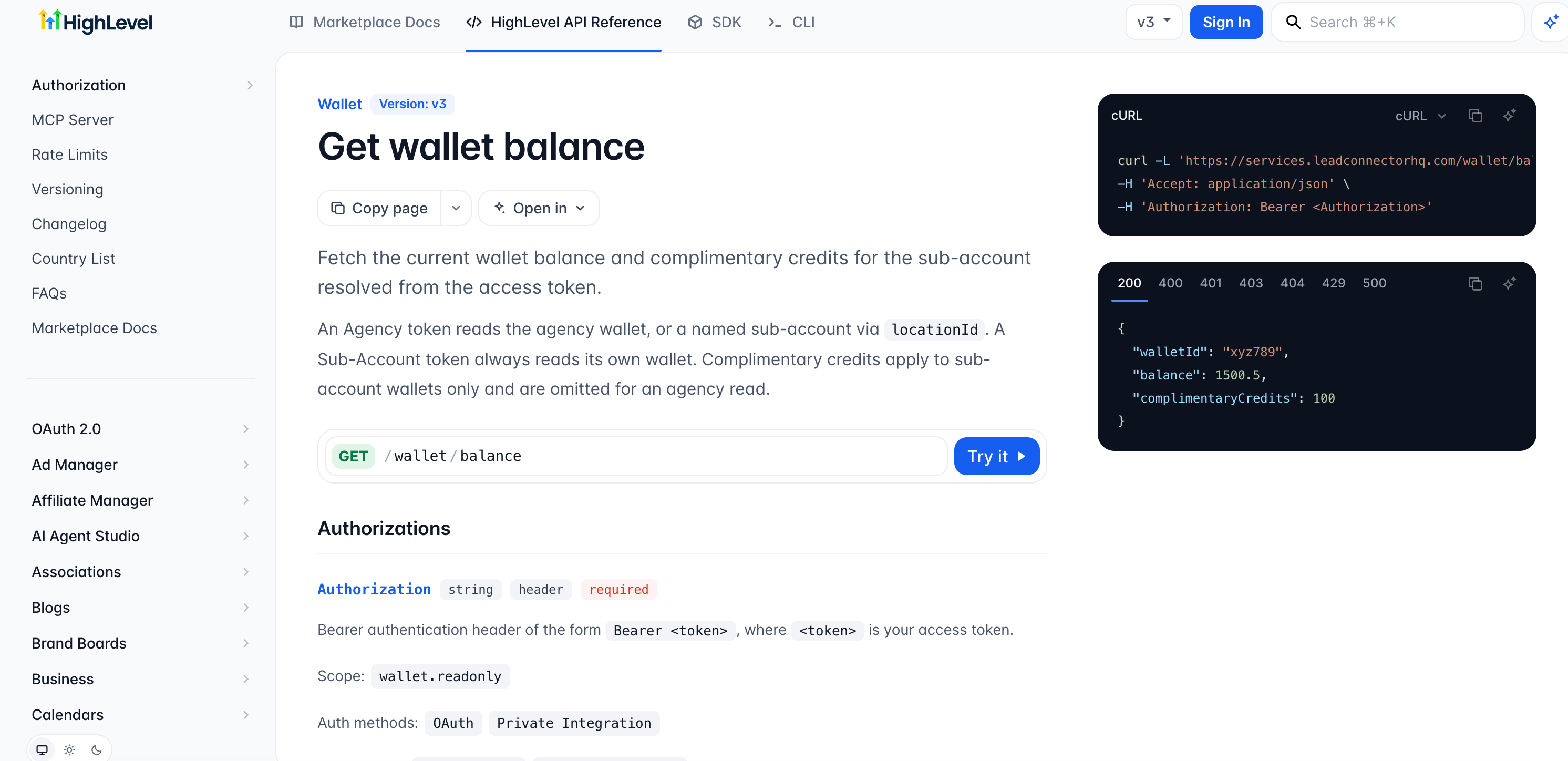
Requests must include a token that carries either the wallet.readonly or wallet.write scope. Agency tokens can optionally include a locationId query parameter to retrieve data for a specific subaccount. Subaccount tokens are limited to data belonging to their own wallet.
All endpoints are accessed via the /wallet path in the HighLevel API base URL. Responses follow the same structure as the previous SaaS wallet APIs for the migrated endpoints, while the new endpoints provide additional fields for usage records and billing summaries.
03How businesses use wallet public APIs
- Marketing agency. The agency creates an integration that calls GET /wallet/usage summary to pull a monthly usage report for all client subaccounts. The data is displayed in a custom dashboard inside the agency’s own portal.
- SaaS product company. The company uses POST /wallet/balance/complimentary credits with the wallet.write scope to credit a new customer’s subaccount wallet after a promotional offer. The request includes an idempotency key to avoid duplicate credits.
- Financial analyst. The analyst configures an API client to call GET /wallet/billing summary with a subaccount token, extracting billing totals for a specific location. The analyst then exports the data for internal reconciliation.
04Before you start
- Obtain a HighLevel access token that includes the required wallet.readonly or wallet.write scope.
- Identify the specific /wallet endpoint you plan to call and note any required query parameters.
05How to set up and use wallet public APIs in HighLevel
Set up and use wallet public APIs
- Open the HighLevel Wallet API Documentation and choose the endpoint you need.
- Create or open an integration and retrieve an access token that has the appropriate wallet scope.
- Select the wallet.readonly scope for data retrieval or wallet.write for credit operations.
- Enter the endpoint URL and HTTP method in your API client, adding the Authorization header and required parameters.
- Send the request and check the response to ensure the expected wallet information is returned.
- Verify that the token you are using has the correct scope for the chosen endpoint, because token compatibility depends on the specific endpoint.
06What it looks like in HighLevel
07Settings that matter
- wallet.readonly. Grants permission to read wallet balances, transactions, usage records and billing summaries.
- wallet.write. Grants permission to perform write actions such as adding complimentary credits to a wallet.
08Things to know before you rely on it
- All nine wallet API endpoints are live in production.
- Four existing endpoints retain their original response structures after migration.
- Complimentary credit requests must specify a positive amount; negative values are rejected.
- The complimentary credits endpoint supports idempotency to avoid duplicate processing.
- Agency tokens can use the locationId query parameter only on endpoints that support subaccount data.
09How it connects to the rest of HighLevel
- Select the API version and view full endpoint details. API version selection
- Learn how to register an app and obtain tokens in the developer marketplace. Marketplace onboarding
- See pricing and plan options for accessing HighLevel APIs. Pricing plans
Michael's take

Most people think the new /wallet endpoints are a completely different set of data, but the migrated ones keep the same response format. Treat them as a drop in replacement and focus on updating the base URL and scopes.
If I were adding wallet data to a dashboard, I would first pull the usage summary and billing summary endpoints to get a high level view, then layer in the top products and by location reports for deeper insight.