
01Who this is for
- Founders building SaaS integrations need real time lead data to keep their platform in sync with HighLevel.
- Agency marketers who manage multiple locations require webhook alerts to update contact information across all subaccounts.
- Developers of appointment booking tools rely on instant booking notifications to trigger calendar actions.
02OAuth API for the CRM Marketplace, explained
The webhook configuration feature enables an app to subscribe to events from HighLevel and receive a JSON payload whenever the event fires. After the OAuth flow exchanges an authorization code for an access token, the app can call the API and the platform posts event data to the app's webhook URL.
These settings are managed in the Developer Marketplace under My Apps. You define the app’s name, keywords, type, distribution, scopes, and the redirect URL that receives the authorization code. A separate POST endpoint receives the webhook payloads. Once locations or accounts are assigned, the app starts receiving events.
The whole workflow lives inside the HighLevel platform’s Developer Resources section, where you register the app, generate credentials, and link the webhook endpoint to specific agency locations or subaccounts.
03How businesses use the OAuth API for the CRM Marketplace
- Marketing agency. The agency registers a public app, sets the distribution type to Agency, and adds a webhook endpoint that receives new lead events. When a lead is created in any location, the app processes the JSON payload to update the agency’s external system.
- SaaS startup. The startup creates a private app with Subaccount distribution, defines scopes for contact management, and implements a webhook that captures contact update events. Only the designated subaccount receives the notifications, keeping data isolated.
- Appointment booking service. The service builds a public app, configures OAuth V2, and points a POST endpoint to its scheduling system. When a user books an appointment in HighLevel, the webhook delivers the event so the service can confirm the slot right away.
04The numbers and rules that matter
- Private apps are limited to 5 unique Agency installs.
05How to set up and use the OAuth API for the CRM Marketplace in HighLevel
Configure webhooks for your app
- Sign up for a developer account at https://marketplace.gohighlevel.com.
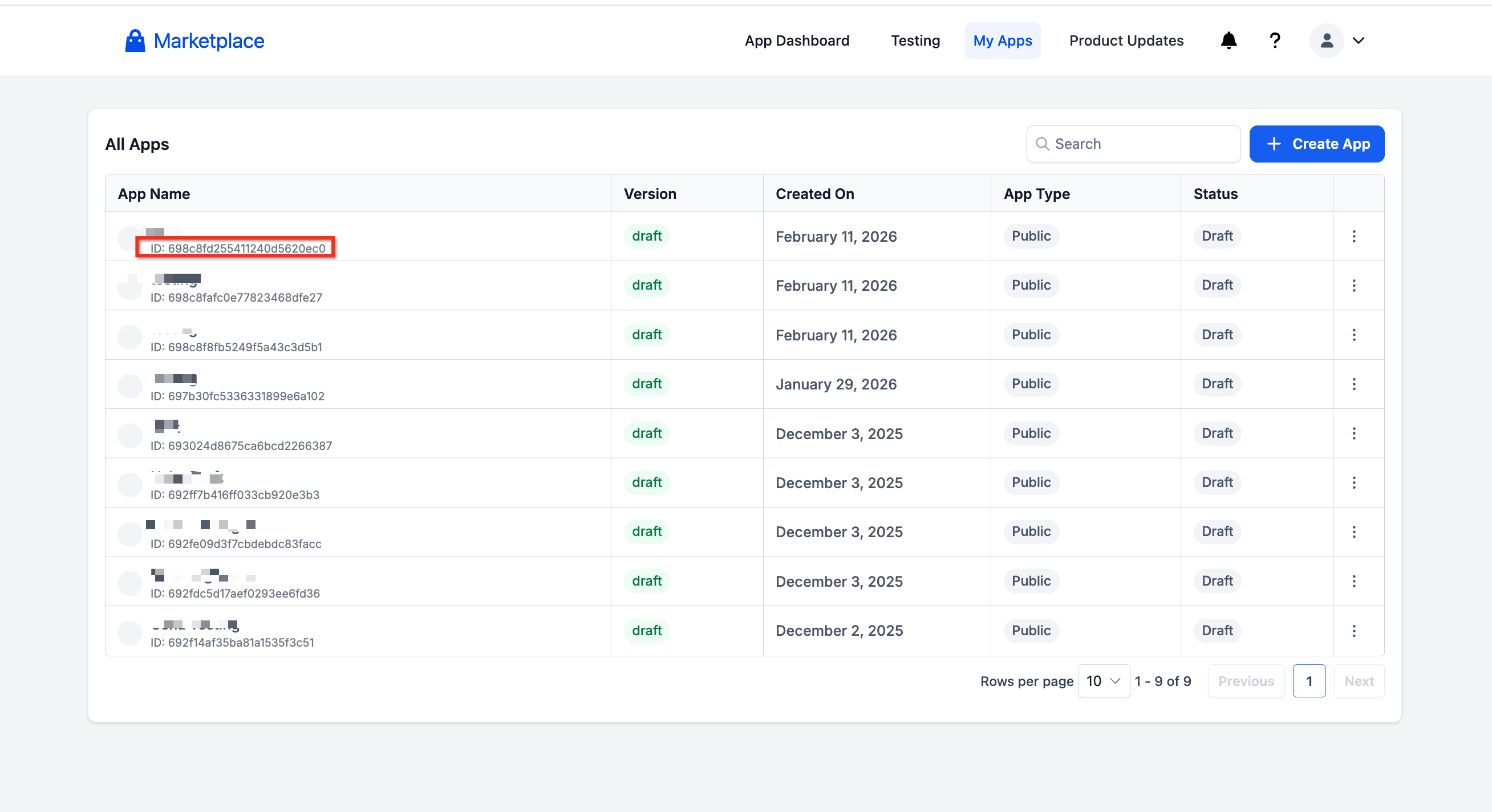
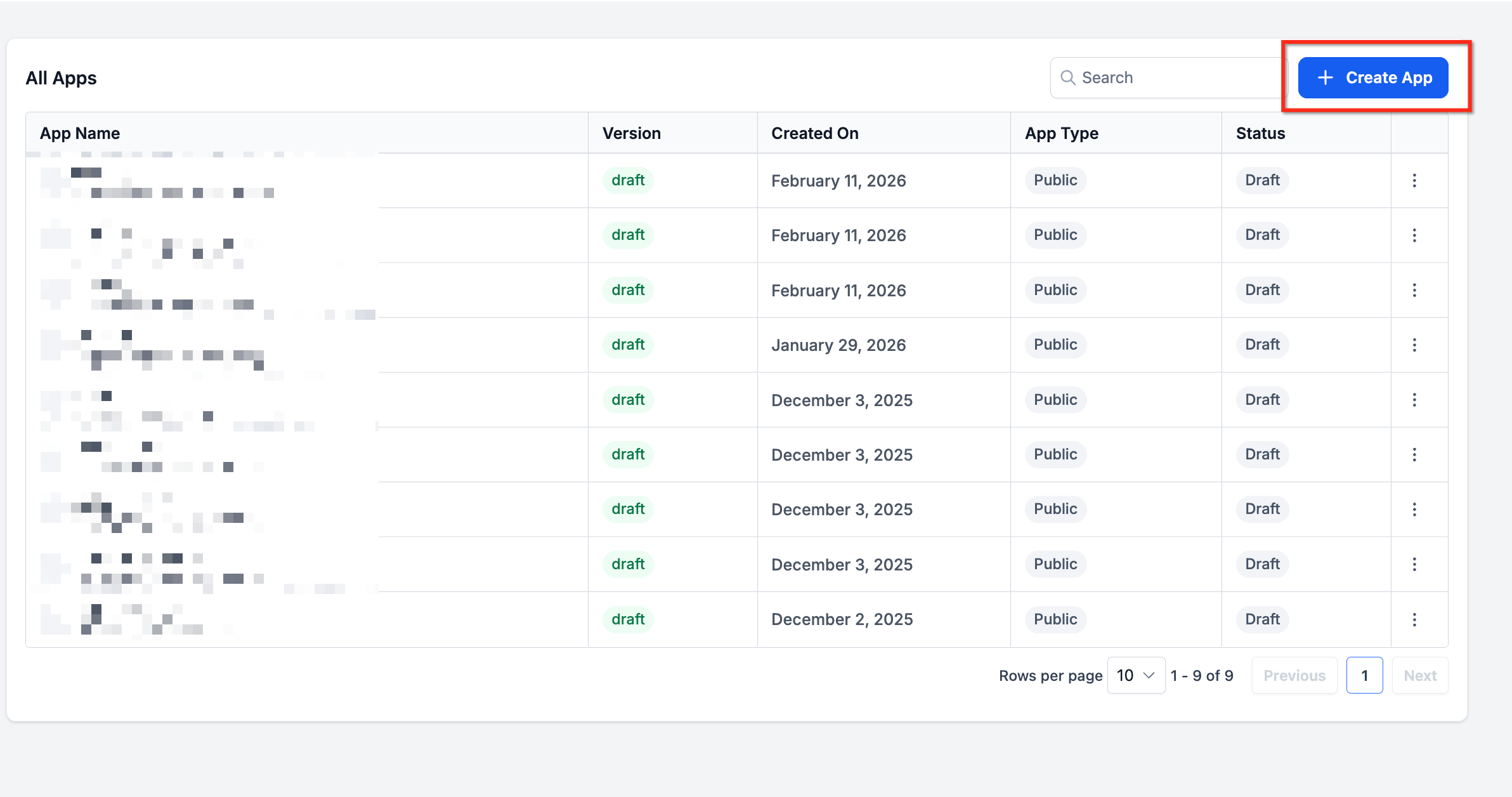
- Log in and go to My Apps, then click Create App.
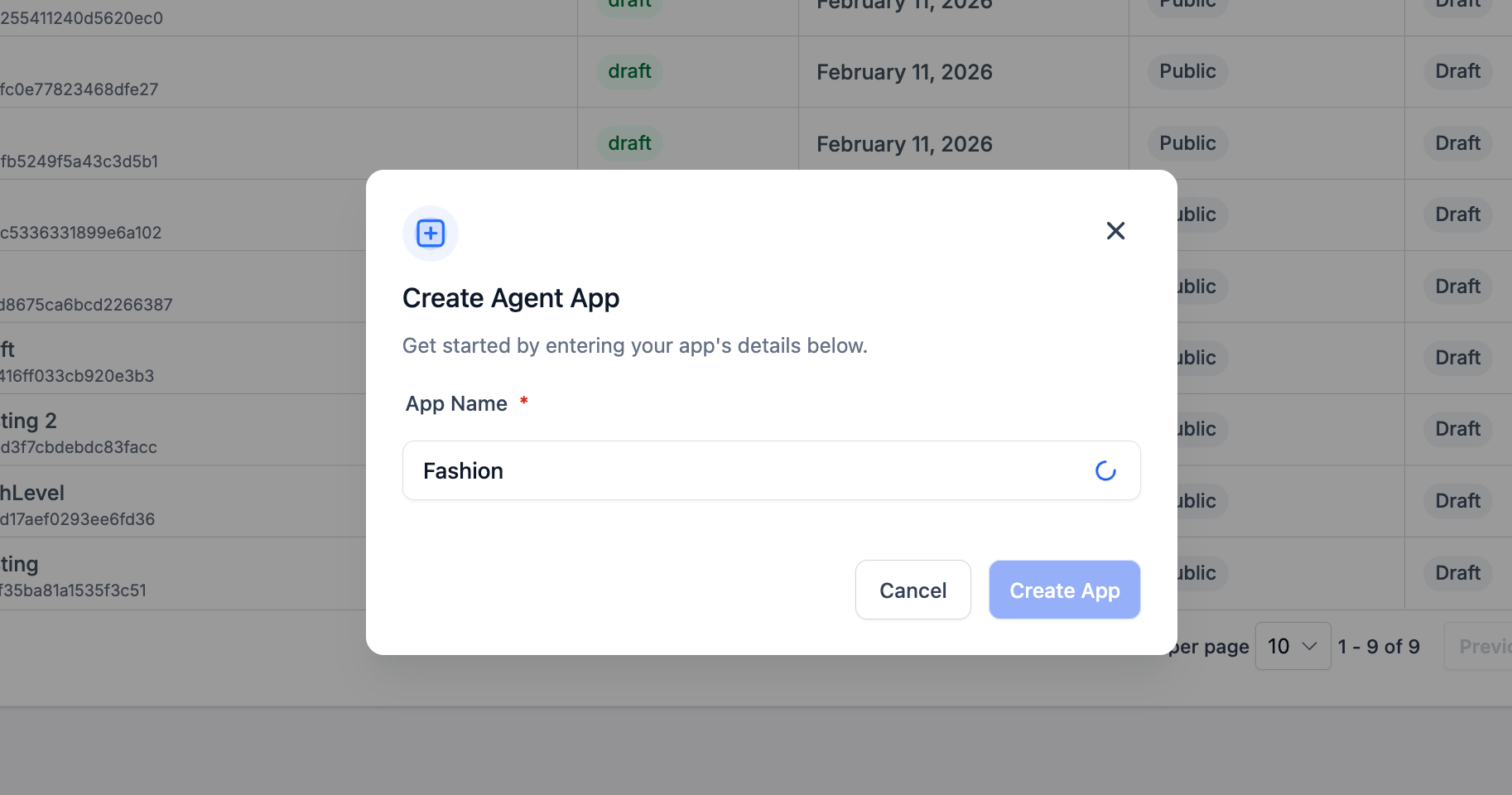
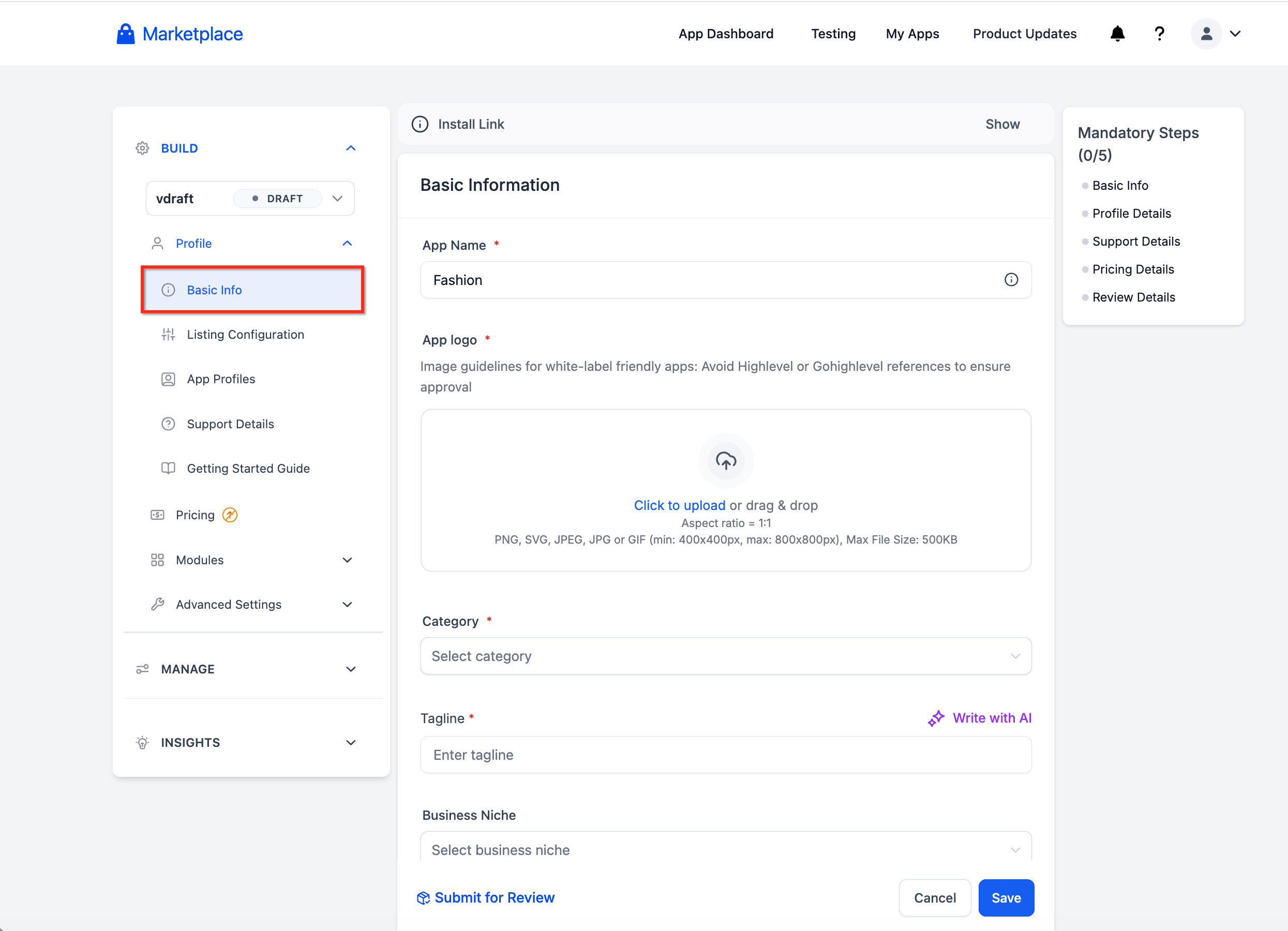
- Fill in the required profile information, including the app name.
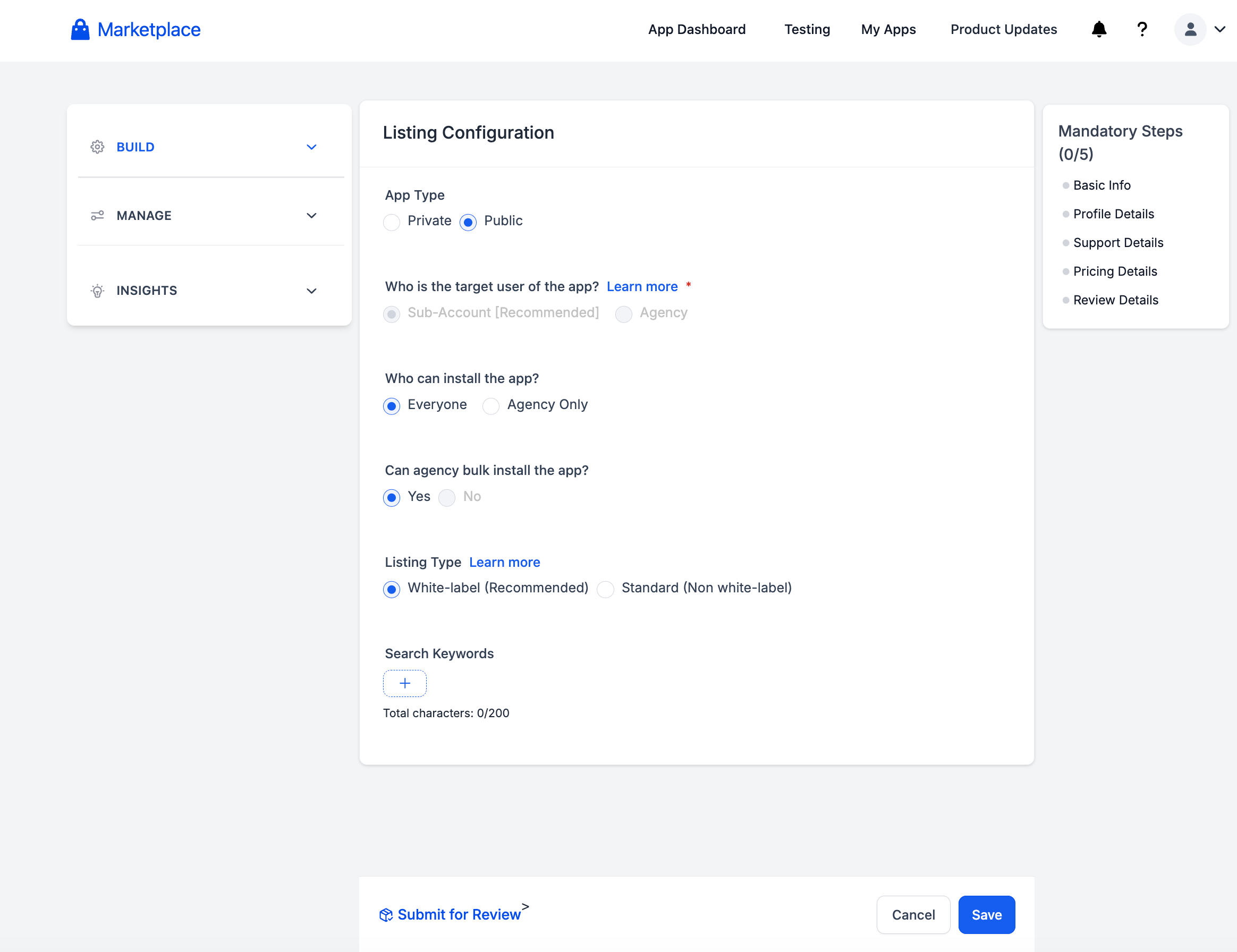
- Add up to 200 characters of search keywords.
- Select the app type (Public or Private) and the distribution type (Agency or Subaccount).
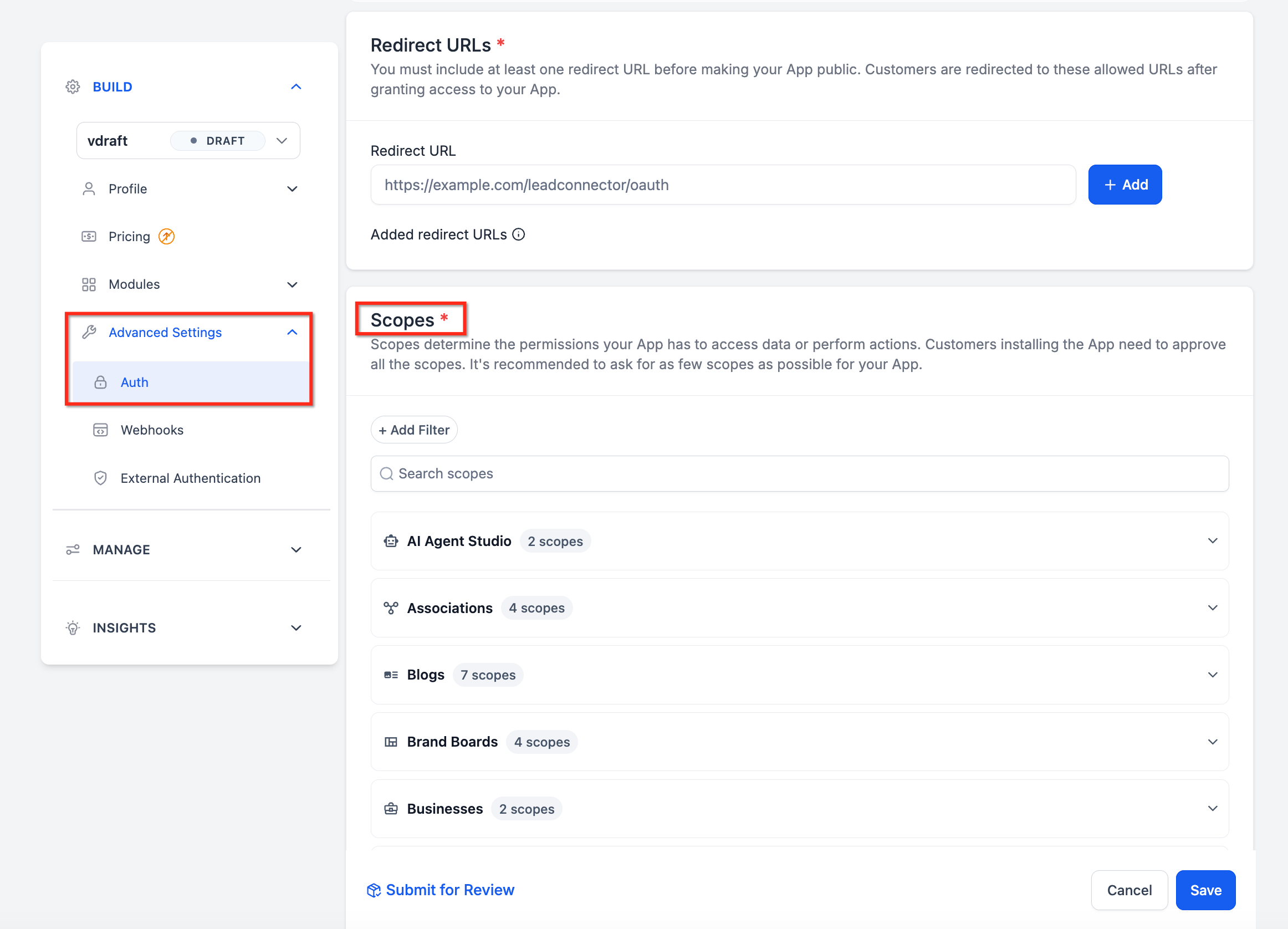
- Add the scopes needed for your app’s functionality.
- Generate client credentials and note the Client ID and Client Secret.
- Create a GET endpoint in your application to receive the OAuth redirect and capture the authorization code.
- Set the OAuthToken Redirect URL in the app settings to point to the GET endpoint you created.
- Create a POST endpoint in your application to accept JSON webhook payloads.
- Enter the URL of the POST endpoint in the app’s webhook settings.
- As an agency administrator, open the app in the Marketplace, click + Add App, and select the location or account to attach the webhook.
- Copy the authorization code from the redirected URL, append it to your redirect URL, and open that URL in a browser to complete the token exchange.
- Verify the webhook connection by confirming that a successful token response was received and that your POST endpoint receives test events.
06What it looks like in HighLevel
07Settings that matter
- App Name. Identifies your application in the Marketplace and helps users recognize it.
- Search Keywords. Text that improves how the app appears in Marketplace searches.
- App Type. Determines whether the app is public (listed for anyone) or private (restricted access).
- Distribution Type. Controls whether the app is available to all agency locations or limited to a specific subaccount.
- OAuthToken Redirect URL. The endpoint in your app that receives the authorization code and completes the token exchange.
- Scopes. Define the exact permissions the app needs to access HighLevel resources.
08Things to know before you rely on it
- Private apps can be installed in up to five unique agencies; installs beyond that are blocked.
- Hashed Company ID is deprecated and should no longer be used.
- There is no fixed limit on the number of scopes you can add, but include only those required.
- PKCE support is optional and recommended for public clients.
09How it connects to the rest of HighLevel
- Learn how to set the app’s listing type after creation. App listing type
- Configure pricing and earnings for a Marketplace app. App pricing
- Guidance on selling web widgets through the Marketplace. Web widgets guide
Michael's take

The OAuth API gives developers a reliable way to access HighLevel data without handling user passwords.
Make sure the OAuthToken Redirect URL matches exactly what you configure, otherwise the token exchange will fail.