
01Who this is for
- Agency owners who want their internal tools to be visible to all subaccounts under the native HighLevel domain.
- Developers releasing white label solutions that need to appear for clients using custom domains.
- Marketplace sellers aiming for maximum reach across both branded and white label environments.
02Marketplace app listing types, explained
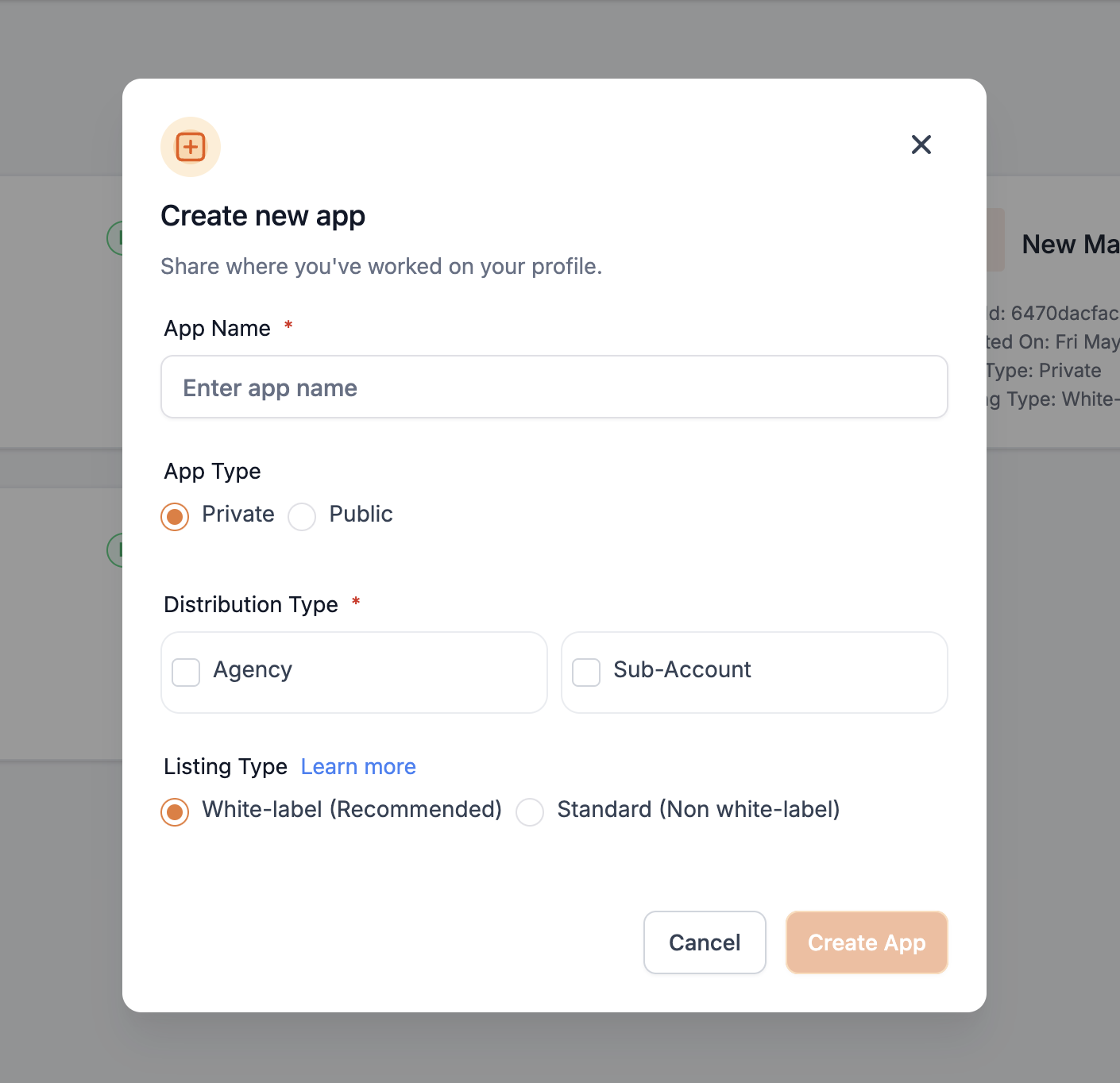
When you create a new marketplace app, you select a listing type. This choice tells the platform where the app can be installed. A Standard app appears only under the agency and subaccount sections of the default HighLevel domain. It does not show up for agencies or subaccounts that operate under a white label domain.
A White Label app is listed for both white label and non white label agencies and subaccounts. The app must not contain any mention of HighLevel or GoHighLevel in its metadata, description, or on the developer’s website. If such references exist, the marketplace review team will reject the app. Because White Label apps can be installed from any domain type, they typically achieve broader exposure.
03How businesses use marketplace app listing type
- Marketing agency. Select the White Label listing type while creating a reporting integration so agency staff and clients on custom domains can install it. Ensure no HighLevel branding appears in the app details to pass review.
- SaaS product company. Choose the Standard type for an internal dashboard that should only be available to agencies using the native HighLevel domain, keeping the integration limited to that environment.
- Consulting firm. Use the White Label option for a client facing booking widget, allowing the widget to be listed for both white label and standard accounts. Remove all HighLevel mentions before submission.
04How to set up and use marketplace app listing type in HighLevel
Set the app listing type during creation
- When you create a new marketplace app for the first time, choose either Standard or White Label as the listing type.
05What it looks like in HighLevel
06Settings that matter
- Type: Standard. Controls visibility so the app appears only under agency and subaccount sections of the default HighLevel domain.
- Type: White Label. Controls visibility so the app appears under both white label and non white label domains, provided no HighLevel branding is included.
07Things to know before you rely on it
- White Label apps must not contain any references to HighLevel or GoHighLevel in their properties, description, or on the developer’s website; such references cause disapproval during review.
- Standard apps are not visible on agency or subaccount pages that operate under white label domains.
08How it connects to the rest of HighLevel
- Understand distribution options for marketplace apps. App distribution settings
- Set pricing and earnings for your marketplace app. App pricing guide
- Get started with the developer marketplace and launch your app. Developer marketplace guide
Michael's take

White label apps must not contain any references to HighLevel or Gohighlevel in their description, properties, or on the company website, or they will be rejected during review.
Because white label listings are available to both white label and regular HighLevel agencies and subaccounts, they can reach a broader audience.