
01Who this is for
- Developers building custom integrations need to target the correct API version to avoid using unsupported calls.
- Founders managing SaaS subaccounts should know which version provides the required endpoints for account creation.
02HighLevel APIs, explained
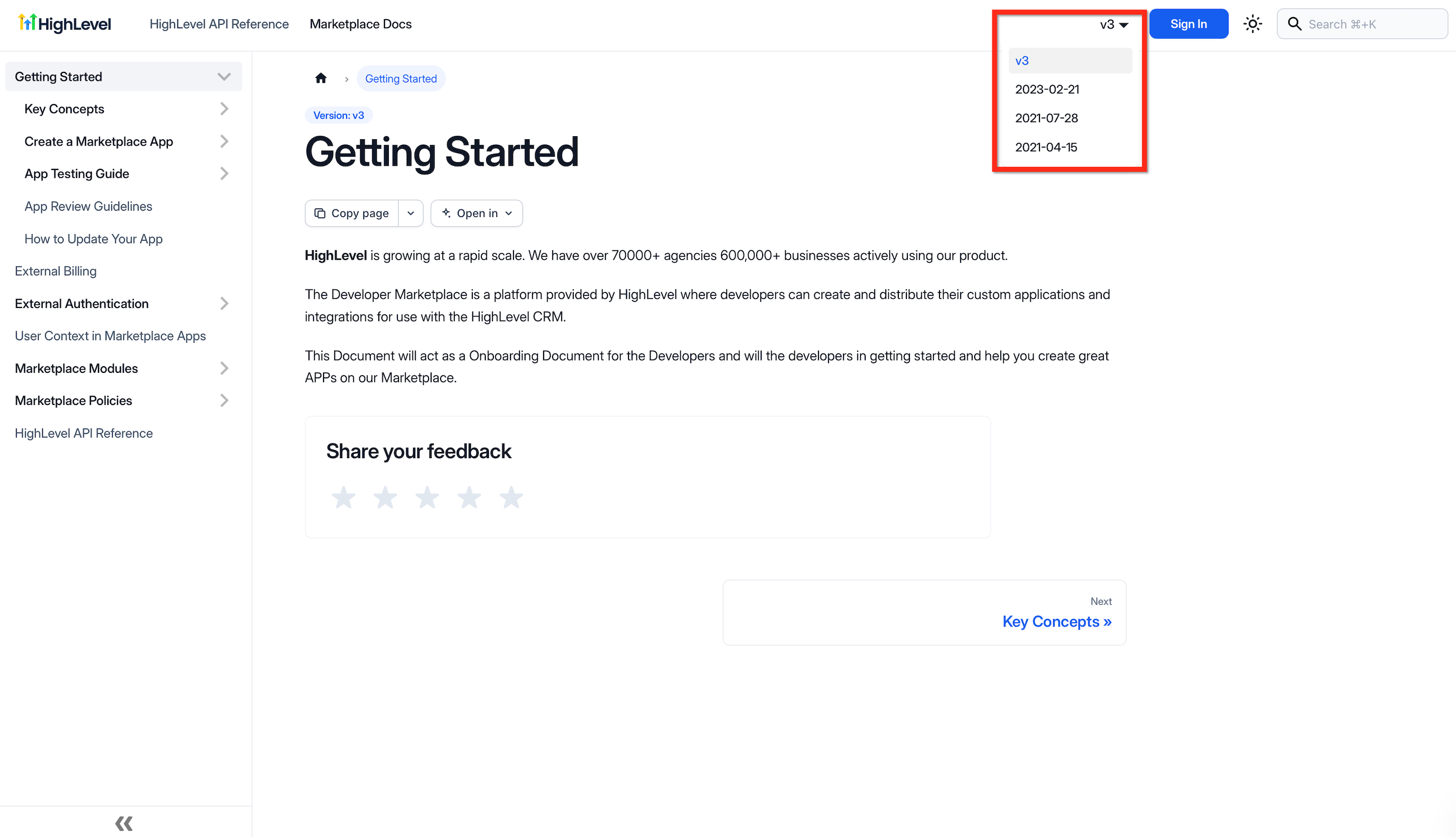
HighLevel publishes an online API reference that lists endpoints, parameters, response formats, and supported versions. The documentation includes a version switcher that lets you toggle between available releases such as V2 and V3. The version selector is located at the top of the API reference page. Changing the version updates the endpoint list, request bodies, and response schemas shown on the page. Developers should reference the version they plan to implement in code and respect any plan specific endpoint restrictions noted in the reference.
03How businesses use the HighLevel APIs
- Digital marketing agency. The agency reviews the API documentation, switches to V3 using the version switcher, and confirms that the campaign automation endpoints it needs are available. It then builds integration code that calls those endpoints.
- SaaS startup. The startup opens the documentation, selects the required version, and verifies that the Create Subaccount endpoint appears. It uses that endpoint in its onboarding workflow.
- Marketplace app developer. The developer accesses the API reference, chooses the version that supports OAuth 2.0, and checks the rate limit headers listed for that version. The app then implements the appropriate authentication flow.
04The numbers and rules that matter
- API V1 reached end of support on December 31, 2025.
- API V3 is available for supported endpoints.
- OAuth 2.0 and Private Integration Tokens are available on Starter ($97/month), Unlimited ($297/month) and Founder ($497/month) plans (per HighLevel's help center, checked November 2026).
- Higher Tier Restricted Endpoints are restricted on Starter and Unlimited plans.
- Burst Limit: 100 requests per 10 seconds.
- Daily Limit: 200,000 requests per day.
- Rate limit headers: X RateLimit Limit Daily, X RateLimit Daily Remaining, X RateLimit Interval Milliseconds, X RateLimit Max, X RateLimit Remaining.
05Before you start
- An active HighLevel subscription that includes API access.
- Permission to view the HighLevel API documentation.
06How to set up and use the HighLevel APIs in HighLevel
Select API version
- Open the HighLevel API Documentation page.
- Use the version switcher at the top of the page to choose the required API version.
- Review the displayed endpoints, parameters, and response formats for the selected version.
07What it looks like in HighLevel
08Settings that matter
- Version switcher. Determines which API version’s endpoints and specifications are shown in the documentation.
09Things to know before you rely on it
- API V1 reached end of support on December 31, 2025 and receives no updates or technical support.
- Rate limits for public OAuth V2 requests are 100 requests per 10 seconds (burst) and 200,000 requests per day per Marketplace application and resource.
- Access to certain endpoints, such as Create Subaccount, requires a Founder plan subscription.
10How it connects to the rest of HighLevel
- View plan specific API access details HighLevel pricing and plans
- Start a trial to explore API capabilities Start a 30 day HighLevel trial
- Learn about the Founder plan for higher tier endpoints The HighLevel Founder Plan
Michael's take

Wondering if you really need to dive into the HighLevel APIs? If you want to connect your own tools, automate lead flow, or manage subaccounts for a SaaS business, the APIs give you that flexibility. They work across all plans, but the Founder tier unlocks the deeper functions like programmatic subaccount creation.
I would begin with reviewing the versioned documentation and picking OAuth 2.0 for a public integration or a Private Integration Token for an internal script. Test a simple contacts read call, watch the rate limit headers, and make sure your token has the right scopes before you build out larger workflows.