
01App Uninstall API, explained
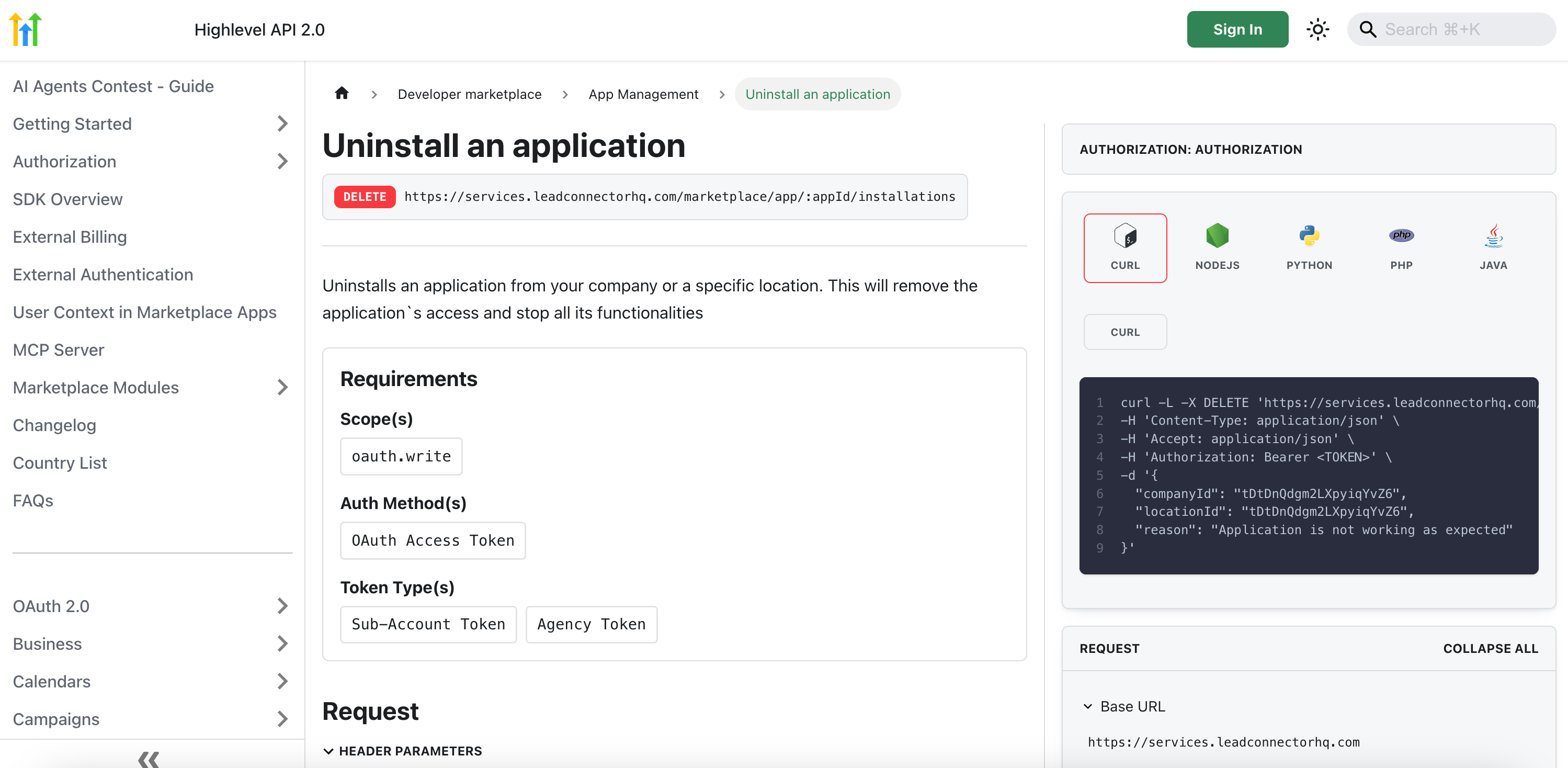
The App Uninstall API is a capability within HighLevel’s Marketplace that allows app developers to programmatically remove their applications from inactive or dormant user accounts. This helps streamline app management by removing unused instances.
Removing apps from dormant accounts reduces redundant webhook triggers, lowers processing expenses, and improves system latency. The feature also supports automated cleanup, making app management more efficient.
02How businesses use App Uninstall API
- Cleanup inactive accounts. Identify accounts that have not shown activity using your app’s analytics or database, then call the App Uninstall API to remove the app from those accounts, which stops unnecessary webhook events.
- Automate maintenance scripts. Integrate the API call into scheduled scripts that regularly check for dormant accounts. The automation ensures ongoing removal without manual intervention.
03The numbers and rules that matter
- Future enhancements in Q4 will add per account webhook subscription management.
04Before you start
- Valid API credentials.
- Reliable method for identifying dormant accounts through your app’s analytics.
05How to set up and use App Uninstall API in HighLevel
Set up App Uninstall API
- Authentication: Verify that you have valid API credentials from HighLevel to authorize your requests.
- Identify Dormant Accounts: Utilize your app’s analytics or database to pinpoint inactive user accounts that require uninstallation.
- Call the API Endpoint: Use the designated App Uninstall API endpoint as described in the Public API documentation to initiate the removal process.
- Monitor Webhook Activity: Check your webhook logs to confirm that events from uninstalled, dormant accounts cease, ensuring active accounts operate with improved efficiency.
- Automate Your Process: Integrate the API call into your routine maintenance or monitoring scripts for ongoing, automated management of dormant accounts.
06What it looks like in HighLevel
Michael's take

Michael ReimerFounder of CRM Pros, HighLevel Commander and Certified Admin
The App Uninstall API feels like a small convenience that can turn into a real shift for developers watching webhook activity. By programmatically clearing out dead accounts, you stop unnecessary webhook events and improve latency for active users.
Get More InformationOpens on HighLevelPublished November 2, 2026 · Updated November 3, 2026