
01Who this is for
- Developers building custom Marketplace apps, they can keep configuration under source control and run validations locally.
- Founders offering SaaS products through HighLevel, they can streamline publishing by using the CLI instead of the web UI.
02HighLevel Developer Marketplace CLI, explained
The CLI adds a single command called ghl that interacts with the Developer Marketplace. It can create a new app workspace, pull an existing app’s supported configuration into local JSON files, validate those files, compare differences, push updates, and finally publish or submit the app for review. All supported sections such as OAuth settings, webhooks, and billing plans are stored alongside your code.
The tool runs in your terminal after you install it globally via npm. After logging in and selecting the appropriate Developer Marketplace account, you work inside a local workspace that mirrors the app’s current Marketplace state. Commands like ghl app validate or ghl app diff provide safety checks before any data is sent to the platform, and flags enable non interactive use for CI pipelines or AI coding agents.
03How businesses use HighLevel Developer Marketplace CLI
- Software startup. The team runs ghl app create to generate a new workspace, edits the JSON files for OAuth scopes, validates with ghl app validate, and then pushes the changes with ghl app push before publishing the private app directly.
- Consulting firm offering integration widgets. Consultants pull an existing widget app using ghl app pull <appId>, update the webhook URLs in the local files, run ghl app diff to see modifications, and push the updates to keep the Marketplace version in sync.
- Agency managing multiple client apps. The agency scripts ghl app pull and ghl app push in a CI pipeline, adding --json to read commands for structured output and --dry run to preview changes before automatically publishing eligible private apps.
04The numbers and rules that matter
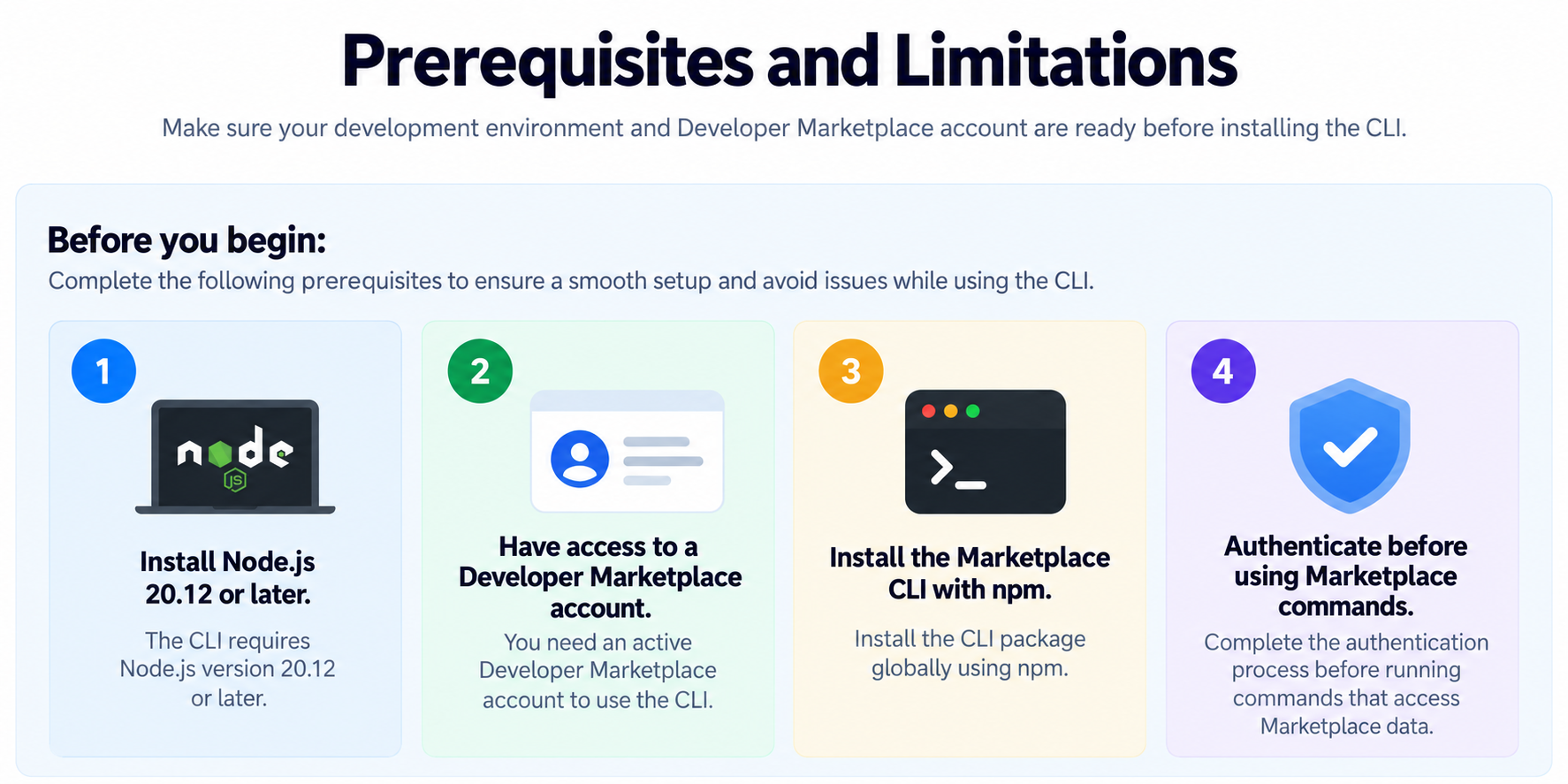
- Node.js 20.12 or later is required.
05Before you start
- Node.js version 20.12 or later must be installed.
- A HighLevel Developer Marketplace account is required.
- The Marketplace CLI must be installed globally with npm.
06How to set up and use HighLevel Developer Marketplace CLI in HighLevel
Install the CLI
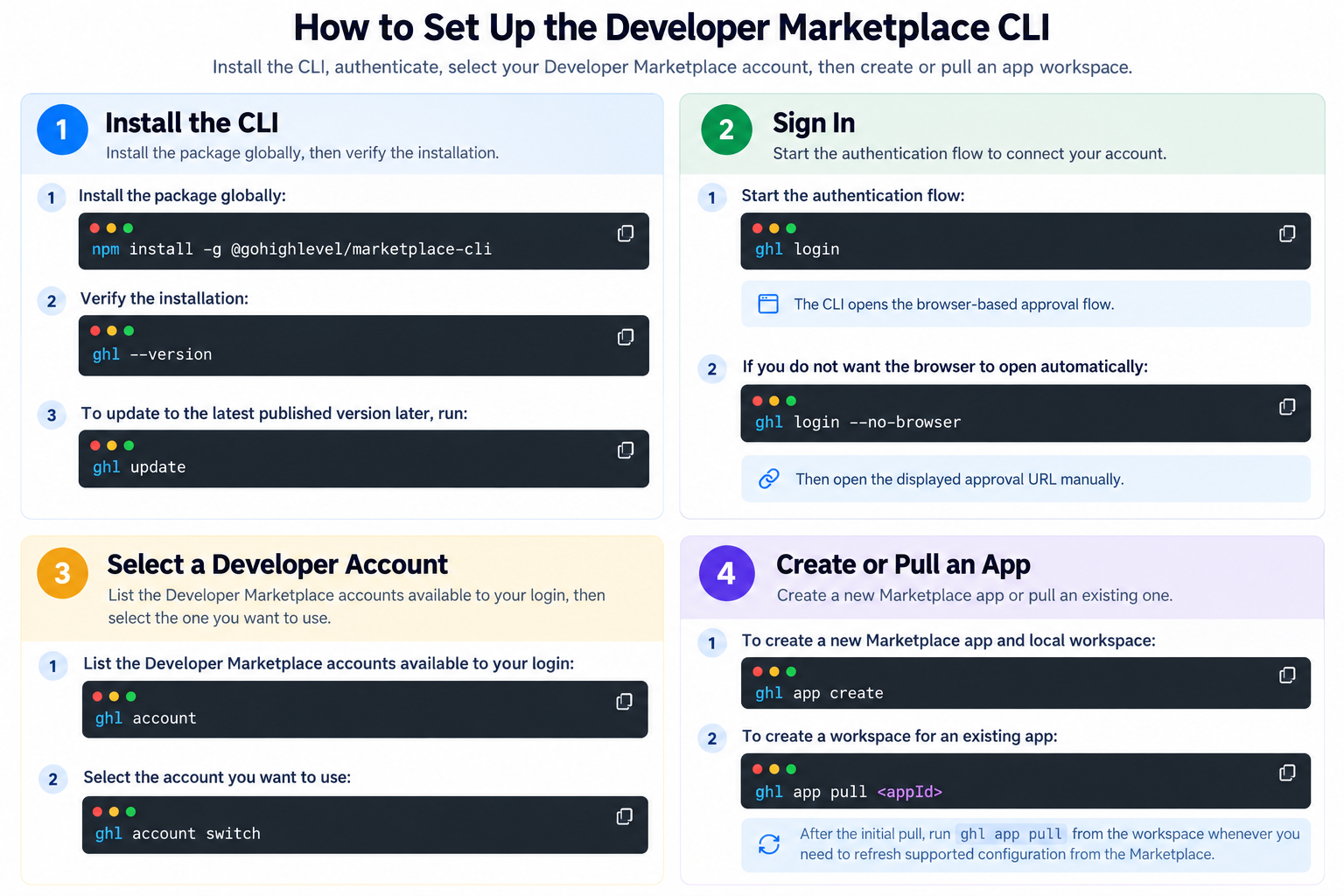
- Run npm install -g @gohighlevel/marketplace cli to install the package globally.
- Verify the installation with ghl --version.
Sign in
- Start authentication with ghl login.
- If you do not want the browser to open automatically, run ghl login --no browser and open the displayed approval URL manually.
Select a Developer Marketplace account
- List available accounts with ghl account.
- Switch to the desired account using ghl account switch.
Create or pull an app workspace
- Run ghl app create to start a new Marketplace app and generate a local workspace.
- Run ghl app pull <appId> to download the supported configuration of an existing app into a workspace.
- After the initial pull, execute ghl app pull again whenever you need to refresh the local files with the latest Marketplace state.
07What it looks like in HighLevel
08Settings that matter
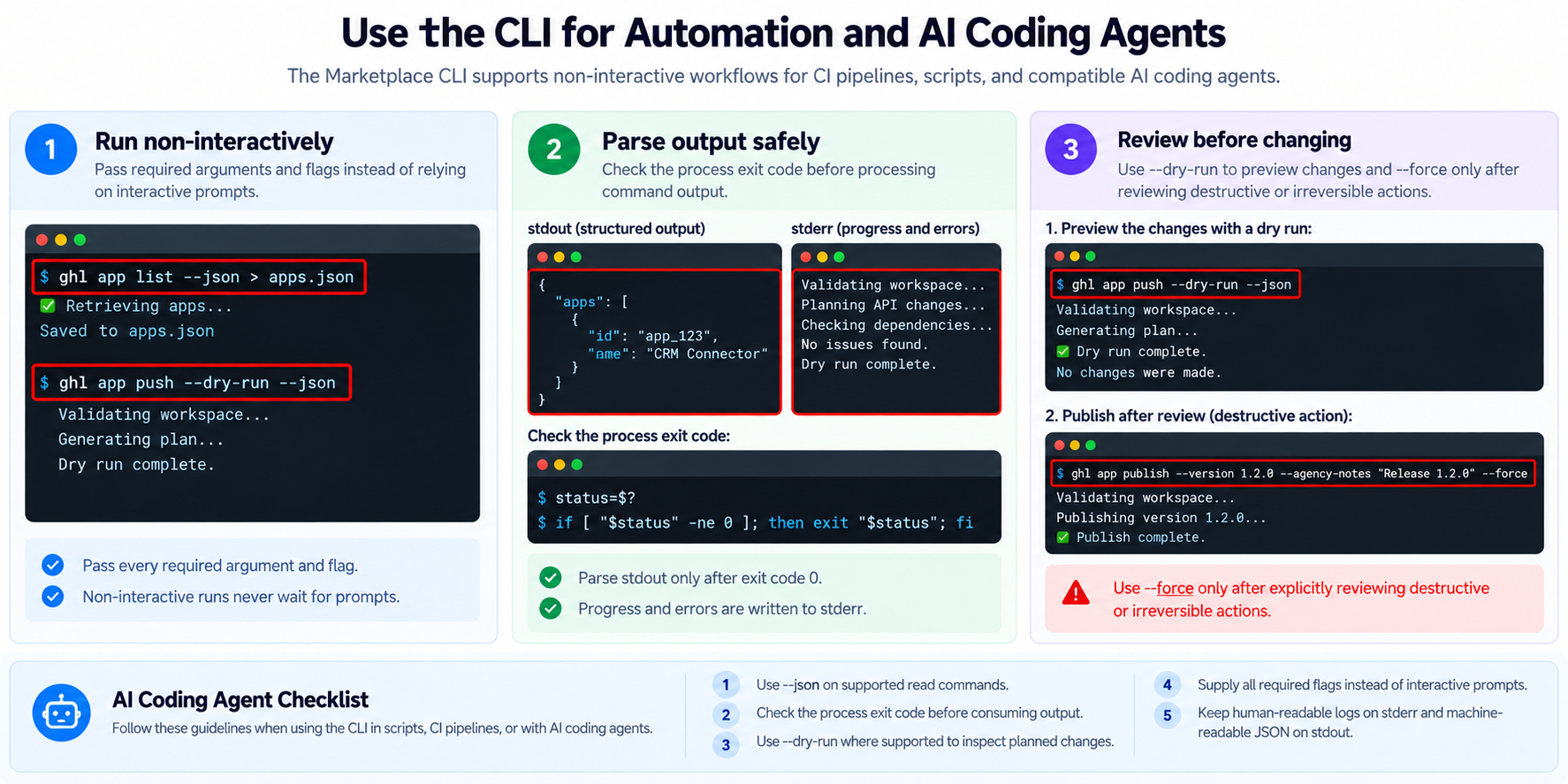
- --json. When added to supported read commands, this flag returns structured JSON output instead of human readable text.
- --force. Allows destructive commands to run without interactive confirmation, useful for scripted or CI environments.
- --dry run. Shows the planned changes for a command without applying them, helping to review actions before execution.
- --no browser. Prevents the CLI from opening a browser automatically during login, requiring you to manually visit the displayed approval URL.
09Things to know before you rely on it
- Public and private apps follow different publishing behavior; only eligible private apps can be published directly.
- Marketplace validation and publishing requirements still apply when using the CLI.
- Destructive commands require confirmation and can require --force in non interactive workflows.
- Availability of the --json flag depends on the specific command being used.
10How it connects to the rest of HighLevel
- Configure OAuth details for your Marketplace app OAuth configuration guide
- Set up pricing and billing for a Marketplace app App pricing guide
- Understand distribution types for Marketplace apps Distribution settings
Michael's take

The CLI is a handy way to keep Marketplace app work inside your code base.
If you never touch the Marketplace UI or don’t need scriptable automation, you can safely skip it.