
01Who this is for
- SaaS startups building marketplace apps benefit from granular permission control to protect earnings and app deletion rights.
- Agencies that create custom apps for clients use role assignments to let developers collaborate without exposing financial data.
- Independent developers maintaining multiple apps gain security by giving each contributor a unique account with the least privilege role.
02Developer users and permissions, explained
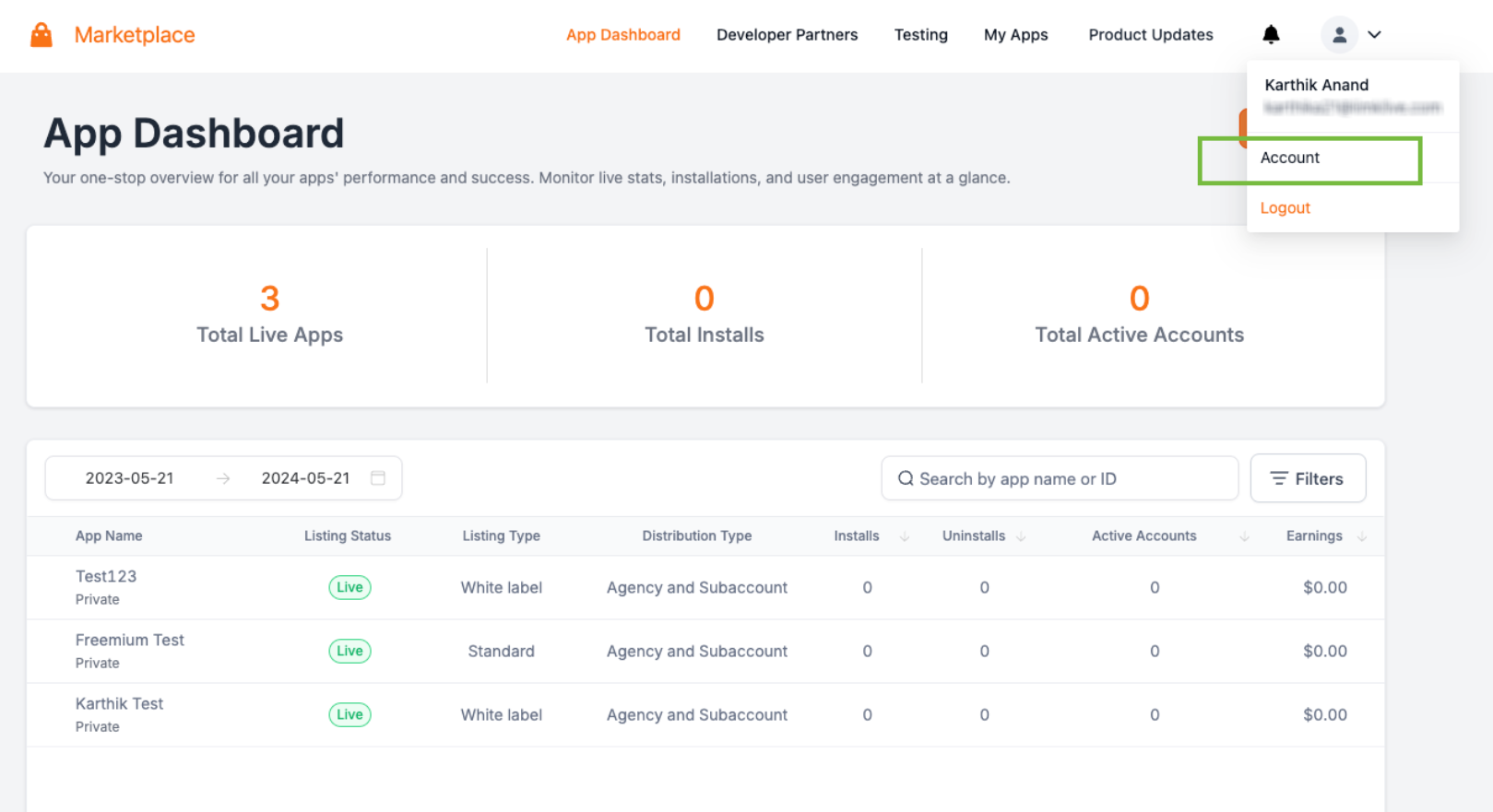
The Developer User Management feature separates developer accounts from regular Agency and Subaccount users. It lives under the Account > User Management section of the Developer Marketplace. Within this area you can add new users, edit existing roles and permission toggles, or remove users who no longer need access. The system enforces Role Based Access Control, where each role, Owner, Admin, or User, defines a ceiling of allowed actions, and individual permission switches let you lower that ceiling for a specific person.
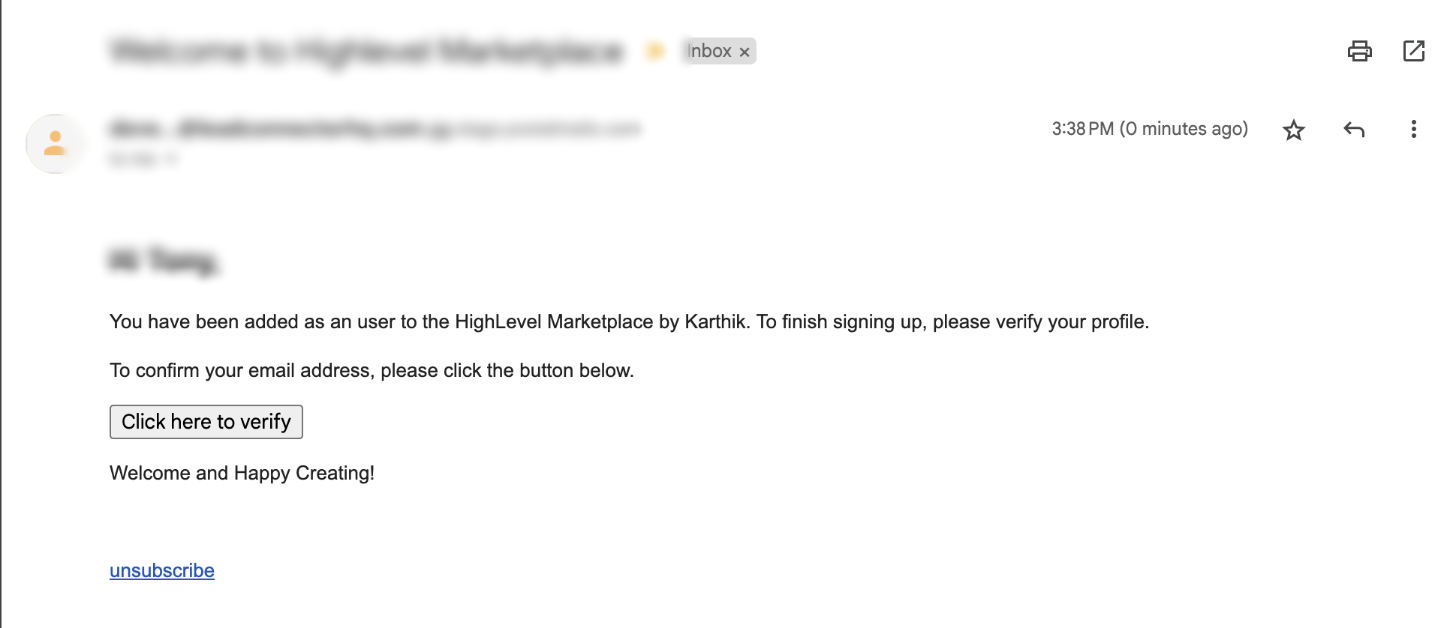
When you add a user, the platform sends an activation email that the recipient must follow to complete their account setup. Editing a user updates their role or permission switches without changing their login. Removing a user revokes all Marketplace access for that account. The Owner role is unique; only one Owner can exist, and only Owners and Admins can manage developer users.
03How businesses use developer users and permissions
- SaaS startup. The startup creates a new developer user for each engineer, selects the User role, and enables only the app creation permission. This keeps earnings data hidden while allowing code contributions.
- Digital agency. An agency assigns an Admin role to a team lead, then disables the Delete Apps toggle because the lead does not need to remove apps. The lead can still submit apps and view earnings.
- Freelance app developer. A freelancer adds a collaborator as a User, enables the Submit Apps permission, and sends the activation email. The collaborator can build and submit apps without seeing any financial information.
04Before you start
- A Developer Marketplace account must already exist.
- The account must have an Owner assigned before other roles can be added.
05How to set up and use developer users and permissions in HighLevel
Add a developer user
- Sign in to your Developer Marketplace account.
- Select the Account menu.
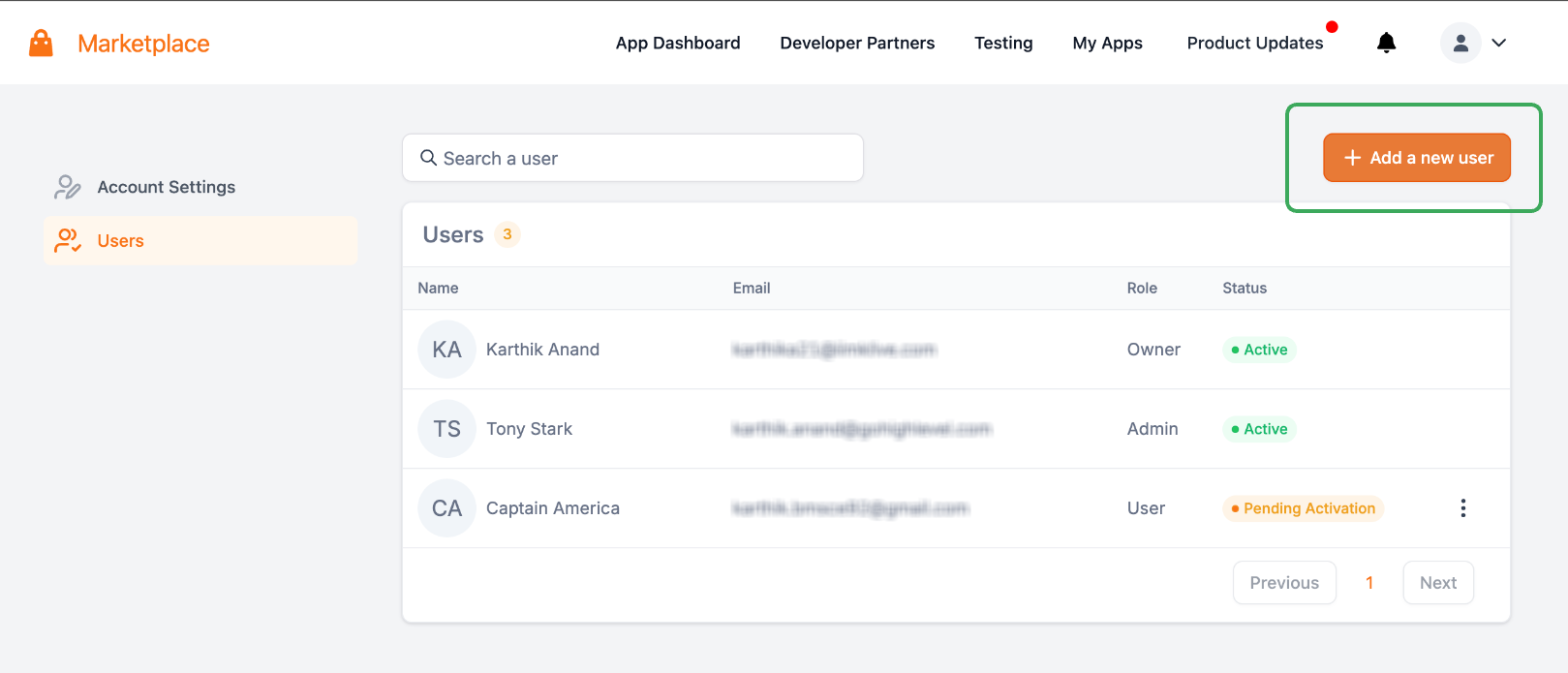
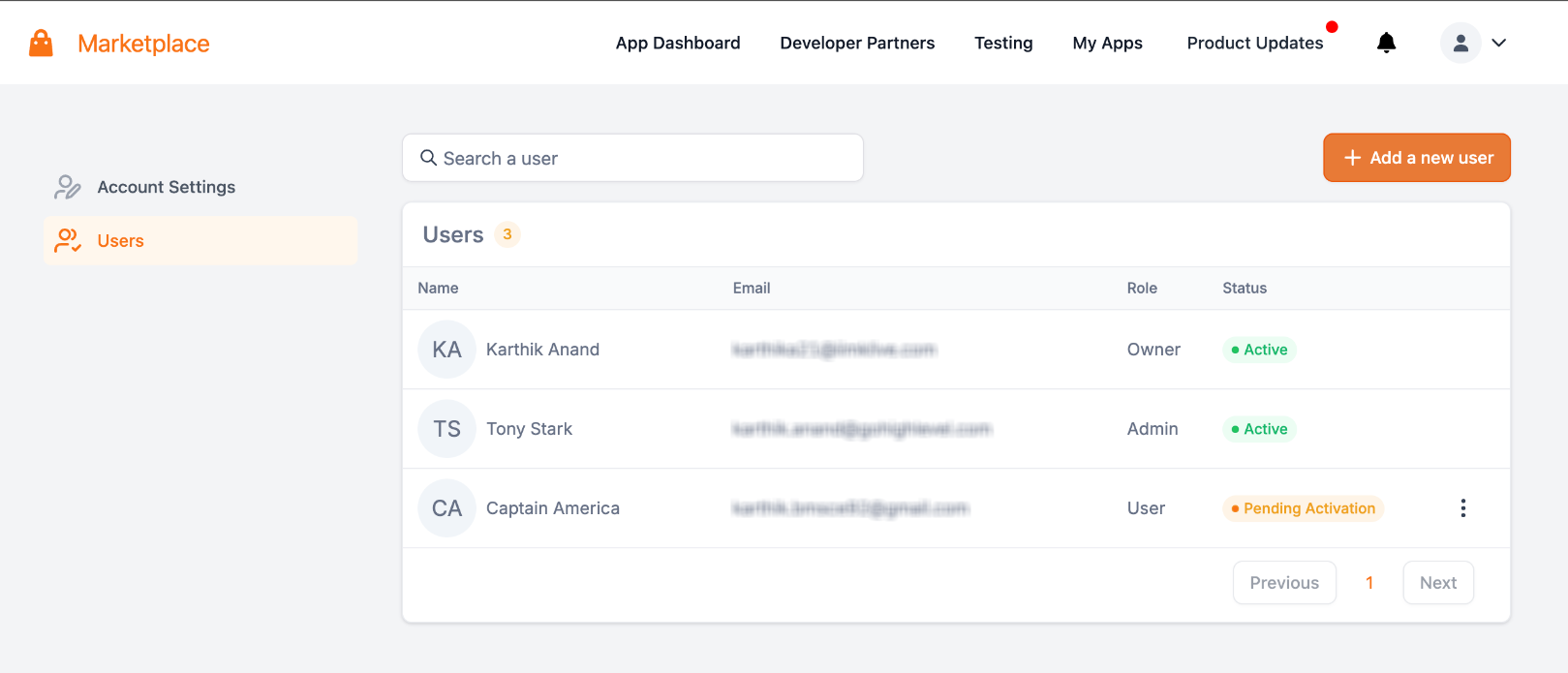
- Open the User Management page.
- Click the Add User button.
- Enter the required information, including the email address.
- Choose a role, Owner, Admin, or User.
- Review the permissions for the chosen role and enable only those needed.
- Finish the Add User flow, which sends an activation email to the new user.
Edit a developer user
- Navigate to Account > User Management in the Developer Marketplace.
- Find the developer user you want to adjust.
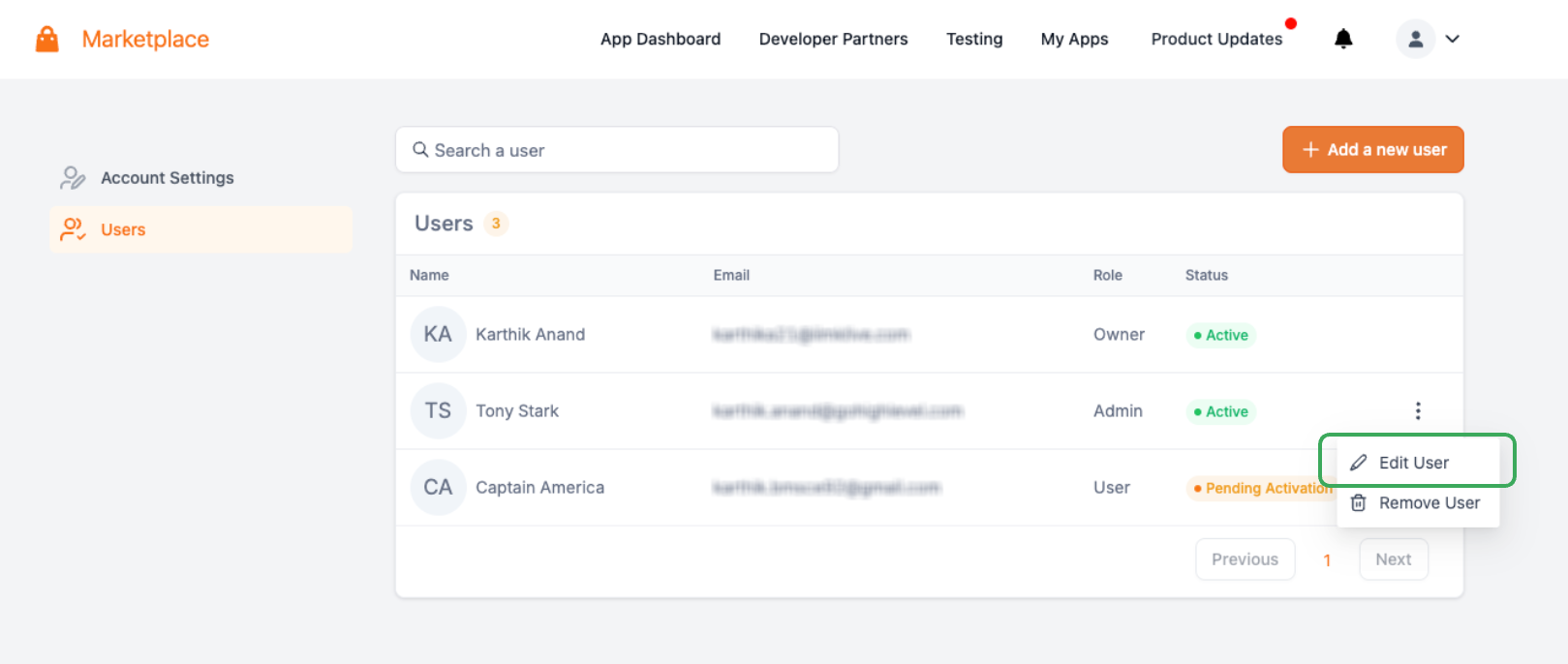
- Open the edit or manage user controls.
- Examine the current role and enabled permissions.
- Modify the permission toggles as required.
- Save the changes.
Remove a developer user
- Go to Account > User Management.
- Locate the developer user to be removed.
- Open the user management controls for that user.
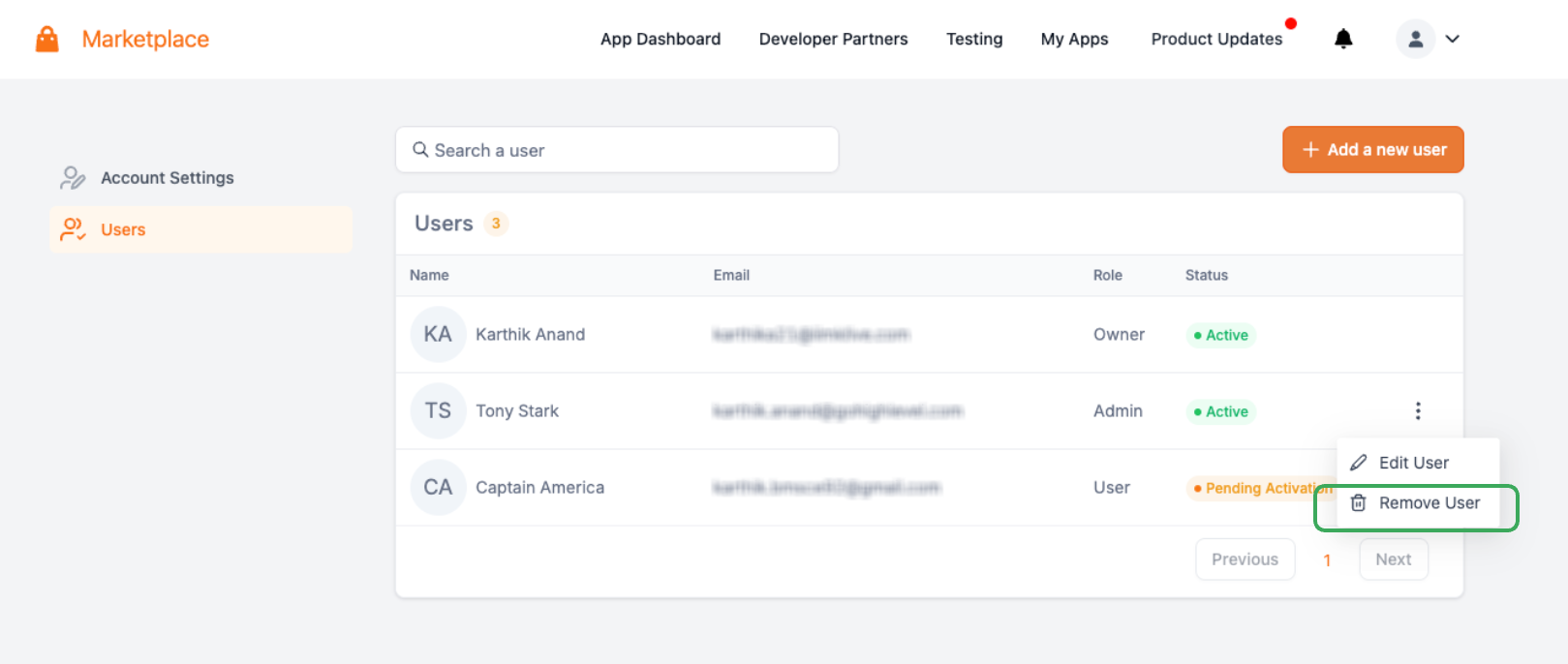
- Select Remove User.
- Confirm the removal when prompted.
- Important: Review any app development, submission, or operational responsibilities the user handles before removal.
06What it looks like in HighLevel
07Settings that matter
- Role. Sets the maximum set of capabilities a developer user can receive, Owner, Admin, or User.
- Permission controls. Toggle individual capabilities within the selected role to grant or restrict specific actions such as app deletion or earnings view.
08Things to know before you rely on it
- Only one Owner can exist in a Developer Marketplace account.
- User role cannot be granted app deletion, earnings view, or developer user management permissions.
- Admins cannot modify the Owner’s account.
- Only Owners and Admins can create, edit, or remove developer users.
09If something goes wrong
- Activation email not received by a new developer user. Check that the email address entered is correct and advise the user to look in spam or junk folders.
10How it connects to the rest of HighLevel
- How to get started with the Developer's Marketplace Marketplace onboarding
- HighLevel marketplace app distribution settings explained App distribution
- How to configure pricing for a HighLevel Marketplace app App pricing
Michael's take

When a team of developers needs to build and submit Marketplace apps, the biggest headache is granting the right level of access without exposing financial data or allowing accidental app deletions. The first thing I would lock down is the role assignment, making sure each person gets the lowest role that still lets them do their job. After that I would double check the permission toggles for each user, turning off any capability that isn’t essential. That way the account stays secure while the team can collaborate freely.