
01Who this is for
- Agency owners can provision client subaccounts automatically, removing the need for manual setup.
- Marketing teams can link intake forms to account creation, keeping client information synchronized.
- Coaches or trainers can create a dedicated subaccount for each new student as they enroll.
02Subaccounts using Zapier, explained
The integration connects Zapier Webhooks to the HighLevel Create Subaccount API. When a trigger such as a form submission fires, Zapier sends the required data to HighLevel, which then creates a new subaccount under the agency. An additional request can add users to that account.
All configuration lives inside the HighLevel platform. Private Integration Tokens or OAuth 2.0 provide authentication. The API request is built in Zapier using a custom POST call to the locations endpoint, with JSON payload and required headers. Workflows in HighLevel send the data to Zapier via a webhook action.
03How businesses use subaccounts using Zapier
- Marketing agency. The agency sets a form submission as a workflow trigger, sends the data to Zapier, and Zapier calls the Create Subaccount API. Each new client automatically receives a dedicated subaccount without manual entry.
- SaaS reseller. When a purchase is recorded in a HighLevel workflow, the reseller's Zap captures the order details, maps them to the API request in Zapier, and creates a subaccount for the new customer right away.
- Coaching business. A coaching program uses a workflow that fires on student enrollment, forwards enrollment data to Zapier, and the Zap creates a subaccount for the student and then adds the student as a user via the user management API.
04The numbers and rules that matter
- Founder Plan ($497/month) includes Advanced API Access (per HighLevel's help center, checked November 2026).
- LeadConnector Zapier action "Add Account" was deprecated on February 21, 2022.
- Private Integration Tokens or OAuth 2.0 are supported for authentication.
- Required API headers: Authorization Bearer YOUR_ACCESS_TOKEN, Content Type application/json, Version v3.
- API V1 end of support on December 31, 2025.
05Before you start
- Active HighLevel Founder Plan subscription.
- Agency level access to HighLevel.
- Zapier plan that supports Webhooks.
- Agency level Private Integration Token or OAuth 2.0 authorization.
- locations.write API scope assigned.
- A form, workflow or other event to trigger subaccount creation.
06How to set up and use subaccounts using Zapier in HighLevel
Configure API authentication
- Open your HighLevel Agency account.
- Navigate to Settings > Private Integrations.
- Create a new agency level Private Integration.
- Assign the locations.write scope.
- Generate and securely store the token.
Create a Zap in Zapier
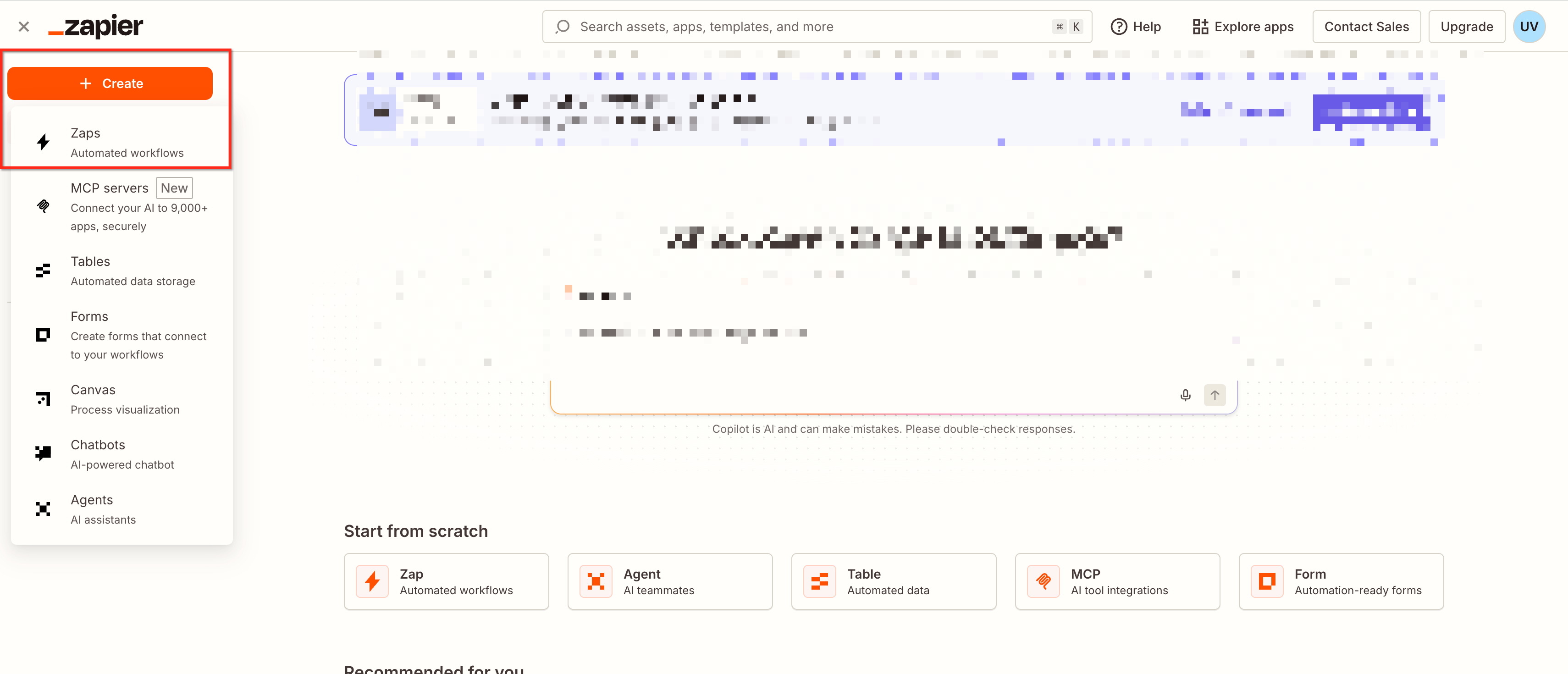
- Log in to Zapier and click Create Zap.
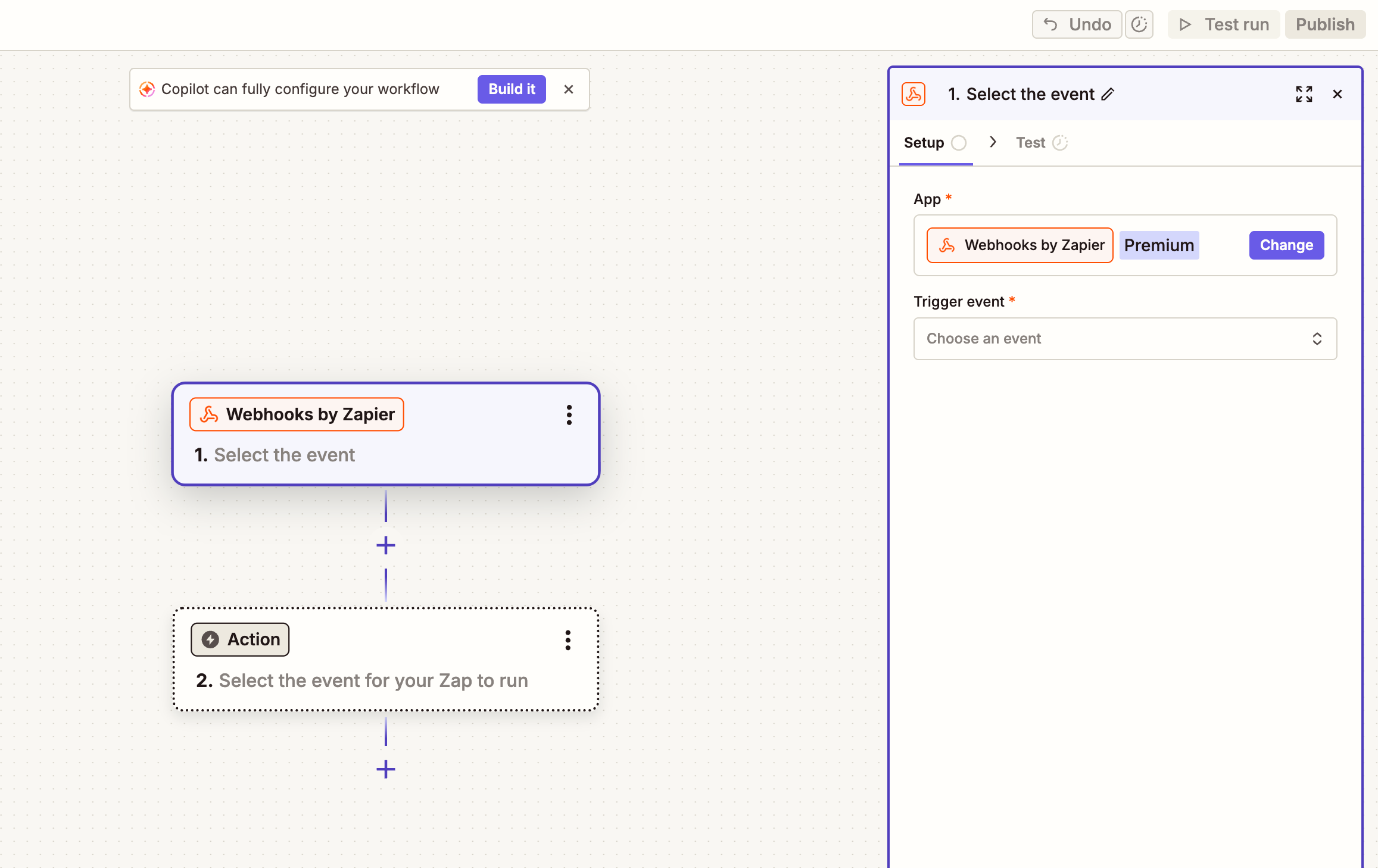
- Select Webhooks by Zapier as the trigger.
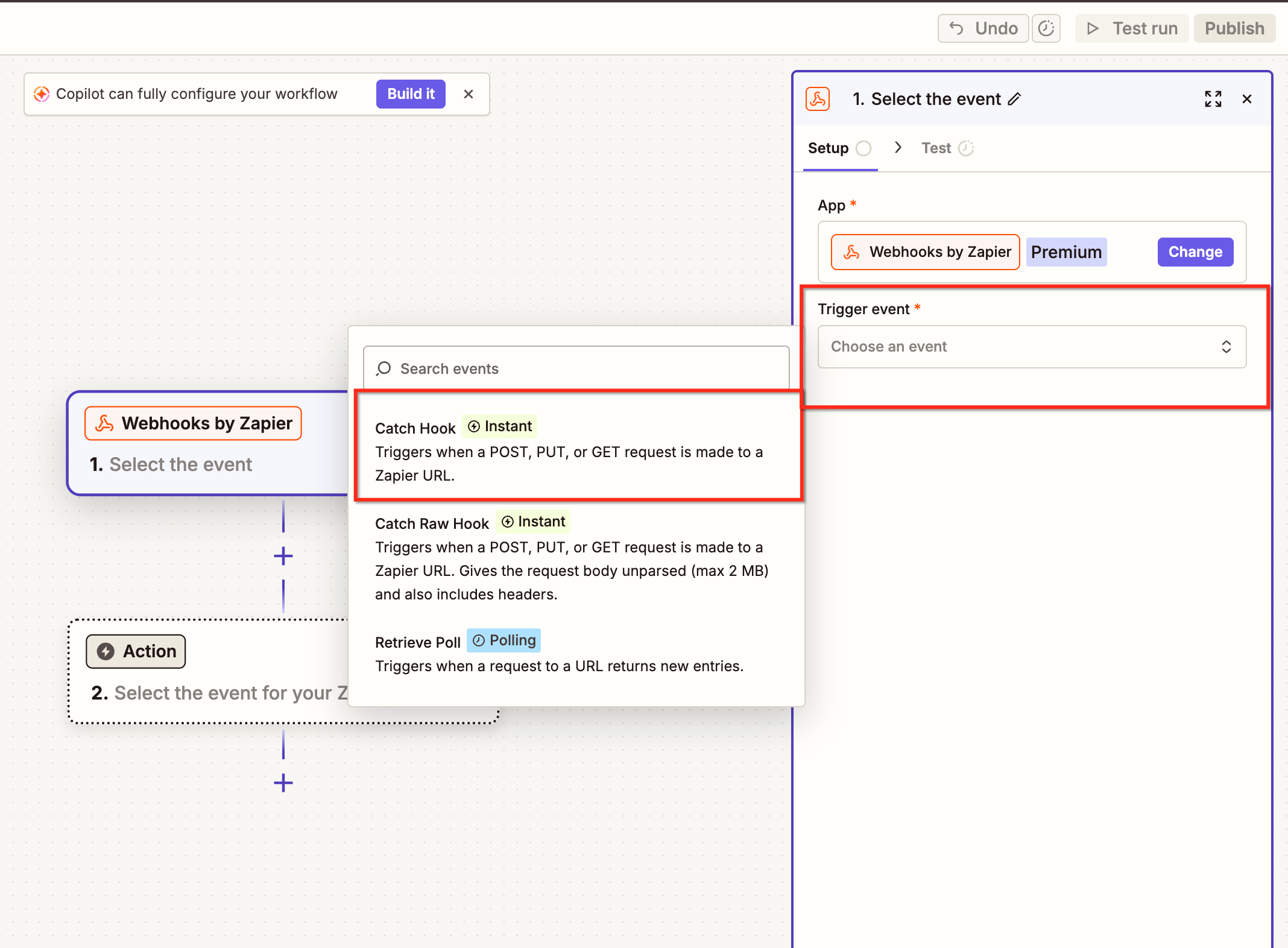
- Choose Catch Hook.
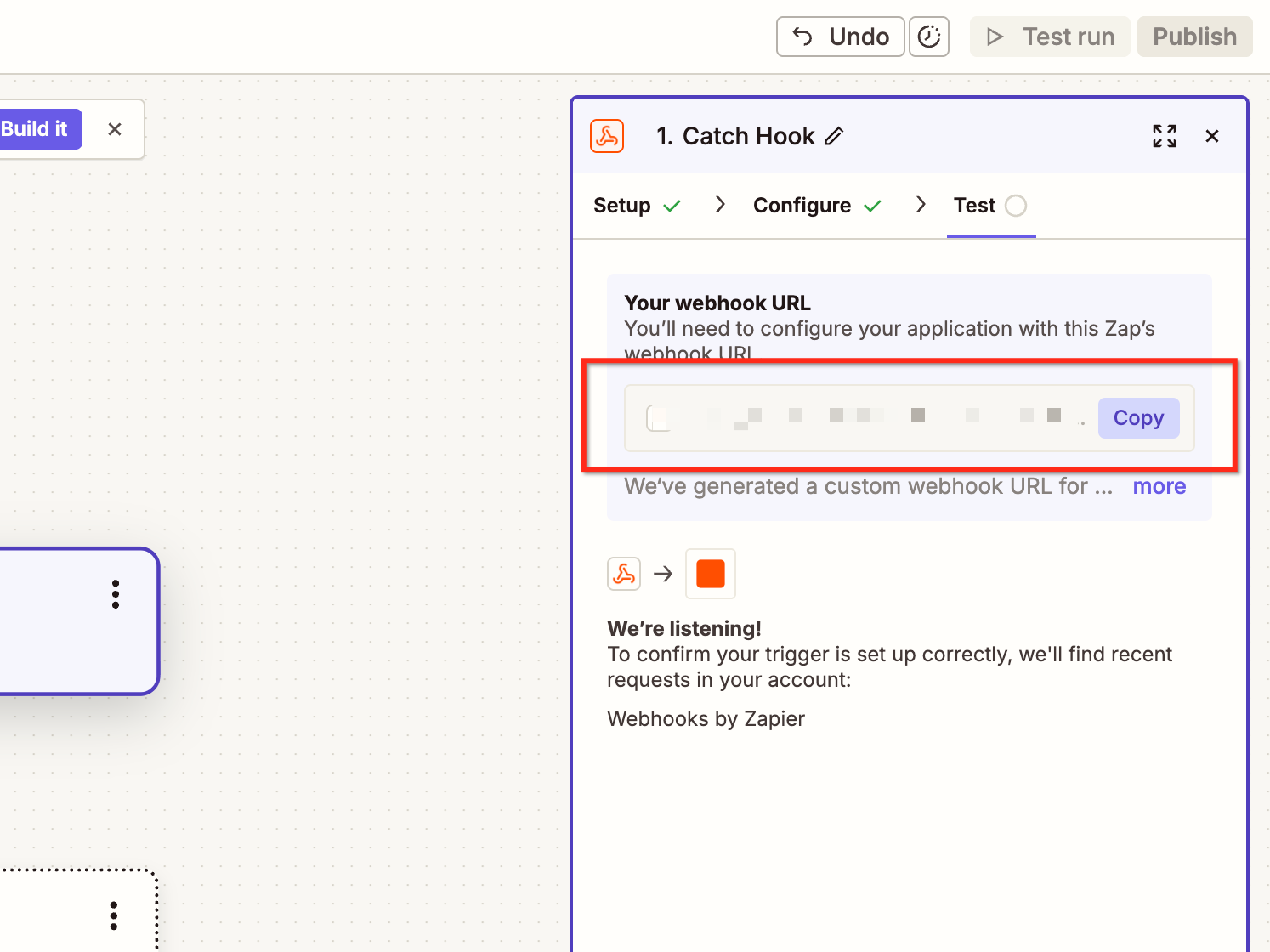
- Copy the generated webhook URL.
- Keep the Zap open for testing.
Configure a HighLevel Workflow
- Navigate to Automation > Workflows.
- Create a new workflow.
- Add a trigger such as a form submission.
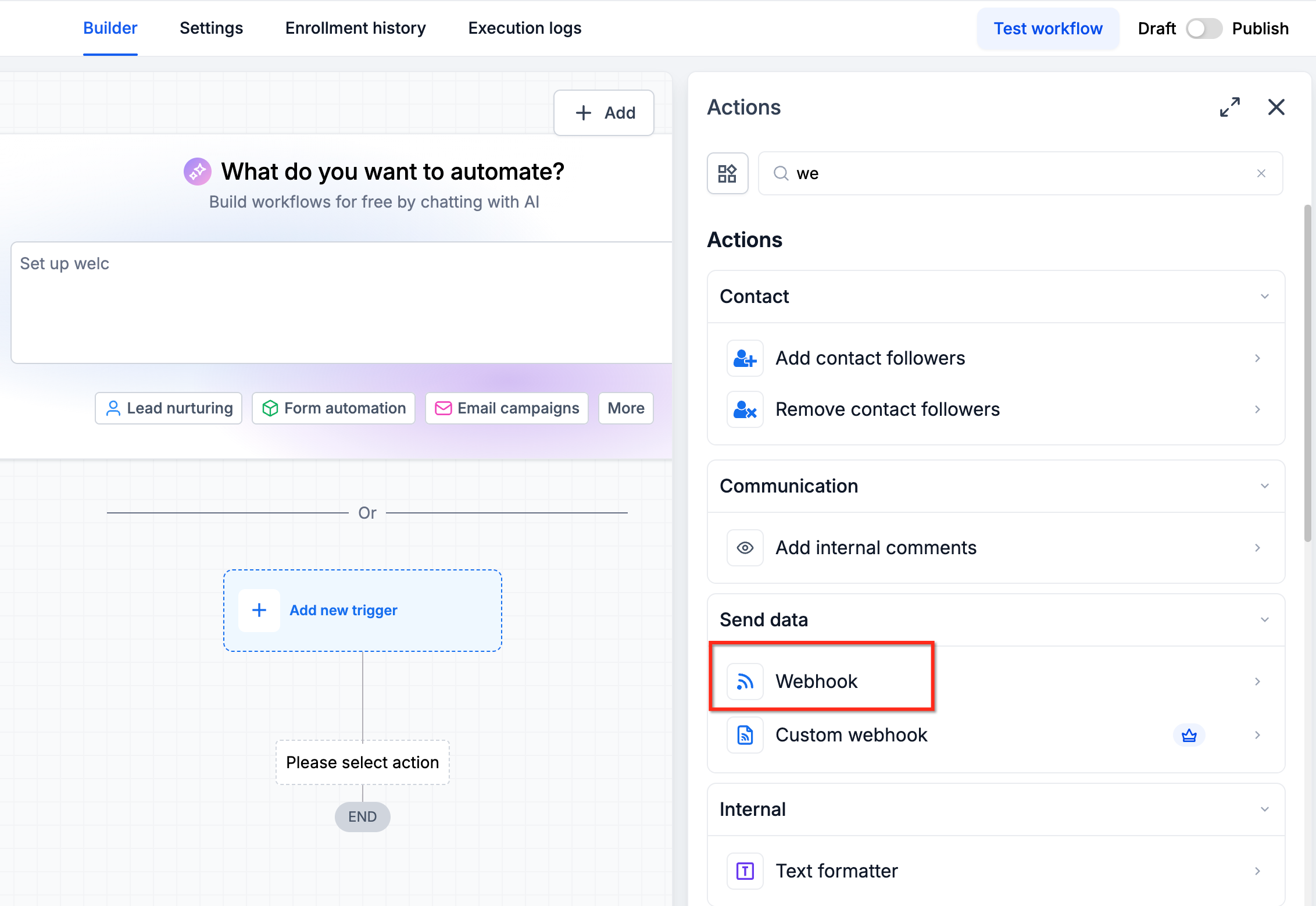
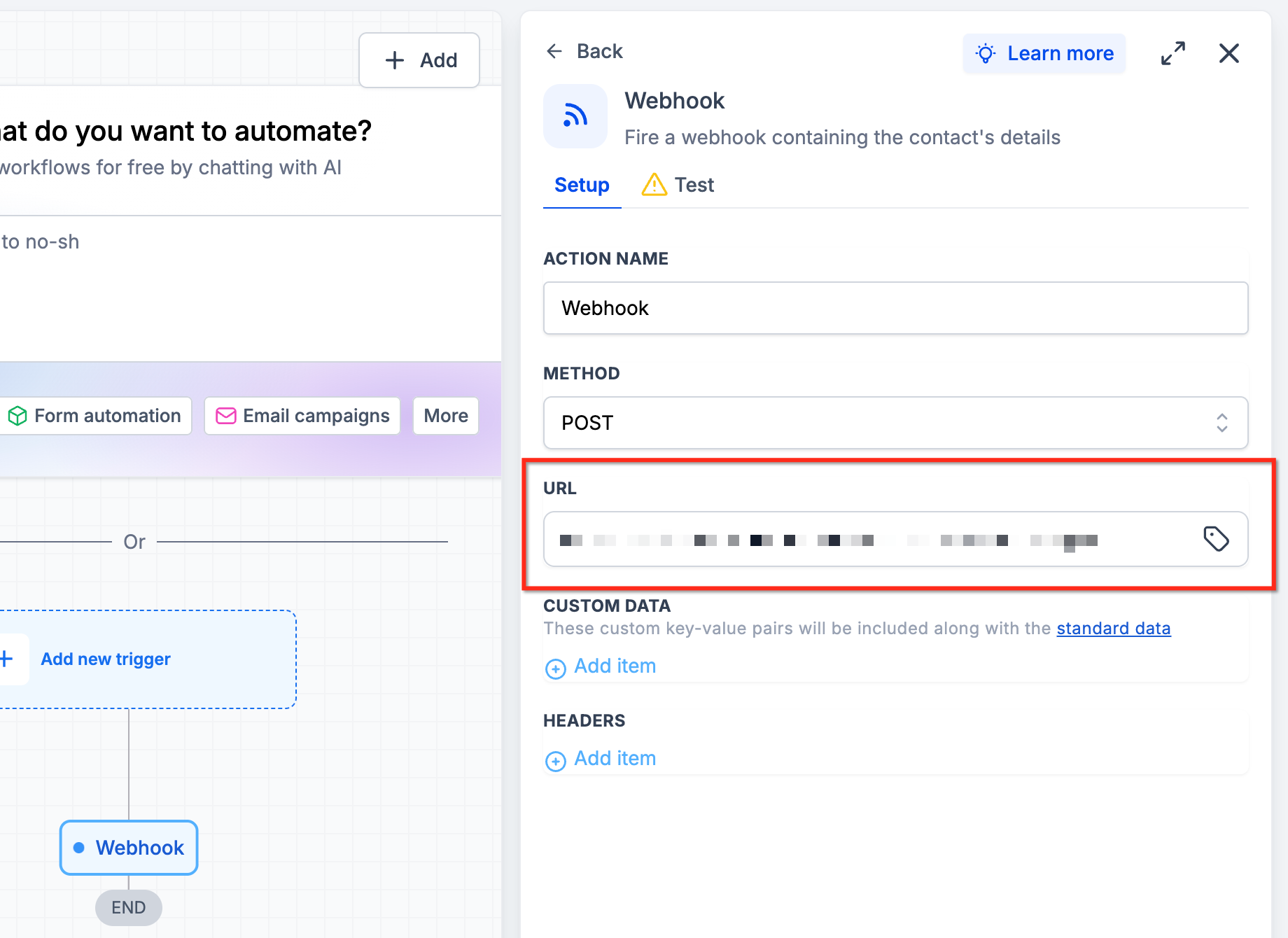
- Add a Webhook action.
- Paste the Zapier webhook URL.
- Configure the data to send.
- Save and publish the workflow.
Configure the Create Subaccount API request
- Add another Webhooks by Zapier step.
- Select Custom Request.
- Choose POST as the request method.
- Set the endpoint to https://services.leadconnectorhq.com/locations/.
- Set the required request headers.
- Map the subaccount information from the previous Zap step.
Test Subaccount creation
- Click Test in Zapier.
- Review the API response.
- Confirm the response contains the new subaccount ID.
- Open HighLevel and verify the subaccount was created.
- Map the new subaccount ID dynamically in any subsequent Zap steps.
- Publish the Zap after successful testing.
Add users to the new subaccount
- Add a new action in Zapier.
- Select the supported HighLevel user management API.
- Configure the required authentication and permissions.
- Map the newly created subaccount ID from the previous step.
- Provide the required user information.
- Test the request.
07What it looks like in HighLevel
08Settings that matter
- Authorization. Provides the Bearer token required for API authentication.
- Content Type. Specifies that the request body is formatted as JSON.
- Version. Indicates the API version to use, such as v3.
09Things to know before you rely on it
- Subaccount creation requires the Founder Plan ($497/month) (per HighLevel's help center, checked November 2026) with Advanced API Access.
- Only agency level Private Integration Tokens can be used; subaccount tokens are not valid for this endpoint.
- The LeadConnector Zapier action "Add Account" was deprecated on February 21, 2022; use Webhooks instead.
- API V1 reached end of support on December 31, 2025; use Private Integration Tokens or OAuth 2.0.
10If something goes wrong
- Subaccount creation fails. Verify the subscription supports the Create Subaccount endpoint, the token is agency level, the locations.write scope is assigned, the API version is correct, and all required fields are present.
- Zapier is not receiving webhook data. Confirm the workflow is published, the Zapier webhook URL is correct, and submit a new test form to generate data.
- API returns an authorization error. Check the token, ensure the required scopes are assigned, and confirm the subscription eligibility.
- New users are assigned to the wrong subaccount. Make sure the subaccount ID is dynamically mapped from the Create Subaccount API response.
11How it connects to the rest of HighLevel
- Details on the Founder Plan required for API access. Pricing
- How to select the correct API version for requests. API version guide
- Setting up OAuth 2.0 and webhook authentication for integrations. OAuth webhook setup
Michael's take

Great for agencies that already run Zapier and need hands free client onboarding. Skip it if you lack Founder Plan access or don’t automate workflows.
The API steps are clear, but I’d double check token scopes before firing the first zap.