
01Who this is for
- Developers building a Marketplace app that needs to integrate with external services, because the framework handles credential storage and token refresh.
- Founders who want their app to support multiple external accounts without building a separate authentication system.
- Product managers overseeing SaaS integrations that require custom install time data from users.
02External authentication for marketplace apps, explained
External authentication is a configuration area inside the HighLevel Developer Marketplace. It defines how an app authenticates to a third party provider during installation.
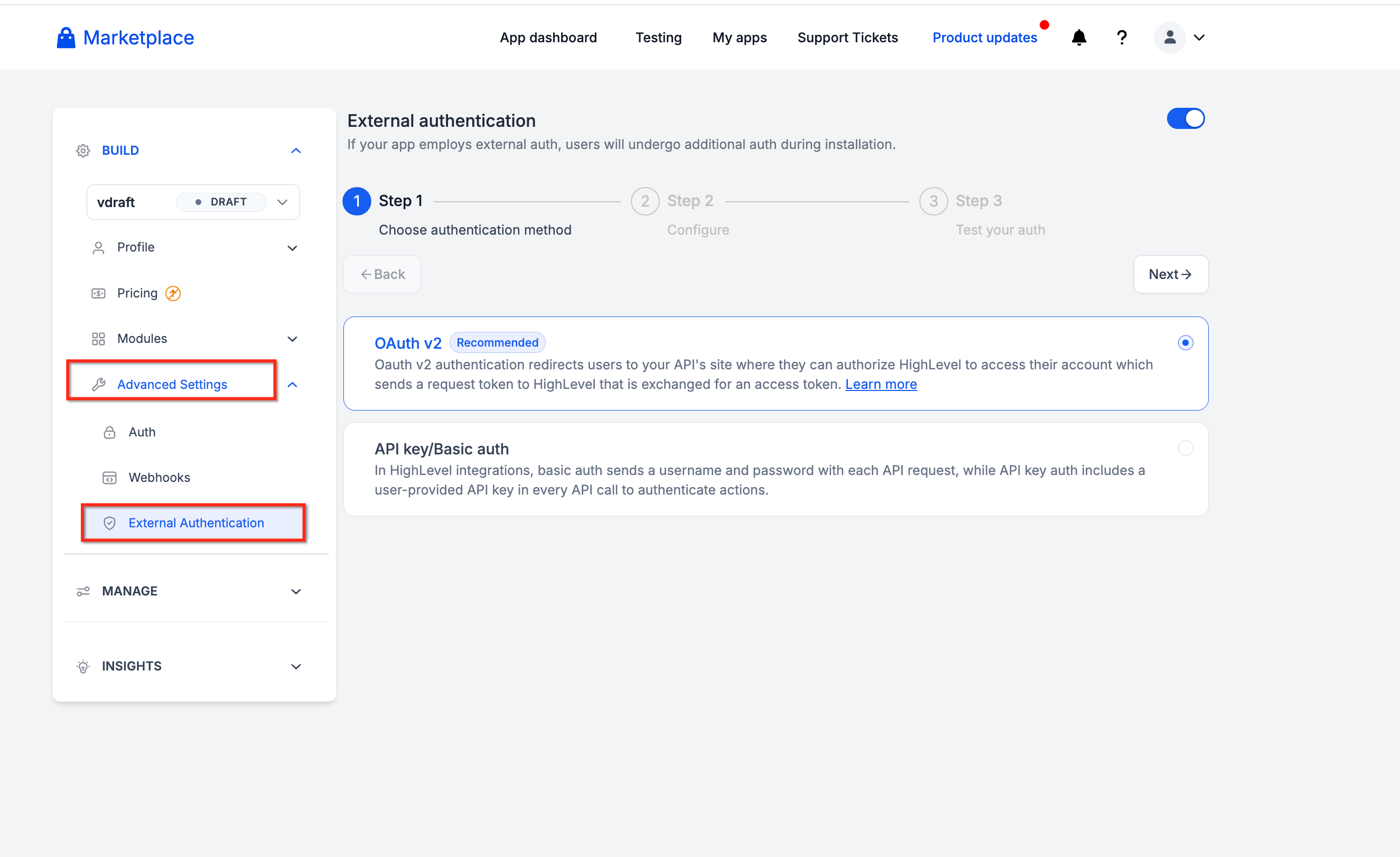
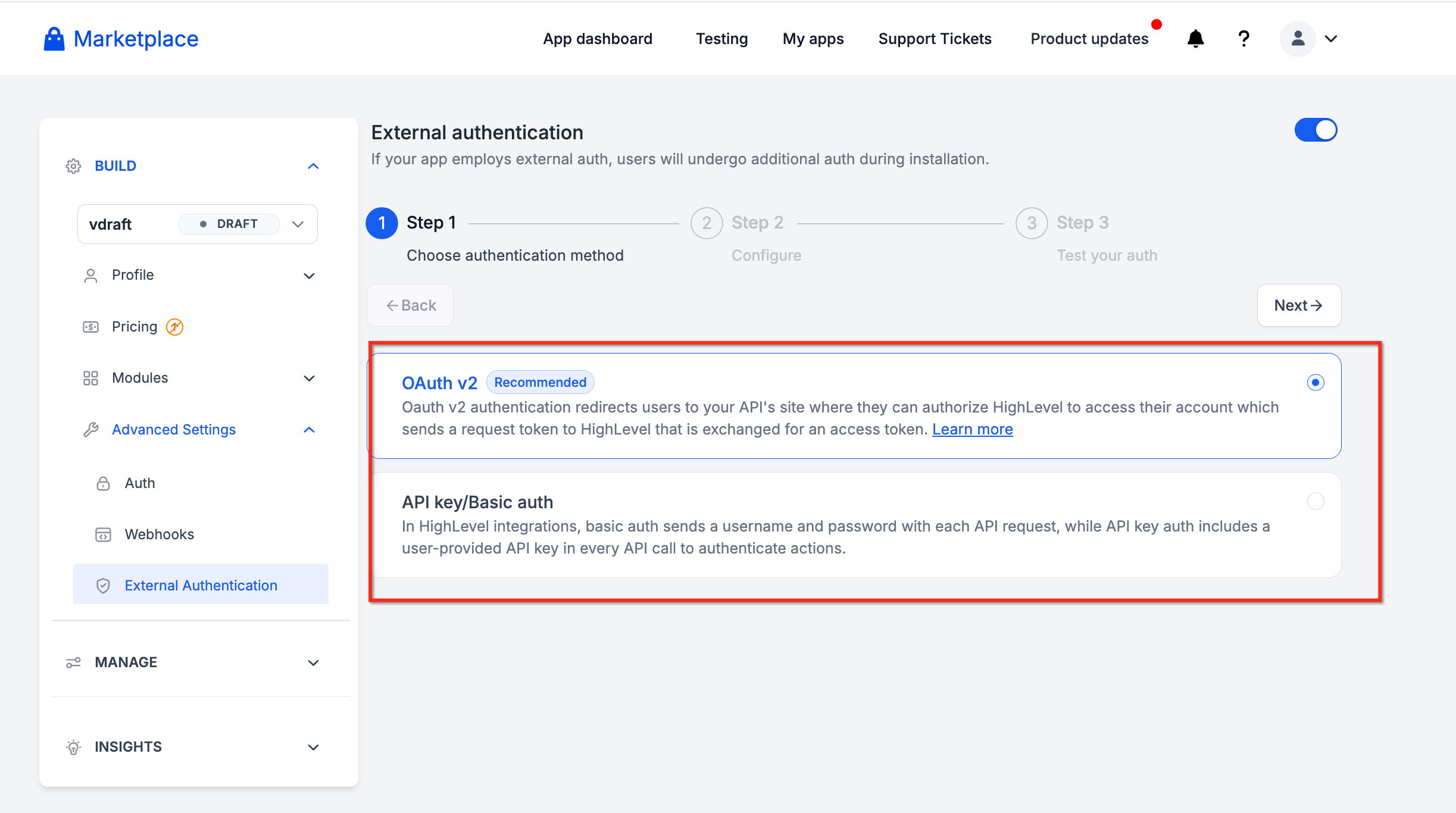
The feature supports OAuth v2, API Key, and Basic Auth methods. Options include User Info, Multi Auth, install time fields, and JavaScript Code Mode for custom request logic.
All settings are edited in the app’s External Authentication section. After saving, the app uses HighLevel’s framework to manage credentials, token refreshes, and account identification.
03How businesses use external authentication for Marketplace apps
- Ecommerce platform. The app adds install time fields to collect the store URL during installation. It maps the returned account name and email so users can see which store is connected.
- Marketing automation tool. The developer enables Multi Auth and Basic Auth support. Users can link several social media accounts, each with its own credentials, without reinstalling the app.
- SaaS analytics service. User Info is turned on for a single connection app. The app calls a User Info endpoint to fetch the external account’s email and displays it in the HighLevel UI.
04The numbers and rules that matter
- Supported authentication methods: OAuth v2, API Key, Basic Auth.
- Maximum of three configurable install time fields per app configuration.
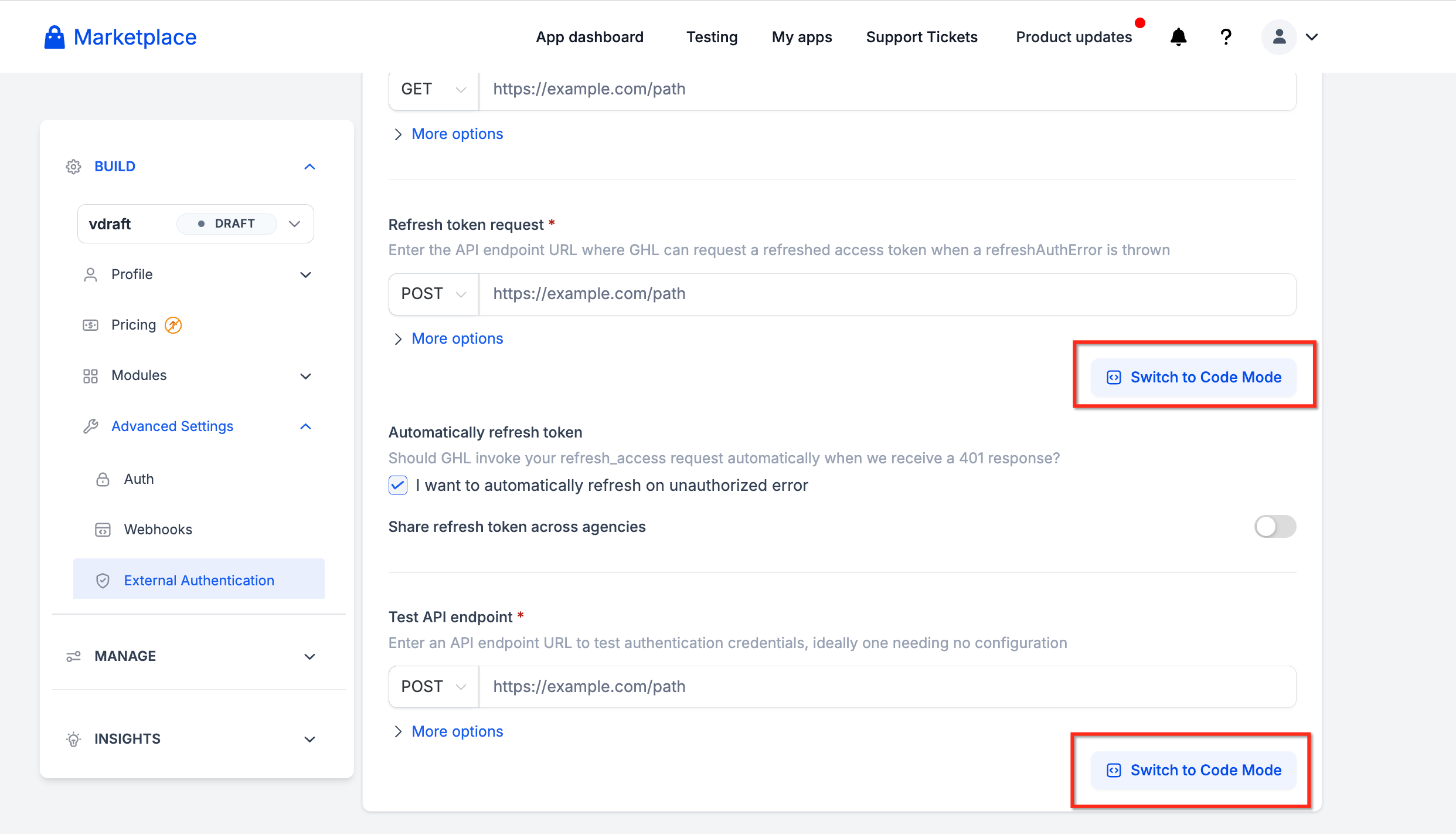
- Code Mode is available for Authorization URL, Access Token, Refresh Token, Test API, and Fetch User Info requests.
05How to set up and use external authentication for Marketplace apps in HighLevel
Set up external authentication for a Marketplace app
- Sign in to the HighLevel Developer Marketplace.
- Open the Marketplace app you want to configure, or create a new app.
- Open the app's External Authentication configuration.
- Configure the required authentication endpoint or request settings.
- For OAuth v2, configure the applicable Authorization URL and token requests.
- For API Key / Basic Auth, configure the credential collection and authentication request as required.
- If the provider supports an additional long lived token exchange, configure the optional Long Lived Access Token Request.
- Locate the User Info setting. Enable User Info if the app should retrieve identifying information for the connected external account.
- Configure the User Info Endpoint or applicable account information request.
- Map the returned account fields to the corresponding Account ID, Account Name, and Account Email paths.
- Test the request to confirm that the expected information is returned.
- Locate the Multi Auth setting.
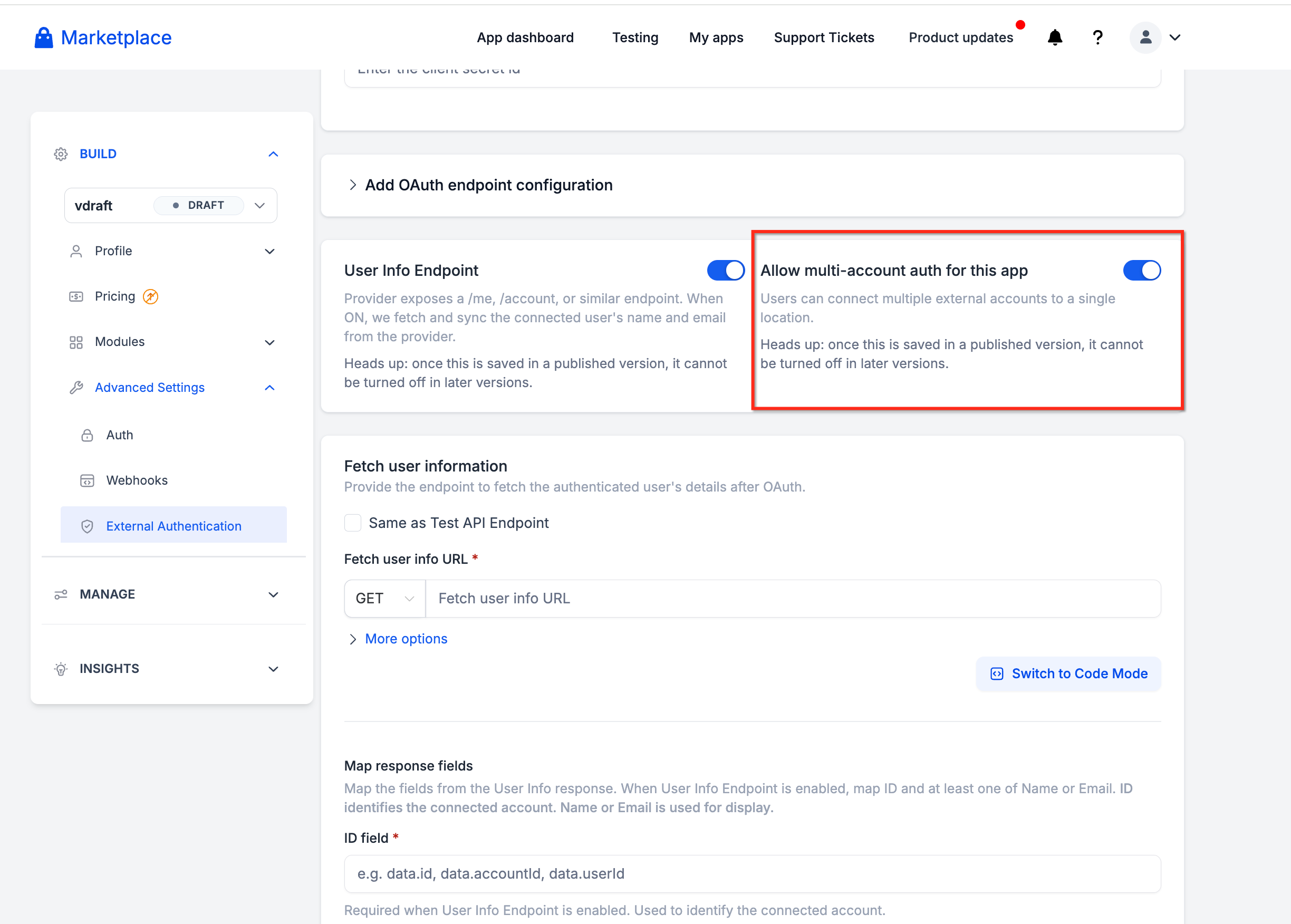
- Enable it if users need multiple external account connections.
- For Basic Auth apps, configure the required account identification request or mapping from the authentication response.
- Verify that separate credential sets can be distinguished by the returned account information.
- Test the configuration using more than one external account.
- Remember that once User Info or Multi Auth is enabled in a published version, it cannot be disabled in later versions.
- Locate the Install Time Fields configuration.
- Add a custom field.
- Enter the field's Label and Key.
- Select a supported input Type.
- Specify whether the field is Required.
- Add Help Text and a Default value when appropriate.
- Repeat for additional fields, up to the three field limit.
- Reference the configured values in supported request settings or Code Mode.
06What it looks like in HighLevel
07Settings that matter
- User Info. Enables a request to retrieve account ID, name and email from the external provider.
- Multi, Auth. Allows the app to store and manage multiple external credential sets within a single installation.
- Install, Time Fields. Collects custom values from users during installation, such as URLs or identifiers.
- Long, Lived Access Token Request. Optionally exchanges a short lived token for a longer lasting access token.
- Authorization URL. Defines the endpoint used to start the OAuth v2 authorization flow.
- Access Token. Specifies the request that exchanges an authorization code for an access token.
- Refresh Token. Configures the request that obtains a new access token when the current one expires.
- Test API. Sets up a request to validate that authentication works before the app is published.
- Fetch User Info. Customizes the request that pulls account details after authentication.
- Account ID Path. Maps the JSON field that contains the external account’s unique identifier.
- Account Name Path. Maps the JSON field that contains the external account’s display name.
- Account Email Path. Maps the JSON field that contains the external account’s email address.
08Things to know before you rely on it
- A maximum of three install time fields can be defined per app configuration.
- Once User Info or Multi Auth is enabled in a published version, the setting cannot be disabled in later versions.
- The new authentication settings apply only to new apps or new app versions; existing installations remain unchanged.
- Code Mode is available only for specific OAuth requests such as Authorization URL, Access Token, Refresh Token, Test API, and Fetch User Info.
09If something goes wrong
- Connected account displays incorrect information. Check the provider's account information response and verify that the configured field paths match the returned data. Use the User Info and Response testing tabs to investigate mapping issues.
10How it connects to the rest of HighLevel
- Learn how to set up webhooks for your app with HighLevel OAuth V2 OAuth V2 webhooks
- Understand marketplace app distribution types Distribution settings
- Configure pricing for a HighLevel Marketplace app App pricing
Michael's take

External authentication adds a layer of complexity that can trip up even seasoned developers. Mismapping account fields or forgetting that User Info and MultiAuth are permanent once published can cause confusing bugs later on.
When it works, the feature opens the door to richer integrations without building a separate auth service. Being able to let users link several accounts or pull recognizable names makes the app feel much more polished.