
01Who this is for
- Agency owners who manage many client locations and need the strongest protection against credential misuse.
- Developers building integrations that require API based user management workflows.
- Small business owners who primarily use the platform through the UI and prefer the default secure configuration.
02Enhanced Account Security, explained
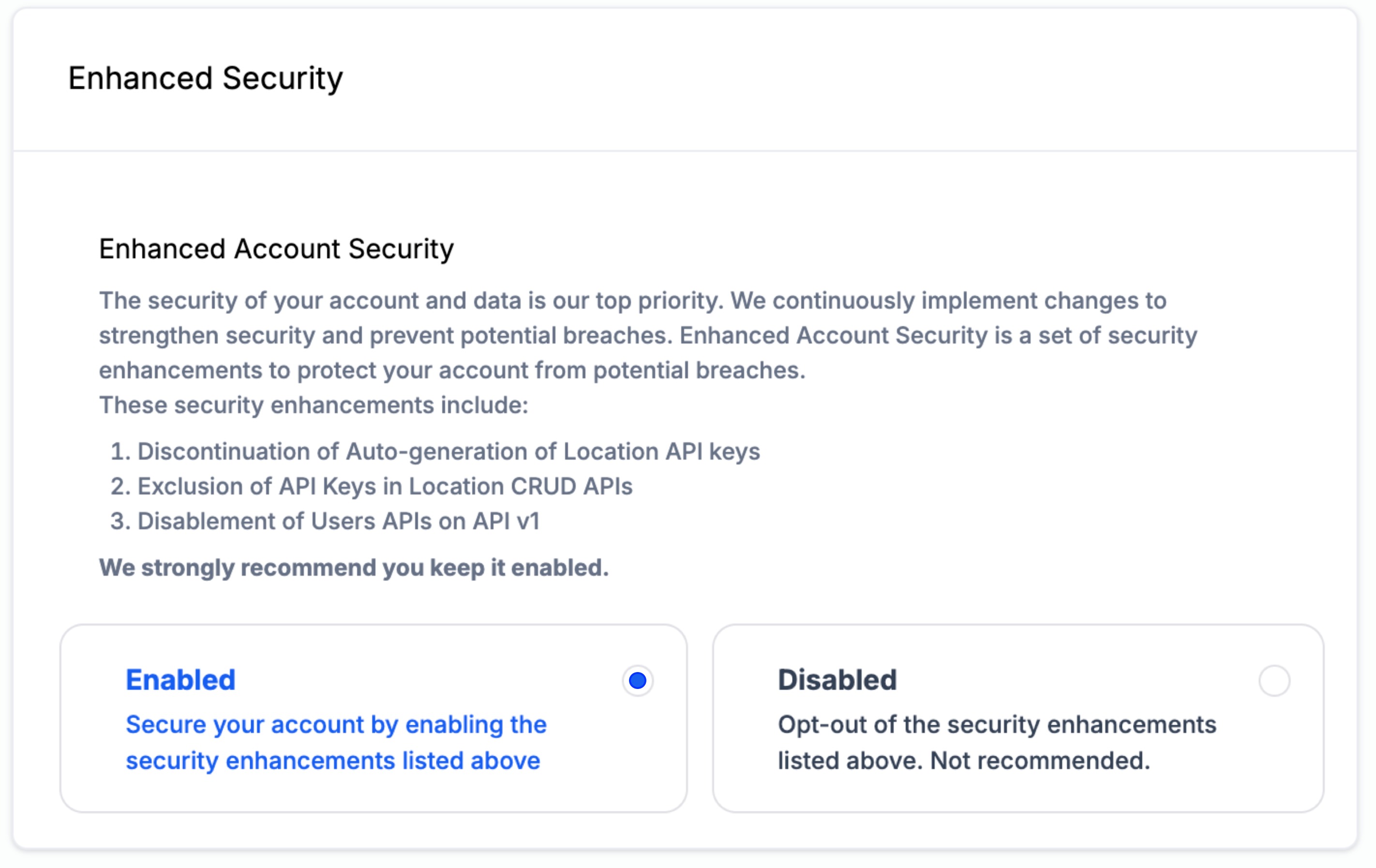
When the Enhanced Account Security toggle is on, new locations will not receive auto generated API keys. API keys must be created manually in the user interface. The setting also removes API keys from the responses of the Location CRUD endpoints.
Legacy User APIs on API v1 are disabled while the setting is active. These endpoints allowed creation, update, and deletion of users, which could be exploited if an API key was compromised. The feature lives in Settings > Company > Advanced Settings.
The default state for all accounts is enabled. An account can opt out, but doing so may raise the security risk for the account and its data.
03How businesses use Enhanced Account Security
- Marketing agency. The agency keeps Enhanced Security enabled to ensure API keys are not exposed automatically. When a new client location is added, the team opens the UI and generates the API key manually. This keeps the agency’s client data protected.
- SaaS integration developer. The developer needs to update user permissions via API. They navigate to Settings > Company > Advanced Settings and switch off Enhanced Security, allowing API based updates for view and manage user permissions.
- Healthcare clinic. The clinic leaves Enhanced Security turned on to prevent automatic API key creation and to block legacy user APIs, reducing the risk of unauthorized access to patient information.
04The numbers and rules that matter
- Disables User APIs on API v1 (legacy version).
05How to set up and use Enhanced Account Security in HighLevel
Disable enhanced security to allow API based user management
- Open the Settings menu in HighLevel.
- Select Company, then Advanced Settings.
- Turn off the Enhanced Security toggle.
- Be aware that disabling this setting may increase the security risk for the account.
06What it looks like in HighLevel
07Settings that matter
- Enhanced Security. Controls whether API keys are auto generated for new locations, whether API keys appear in Location CRUD responses, and whether legacy User APIs on API v1 remain active.
08Things to know before you rely on it
- The setting does not restore API key generation for locations where keys were previously revoked.
- It only affects locations that still have an active API key.
- Disabling Enhanced Security may increase the security risk for the account.
09How it connects to the rest of HighLevel
- Select the appropriate API version after disabling legacy user APIs API version guide
- Set up OAuth V2 webhooks for integrations that rely on API access OAuth V2 webhooks
- Review HighLevel pricing and plan options Pricing page
Michael's take

Wondering if you should keep this security feature on? The safest bet is to leave it enabled. It stops automatic key generation and disables legacy user endpoints, which this page says can pose a security risk.
If your agency needs to create or edit users via API, you can turn it off in Advanced Settings, but this may increase security risk. I’d test the manual key workflow first and make sure your team can pull keys from the UI without friction.