
01Who this is for
- Developers building messaging integrations need a simple way to ingest provider messages without extra lookup steps.
- Support teams using the platform benefit from messages appearing in the correct thread automatically, improving agent context.
- Product managers who want to backfill historical inbound messages can do so with metadata timestamps.
02Add inbound messages, explained
The endpoint accepts a Contact ID, channel, optional endpoint details, message content, and metadata. When the request is processed, HighLevel checks for an open conversation on the same channel. If one exists, the message is added to that thread; otherwise a new conversation is created and its ID returned in the response. This logic works for SMS, WhatsApp, Email, Messenger, Instagram, and Web Chat channels.
The feature lives under the Conversations API group. Calls are made to the POST /conversations/inbound messages path with a bearer token that has the Conversations and Contacts scopes. The response includes identifiers such as messageId and conversationId, confirming where the inbound message landed.
Including an idempotencyKey prevents duplicate records if a request is retried after a timeout. The system respects rate limit headers and returns standard HTTP error codes for invalid data, authentication problems, or payload size violations.
03How businesses use add inbound messages
- SaaS startup handling SMS lead notifications. The startup posts inbound SMS messages directly using the lead's contactId. The platform appends the message to any open SMS thread or creates a new conversation, keeping the sales pipeline tidy.
- Healthcare clinic importing patient email replies. The clinic's integration reads email replies, supplies the patient’s contactId, email channel, and message body. HighLevel adds the inbound email to the right patient record without extra conversation lookups.
- Ecommerce store backfilling WhatsApp order updates. The store sends historical WhatsApp messages with a timestamp in metadata. HighLevel inserts each inbound into the appropriate thread, preserving the chronological order in the timeline.
04The numbers and rules that matter
- Supported channels: SMS, WhatsApp, email, messenger, Instagram, webchat.
- Attachments include type, URL, filename, sizeBytes.
05Before you start
- Obtain API access with Conversations and Contacts scopes for the required role.
- Authenticate using OAuth or an API key as defined by your environment.
- Ensure you have a valid Contact ID for the target contact.
- Set the correct location or workspace context if the contact exists in multiple locations.
06How to set up and use add inbound messages in HighLevel
Add inbound message (Contact Based)
- Generate an access token that includes the Conversations and Contacts scopes.
- Collect the Contact ID, channel, optional endpoint information, message content, and any metadata needed.
- Build the JSON payload matching the required fields, including a unique idempotencyKey.
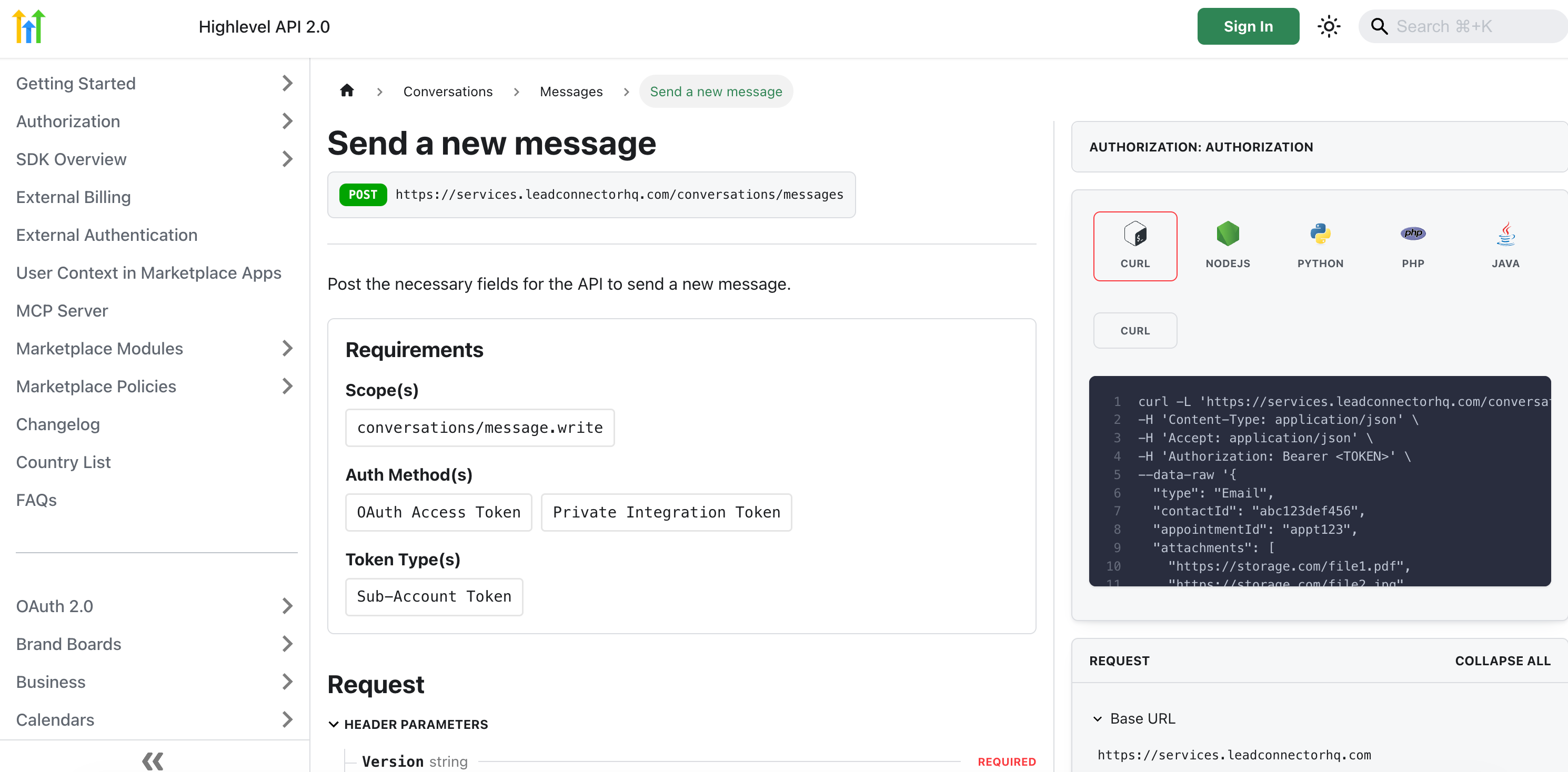
- Send a POST request to /conversations/inbound messages with the Authorization header and the JSON body.
- Read the response to obtain the messageId and conversationId, confirming the inbound was recorded.
07What it looks like in HighLevel
08Settings that matter
- contactId. Identifies the contact whose conversation will receive the inbound message.
- channel. Specifies the messaging medium such as sms, whatsapp, email, messenger, instagram, or webchat.
- endpoint. Provides a phone number or email address to disambiguate when a contact has multiple addresses for the same channel.
- content. Contains the text of the message and optional attachments like images, files, or videos.
- metadata. Allows you to pass providerMessageId, externalThreadKey, and a timestamp for ordering or correlation.
- idempotencyKey. A unique token that ensures retries do not create duplicate messages.
09Things to know before you rely on it
- Attachment size is limited per channel; oversized files trigger a 413 Payload Too Large response.
- Rate limits apply; a 429 response means you must back off according to the Retry After header.
- If a contact has only closed or archived threads on the channel, a new conversation is created.
- The endpoint is backward compatible; existing Conversation ID based calls continue to work.
10If something goes wrong
- 400 Bad Request, missing or invalid fields. Check that contactId, channel, and content are present and correctly formatted.
- 401 or 403, authentication failed or insufficient scope. Verify the bearer token includes the required Conversations and Contacts scopes.
- 404 Not Found, contactId not found. Ensure the Contact ID is valid in the location context used for the call.
- 409 Conflict, idempotency key collision. Use a truly unique idempotencyKey for each distinct inbound message.
- 413 Payload Too Large, attachment exceeds limits. Reduce attachment size or use a supported media type within channel limits.
- 429 Too Many Requests, rate limit exceeded. Implement exponential backoff and respect the Retry After header.
- 5xx, transient server error. Retry the request with the same idempotencyKey after a brief delay.
11How it connects to the rest of HighLevel
- Review the full REST API reference for sending messages API documentation
- Set up OAuth V2 credentials required for authentication OAuth setup
- Test your webhook calls safely with Webhook.site Webhook testing
Michael's take

Add inbound messages is a practical shortcut for anyone feeding messages into HighLevel.
Teams that already have a stable conversation lookup flow and don’t need the extra speed can skip it.