
01Who this is for
- Agency administrators benefit because unused keys that could expose the account are removed automatically.
- Subaccount managers gain protection since inactive subaccount keys are also cleared on a quarterly schedule.
- Developers maintaining legacy integrations receive clear alerts before keys expire, allowing timely rotation.
02API security initiatives, explained
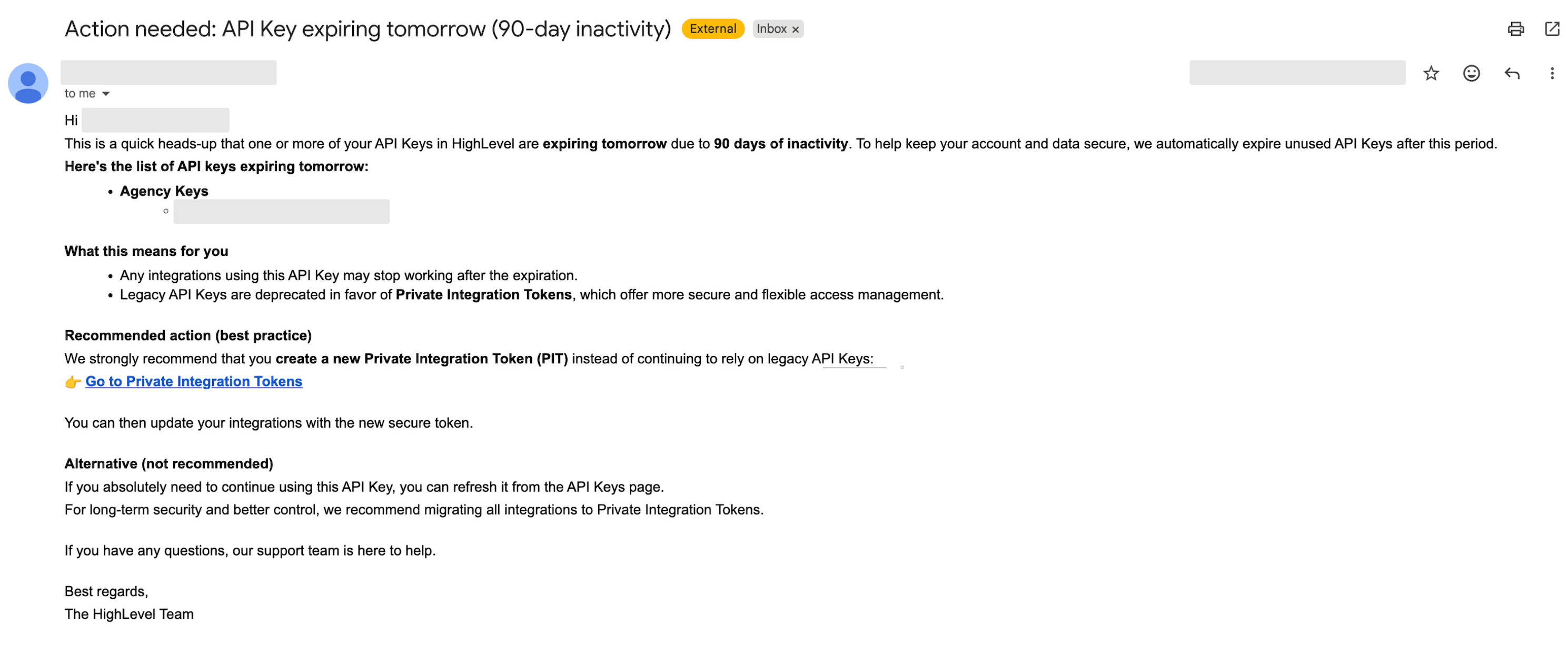
The platform scans all agency and subaccount API keys once each quarter. Any key that shows no activity for the past 90 days is queued for automatic deletion. Before the removal, the impacted admins receive three in app notifications at 15, 7, and 1 day prior, while agency admins also get an email 15 days in advance. A banner appears on the day of deletion for a 24 hour window.
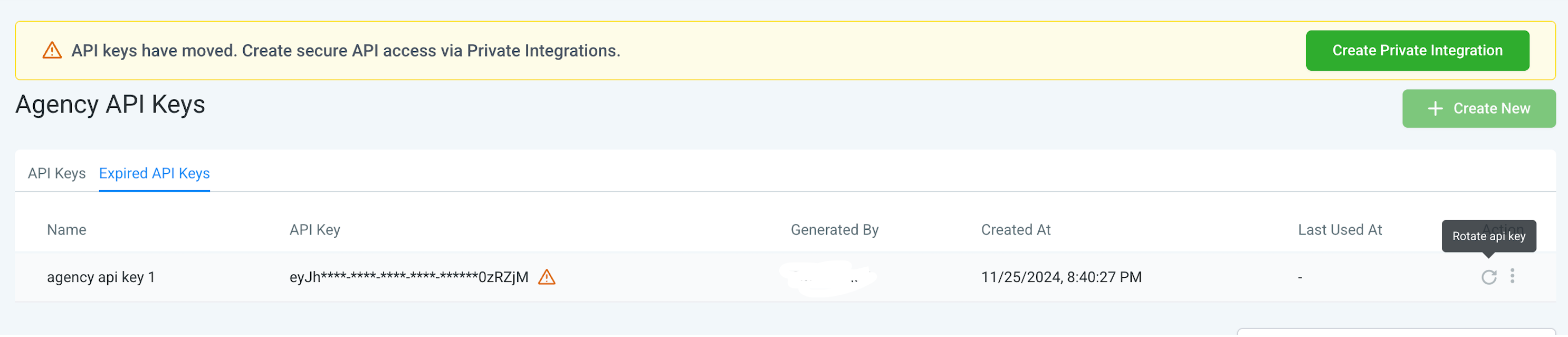
Legacy API keys, both agency level and location level, are not deleted but are marked as Expired after 90 days of inactivity. Expired keys stay visible in the settings page and can be re used only after they are rotated or refreshed. Creation of new v1 API keys is discontinued, and Private Integration Tokens are the suggested method for new credentials.
03How businesses use API security initiatives
- Digital marketing agency. An agency admin monitors the in app notifications and email alerts to identify keys slated for deletion. Before the deadline, the admin rotates the keys or switches to a Private Integration Token to maintain integrations.
- SaaS startup with multiple subaccounts. The subaccount manager reviews the quarterly deletion report, receives the in app warnings, and updates any expired legacy keys by generating fresh tokens, ensuring continuous access for their clients.
- IT consultancy handling legacy integrations. Consultants check the settings page for expired legacy keys, then refresh the keys or replace them with Private Integration Tokens, following the notification schedule to avoid unexpected loss of access.
04The numbers and rules that matter
- Autodeletion of API keys after 90 days of inactivity.
- Three in app notifications: 15 days, 7 days, and 1 day before deletion.
- Agency admins receive an email 15 days prior with a complete summary.
- One day before banner displayed for 24 hours.
- Inactive legacy API keys expire after 90 days of inactivity.
- New v1 API key creation is no longer supported.
05How to set up and use API security initiatives in HighLevel
Automatic removal and expiration workflow for API keys
- HighLevel reviews all agency and subaccount API keys once per quarter.
- Keys with no activity in the previous 90 days are marked for deletion.
- Impacted admins receive an in app notification 15 days before deletion.
- A second in app notification is sent 7 days prior to deletion.
- A final in app notification appears 1 day before deletion.
- Agency admins also get an email 15 days ahead with a summary of the upcoming deletion.
- One day before the deletion, a banner is shown for 24 hours to all impacted agencies and subaccounts.
- The system deletes the identified inactive API keys.
Legacy API key expiration process
- HighLevel checks legacy API keys for activity.
- If a legacy key shows no use for 90 days, it is marked as Expired.
- Expired keys remain visible in the settings area.
- Users receive an in app or email notification when a legacy key is approaching expiration.
- Users can reactivate an expired key after rotating or refreshing it.
06What it looks like in HighLevel
07Things to know before you rely on it
- Deletion runs automatically once a quarter and cannot be manually triggered.
- Only agency and subaccount API keys are subject to auto deletion; legacy keys are only marked as Expired.
- Creation of new v1 API keys is no longer supported.
- Private Integration Tokens are the recommended credential type for new integrations.
08How it connects to the rest of HighLevel
- Review how to select the appropriate API version in HighLevel documentation. API version guide
- Explore HighLevel pricing and plan options that include API access. Pricing and plans
- Start a trial to test API key behavior before committing to a plan. 30 day trial
Michael's take

Most people assume they can keep the same legacy API keys forever and ignore the inactivity warnings. The platform will delete or expire those keys.
I would treat the notifications as a prompt to audit my integrations, replace any legacy keys with Private Integration Tokens, and verify that each token is active before the 90 day window closes. That way the automated cleanup works for me, not against me.