
01Who this is for
- Digital marketing agencies that build custom client portals, because they can show the correct app prices without hard coding.
- Founders of SaaS agencies that resell HighLevel apps, because they need white labeled pricing per subaccount.
- Developers creating checkout flows for agency clients, because the API provides real time price data for all billing models.
02Agency App Reselling Config API, explained
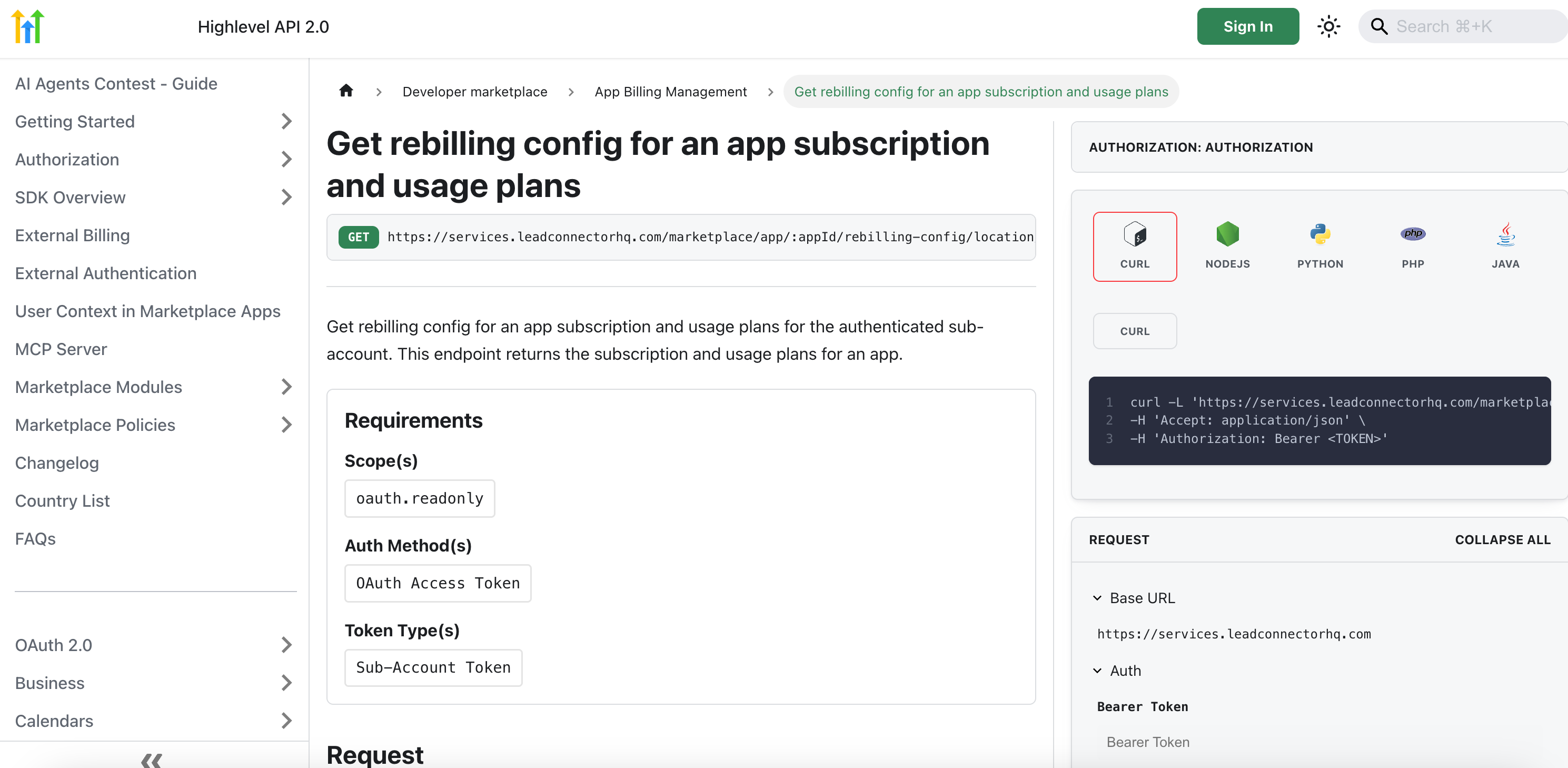
The Agency App Reselling Config API is a Marketplace developer REST endpoint that returns the final client facing pricing for a specific app. It requires a subaccount OAuth token and the marketplace.app.read scope; calls made with agency or developer tokens are rejected with a 403 response.
The JSON response groups prices under subscriptionPlans, oneTimePlans, and usageMeters. Each entry includes planId, planName, currency, price, and billingInterval, covering subscription, one time and usage based models in a single call.
The endpoint is limited to 60 requests per minute per app. Prices reflect the agency’s mark up; if rebilling is not enabled, the base Marketplace cost is returned. Caching the response for 5 to 10 minutes helps stay within the rate limit.
03How businesses use the Agency App Reselling Config API
- Digital marketing agency. The agency calls the Get Rebilling Config endpoint with each client’s subaccount token, extracts the subscriptionPlans array, and builds a pricing table on its own portal that mirrors the Marketplace rates with the agency’s mark up.
- SaaS startup reselling HighLevel apps. The startup integrates the endpoint into its checkout flow, retrieves oneTimePlans and usageMeters, and displays those amounts in a custom payment widget so prospects see the exact charge they will receive.
- Other agencies that need dynamic pricing. They retrieve the full set of pricing objects and use them to generate white labeled price displays in any custom interface.
04The numbers and rules that matter
- Rate limit: 60 requests/min per app (subject to change).
- Cache response for 5, 10 minutes to minimise API calls.
05Before you start
- Obtain a valid subaccount OAuth access token using the OAuth 2.0 Authorization Code or Refresh Token flow.
- Confirm that the token scope includes marketplace.app.read.
06How to set up and use the Agency App Reselling Config API in HighLevel
Call the Get Rebilling Config for App endpoint
- Acquire a subaccount OAuth access token via the OAuth 2.0 Authorization Code or Refresh Token flow.
- Verify that the token contains the marketplace.app.read scope.
- Build the request URL for the Get Rebilling Config for App endpoint.
- Send an HTTP GET request with an Authorization header set to "Bearer {token}".
- Parse the returned JSON that lists subscriptionPlans, oneTimePlans, and usageMeters.
07What it looks like in HighLevel
08Things to know before you rely on it
- The endpoint allows up to 60 requests per minute per app; exceeding this limit returns a 429 response.
- Calls made with an agency level token return 403 Forbidden; only subaccount tokens are accepted.
09If something goes wrong
- 403 Forbidden response. Use a subaccount OAuth token that includes the marketplace.app.read scope.
- 429 Too Many Requests response. Reduce the call frequency or cache responses for 5 to 10 minutes to stay within the rate limit.
10How it connects to the rest of HighLevel
- Select the API version in HighLevel documentation API version guide
- Set up webhooks for your app with HighLevel OAuth V2 OAuth V2 webhook guide
- Configure pricing for a HighLevel Marketplace app Marketplace pricing guide
Michael's take

The Agency App Reselling Config API feels like a small convenience that removes a lot of manual work. Instead of guessing or hard coding prices, you pull the exact markup an agency has set, keeping the checkout experience clean and trustworthy.
It fits perfectly for agencies that run a white labeled app marketplace and need to show accurate pricing on custom client portals. If I were building a SaaS configurator for my clients, I’d start by swapping my static price tables for this endpoint and cache the results for a few minutes to stay under the rate limit.