
01Default dashboards, explained
A default dashboard is the first view a team member sees when opening the dashboard section in HighLevel. It acts as a shared landing page that displays the most important metrics for the whole organization.
Only users with Account Admin or Agency roles that have FULL access to a dashboard can set it as the default. All other team members need at least VIEW permission to see the default dashboard.
02How businesses use the default dashboard
- Align team on key metrics. When the default dashboard displays the core numbers, every user opens HighLevel to the same view, providing instant access to essential insights and metrics.
- Protect the primary dashboard. Because a default dashboard cannot be deleted until another is assigned, the most critical dashboard stays intact, preventing accidental loss of important widgets.
03Before you start
- User must have Account Admin or Agency Role with FULL access to the dashboard.
04How to set up and use the default dashboard in HighLevel
Set default dashboard
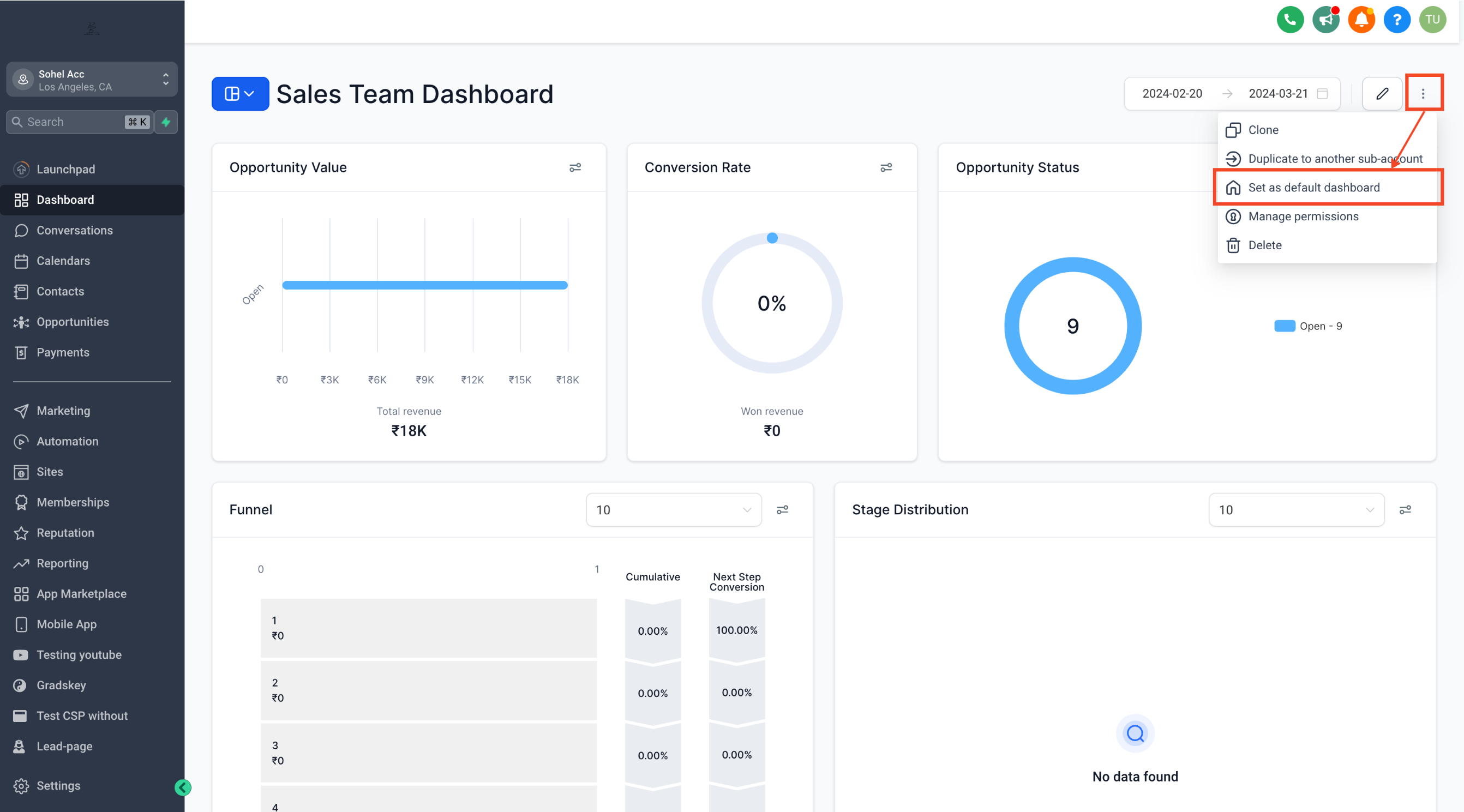
- Navigate to the dashboard you want to set as the default.
- Click on the three dot menu located in the top right corner of the dashboard.
- Select Set as Default Dashboard.
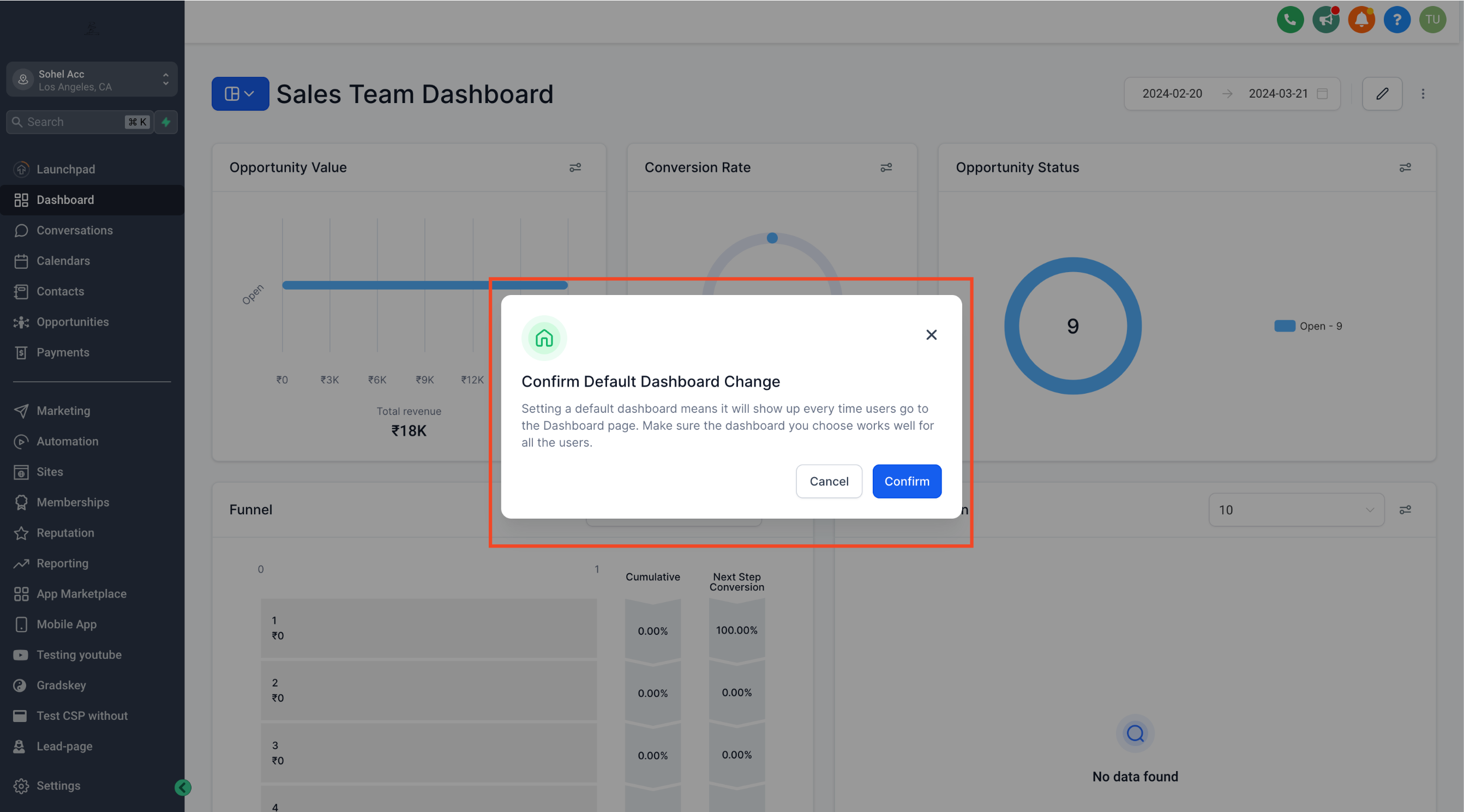
- Confirm the change.
05What it looks like in HighLevel
06Things to know before you rely on it
- A default dashboard cannot be deleted until another default dashboard is assigned.
- Only users with Account Admin or Agency Roles with FULL access can set default dashboards.
- All team members need at least VIEW permission to see the default dashboard.
07If something goes wrong
- Default dashboard changes after a release. Revert it by following the steps to set the default dashboard again. A patch has been deployed to fix the bug.
Michael's take

Michael ReimerFounder of CRM Pros, HighLevel Commander and Certified Admin
Having a default dashboard feels like a small convenience that can shift how a team starts its day.
Get More InformationOpens on HighLevelPublished November 2, 2026 · Updated November 3, 2026