
01Dashboards, explained
Dashboard owners can edit a dashboard. This includes modifying the dashboard name, updating permissions, adding new custom widgets, and editing existing widgets.
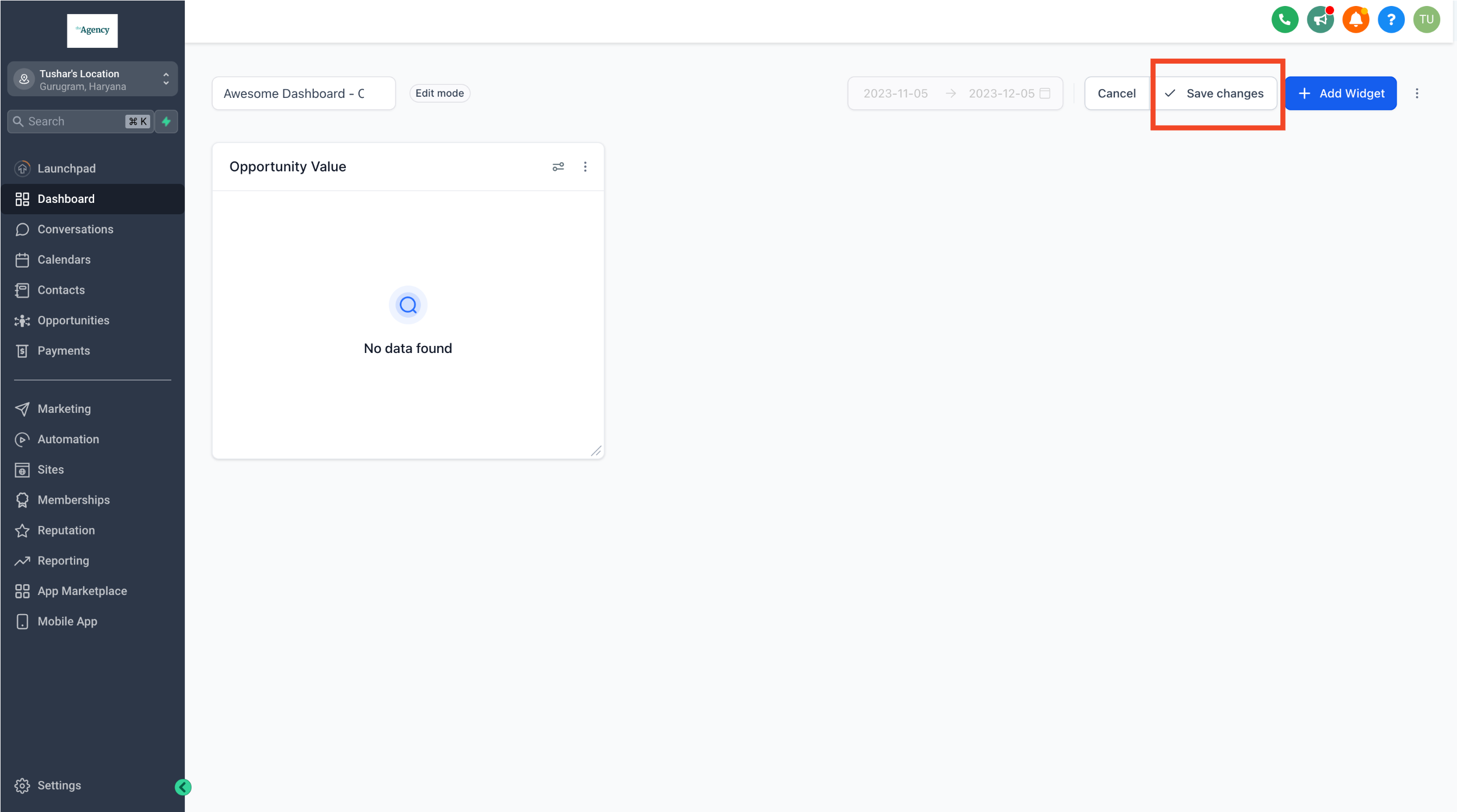
After making edits, click "Save Changes" to apply and finalize the modifications.
02How businesses use edit a dashboard
- Rename dashboard. Change the dashboard name.
- Add custom widgets. Click "Add Widgets" to introduce new custom widgets.
- Update permissions. Adjust who can view or edit the dashboard.
03The numbers and rules that matter
- Multiple custom dashboards, widgets and custom reports are available for the $297 and $497+ plans.
04How to set up and use edit a dashboard in HighLevel
Edit dashboard
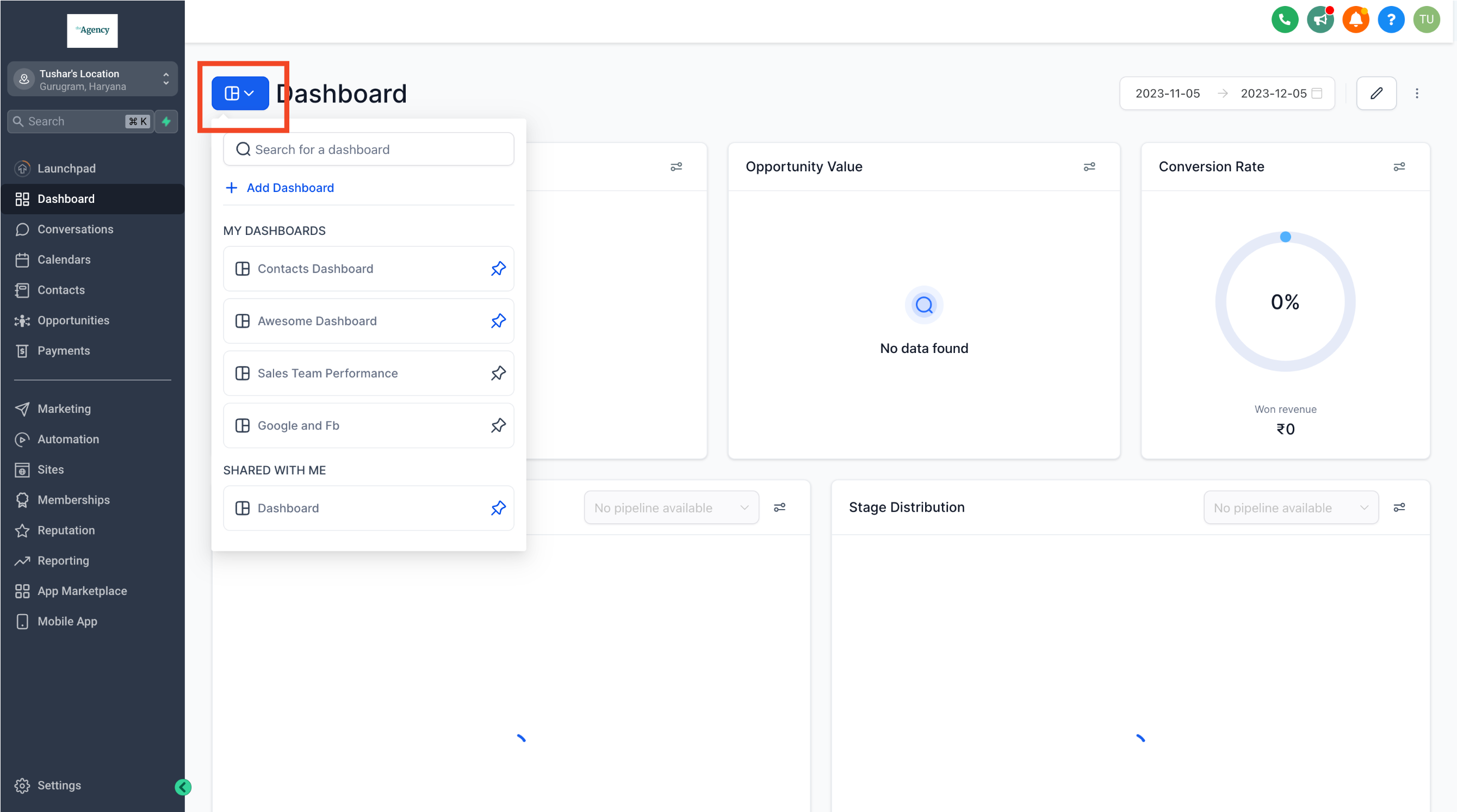
- Identify and navigate to the specific dashboard you intend to edit.
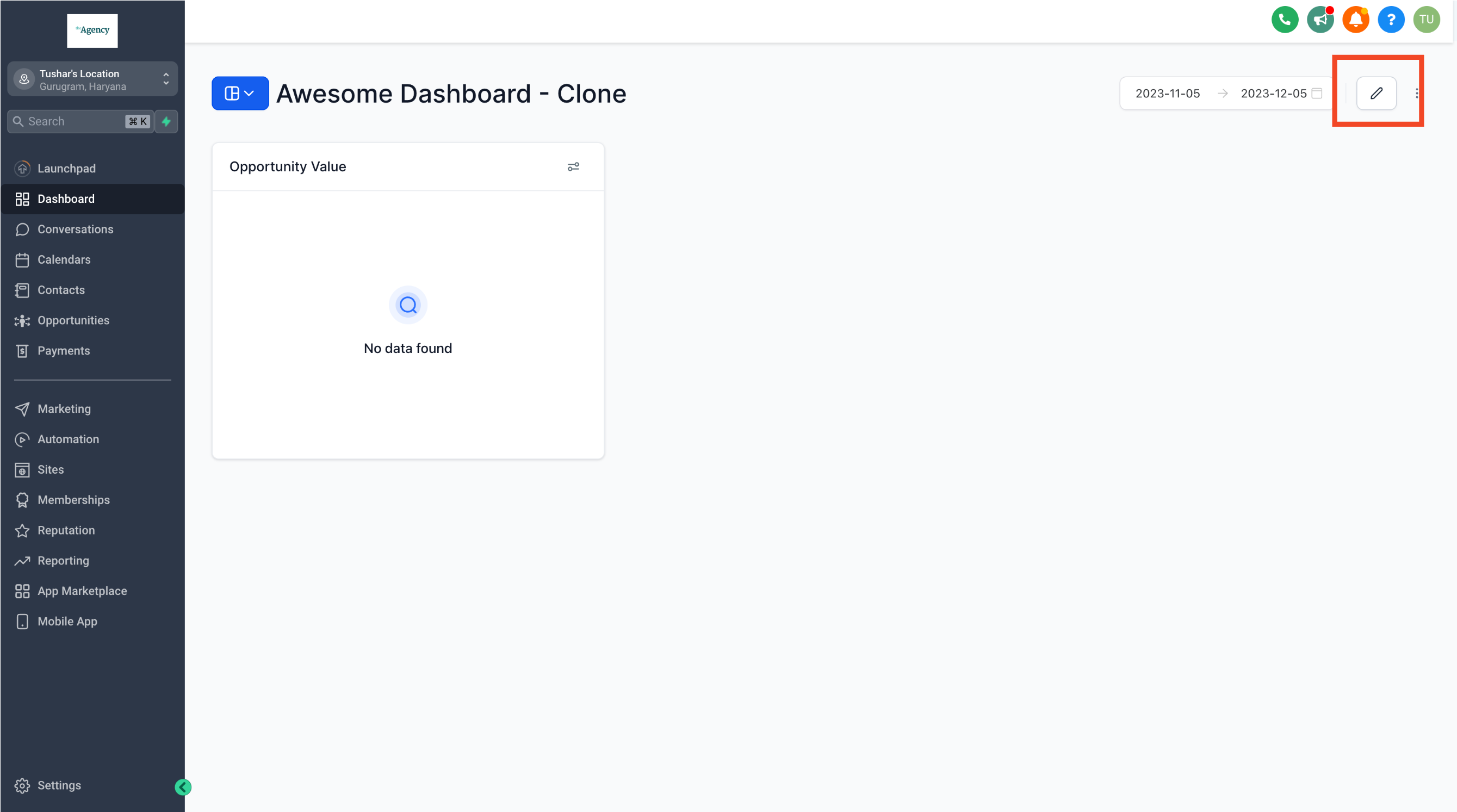
- Click on the pencil edit icon located in the top right corner to enter edit mode.
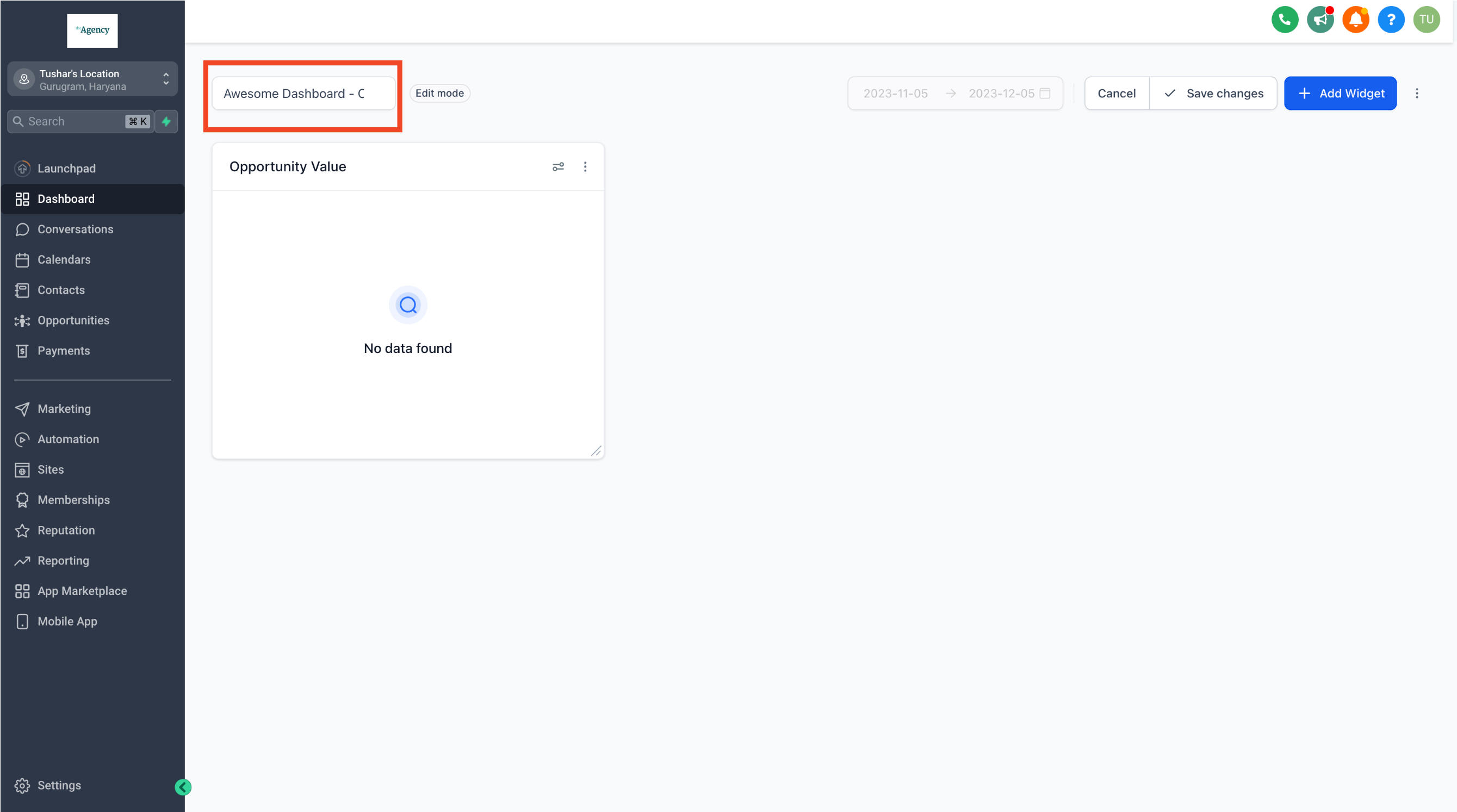
- If needed, change the dashboard name to better suit your reporting requirements.
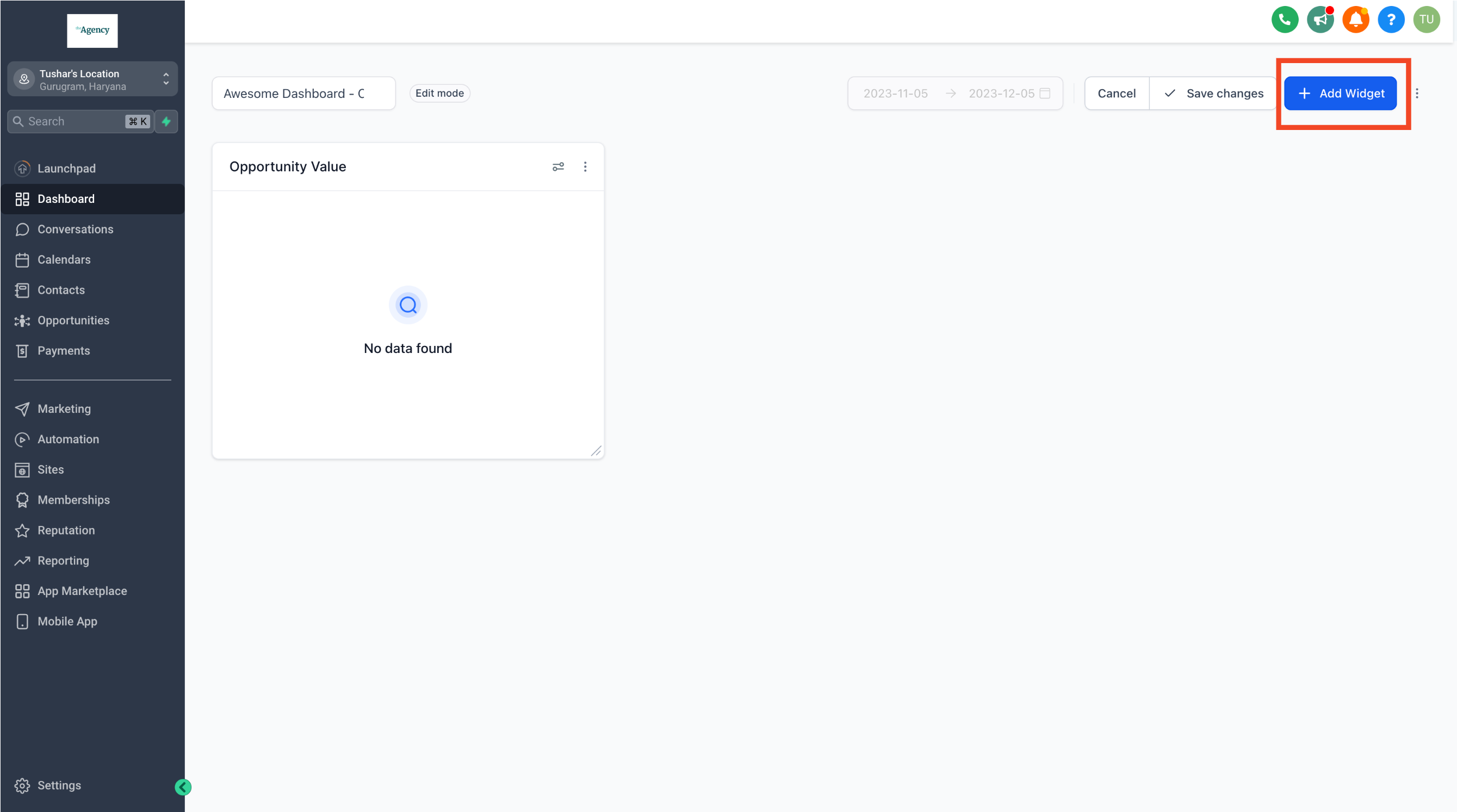
- Click on "Add Widgets" to introduce new custom widgets to your dashboard.
- Click on "Save Changes" to apply and finalize the modifications.
05What it looks like in HighLevel
06Settings that matter
- Dashboard name. The title of the dashboard.
- Permissions. Controls which users can view or edit the dashboard.
- Custom widgets. Widgets that display specific data or metrics.
Michael's take

Michael ReimerFounder of CRM Pros, HighLevel Commander and Certified Admin
Editing dashboards is a real value driver for a small business that needs to keep its reports current without building new pages. It gives you the flexibility to rename, tweak permissions, and drop in new widgets as your numbers change.
Avoid trying to edit a dashboard you don’t own. Only owners can make changes.
Get More InformationOpens on HighLevelPublished November 2, 2026 · Updated November 3, 2026