Home/HighLevel/Features/Dashboards/How to Pin Favorite Dashboards

Reporting and Dashboards

How to Pin Favorite Dashboards

In short

Dashboard pinning marks dashboards as favorites, moving them to the top of the list for fast access.

AreaDashboards · Getting Started with Dashboards
Used forDashboards
Setup steps3 steps in 1 task
Last updatedNovember 3, 2026

01Dashboard pinning, explained

Pinning a dashboard is to mark it as a favorite so it always shows up in an easy to find place.

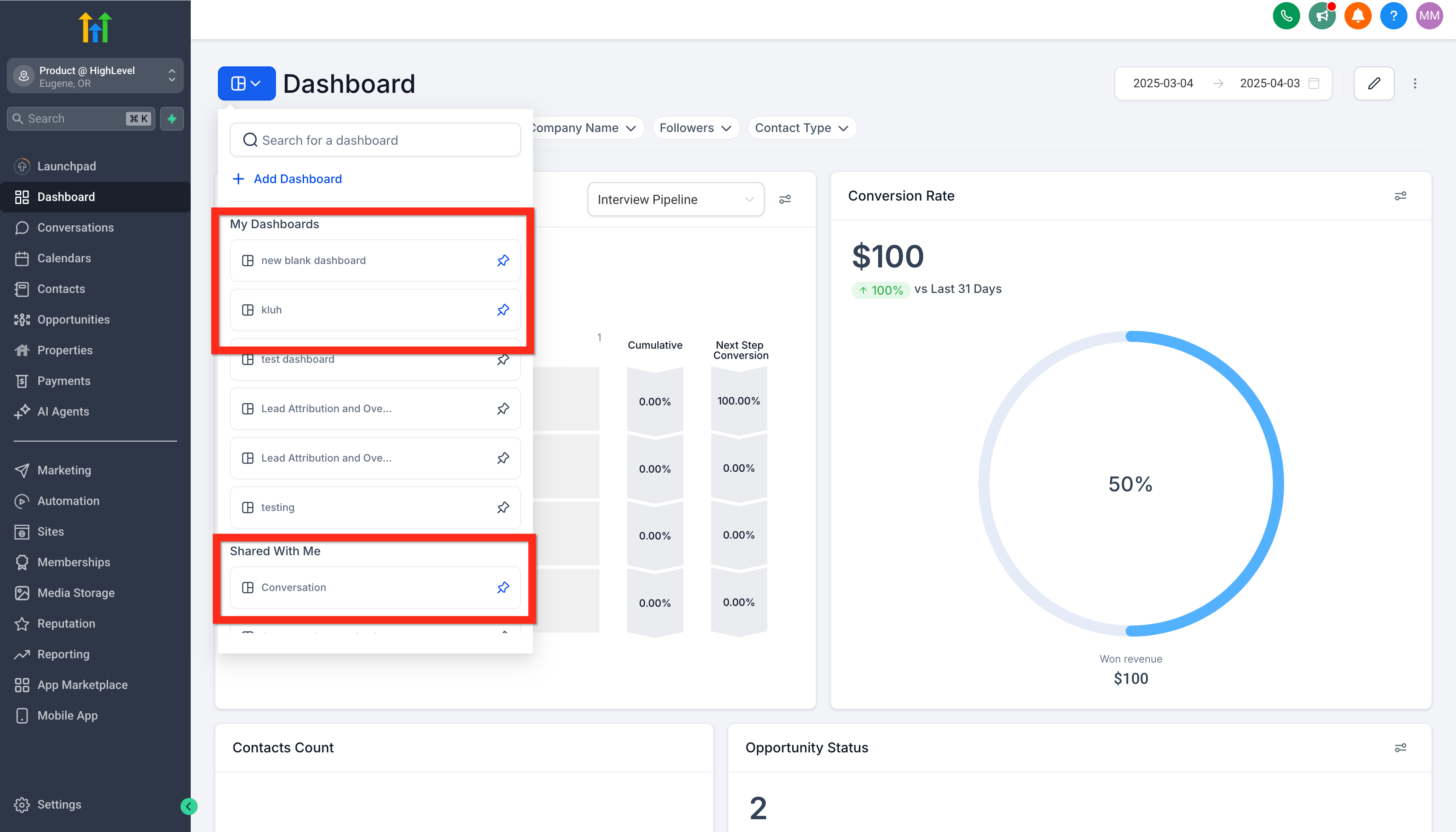
The feature works by clicking a little pushpin button that changes from grey to blue; once blue, the dashboard stays at the top of its list, and you can pin more than one dashboard.

02How to set up and use dashboard pinning in HighLevel

Pin a dashboard

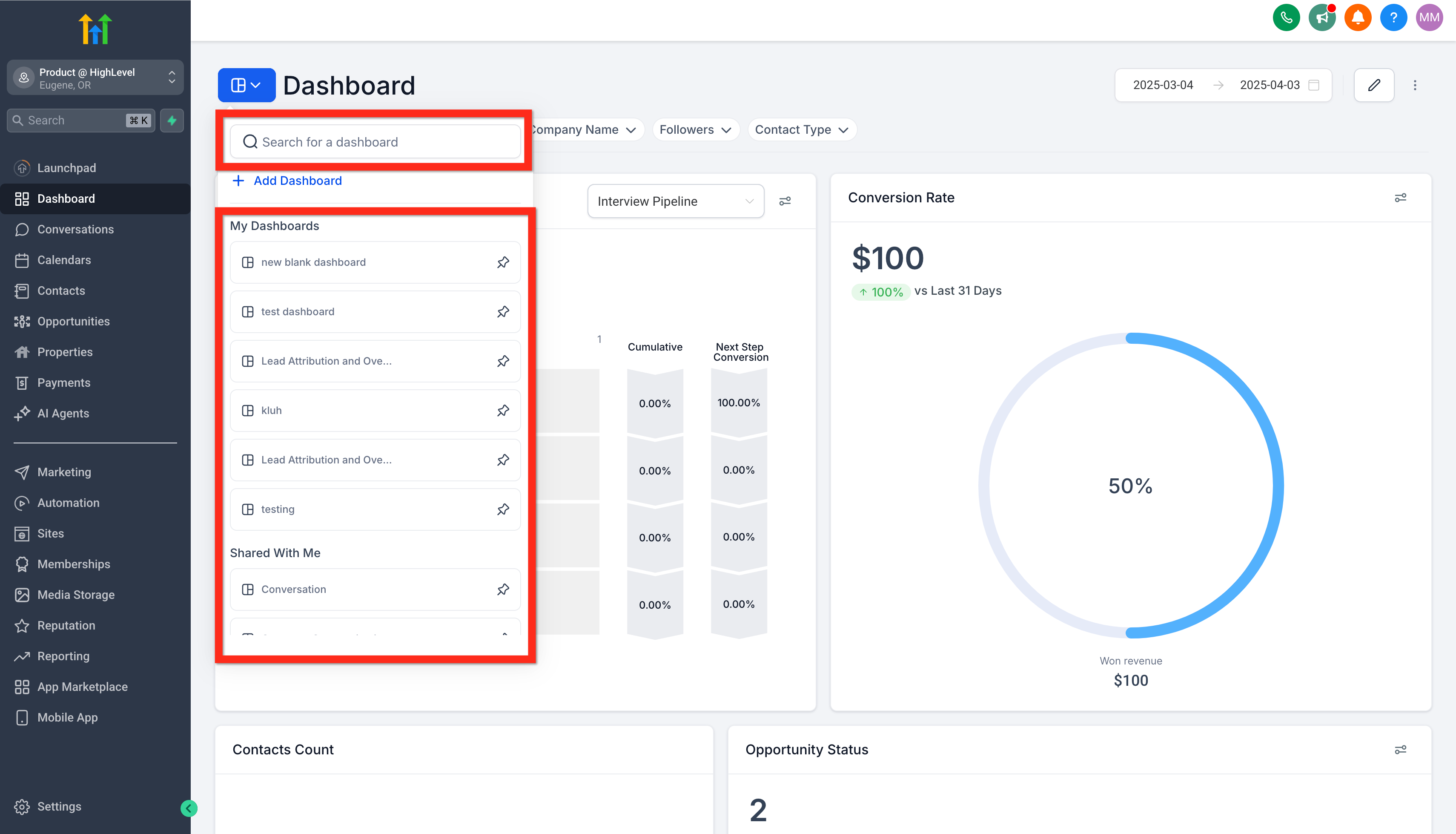
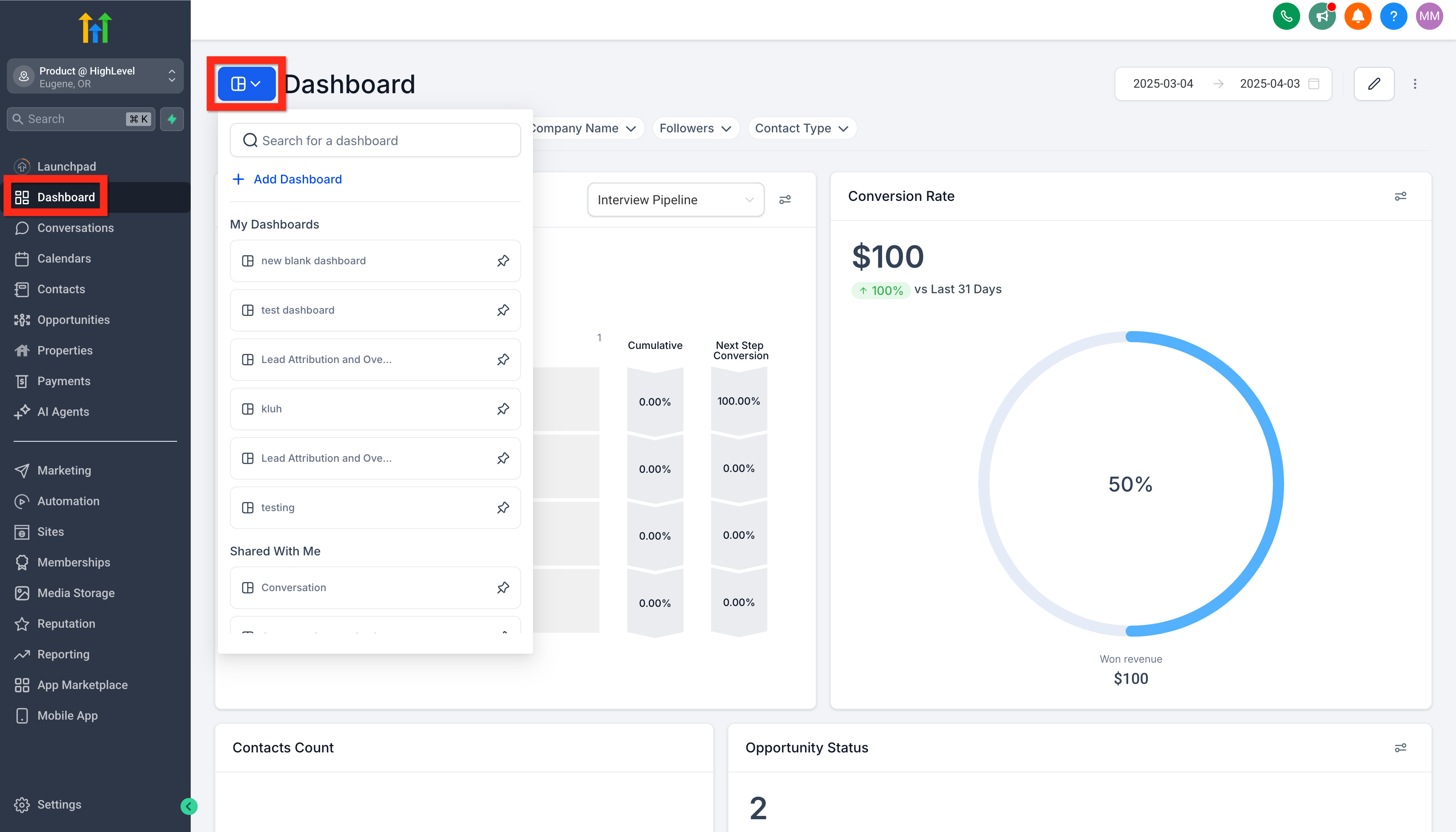
  1. Step 1: View Dashboards, Navigate to Subaccount > Dashboard and click on the dashboard selection menu.
  2. Step 2: Find the dashboard, Use the dashboard selection menu to search or scroll until the dashboard you want to pin is visible in the list.
  3. Step 3: Pin the dashboard(s), Click the little pushpin button to change it from grey to blue. This will move the dashboard so that it is always at the top of the list it belongs to. You can pin more than one dashboard to the top of the list.

03What it looks like in HighLevel
Michael's take

Michael Reimer
Michael ReimerFounder of CRM Pros, HighLevel Commander and Certified Admin

Pinning dashboards seems simple, but it can become a habit to over pin and clutter the top of your list, making the real favorites harder to spot.

In my experience, having a pinned view can reduce the need to scroll through a long list of dashboards.

Get More InformationOpens on HighLevelPublished November 2, 2026 · Updated November 3, 2026

Common questions

Common questions about dashboard pinning.

What is dashboard pinning?

Dashboard pinning marks a dashboard as a favorite so it always appears at the top of the list, giving fast access.

How do I pin a dashboard?

Go to Subaccount > Dashboard, open the selection menu, locate the desired dashboard, and click the pushpin icon to turn it blue.

Can I pin more than one dashboard?

Yes, you can pin multiple dashboards, and each will stay at the top of its list.

Next step

Pick the features that matter. Then get the plan that unlocks them.

Explore the features you want, start with the five at the top, and upgrade through my link when you are ready. The bonuses and the team come with it.

The features directory explains every HighLevel feature in plain English. Browse it to see what the platform can do.

Back to the FeaturesSee the full details
⌃

Site preview

Explore the next page

This destination is reserved in the page inventory and is not built yet.