
01Who this is for
- Agency managers who run multiple client subaccounts and need identical reporting layouts across them.
- Franchise owners who want the same performance dashboard for each location without rebuilding it each time.
02Dashboard duplication, explained
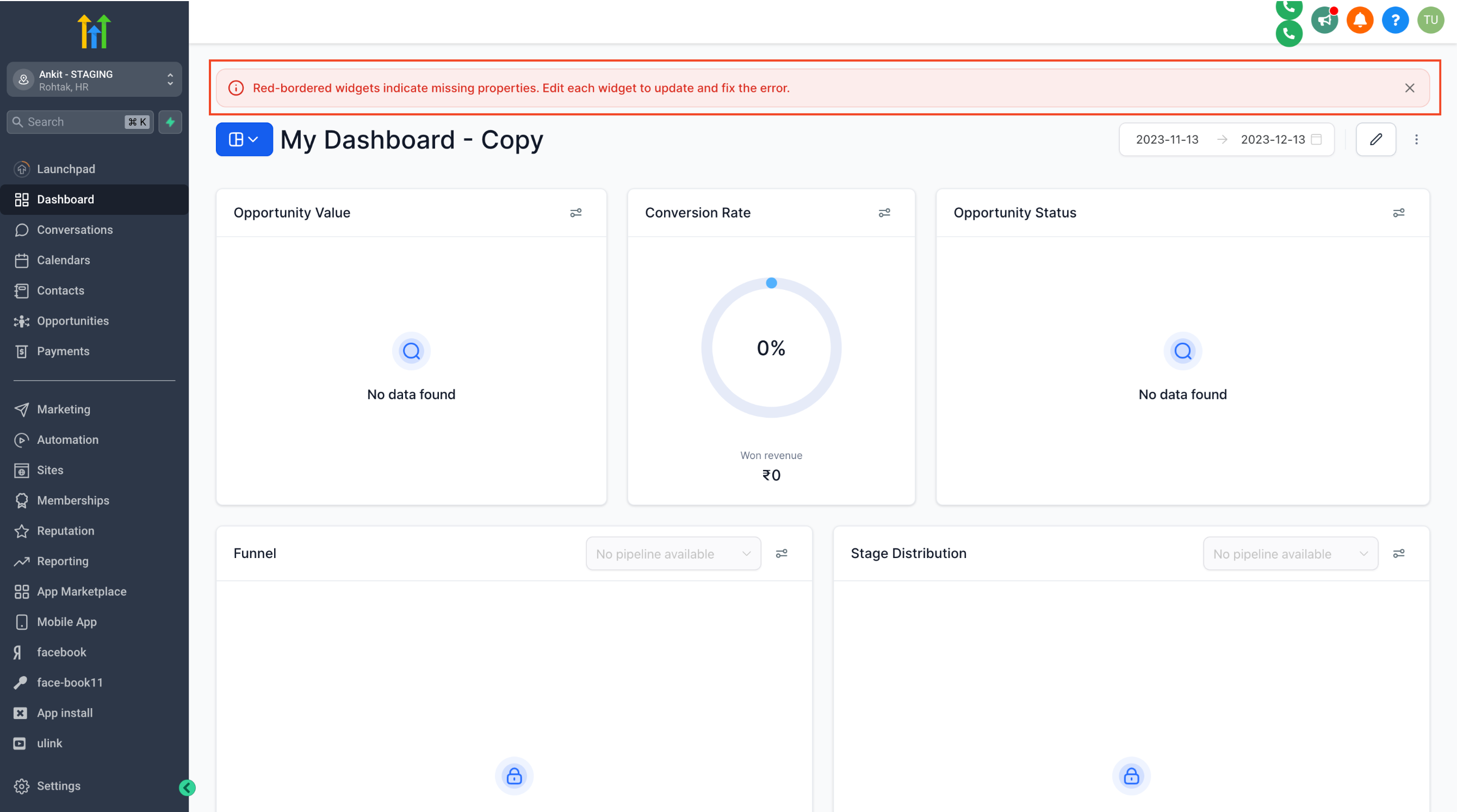
The duplication feature lets a user copy a dashboard from one subaccount and place it in another subaccount. The copied dashboard keeps the widget arrangement and visual settings, but it does not carry over the underlying data sources. Widgets that rely on data that does not exist in the target subaccount display a red border and show an "error while loading data" message.
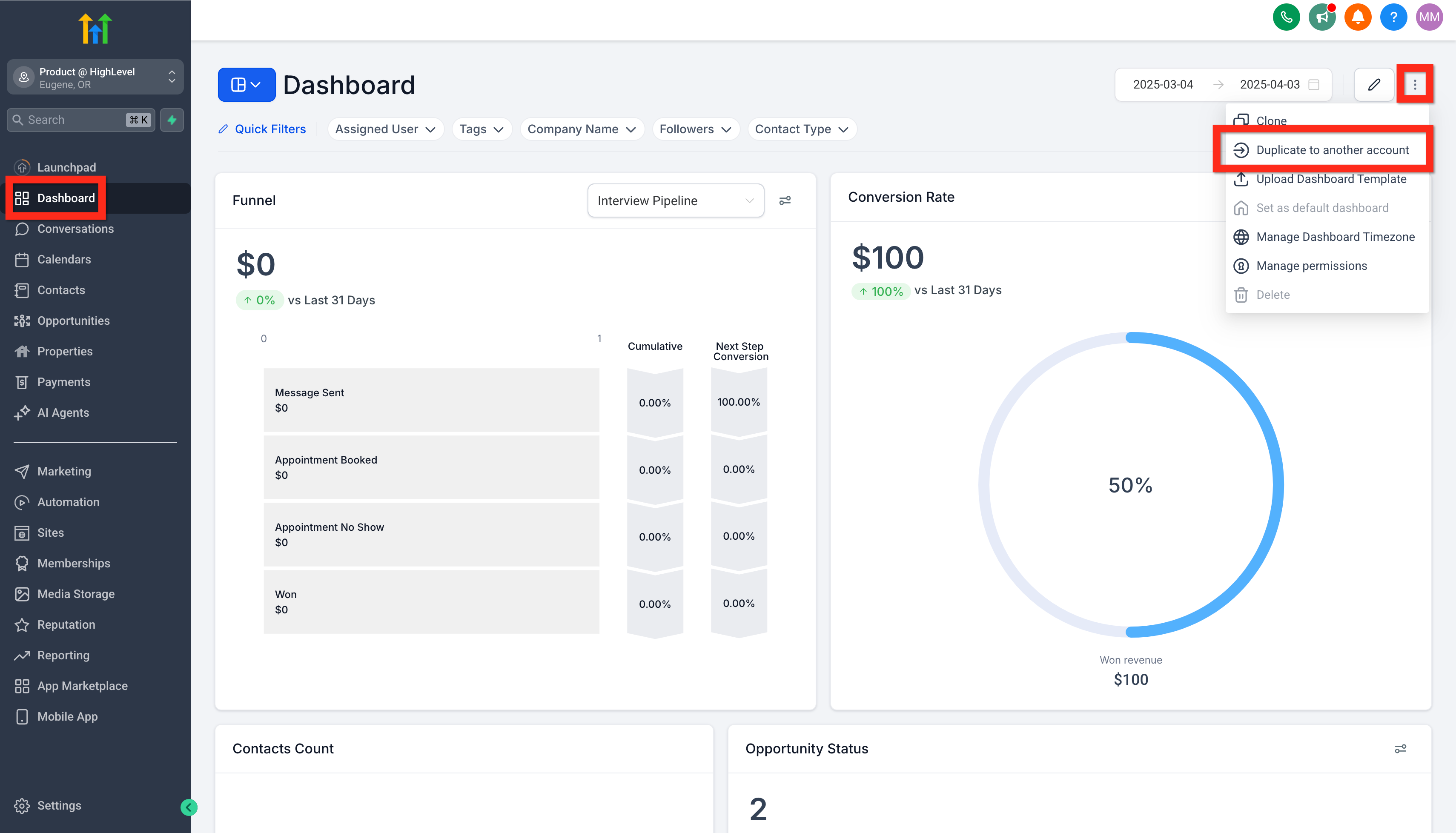
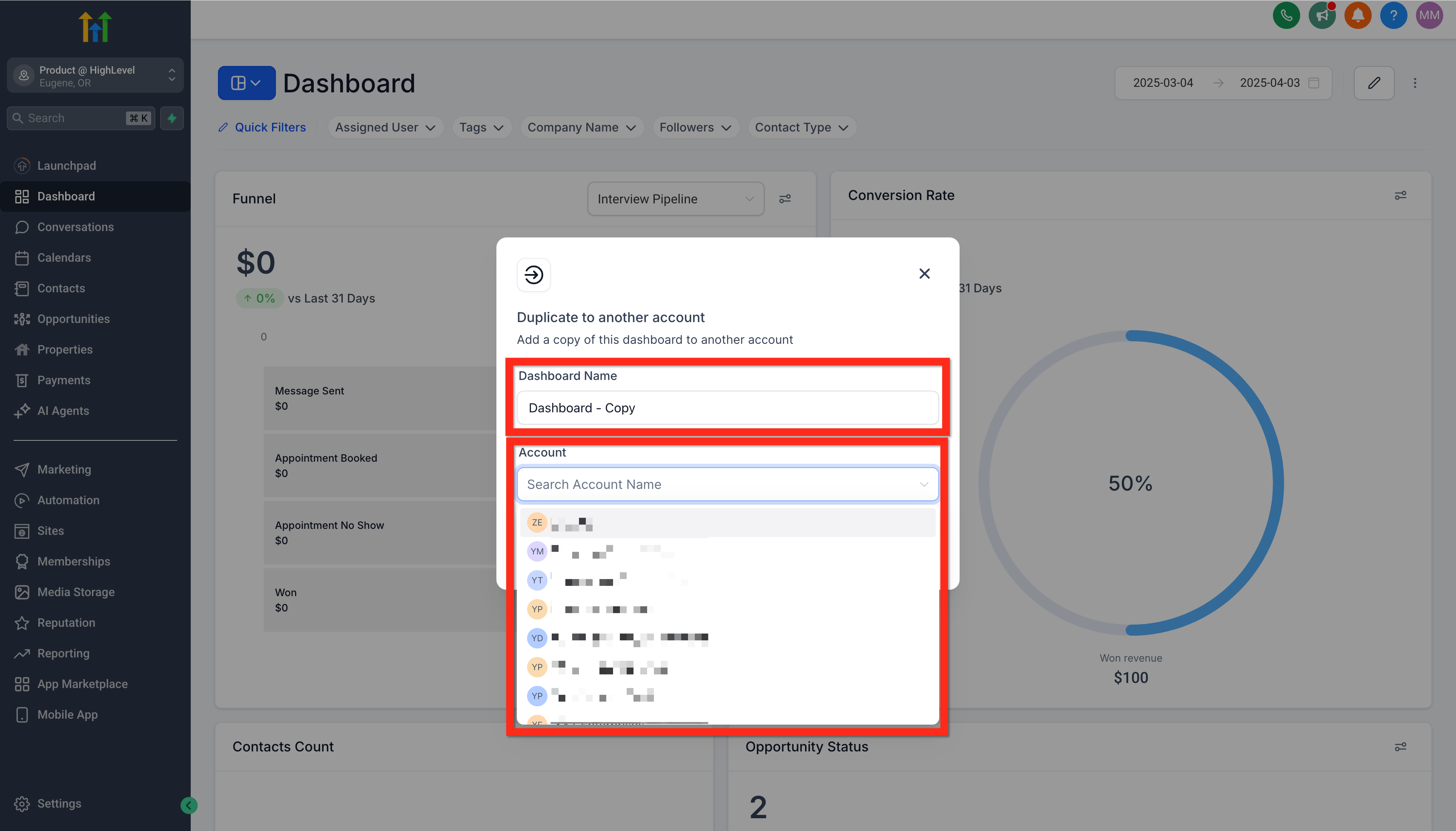
The function lives under the Dashboard area of a subaccount. From the action menu (three dots) on a dashboard you can choose the duplicate option, then specify the new name and the destination subaccount. The platform creates the new dashboard in the selected subaccount after you confirm.
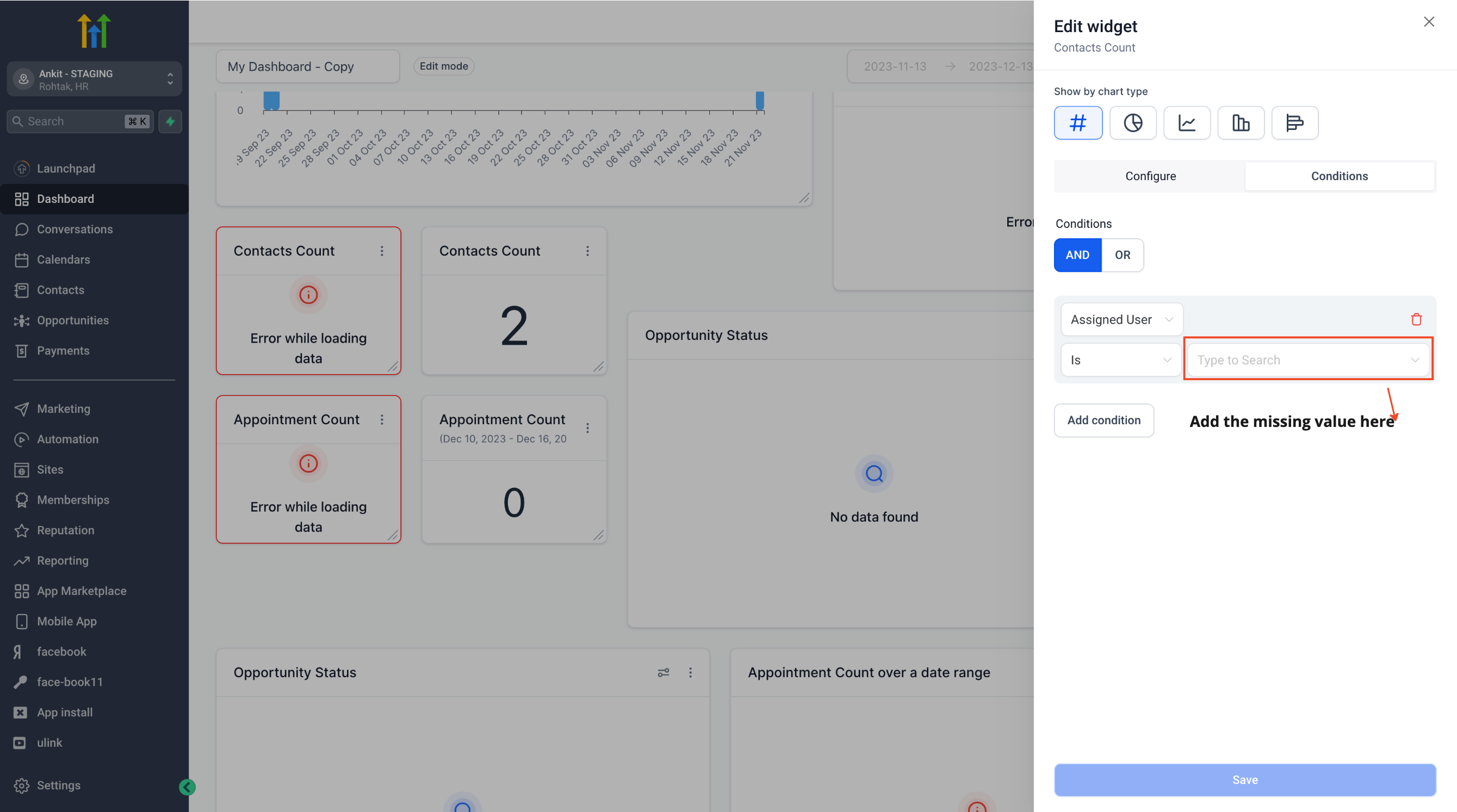
Because data sources are not duplicated, any custom values, pipelines, or forms that feed widgets must be present in the target subaccount. Otherwise, you will need to delete or reconnect those widgets after the copy is created.
03How businesses use dashboard duplication
- Marketing agency. The agency copies a client performance dashboard from its master subaccount to a new client subaccount. After duplication, the agency reviews widgets that show red borders and links them to the client’s own campaign data sources.
- SaaS startup. The startup duplicates a product usage dashboard from the development subaccount to the production subaccount. It then fixes any widgets that reference metrics that exist only in development by connecting them to production data.
- Real estate brokerage. The brokerage copies a sales metrics dashboard from the corporate subaccount to a regional office subaccount. It replaces widgets that rely on corporate only listings with widgets that pull from the region’s listings.
04Before you start
- You must have access to both the source subaccount and the target subaccount.
05How to set up and use dashboard duplication in HighLevel
Duplicate a dashboard to another subaccount
- In the source subaccount, open Subaccount > Dashboard, open the action menu (three dots) on the chosen dashboard, and select Duplicate to another subaccount.
- In the modal that appears, enter a name for the new dashboard, choose the target subaccount, and click the duplicate button.
- Review the new dashboard in the target subaccount and address any widgets showing red borders by deleting them or connecting them to appropriate data sources.
06What it looks like in HighLevel
07Things to know before you rely on it
- Data sources are not duplicated; widgets that depend on missing sources appear with red borders and an error message.
- Both source and destination subaccounts must be accessible to the user performing the duplication.
08If something goes wrong
- Widgets show red borders with "error while loading data" after duplication.. Delete the affected widgets or connect them to a data source that exists in the target subaccount.
09How to Clone a Subaccount Dashboard
Cloning subaccount dashboards in HighLevel lets you efficiently reuse an existing dashboard by creating a copy with a new title and privacy/access settings.
Cloning creates a new dashboard based on the original dashboard.
During cloning you can give the copied dashboard a new title and set its privacy/access permissions.
Clone a subaccount dashboard
- Navigate to Subaccount > Dashboard and open the target dashboard.
- Click the action menu (3 dots) on the original dashboard.
- Select the Clone button.
- In the Clone Dashboard modal, enter a title for the new dashboard.
- Set the dashboard's privacy/access permissions.
- Click the Clone button to create the cloned dashboard.
10How it connects to the rest of HighLevel
- Edit the duplicated dashboard to adjust widgets Edit dashboard
- Set permissions for the new dashboard in its subaccount Dashboard permissions
- Pin the duplicated dashboard as a favorite for quick access Pin favorite
Michael's take

I find duplicating dashboards convenient when managing multiple subaccounts because it avoids rebuilding the same layout for each one.