
01Who this is for
- Marketing agencies benefit from the custom value picker to build personalized links without manual merge codes.
- Sales teams can track link clicks in real time and feed that data into follow up workflows.
- Customer support managers can share exact filtered link lists with teammates for quick QA reviews.
02Trigger links, explained
The Trigger Links page now uses HighLevel’s HiRise design language. It replaces the old table view with a compact list that loads right away, lets you resize columns, and keeps filters sticky at the top. All actions such as edit, copy URL, analytics, and delete appear in a three dot menu that only shows relevant options.
A custom value picker button in the link creation modal opens a drawer where you can select any contact, company, or location field. HighLevel inserts the correct merge code into the destination URL, eliminating typos. Every change to search terms, page number, or rows per page updates the browser URL, so copying it shares the exact view with others who have appropriate permissions.
03How businesses use the trigger links
- Digital marketing agency. The agency creates a trigger link with the {} button to add the recipient's first name to the URL. They paste the link key into email templates, then monitor clicks to move contacts into nurture workflows.
- Real estate brokerage. Agents generate a link that includes the property ID custom value. They copy the filtered view URL and send it to the team, ensuring everyone reviews the same set of links during approvals.
- Health clinic. Staff copy the link key into SMS appointment reminders. When patients tap the link, the click logs on their record, allowing the clinic to track engagement without extra steps.
04The numbers and rules that matter
- Sharable URLs keep search term, page and row limit settings.
- Pagination lives at the bottom right corner and doubles as the row limit selector.
- No technical cap on Custom Values per link, but keep URLs under 2 KB.
05How to set up and use the trigger links in HighLevel
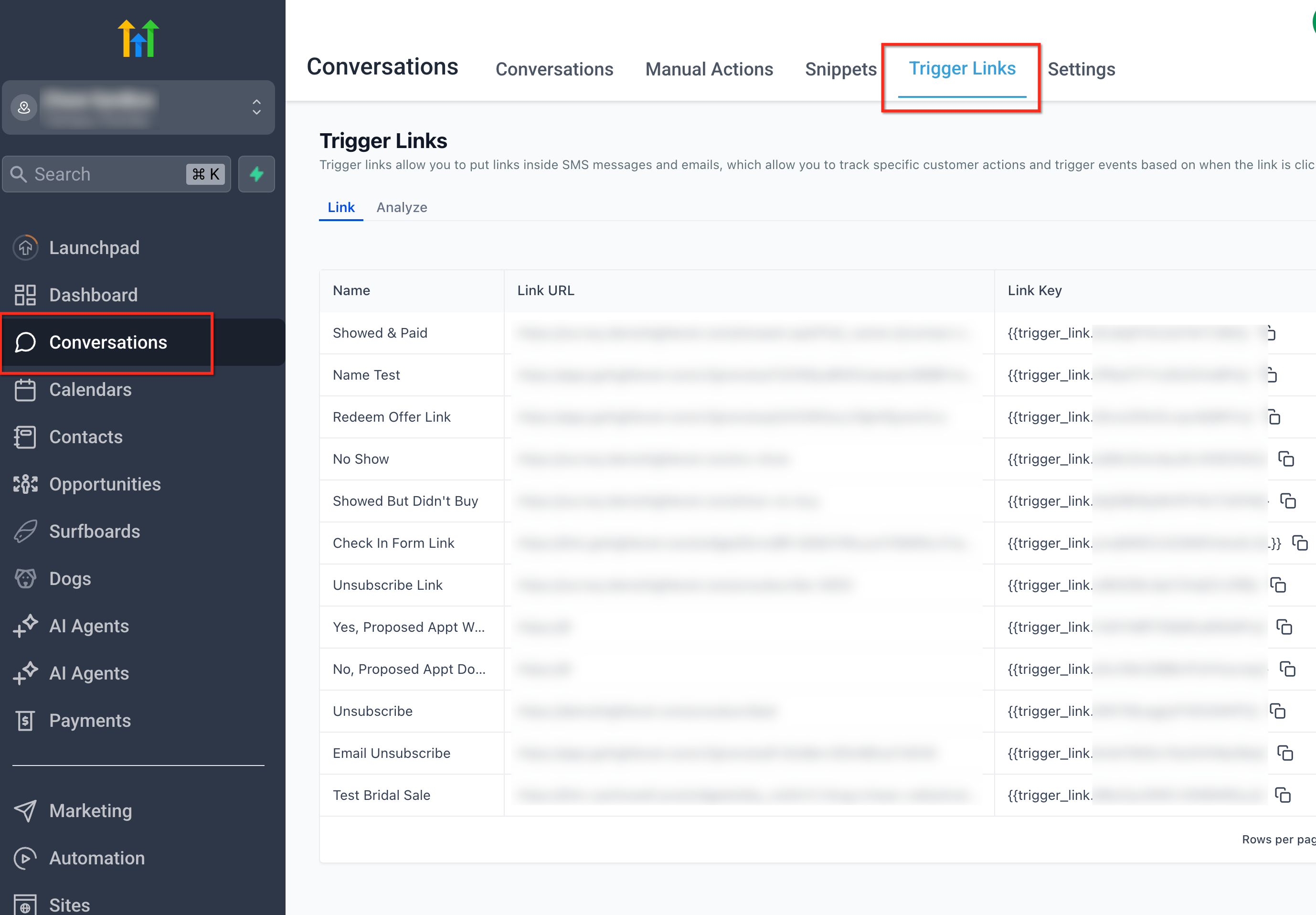
Open Trigger Links
- From the left sidebar, select Conversations and then click the Trigger Links tab at the top.
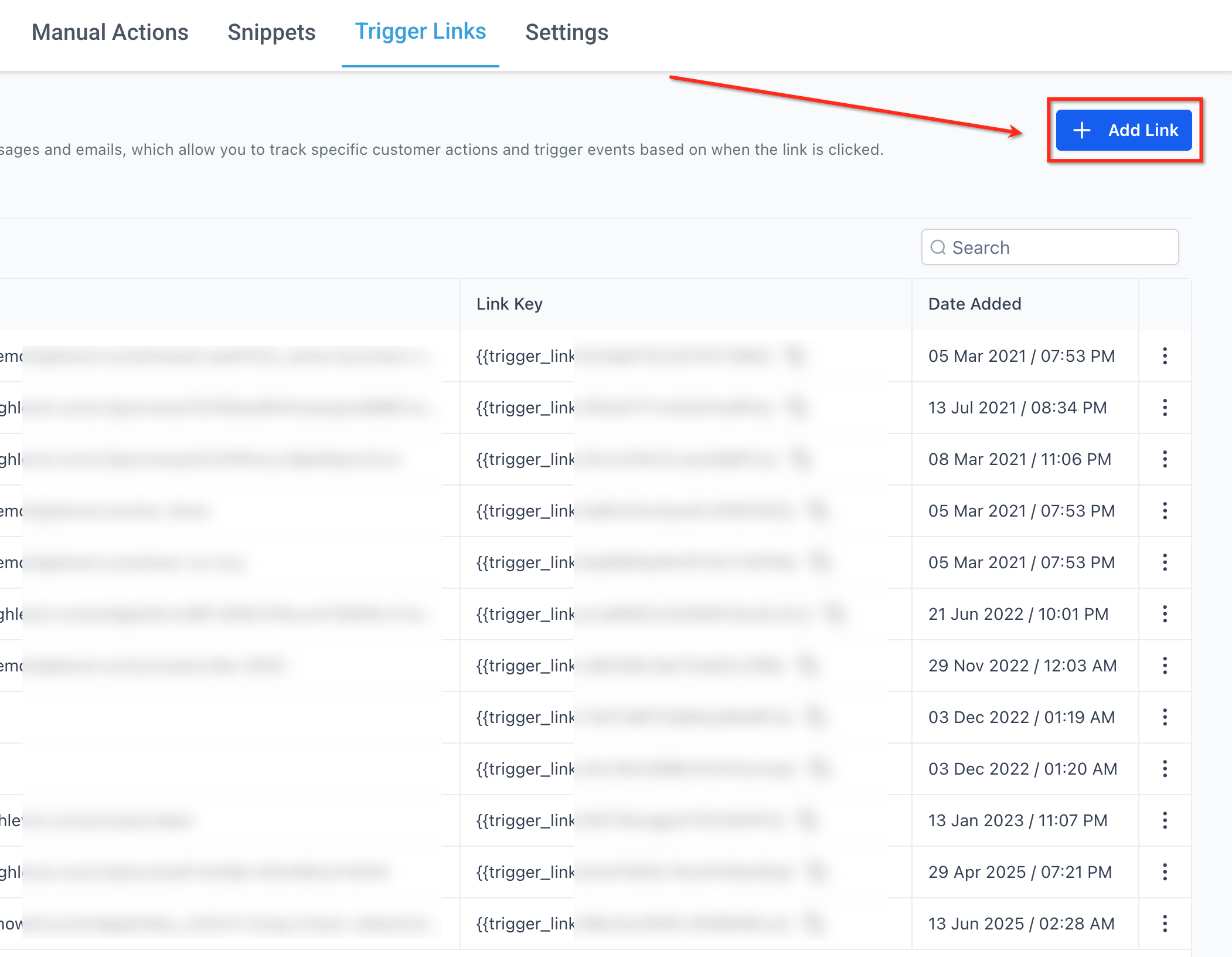
Add New Link
- Click the + Add Link button in the top right corner to open the creation dialog.
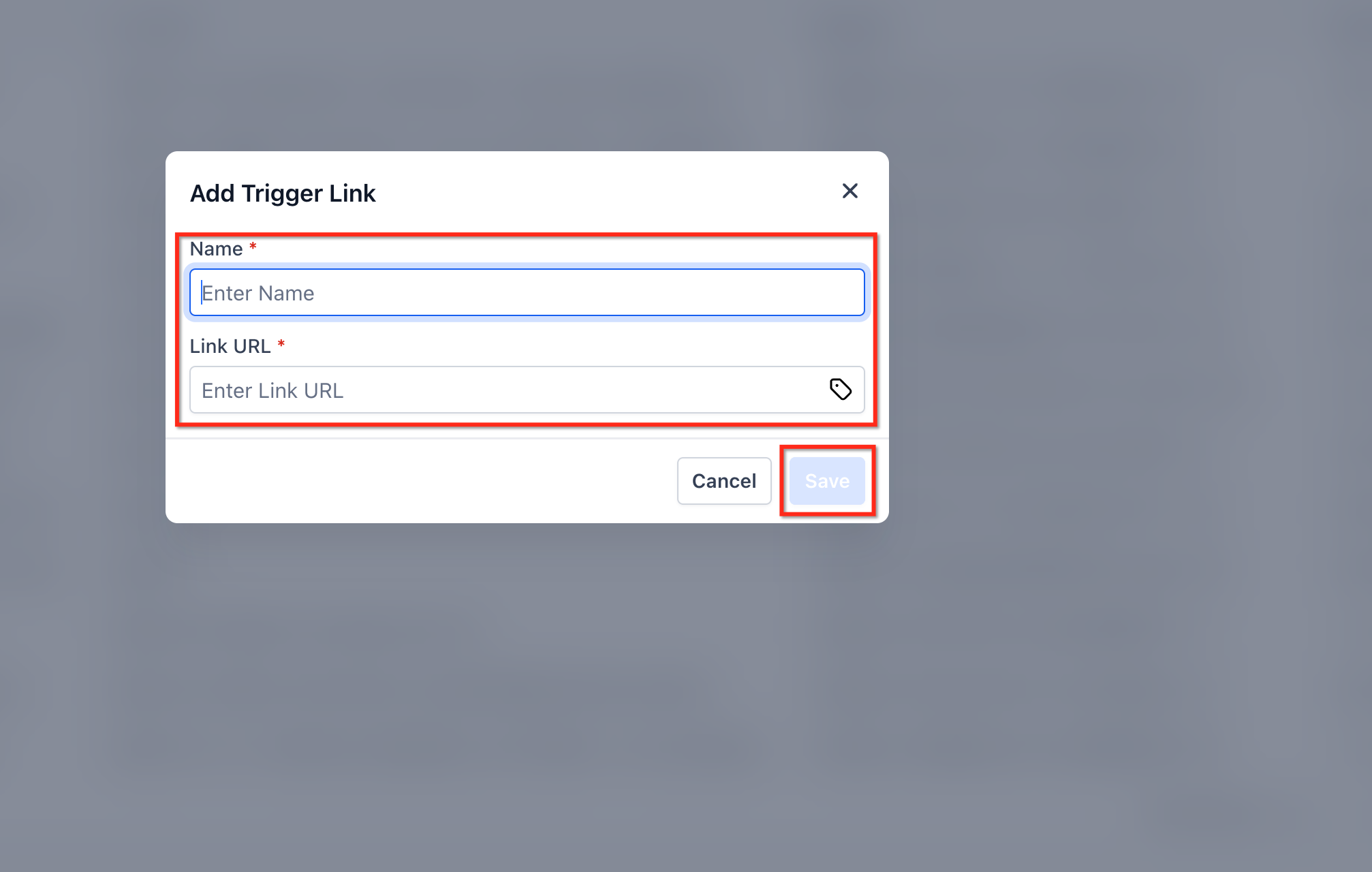
Enter Link Details
- In the modal, type a descriptive name for the link.
- Paste the destination URL into the Link URL field.
- If needed, click the {} button to insert a custom value into the URL.
- Click Save to add the link to the list.
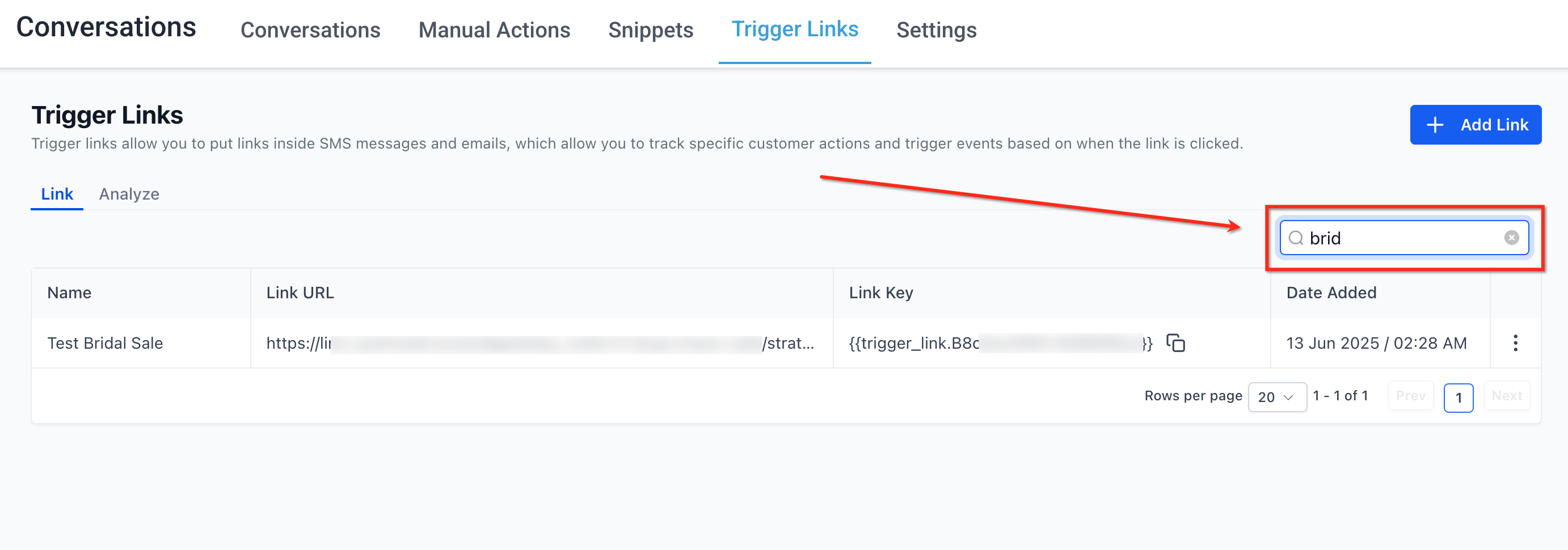
Search Links
- Enter part of a link name in the Search field on the right to filter the list right away.
Edit or Delete
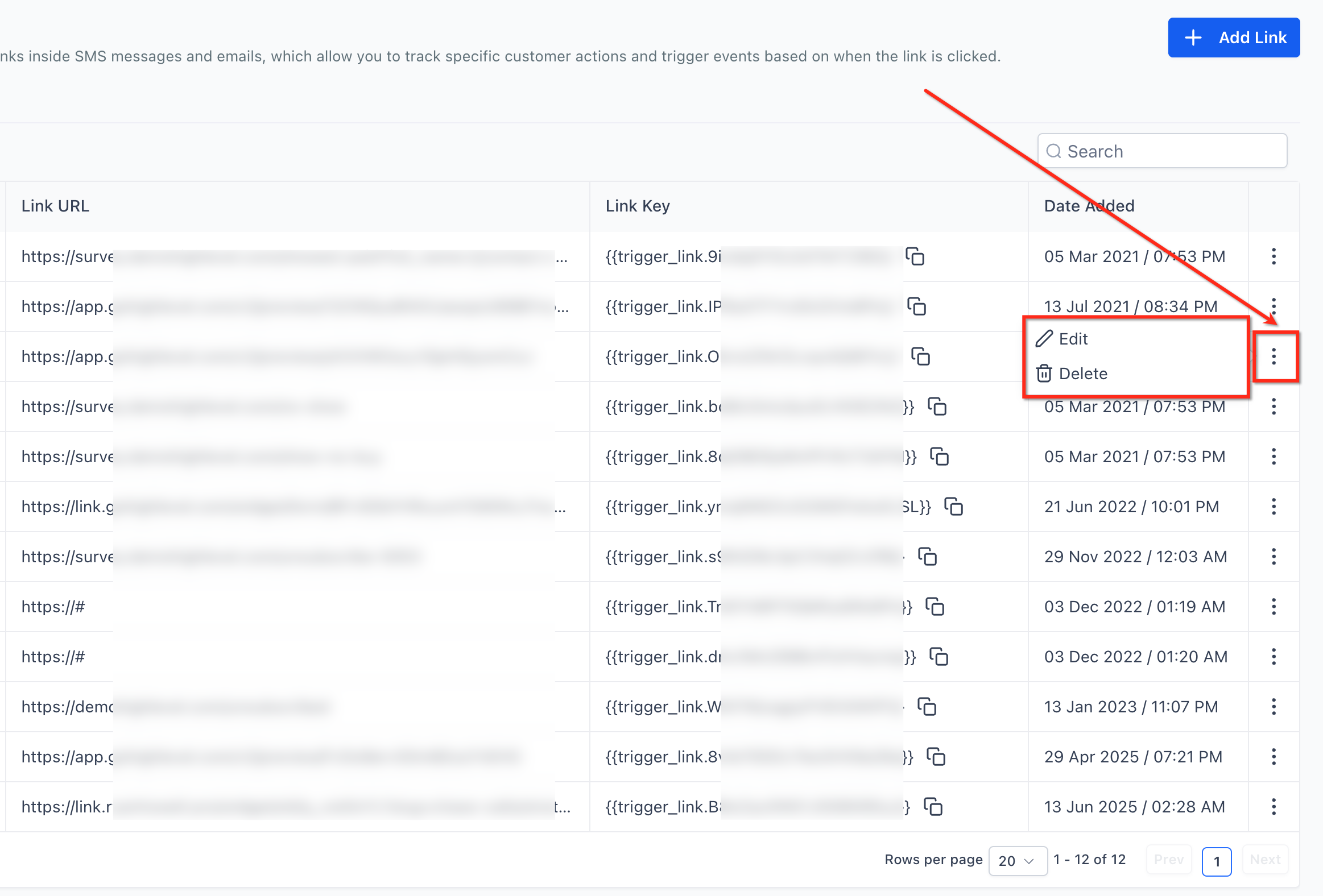
- Open the row’s three dot menu (⋮) and choose Edit or Delete as needed.
Copy Link Key
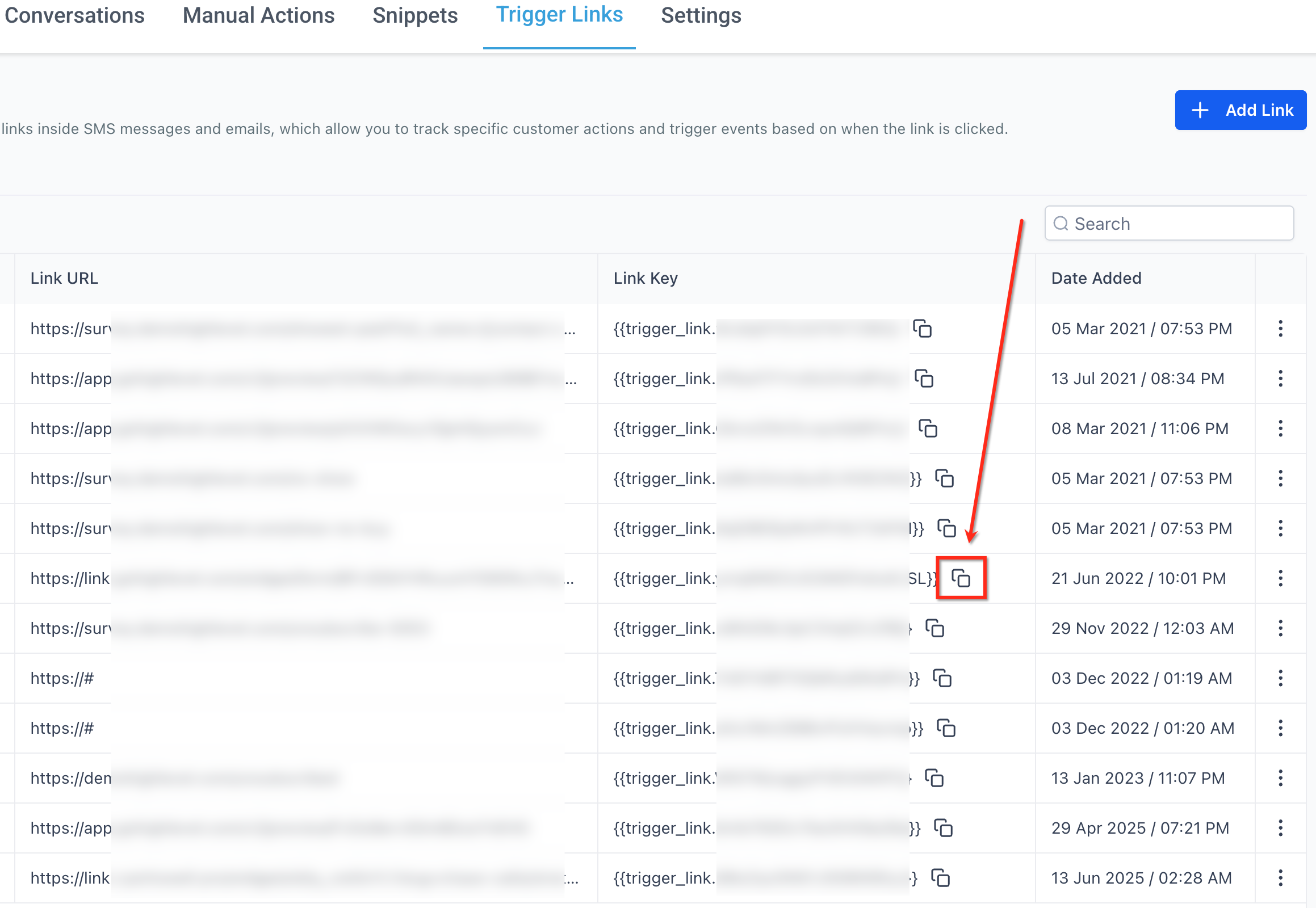
- Click the copy icon next to the Link Key to place the merge code on your clipboard.
06What it looks like in HighLevel
07Settings that matter
- {} button. Opens the custom value drawer that lets you select contact, company, or location fields to insert merge codes into the URL.
- Column resize via drag, and, drop. Allows you to adjust each column’s width by dragging the edge, customizing how much information is visible.
- Row, limit selector. Located at the bottom right, it sets how many rows appear per page and updates the URL in real time.
- Three, dot menu (⋮). Shows context aware actions such as Edit, Copy URL, Analytics, and Delete for the selected link.
08Things to know before you rely on it
- There is no technical cap on custom values per link, but URLs should stay under 2 KB for email client compatibility.
- The classic view has been deprecated; users are automatically redirected to the HiRise version.
- Shared URLs respect user permissions; teammates without access see an authorization error.
- Pagination controls have moved to the bottom right corner of the list.
09How it connects to the rest of HighLevel
- Learn how to build and use conversation filters, which complement the sticky filter bar on the Trigger Links page. Conversation filters
- Set up contact engagement scoring to leverage click data recorded by Trigger Links. Engagement scoring
- Review pricing and plan options if you need a plan that includes advanced automation features. Pricing
Michael's take

The HiRise redesign of Trigger Links feels like a clean upgrade that speeds up everyday work.
If you rarely use link tracking or don’t need the new UI, you can skip it.