
01Who this is for
- Support managers can monitor team adherence to response time standards and spot delays.
- Customer success leaders can compare channel performance to allocate resources where needed.
- Operations analysts can use aggregated metrics to evaluate overall service efficiency.
02SLA performance dashboard, explained
The SLA Performance Dashboard is a reporting view inside the Conversations module. It gathers data from Conversation SLA evaluations that have a final outcome, either met or breached, and displays aggregated percentages and averages. Only users with Admin permissions can view it, and it includes only messages where the SLA evaluation is complete. The dashboard becomes available for reporting after data started accumulating on May 23, 2026.
03How businesses use the SLA performance dashboard
- Software as a Service provider. The admin opens the SLA Performance Dashboard, sets a weekly date range, and reviews the SLA Met % and Average Response Time. By checking the user level tab, they identify agents who consistently meet response goals and those who may need coaching.
- Healthcare appointment center. The manager navigates to the dashboard, selects a month to date range, and examines channel level metrics to see whether phone, email, or chat responses are slipping. The insight guides staffing adjustments for the busiest channel.
- Ecommerce support team. An admin accesses the dashboard, filters for the past 24 hour window, and looks at SLA Breached % to spot any spikes. They then drill into the specific users responsible at the time of evaluation to address gaps.
04The numbers and rules that matter
- Only messages with completed SLA evaluation, either met or breached, are included in reports.
- Data for the SLA Performance Dashboard is available starting May 23, 2026.
05Before you start
- Conversation SLAs must already be configured in the subaccount.
- The user must have Admin permissions.
06How to set up and use the SLA performance dashboard in HighLevel
Access the SLA performance dashboard
- Confirm that Conversation SLAs are set up in the subaccount.
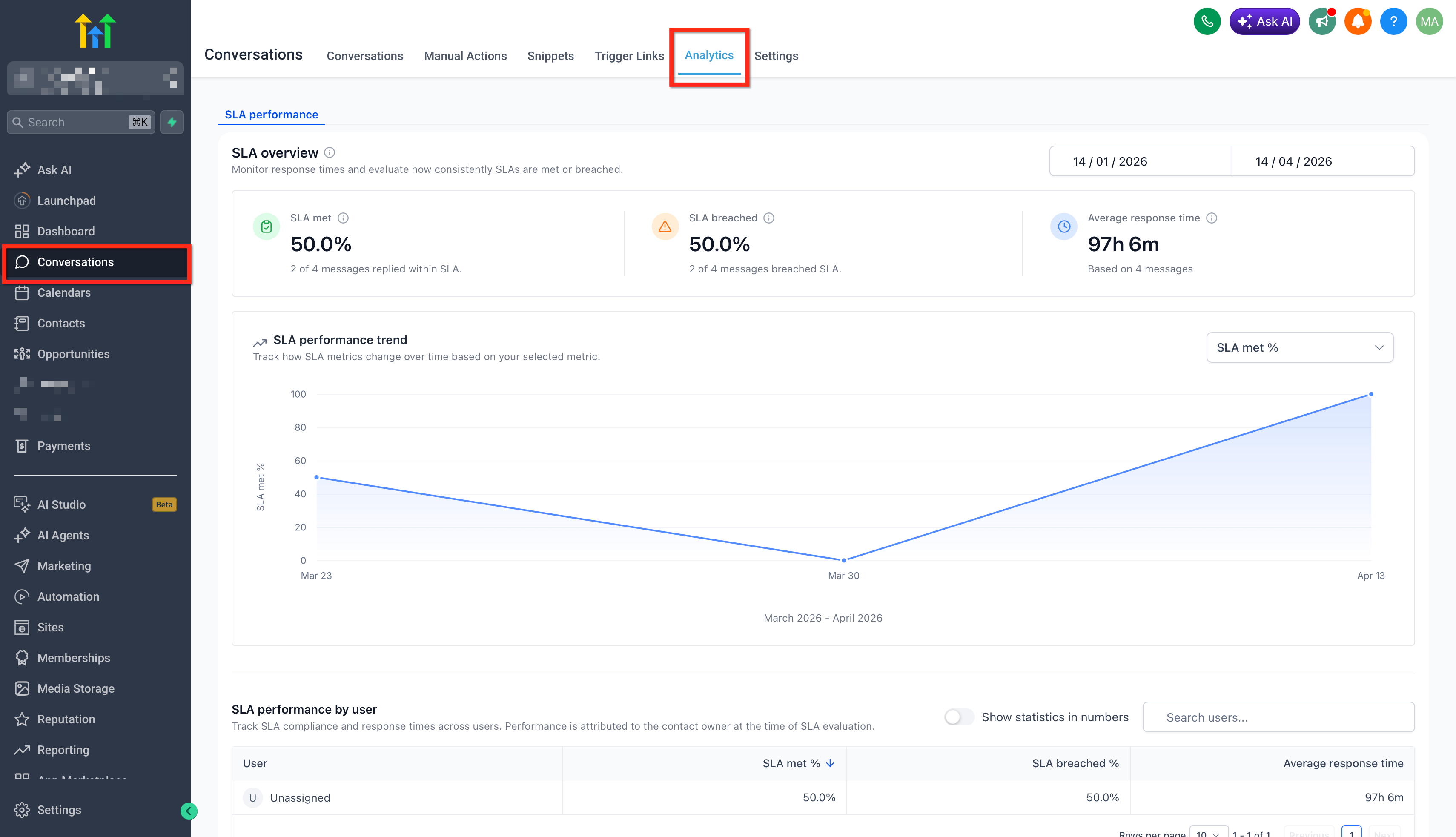
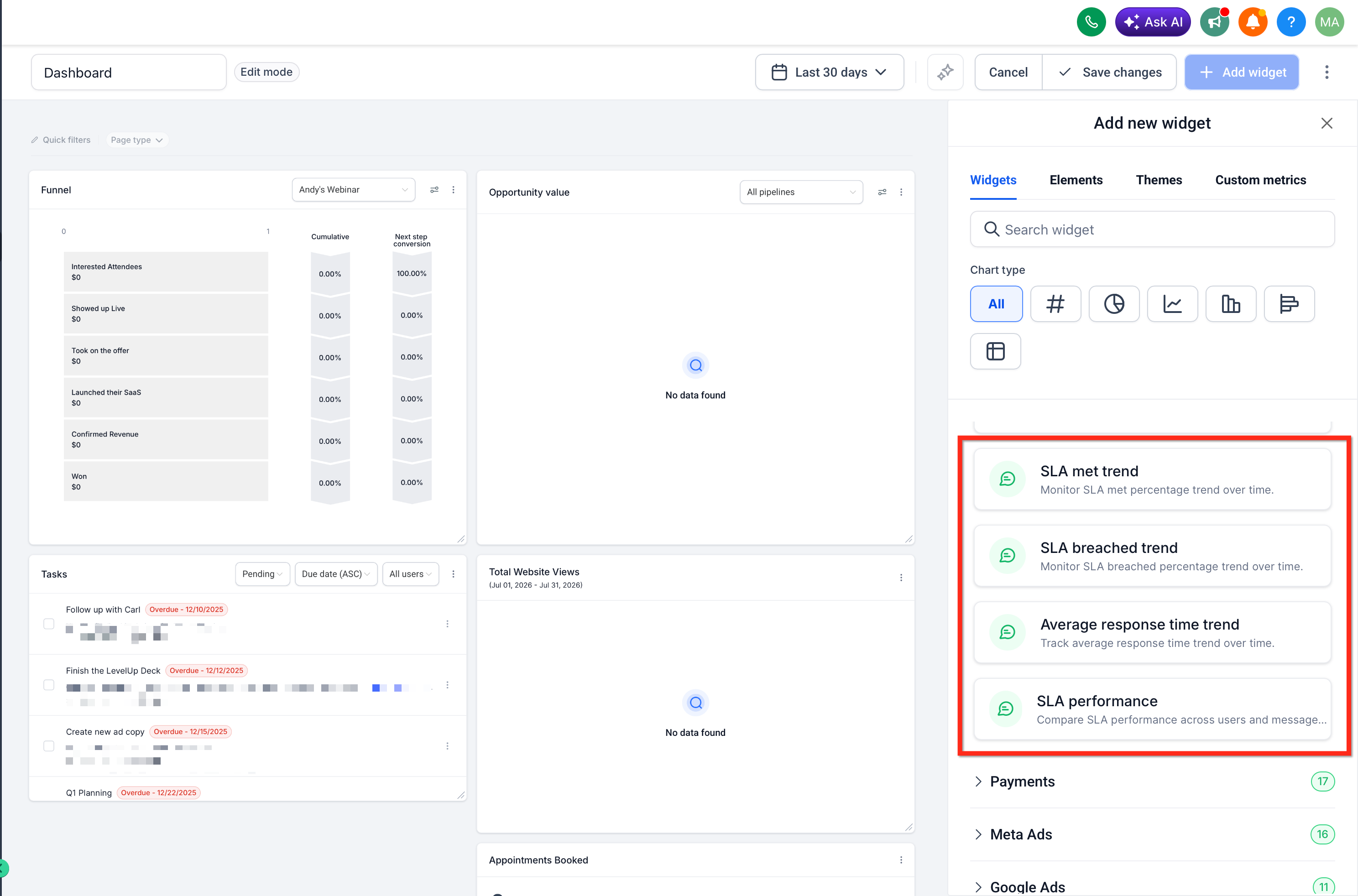
- Navigate to Conversations > Analytics > SLA Performance.
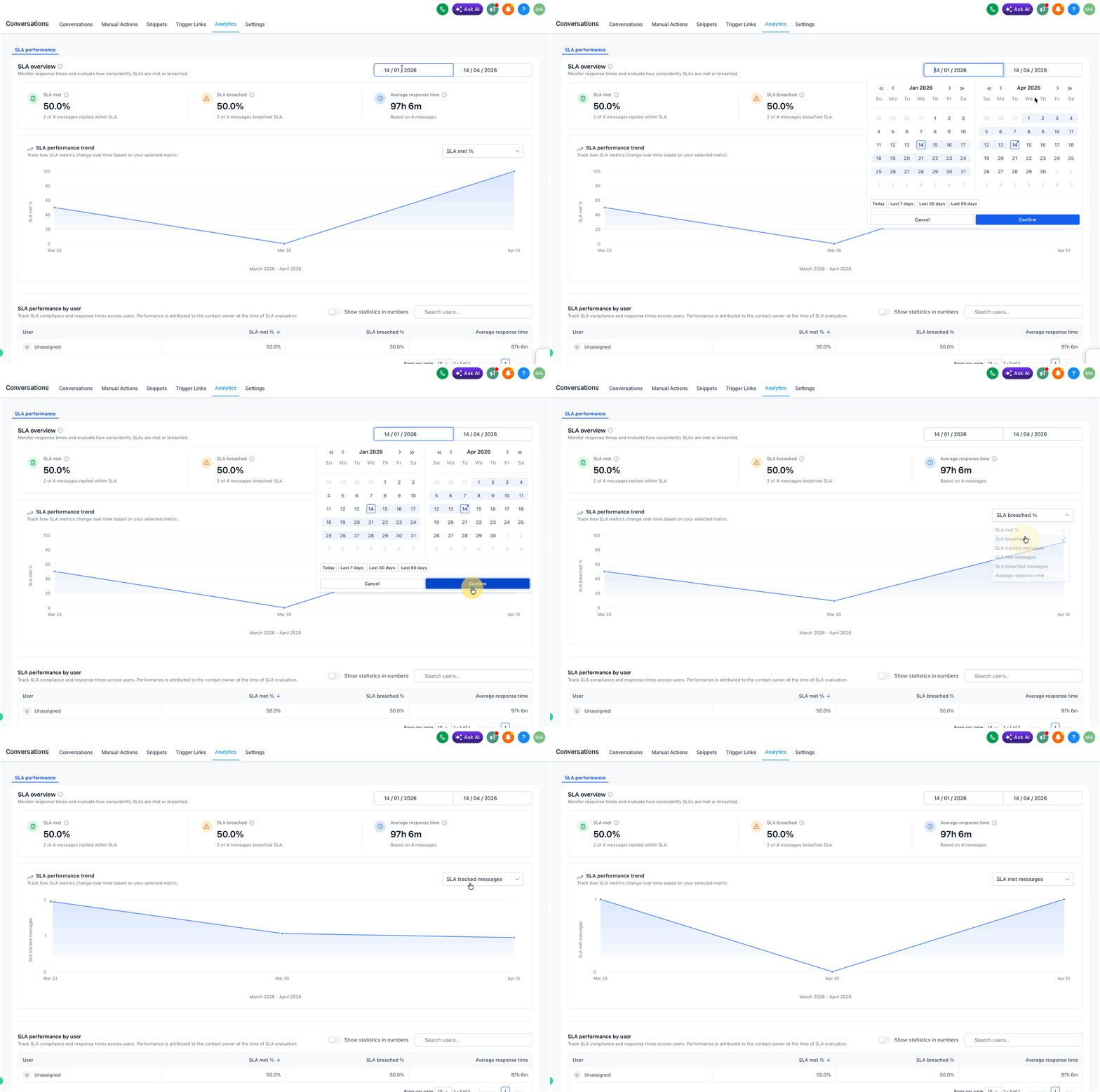
- Choose the desired time range and view the overview metrics.
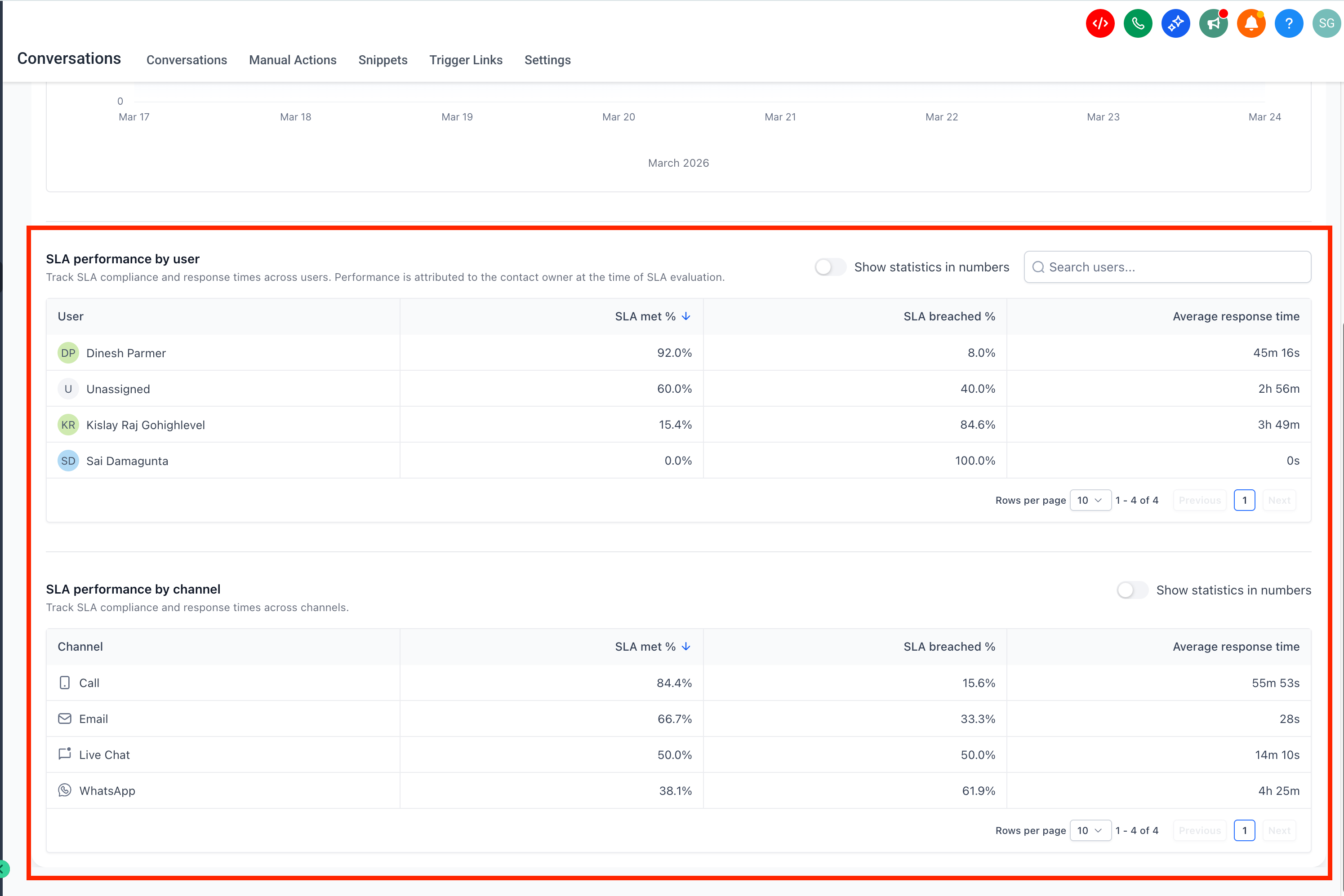
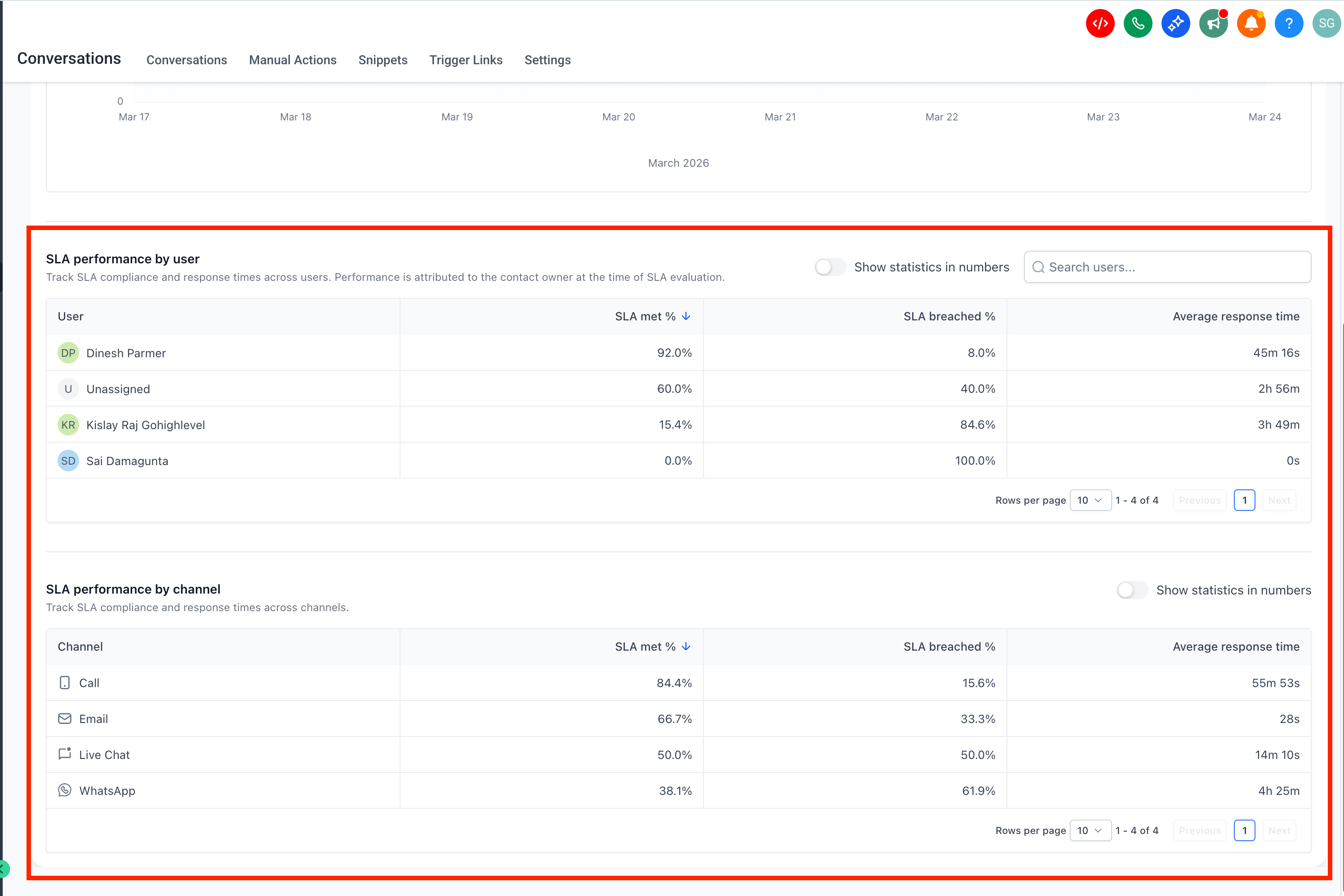
- Examine the user level and channel level sections for detailed performance.
07What it looks like in HighLevel
08Things to know before you rely on it
- Only Admins can view SLA Performance reports.
- Reports include only messages with a completed SLA evaluation (met or breached).
- Conversations marked as read without a reply are excluded from the data.
- Performance is attributed to the user assigned at the moment of SLA evaluation.
- Dashboard data is available starting May 23, 2026.
09How it connects to the rest of HighLevel
- Explore all Conversations features All Conversations features
- Review HighLevel pricing and plans HighLevel pricing
- Start a 30 day HighLevel trial 30 day trial
Michael's take

Michael ReimerFounder of CRM Pros, HighLevel Commander and Certified Admin
I recommend confirming that Conversation SLAs are set up, then reviewing the SLA Performance Dashboard to see which users or channels may need attention.
Get More InformationOpens on HighLevelPublished November 2, 2026 · Updated November 17, 2026