
01Who this is for
- Founders who manage multiple client businesses can keep a single record per domain to avoid duplicate company entries.
- Marketing teams benefit because contacts with business emails are matched to the correct company automatically.
- Operations managers can bulk fill missing domains for legacy records, improving data consistency.
02Company domain name fields, explained
The company domain name field holds one web address such as acme.com. When duplicate prevention is active, the platform blocks any other company from using the same domain, ensuring a single record per business. The same field is used to match new contacts by their email domain, linking them to the appropriate company automatically.
You can see the field on the company record under Company Info, as a column in the companies list, and in imports, smart lists and the API as the domainname attribute. Adding a domain is a manual three step process, and you can also enable automatic company creation from contact email domains or run a bulk fill for existing companies. Manually entered domains are never overwritten.
03How businesses use company domain name field
- Digital marketing agency. The agency adds each client’s website domain to the client’s company record. When leads arrive with business emails, the system matches them to the correct client company, avoiding duplicate client entries.
- Real estate brokerage. The brokerage turns on duplicate prevention so that each real estate office can only have one company record per domain, preventing accidental creation of multiple office records for the same website.
- SaaS startup. The startup runs the bulk fill option to populate missing domains on legacy company records, enabling automatic matching of new trial users who sign up with corporate email addresses.
04How to set up and use company domain name field in HighLevel
Add a domain to a company record
- Open the company record you want to edit.
- Enter the domain (for example acme.com) in the Domain name field under Company Info.
- Click Save to store the domain on the record.
05What it looks like in HighLevel
06Settings that matter
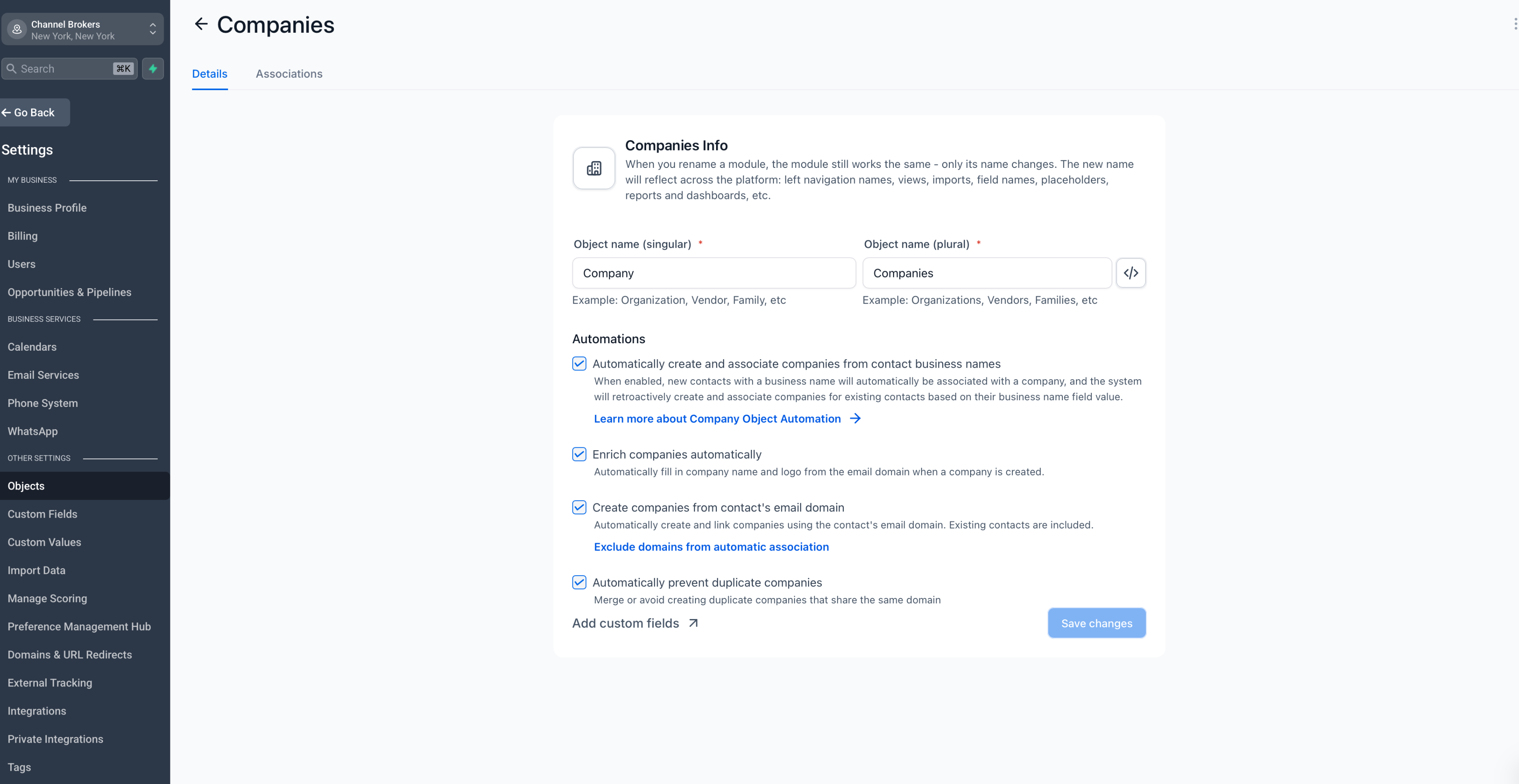
- Automatically prevent duplicate companies. When turned on, the system blocks any new company from using a domain that already exists on another company, enforcing one company per domain.
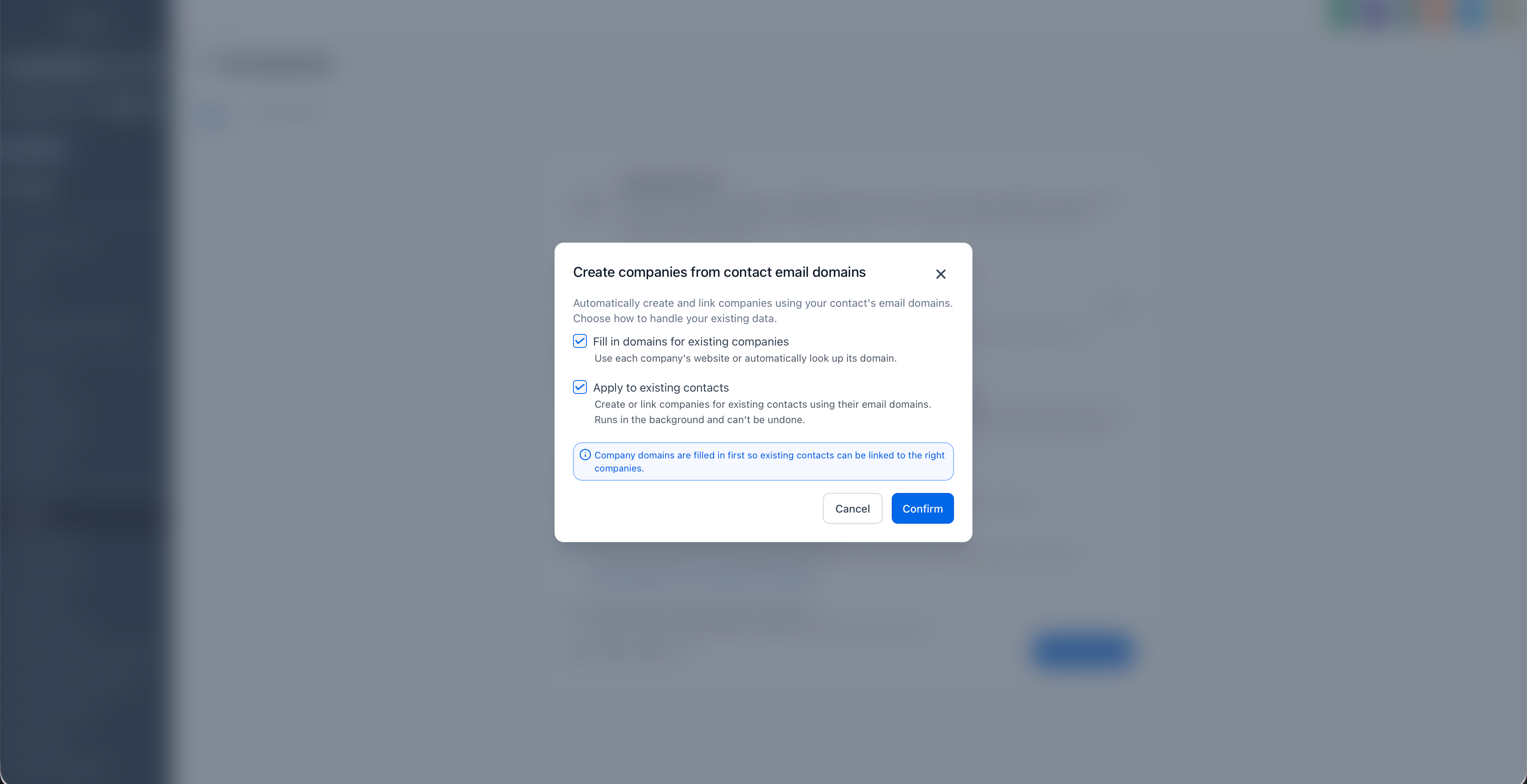
- Create companies from contact's email domain. Enables automatic creation of a new company record using the email domain of an imported contact, and offers the option to fill in domains for existing companies.
07Things to know before you rely on it
- Only one domain can be stored per company; additional domains must be managed manually.
- Duplicate prevention stops new duplicate domains but does not merge existing duplicate company records.
- Domain matching is exact; subdomains such as mail.acme.com are treated as separate from acme.com.
- Enter domains without https://, www., paths, or email addresses.
- Bulk filled domains cannot be undone and never replace a manually entered domain.
- The bulk fill process skips free email providers, social media URLs, non domain values, and companies that would end up sharing a domain.
08How it connects to the rest of HighLevel
- Getting started with companies in HighLevel Companies overview
- Automatic company creation and enrichment Auto creation
- How to use company fields as custom values in HighLevel Custom values
- HighLevel pricing and plans Pricing
Michael's take

Wondering if you really need to bother with the domain field? It’s the quiet guardian that stops you from accidentally creating two records for the same business and makes sure inbound contacts land in the right spot.
If I were setting up a new account, I’d turn on Automatically prevent duplicate companies right away. It saves the headache of cleaning up duplicate records later, and you can still add domains manually without ever losing what you typed.