
01Who this is for
- Agencies that build white labeled apps, they gain a faster launch path and hands off provisioning.
- App owners who need to show subscribers why an app is unavailable, the cancelled from live screen guides renewal.
- Partner resellers, webhook automation lets them provision new apps without manual steps.
02ClientPortal Builder Enhancement Pack, explained
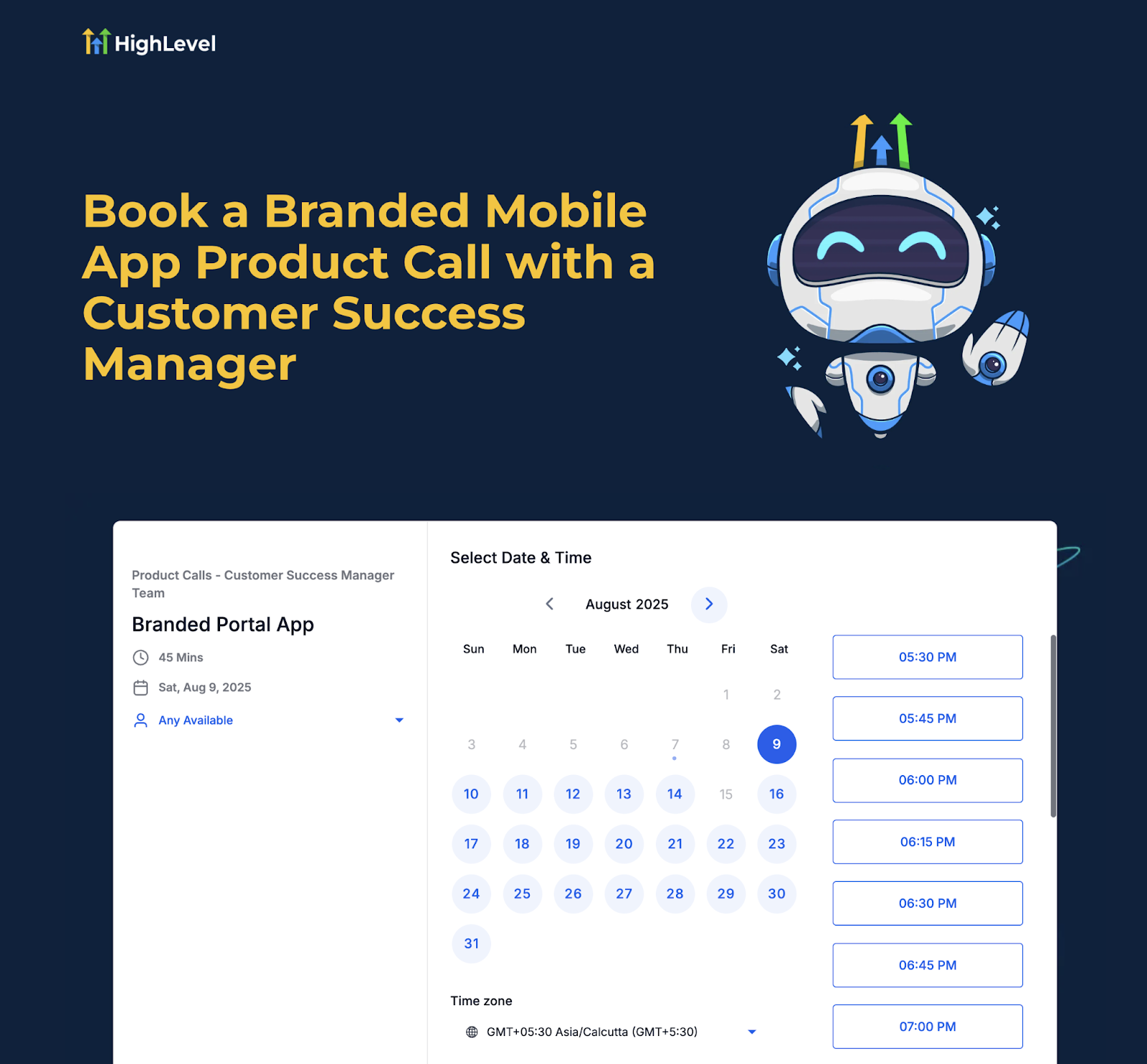
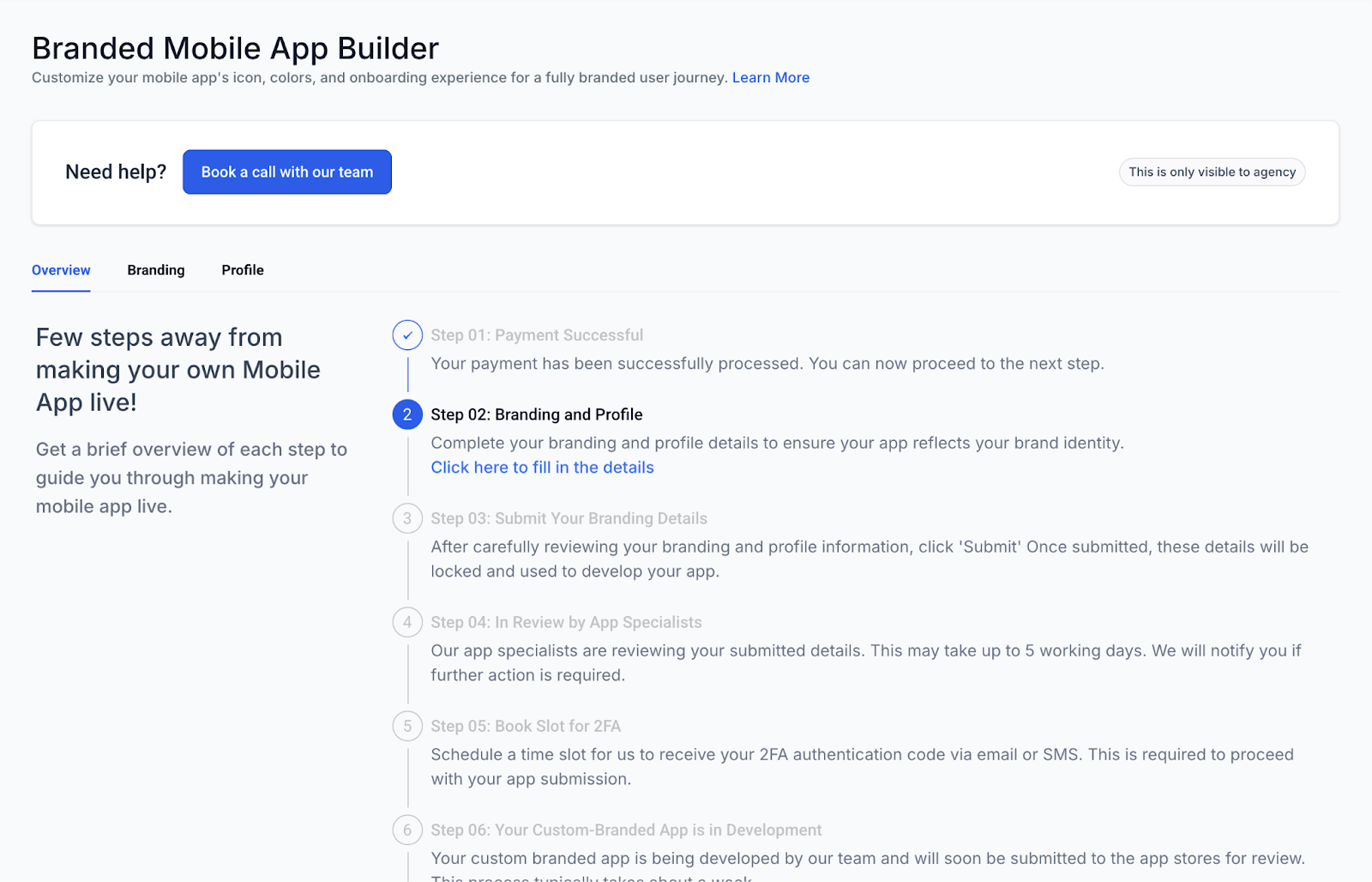
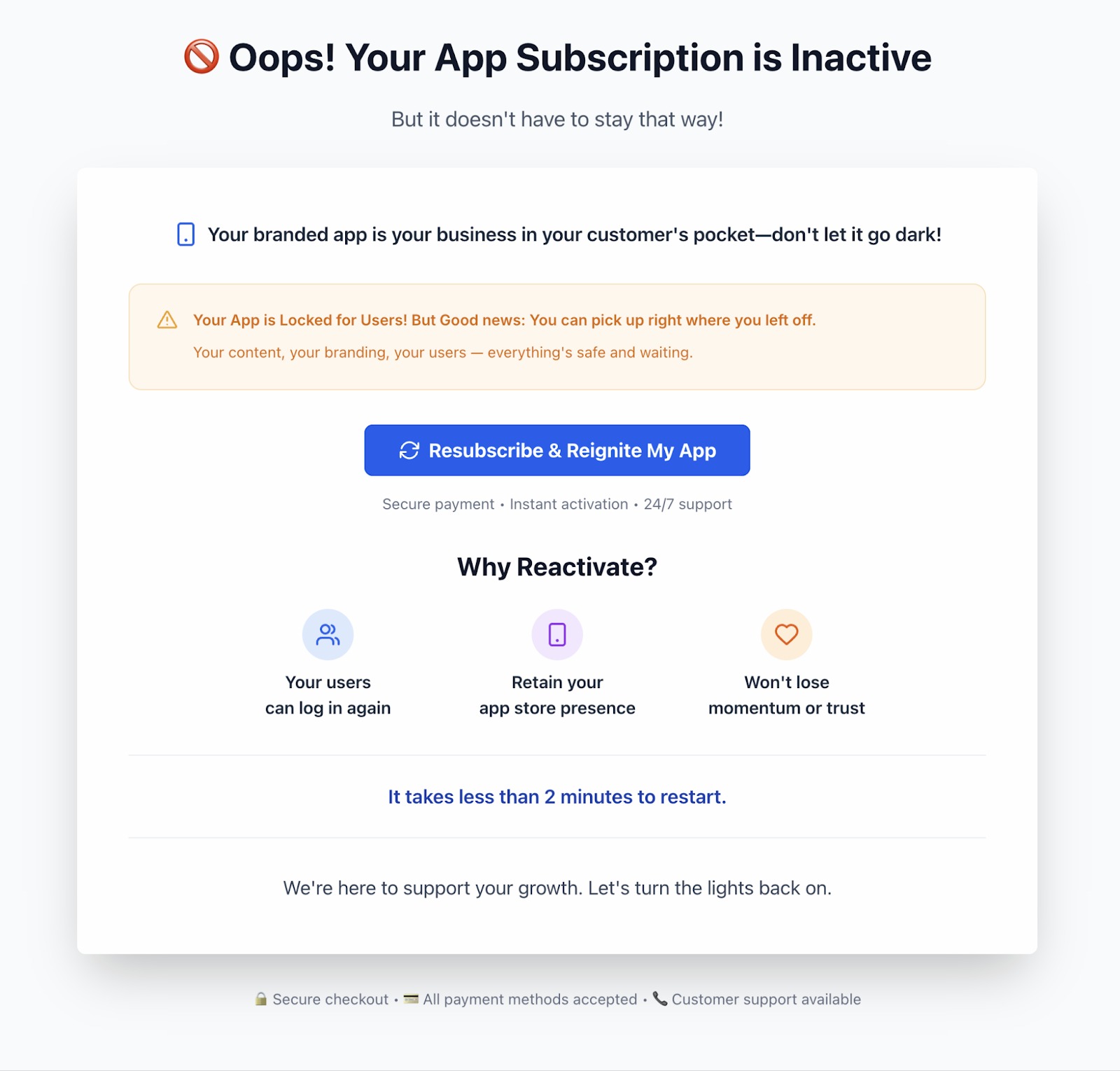
The pack upgrades the ClientPortal Builder with three new capabilities. First, a “Book a Call” button appears for eligible agency accounts, letting them book a guided onboarding session directly from the builder. Second, when a branded app subscription is paused or cancelled, the app displays a Cancelled from Live screen that tells the user the app is not active and offers a way to resume. Third, webhook handling is expanded so partners can automatically create, pause, or resume subscriptions via secure endpoints, reducing manual provisioning.
All three features live inside the ClientPortal Builder interface. The “Book a Call” option is accessed while editing a branded app project. The Cancelled from Live screen is shown automatically inside the end user app whenever the subscription state changes. Webhook automation is configured on the agency’s integration side and follows the same create, pause/cancel, and resume event patterns used elsewhere in HighLevel.
03How businesses use the ClientPortal Builder Enhancement Pack
- Marketing agency. The agency opens the ClientPortal Builder, selects a new branded app project, and clicks Book a Call to schedule a specialist session. After the call, the agency uploads logos, store credentials, and submits the app for review.
- Fitness studio. When its membership app subscription is paused, the studio’s users see the Cancelled from Live screen. They follow the on screen prompt to renew their plan directly inside the app, restoring access right away.
- Software reseller. The reseller configures a secure webhook endpoint that listens for create events. When a new client signs up, the webhook automatically creates the corresponding subscription in HighLevel, eliminating manual entry.
04Before you start
- An agency account must have access to the ClientPortal Builder.
- Required brand assets and store developer credentials should be ready before scheduling a call.
05How to set up and use the ClientPortal Builder Enhancement Pack in HighLevel
Book a call (agencies)
- Open the ClientPortal Builder from the agency dashboard.
- Select the branded app project you intend to launch.
- Click the Book a Call button displayed in the builder.
- Choose a date and time, then confirm your contact information.
- Submit the request and gather the required assets before the scheduled call.
Handle “Cancelled from Live” states
- Notice the Cancelled from Live screen when a subscription is paused or cancelled.
- Read the message and impact note presented on the screen.
- Tap the provided call to action to complete renewal or resume payment.
- After successful payment, relaunch the app and verify the status screen is gone.
Enable webhook based automation
- Create secure webhook endpoints that can process create, pause/cancel, and resume events.
- Map the payload fields to your billing or provisioning system, ensuring idempotent handling.
- Test the automatic subscription creation flow in a staging environment.
- Monitor logs and set up alerts for any failures or retry attempts.
06What it looks like in HighLevel
07Settings that matter
- Book a Call. Enables agencies to schedule a guided onboarding session directly from the ClientPortal Builder.
- Cancelled from Live. Shows a status screen to end users when the app subscription is paused or cancelled, prompting renewal.
- Webhook endpoint. Specifies the URL that receives subscription lifecycle events for automatic creation, pause, or resume actions.
08Things to know before you rely on it
- The Book a Call feature appears only for agency accounts that are eligible.
- Webhook automation is optional; partners may use manual provisioning if preferred.
- The Cancelled from Live screen displays exclusively when a subscription is paused or cancelled.
09How it connects to the rest of HighLevel
- Step by step client portal setup guide Client portal setup
- Managing subscriptions inside the client portal Subscription management
- HighLevel pricing and plan details Pricing
Michael's take

If an agency already has a streamlined internal process for app launches and uses a separate system for subscription management, adding the Enhancement Pack may add little value. The extra steps to configure webhooks and capture cancellation reasons could feel like overhead when the existing workflow already meets the agency’s needs.