
01Who this is for
- Founders who want to launch a custom member portal without writing code, because Vibe coding builds pages from a simple description.
- Coaches offering online courses who need a branded app that integrates course browsing, purchasing and lesson playback directly for members.
02Vibe coding, explained
Vibe coding is an AI feature inside the Client App Builder. You type a description of the business, select a design system, and the AI generates every page, linking it to real data such as courses, community groups, files and appointments. The generated app runs as a fast, secure site where members stay inside the app for lessons, profiles and community interactions.
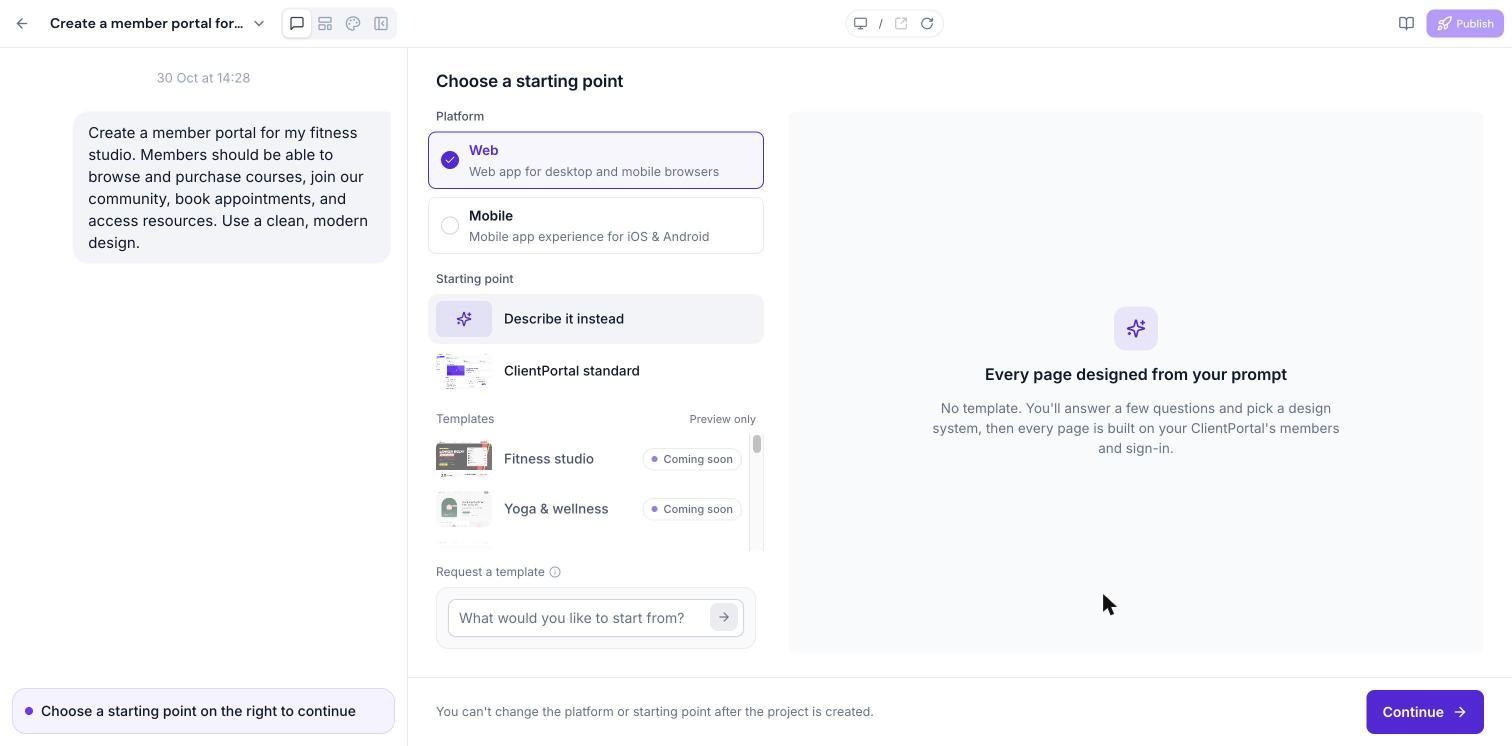
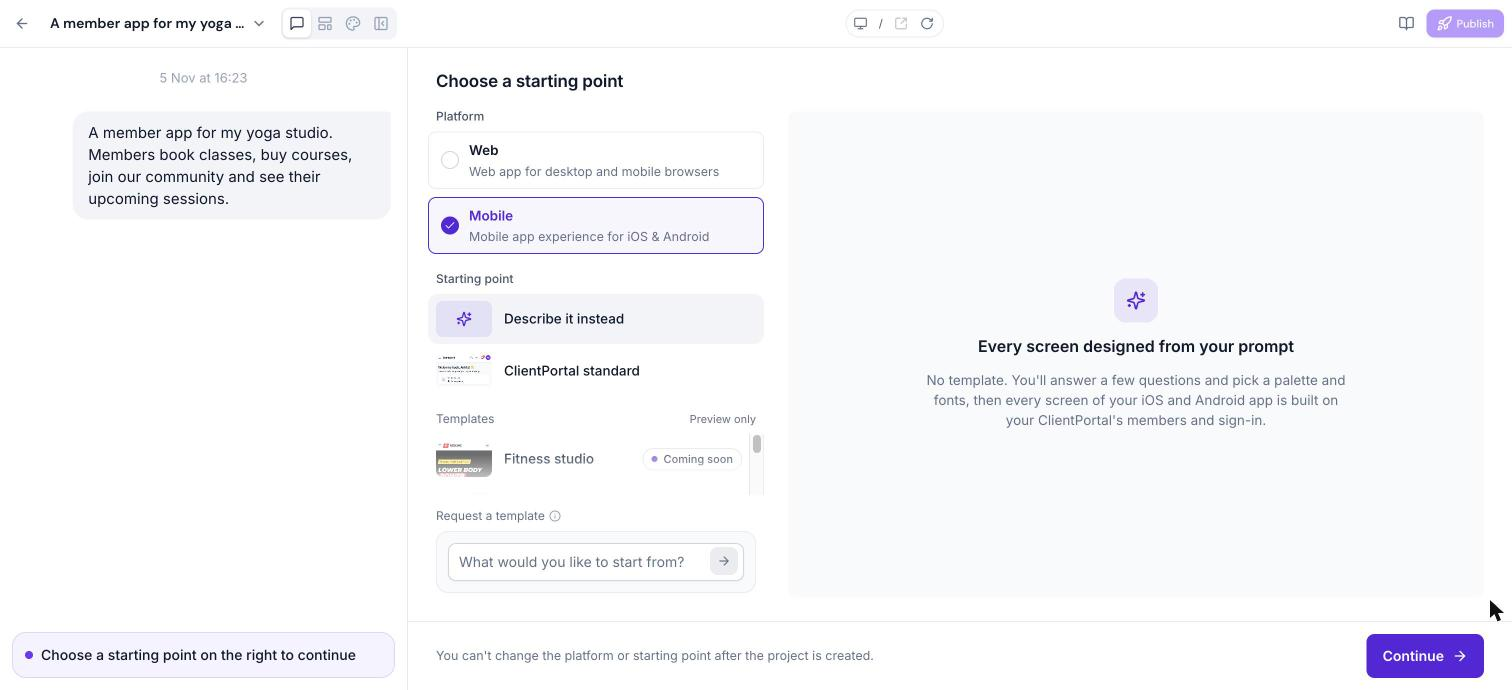
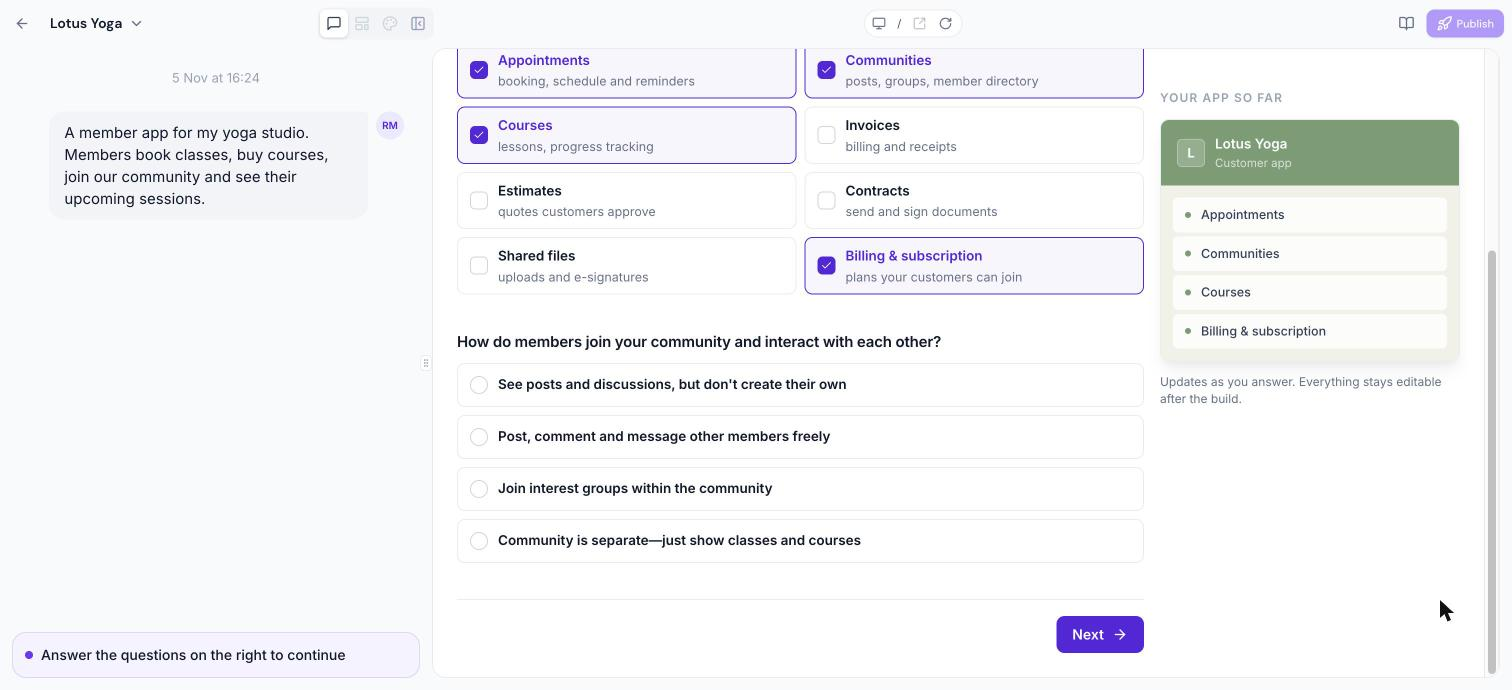
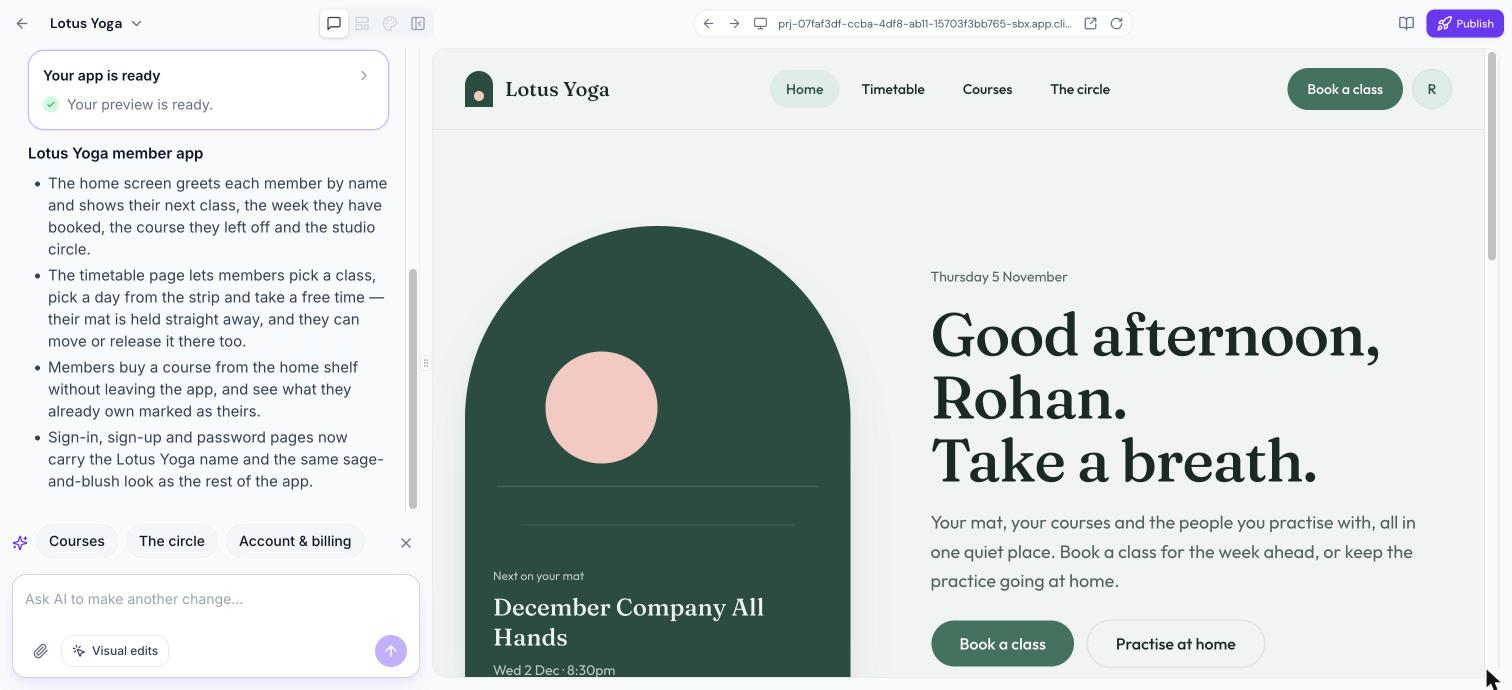
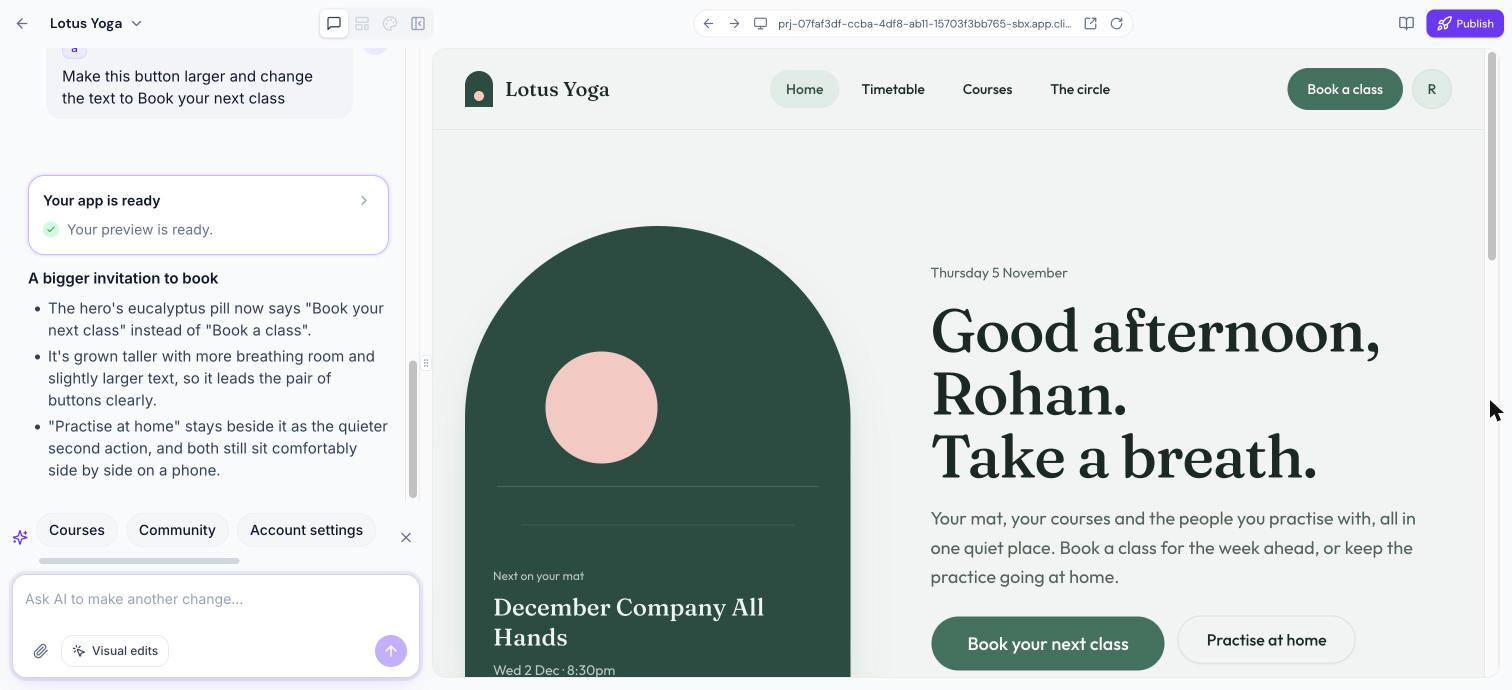
The feature lives under the Client App Builder workspace. After opening the builder you choose Web or Mobile, pick a starting point called “Describe it instead,” and let the AI ask follow up questions to refine modules and member flows. A live preview shows each build step, and a chat interface lets you request changes, add pages, or rename sections. Visual edits can be used to point to specific page elements for precise adjustments.
03How businesses use vibe coding
- Online fitness studio. The studio describes its class schedule, booking module and member community in the prompt. The AI builds pages that let members view, buy and stream workouts, and join discussion groups without leaving the app.
- Professional coaching practice. The coach inputs that the app should include courses, a booking calendar and a private community. Vibe coding creates a navigation that opens lesson players and appointment settings inside the same branded experience.
- Educational nonprofit. The organization specifies courses, shared files and a community hub. The AI constructs pages that display course progress, allow file downloads and enable members to interact, all within the custom app.
04How to set up and use vibe coding in HighLevel
Start a Vibe coded app
- Open the Client App Builder and enter a description of your business in the prompt box.
- Select whether the app will be Web or Mobile.
- In the Starting point section, choose Describe it instead and press Continue.
Choose your look
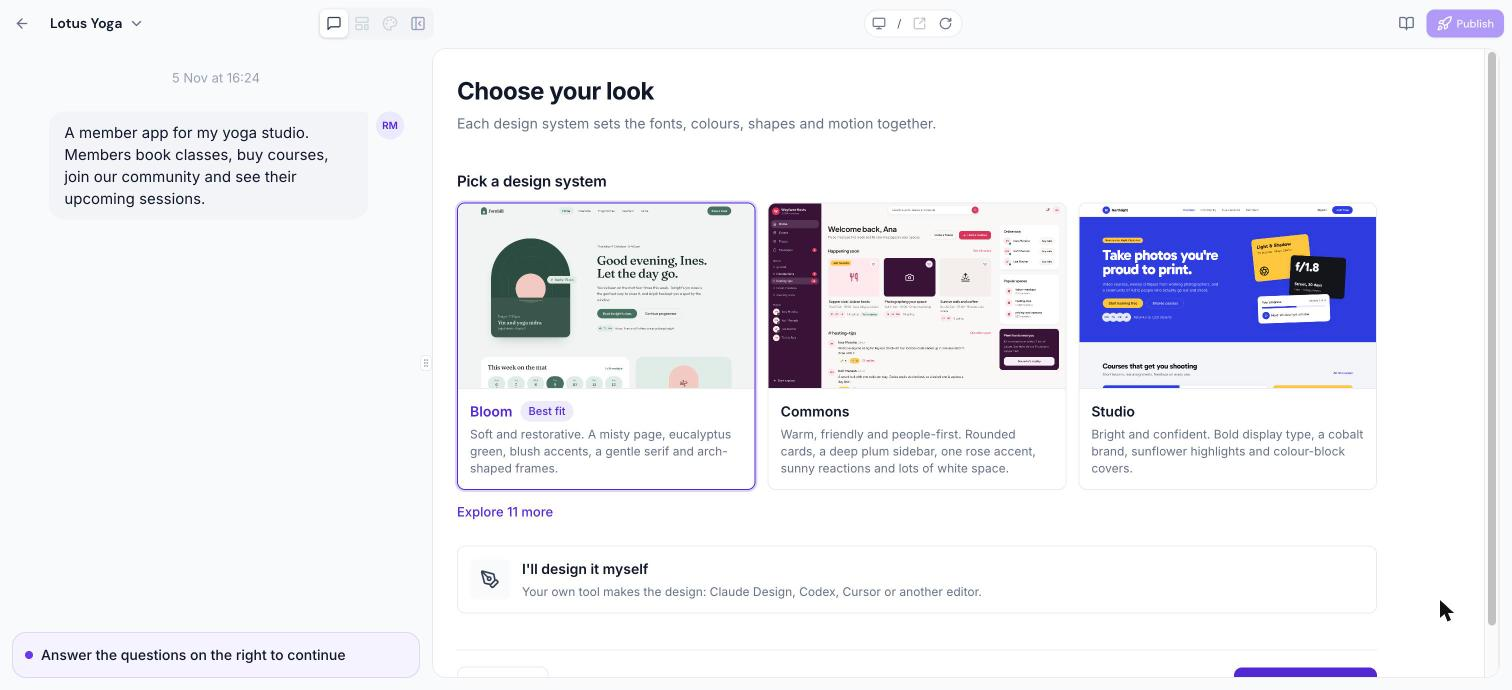
- Open the design system list and pick the one that matches your brand, or click Explore … more to browse alternatives.
- Identify the system marked Best fit for your business and confirm the selection.
- If you already have a design created elsewhere, choose I’ll design it myself.
Build and follow progress
- Click Build my app to begin the generation process.
- Watch the preview area as each build step appears.
- When the build finishes, read the summary that appears in the chat.
Keep building through conversation
- Enter a change request in the chat box, such as adding a new page or renaming a section.
- Observe the updated preview after the AI responds.
- If a page is listed but not yet built, click its Build button (or a grouped Build both button) to generate it.
- Use Visual edits to point to a specific part of a page when needed.
05What it looks like in HighLevel
06Settings that matter
- Starting point. Determines the initial method for app creation; selecting Describe it instead enables Vibe coding based on your description.
07If something goes wrong
- A check fails during a build step. Read the AI’s explanation of the error and reply with the suggested correction.
08How it connects to the rest of HighLevel
- See all features available in the Client App Builder, including Vibe coding All features
Michael's take

Vibe coding feels like a small convenience that can become a real shift for businesses that want a full featured app. It lets you get a polished, data driven experience, then keep tweaking it in plain language.
A boutique fitness studio that sells online classes, runs a member community and schedules private sessions fits this nicely. I’d describe the core flows. Course browsing, community chat, booking. And let the AI lay out the pages. After the build I’d walk through the preview, ask for a few visual tweaks, and then publish the site knowing the member data stays inside the app.