
01Client App Builder, explained
Client App Builder is an AI powered tool that builds custom web portals and Android mobile apps. You describe the experience you want, answer a few setup questions and the AI generates pages, navigation and design that match your brand.
The builder uses the same Client Portal infrastructure you already have in HighLevel, so members can log in, purchase courses, join communities and book appointments. After a preview you can publish the web app or generate an installable APK for Android.
02How businesses use client app builder
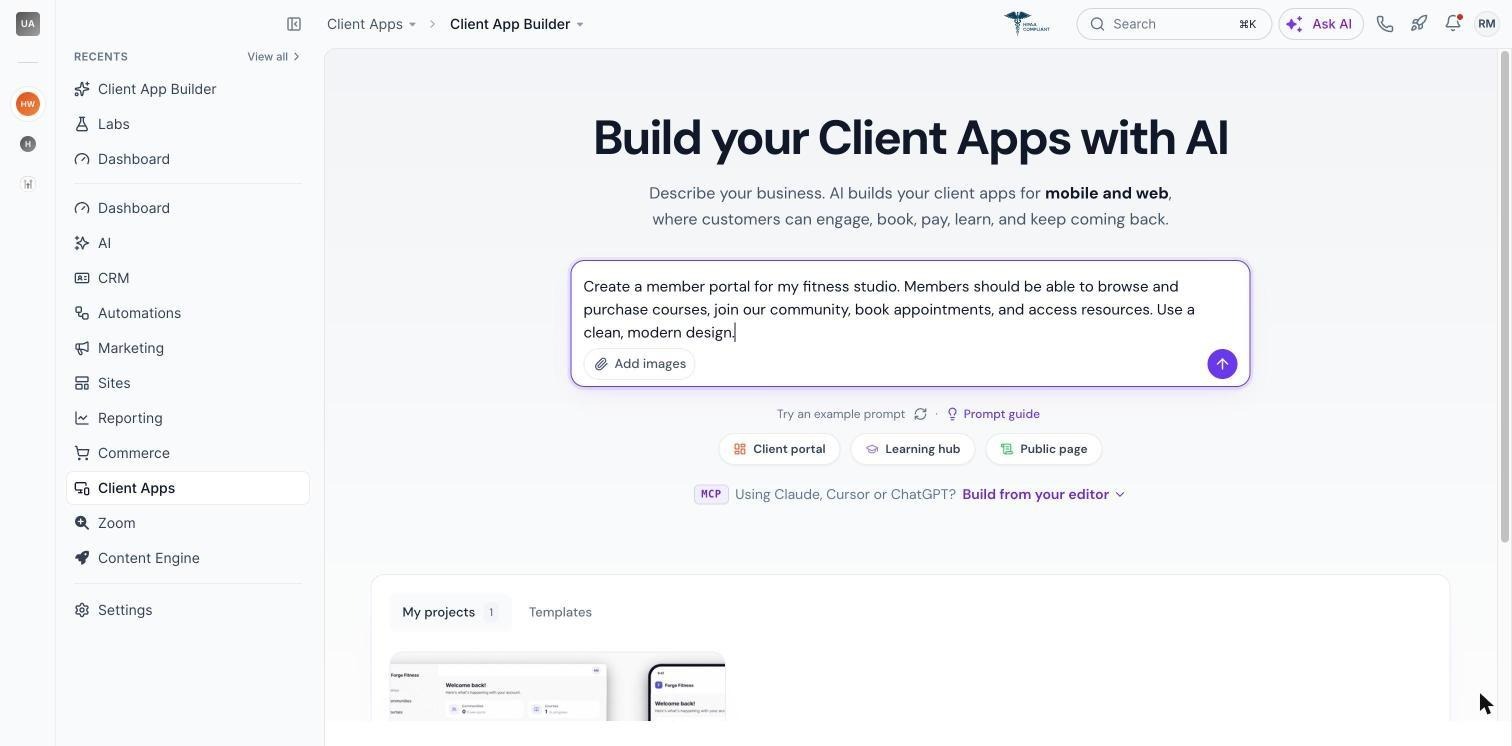
- Member portal for a fitness studio. Describe the studio’s courses, community, appointment booking and brand colors. AI creates a web portal where members can purchase classes, view lessons and interact with the community. You fine tune the design via chat or visual edits before publishing.
- Coaching platform with a personalized dashboard. Enter a prompt for a coaching portal that shows upcoming sessions, program listings and a welcome dashboard. The AI builds the screens, then you add custom navigation items or change the color scheme through natural language prompts.
- Branded Android app for a membership site. Select Mobile when you start a new app, provide the app name, branding assets and navigation preferences. After the AI builds the screens you preview the phone view, then generate a signed APK to distribute to members.
- Custom form using Custom Objects. Ask the builder to let members submit coaching applications. AI proposes a Custom Object with fields and visibility rules, you approve the plan and the object is added to the app, storing data in your HighLevel CRM.
03The numbers and rules that matter
- Up to 5 apps can be created per subaccount.
- Up to 10 custom domains can be connected to a web app.
- Custom Objects support up to three objects per change, subject to a CRM limit of ten per subaccount.
- A typical Android APK build takes approximately 15, 25 minutes.
- App icon: PNG, 1024 × 1024 px, up to 5 MB.
- Splash screen: PNG, 1080 × 1920 px, up to 5 MB.
- App name: 1, 30 characters.
- Firebase configuration: Optional Google services.json, up to 5 MB.
- Only one signed APK can be generated per app at this time.
04Before you start
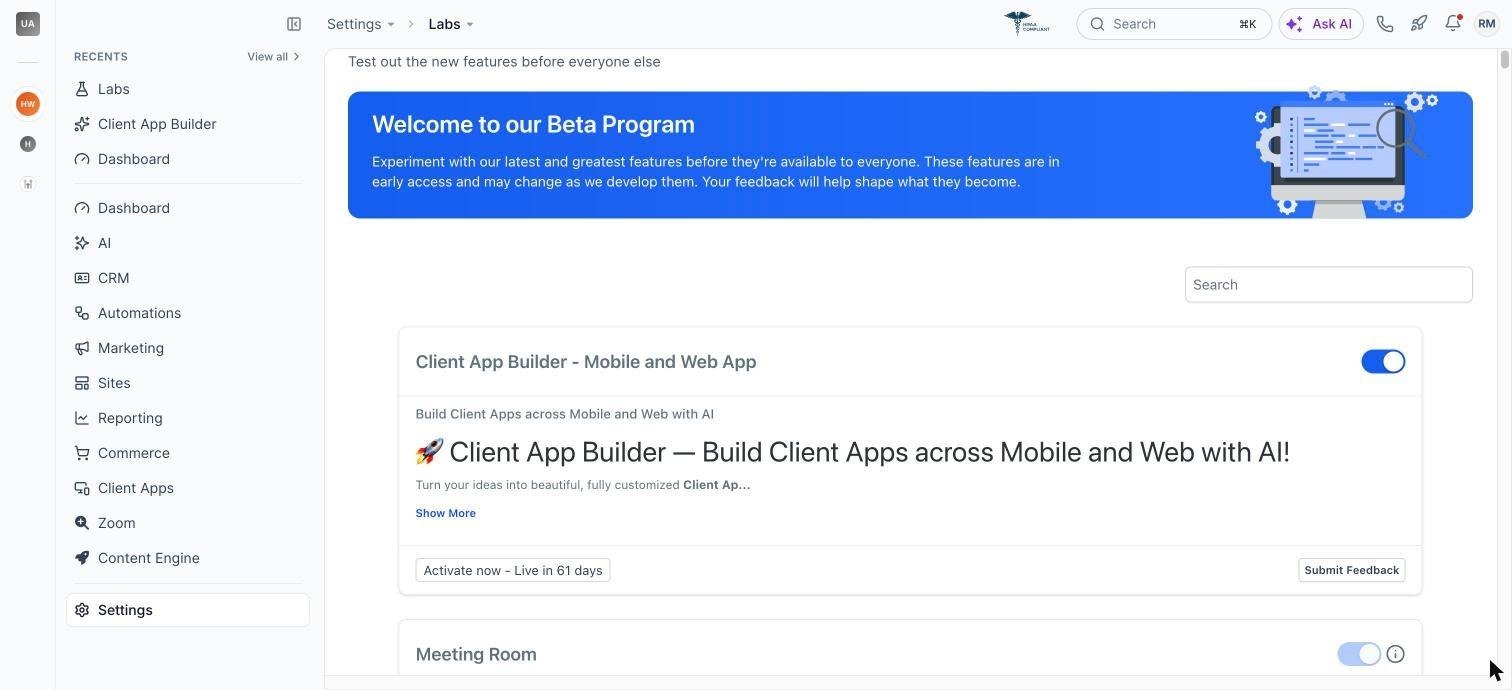
- Enable Client App Builder in Labs for the subaccount.
05How to set up and use client app builder in HighLevel
Enable client app builder
- Open your HighLevel account.
- Navigate to Labs.
- Find Client App Builder.
- Enable the feature for your subaccount.
Create your first app
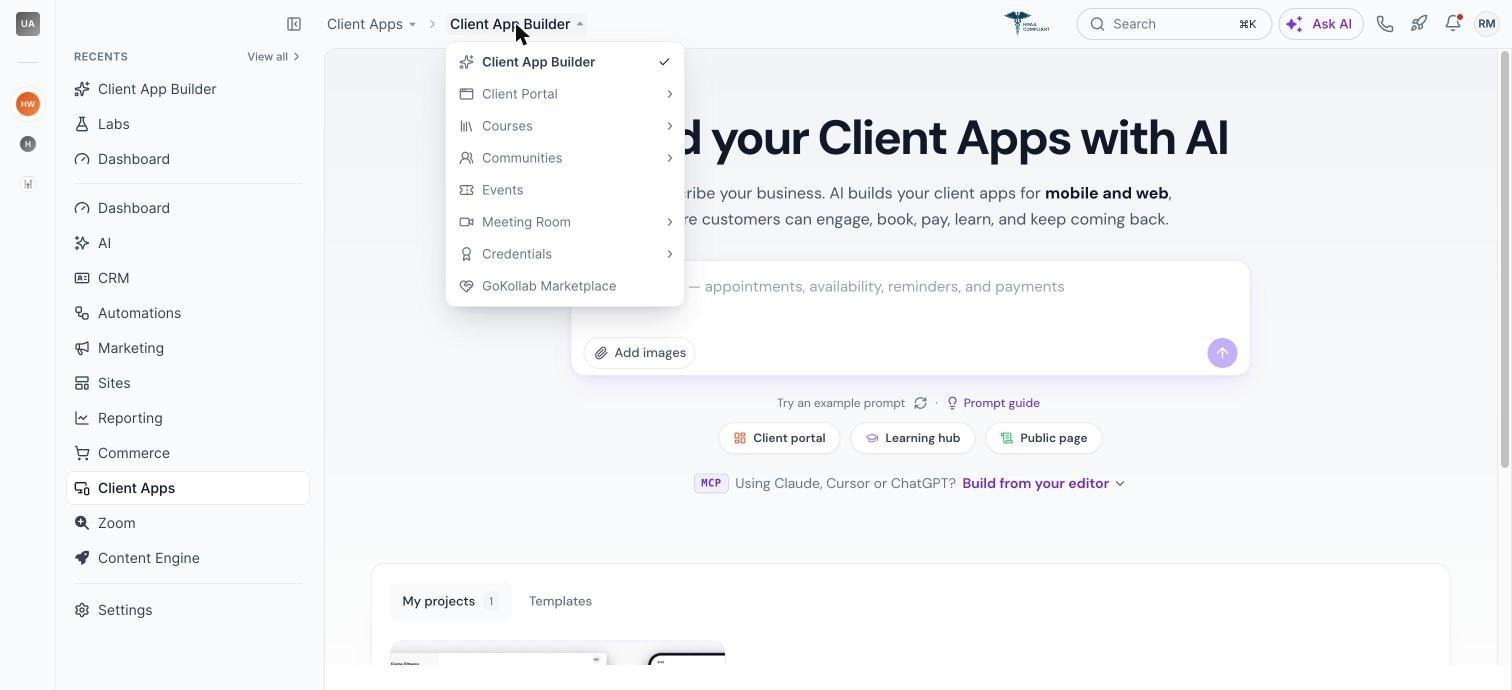
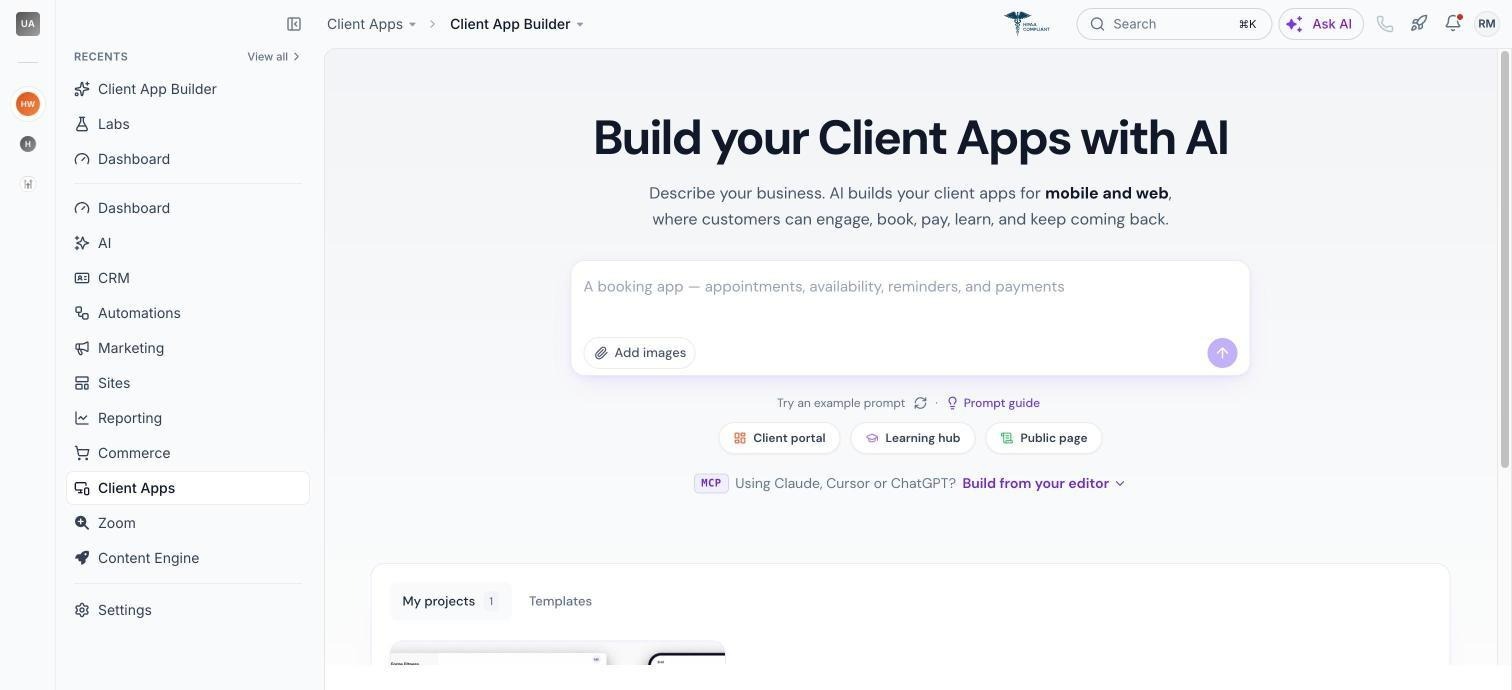
- Open Memberships > Client App Builder (or Client Apps > Client App Builder).
- Enter a description of the app you want.
- Choose Web or Mobile.
- Answer the setup questions.
- Select a design system, colors and fonts.
- Review the AI generated plan and approve & build.
Publish a web app
- When preview is ready, open the publishing controls.
- Choose an address on app.clientclub.net.
- Review warnings about missing pages.
- Publish the app.
- Optionally connect a custom domain (up to 10 per app).
Generate an Android APK
- Open the mobile app’s publishing controls.
- Provide the app name, icon, splash screen and any Firebase config.
- Start the Android APK build.
- Monitor the build status.
- Download the signed APK when it is ready.
Manage apps
- From the home screen, open All projects.
- Search, star, rename or delete apps.
- Admins can view, edit and delete any app; standard users can manage only their own apps.
06What it looks like in HighLevel
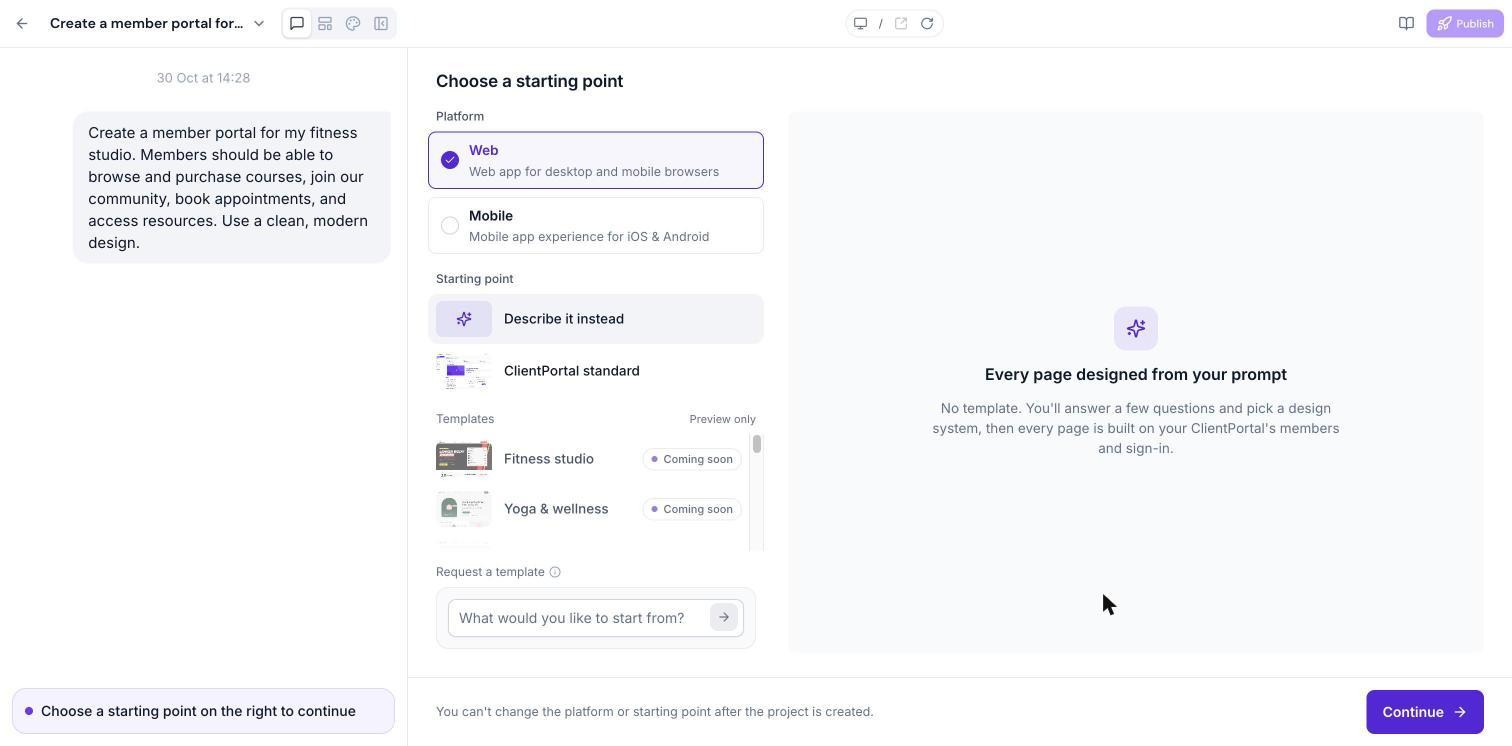
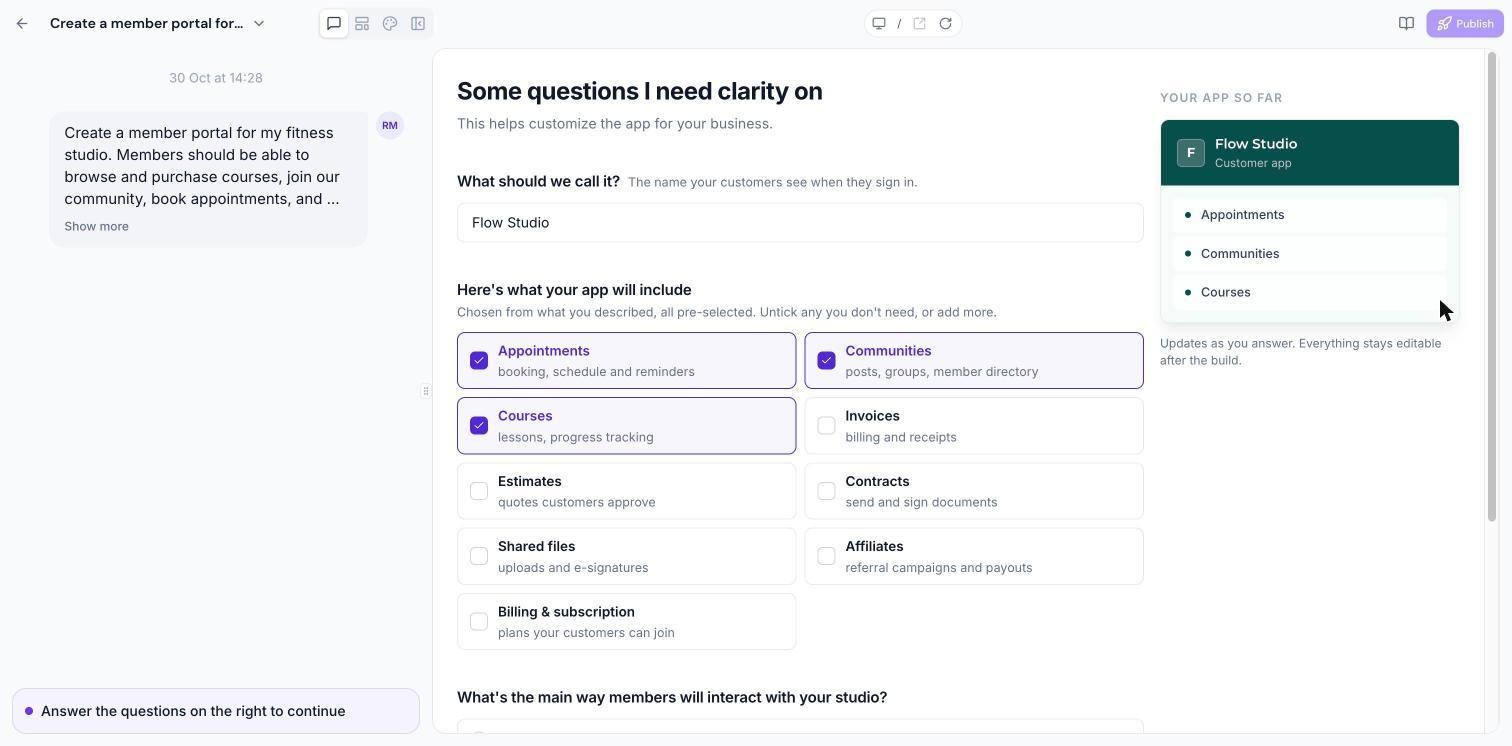
07Settings that matter
- Design system. Choose suggested colors, fonts and brand boards that guide the visual direction of the generated app.
- Light or dark mode (mobile). Set whether the mobile app initially opens in Light or Dark mode.
- Navigation items. Configure the order, icons and labels of navigation links for both web and mobile experiences.
- Custom domain connection. Attach up to ten custom domains to a published web app, following a guided DNS configuration process.
08Things to know before you rely on it
- An app’s type (Web or Mobile) cannot be changed after creation; create a separate app for the other platform.
- IOS app generation is not currently available.
- Google Play or Apple App Store publishing is not yet available.
- Web app duplication and version restore are not currently supported.
- Custom server side code, databases and third party npm packages are not supported.
- Custom payment checkout is not supported; payments use HighLevel invoices.
- A preview may pause after extended inactivity; restarting does not affect the published app.
- Deleting an app is permanent and cannot be restored through the interface.
09If something goes wrong
- Preview takes time to load or pauses. Return to the builder to resume the preview; this does not affect the published app.
- AI build stops or fails. Review the build status or error details, then send another prompt to continue or fix the issue.
- Cannot restore a deleted app. Deleted apps cannot be restored; ensure you no longer need the app before confirming deletion.
Michael's take

When you need a fast way to give members a branded portal or a simple Android app, the AI does most of the heavy lifting. A single description triggers the builder to create a functional experience that you can refine and publish.
If you’re looking for a deeply custom backend, complex server side logic or a native iOS app, the builder won’t cover those needs. It also can’t replace a dedicated mobile app team when you require App Store distribution or advanced native capabilities, so a traditional development approach would still be required in those cases.