
01Who this is for
- Coaches who need clients to schedule sessions and view receipts.
- Online educators who want learners to browse and track courses.
- Service firms that require clients to review contracts and submit files.
02Client Portal modules, explained
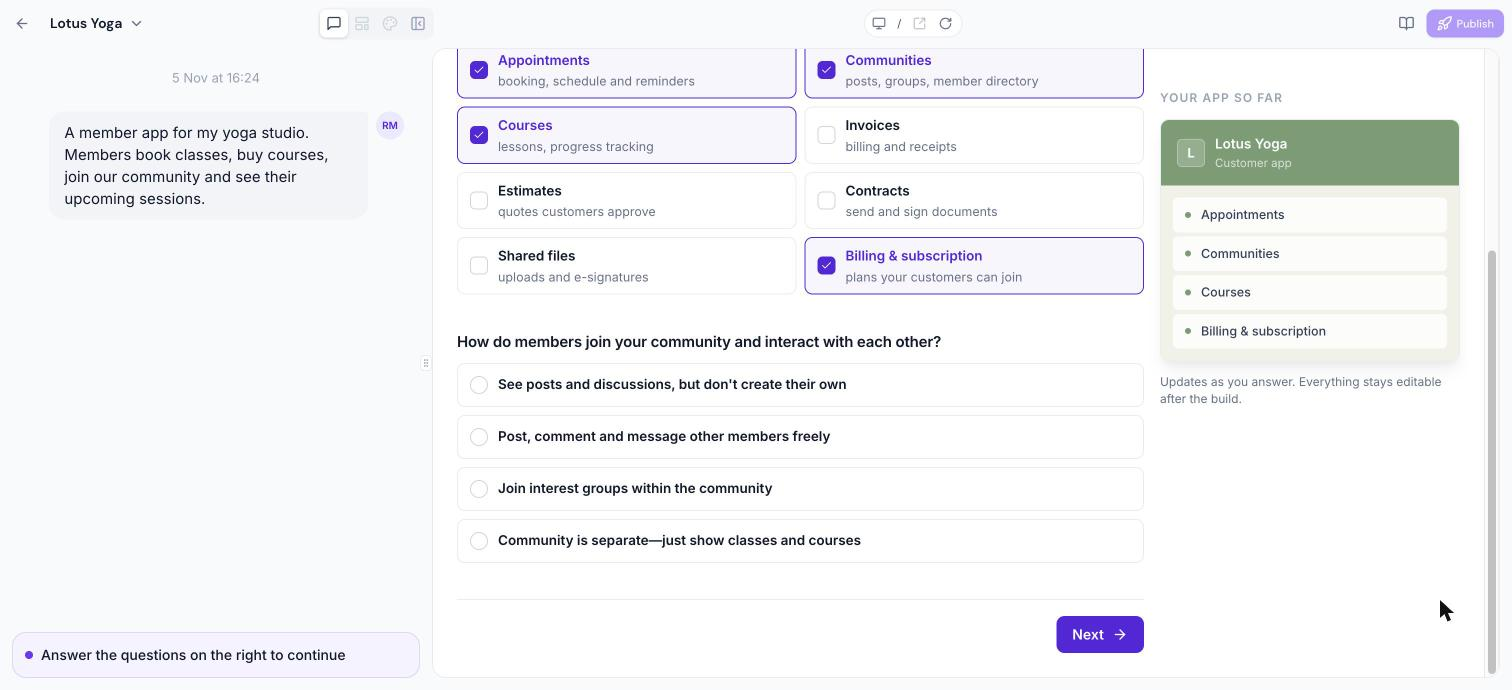
Client Portal modules are ready made components that integrate with the data already stored in your HighLevel account. When you add a module, clients can see their real courses, appointments, invoices, files and other information immediately.
These modules are available during the initial app creation in Client App Builder and can also be added or hidden later via chat commands or the Layout panel. They appear in the web app sidebar or the mobile app bottom tab bar, organized under groups such as Memberships, Finances, and Business & Operations.
03How businesses use Client Portal modules
- Fitness studio. Add the Appointments module so members can book classes and receive reminders. Include the Invoices module for members to view receipts. Arrange both modules in the sidebar for quick access.
- Legal practice. Enable the Contracts module to let clients read and sign agreements. Add the Shared files module for uploading signed documents. Position the modules in the web navigation for easy client use.
- Affiliate marketing platform. Select the Affiliates module so users can join referral campaigns and track payouts. Include the Billing & subscription module for managing plans. Place them in the mobile tab bar for on the go access.
04How to set up and use Client Portal modules in HighLevel
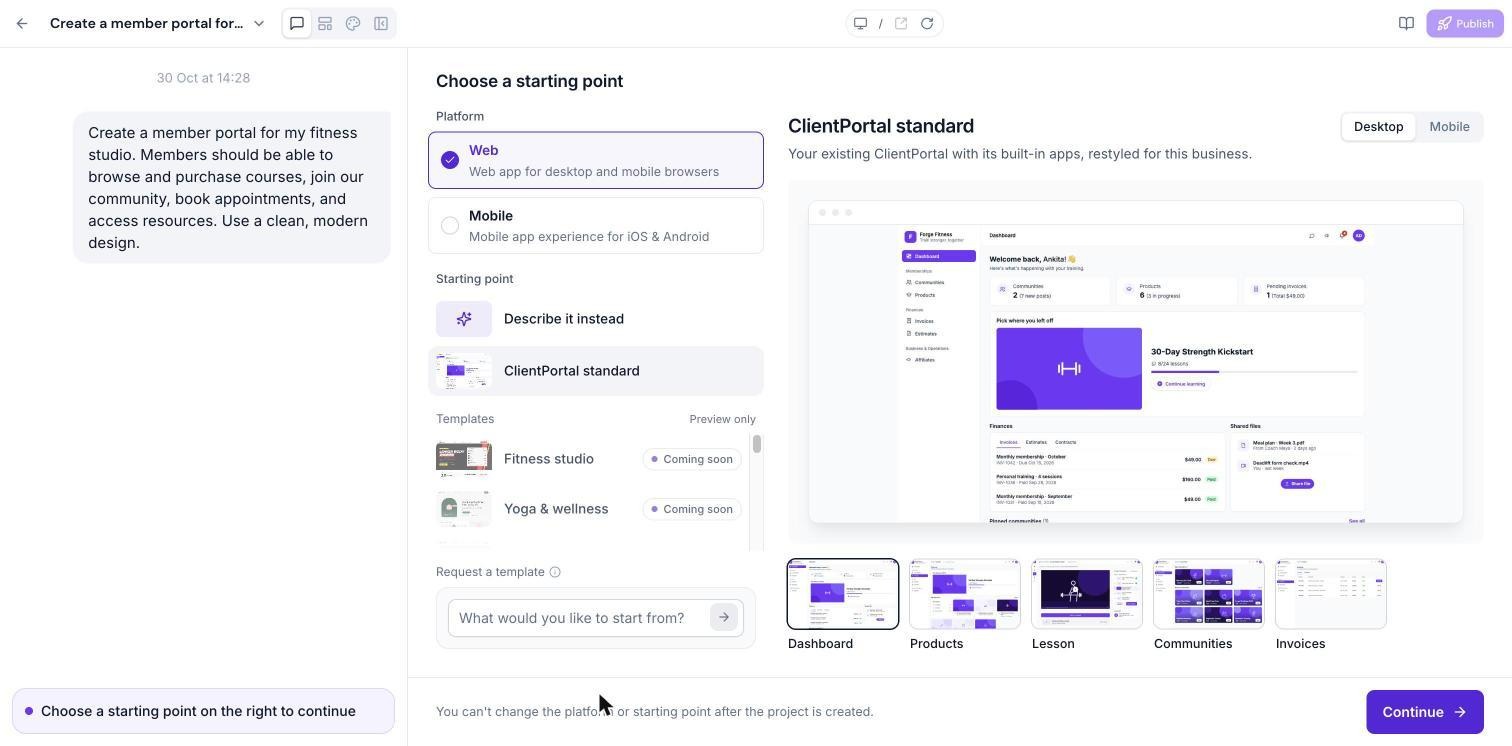
Start from the ClientPortal standard
- Open Client App Builder and describe your business.
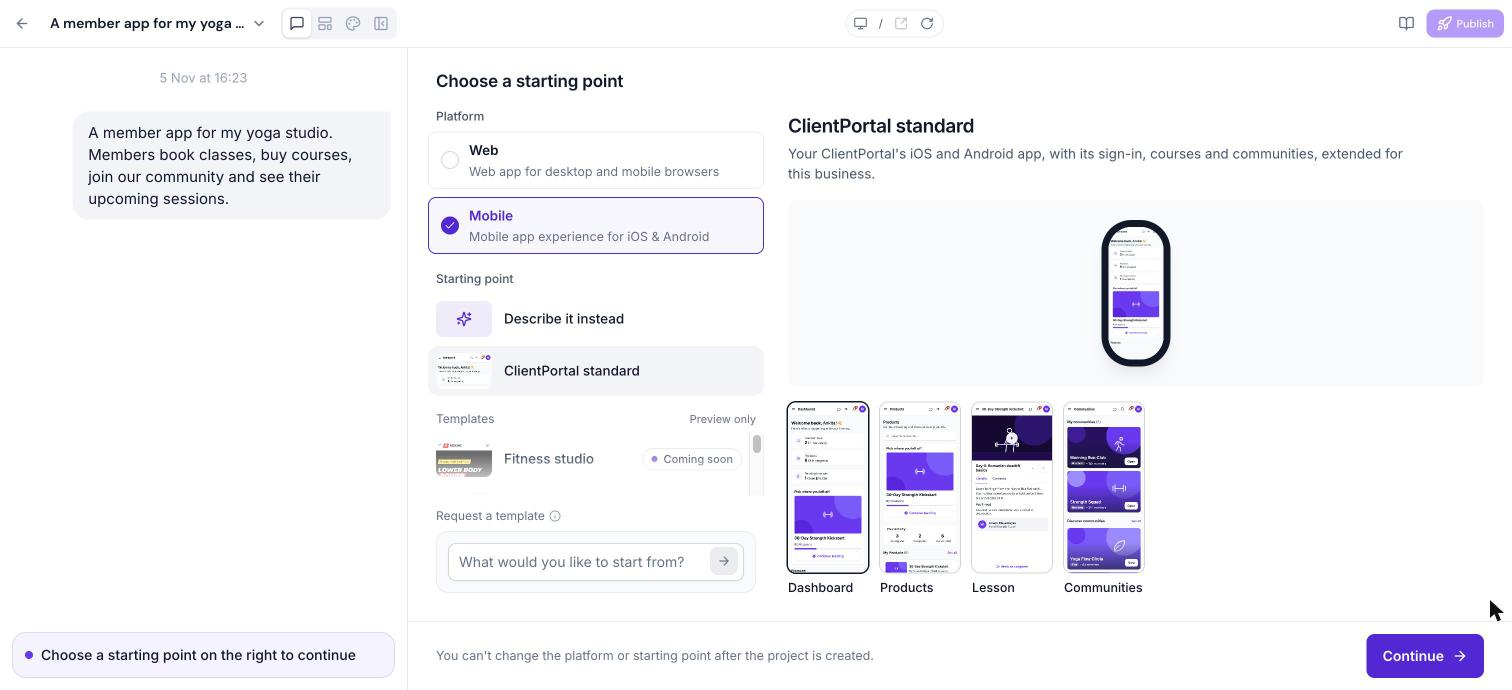
- Choose Web or Mobile.
- Under Starting point, select ClientPortal standard and click Continue.
Organise modules in navigation
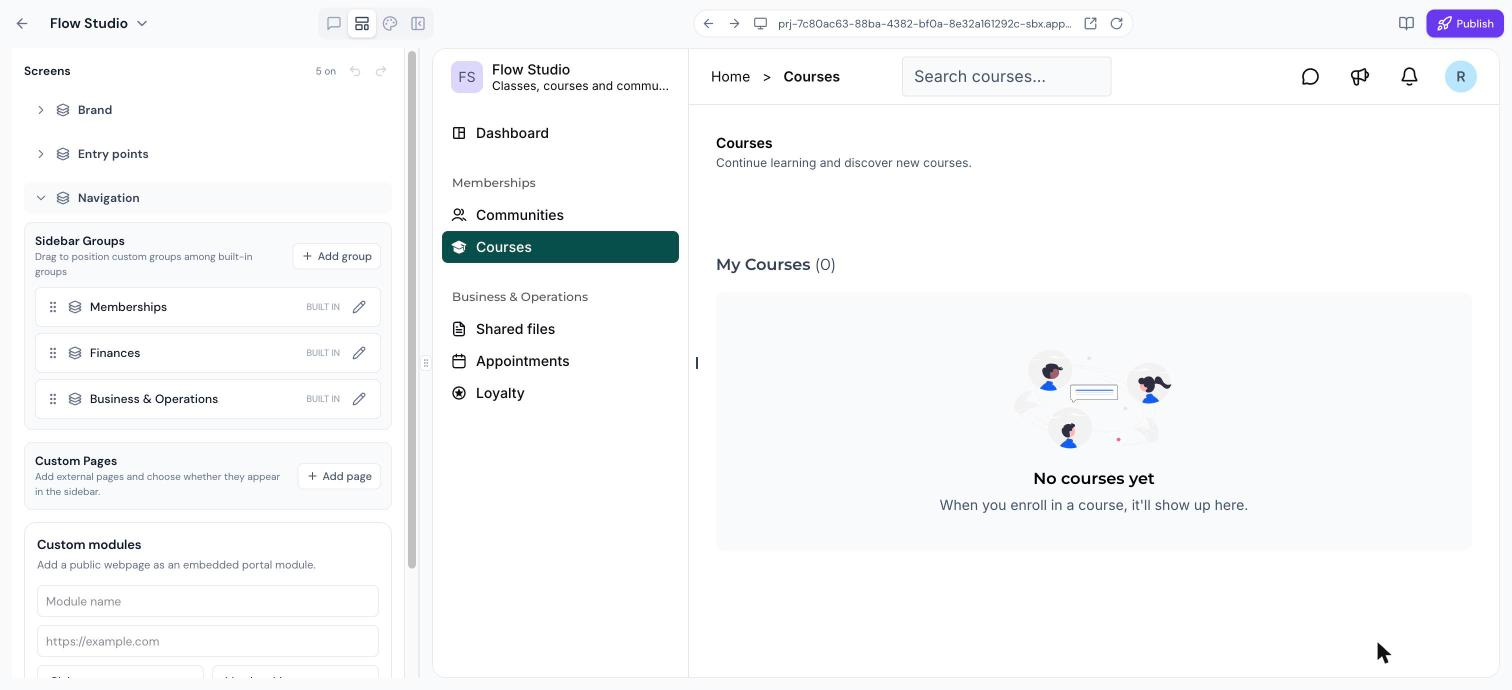
- In a web app, open the Layout panel.
- Find the module groups in the sidebar under Memberships, Finances and Business & Operations.
- Rename, reorder, or hide any module as needed.
- For mobile apps, adjust the bottom tab bar to set module placement.
05What it looks like in HighLevel
06Settings that matter
- Starting point. Determines the base template used when creating a new app, such as the ClientPortal standard with pre configured modules.
07Things to know before you rely on it
- Additional ready made templates beyond the listed modules are not yet available; more will be released in the future.
- Modules only display content that already exists in your HighLevel account.
08How it connects to the rest of HighLevel
- Explore how to build custom web and mobile apps with Client App Builder Getting started
- Learn to edit the layout and navigation of your app Layout editor
- View pricing and plan options for HighLevel Pricing
Michael's take

When a business already has appointments, courses or a subscription model in HighLevel, the Client Portal modules let clients manage that data from the portal.
If the business has no existing client facing content or the app is just a simple landing page, adding a full suite of modules can add unnecessary complexity. In those cases the feature may not justify the effort of setting up and maintaining the portal.