
01Who this is for
- Businesses can automatically send a unique booking link to each contact, avoiding double bookings.
- Service providers can embed a one time link in their lead nurture workflow to schedule appointments.
02One time links, explained
The Generate One Time Booking Link action creates a single use scheduling URL that becomes invalid after a contact books an appointment. It is part of the workflow actions library and works with any calendar you have set up in HighLevel.
When the action runs, the platform selects the calendar you specify, builds a unique link, and stores it as a custom value. You can then place that custom value in an email or other communication step so the link is delivered automatically whenever the workflow is triggered.
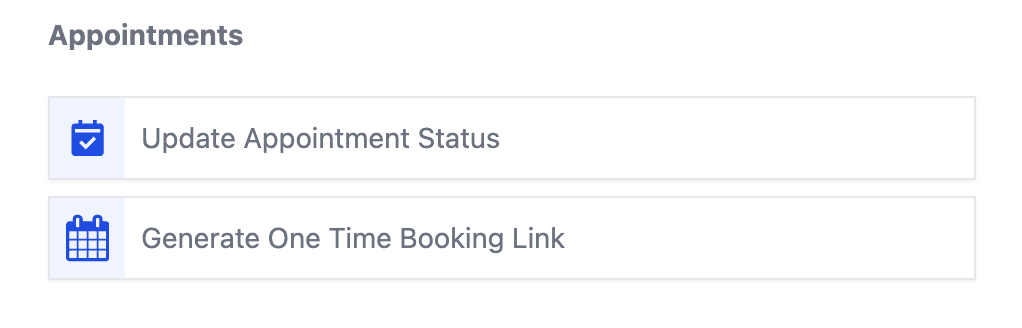
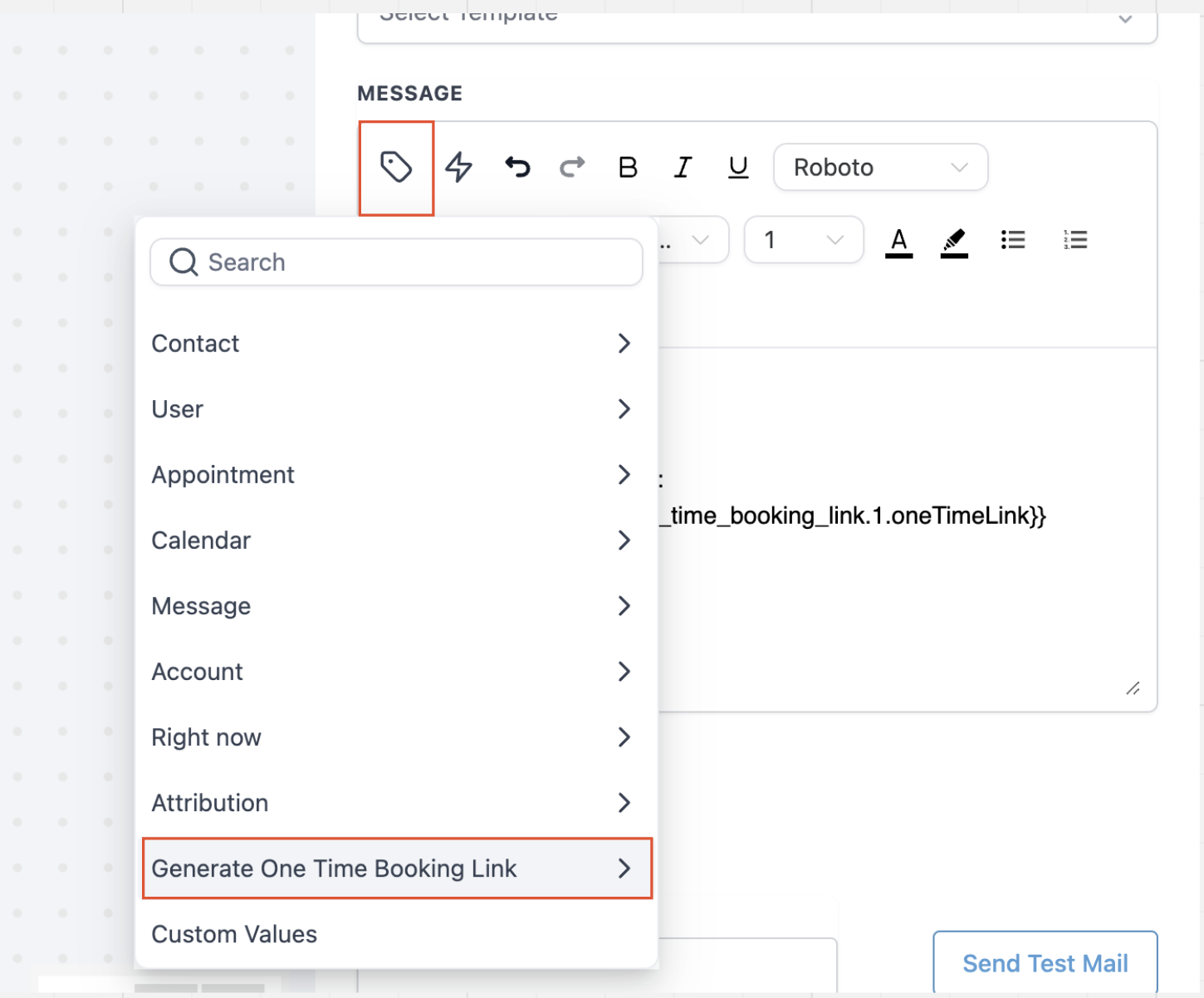
You find this action inside a workflow under the Appointments category. After adding it, you choose the target calendar, add an email step, insert the One Time Link custom value into the message, and publish the workflow.
03How businesses use the one time booking link
- Personal trainer. The trainer builds a workflow that triggers after a new client signs up. The workflow generates a one time link for the trainer’s calendar and inserts it into an onboarding email, giving the client a fresh booking slot.
- Dental practice. When a patient fills out a consultation form, a workflow runs that creates a unique link to the practice’s new patient calendar. The link is placed in a reminder email, ensuring each patient receives an individual booking URL.
- SaaS onboarding team. The onboarding team sets a trigger for a trial end event. The workflow generates a one time link to a demo calendar and sends it via email, so each prospect gets a dedicated slot without reusing links.
04How to set up and use the one time booking link in HighLevel
Generate a one time booking link inside a workflow
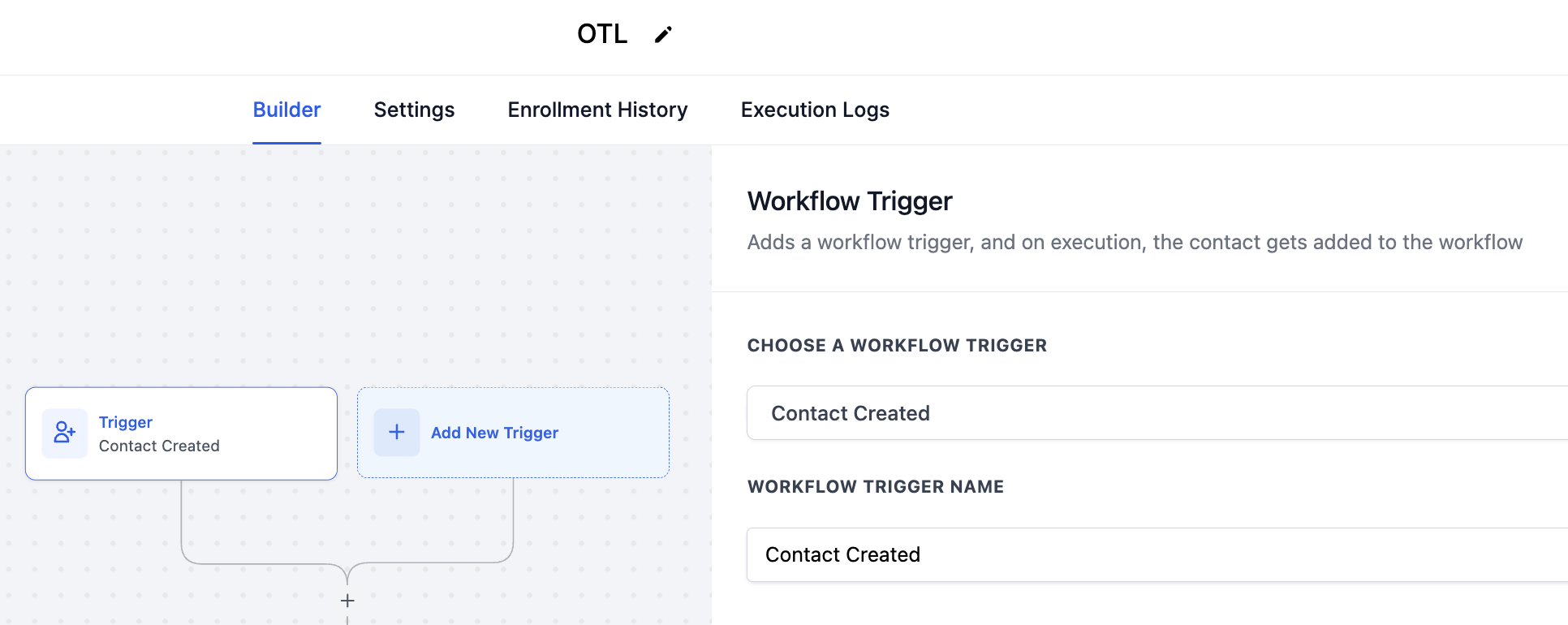
- Create a new workflow and define the trigger that will start it.
- Add an action, go to the Appointments category, and select Generate One Time Booking Link.
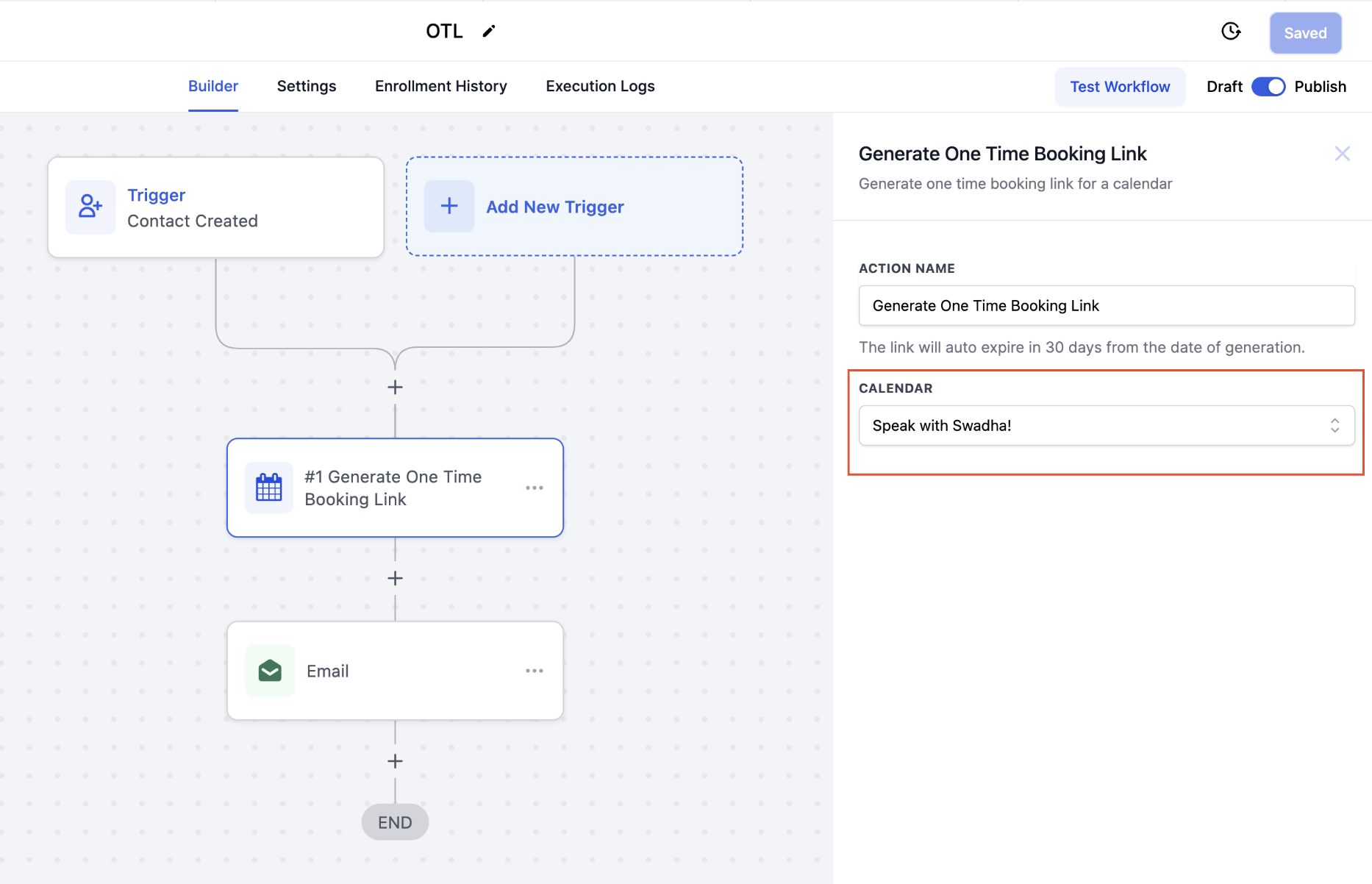
- Pick the calendar that should be used for the one time link.
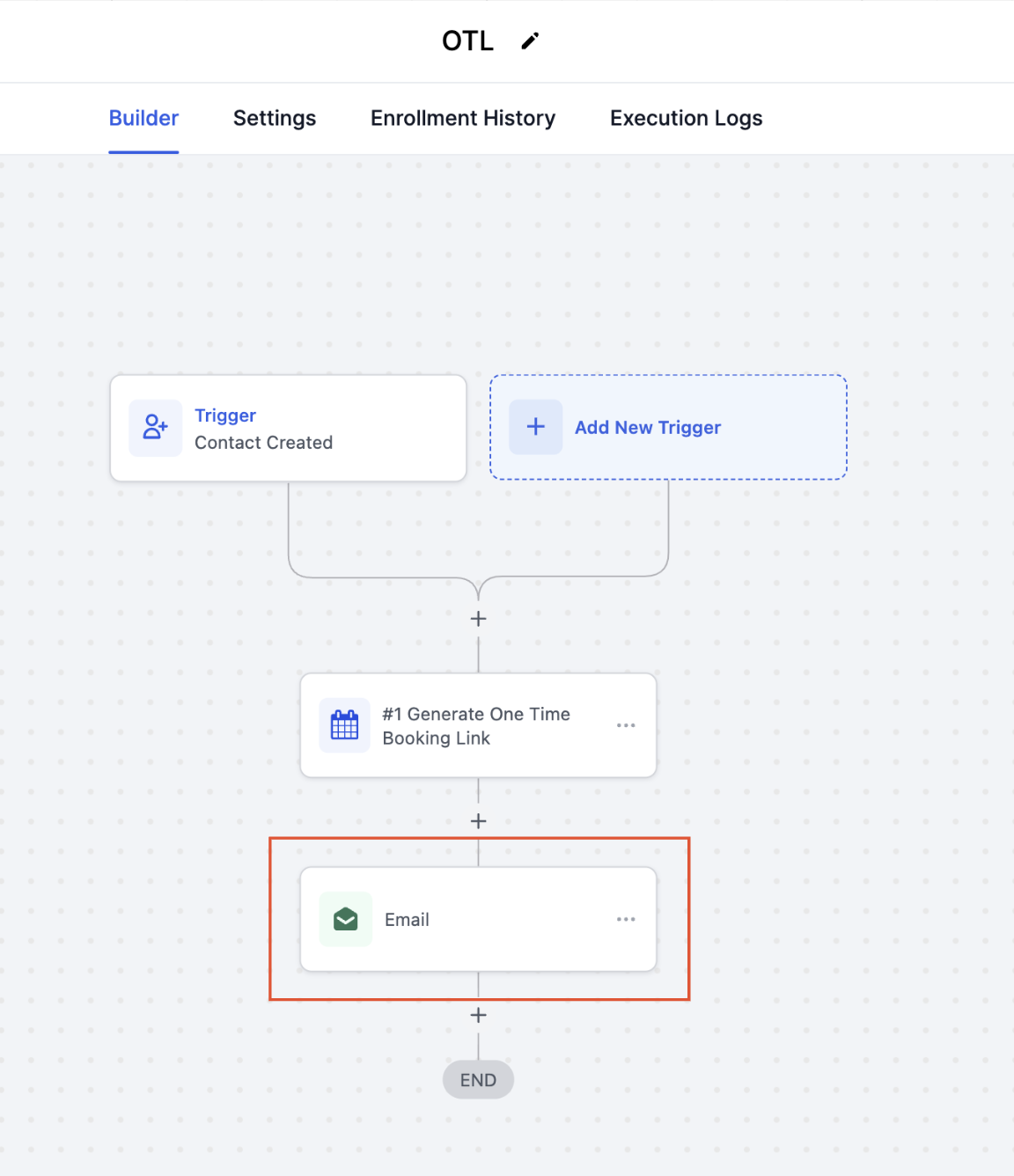
- Add an email action to the workflow to send the link to the contact.
- Insert the custom value named One Time Link from the Generate One Time Booking Link action into the email body.
- Edit the email content as needed and save the step.
- Publish the workflow so it runs automatically when the trigger conditions are met.
05What it looks like in HighLevel
06How it connects to the rest of HighLevel
- Customize the look of the booking widget that the one time link opens Calendar widget customization
- Set weekly and date specific hours to control when a one time link can be booked Calendar availability settings
- Show appointment times in the contact’s local timezone for clarity User timezone view
Michael's take

One time links can feel risky if you overlook the fact that each link disappears after a single booking, which could leave a contact stranded if they miss the email.
Each trigger in your workflow generates a fresh, self expiring URL.