
01Who this is for
- Service based businesses that need a unified booking and payment experience.
- Agencies managing multiple client subaccounts that want to roll out Services selectively.
02Services, explained
Services replaces the basic calendar with a multiservice booking experience. It adds features such as service variations, add ons, resource allocation and built in payment collection via Stripe, Square, Razorpay, Authorize.net and NMI. The tool lives under Calendar Settings for each subaccount.
When Services is enabled, HighLevel copies existing calendars into Service versions. You can run traditional meetings and Services side by side, or switch entirely to Services. All existing workflows that reference the original calendars continue to function.
03How businesses use services
- Fitness studio. The studio enables Services for its subaccount, creates class packages as services, adds optional personal training add ons, and allows members to pay with saved cards directly from the booking modal.
- Legal consulting firm. The firm activates Services, defines consultation slots as services, assigns each attorney a specific price, and uses the resource feature to reserve conference rooms for in person meetings.
- Home repair service. The business turns on Services, creates repair types as services, adds extra supplies as add ons, and configures technician availability so appointments are automatically assigned based on schedules.
04The numbers and rules that matter
- Services can be enabled per subaccount without affecting others.
05How to set up and use services in HighLevel
Enable Services for a single subaccount
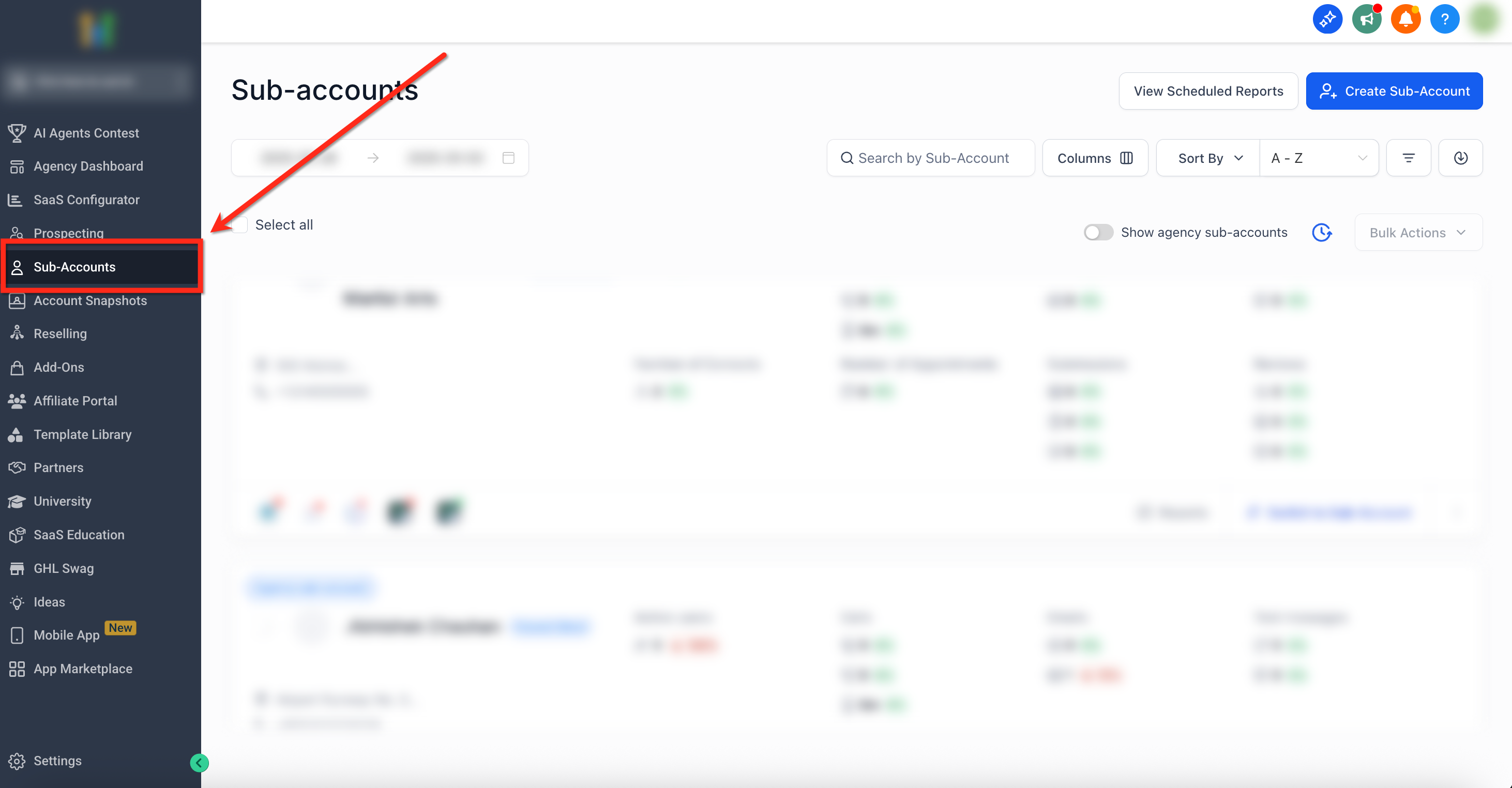
- From the agency dashboard, click the Subaccounts tab on the left navigation.
- Search for or scroll to the subaccount you want to modify.
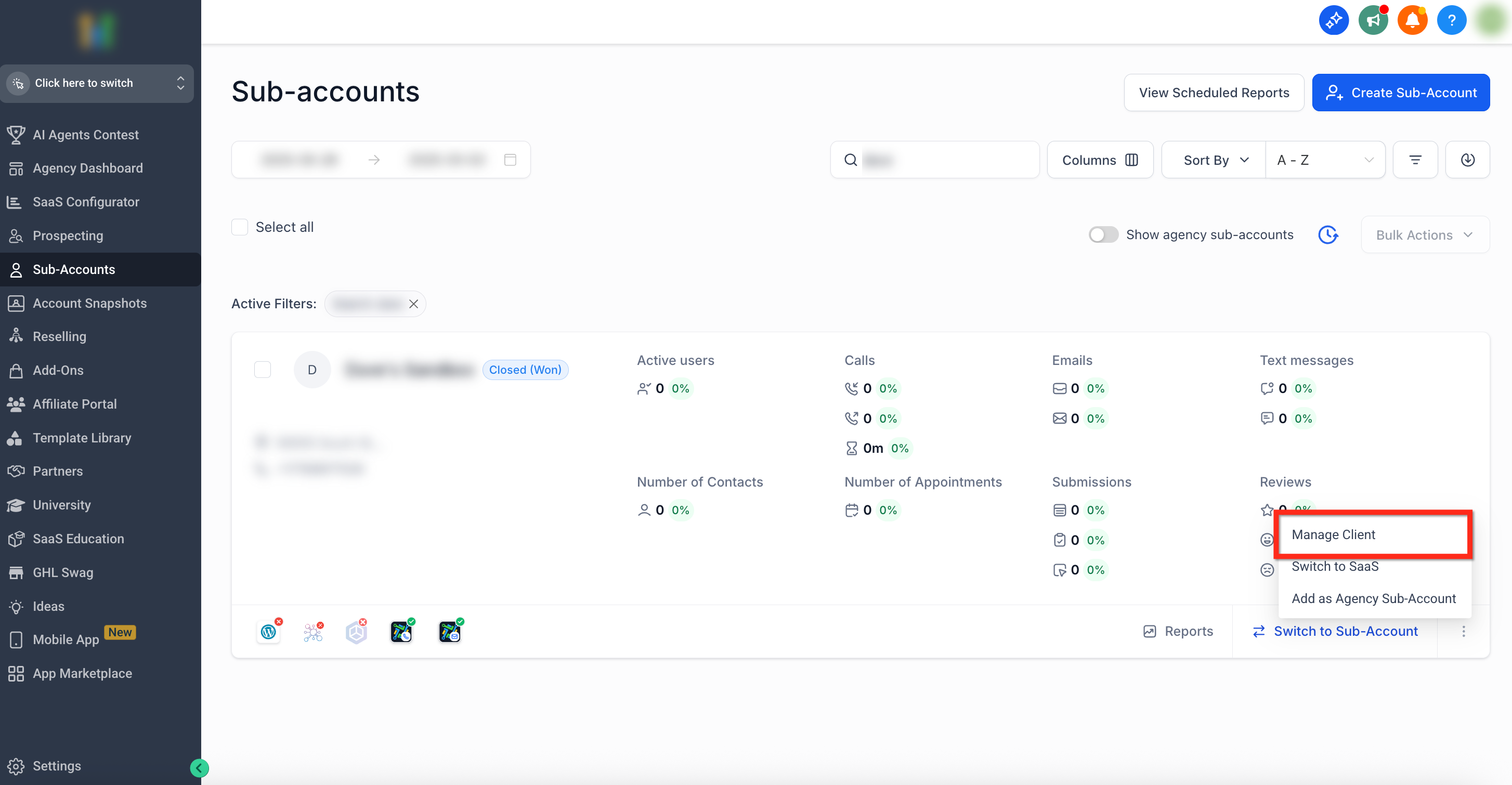
- Click the three dot (⋮) icon at the bottom right of that subaccount panel.
- Select Manage Client from the menu that appears.
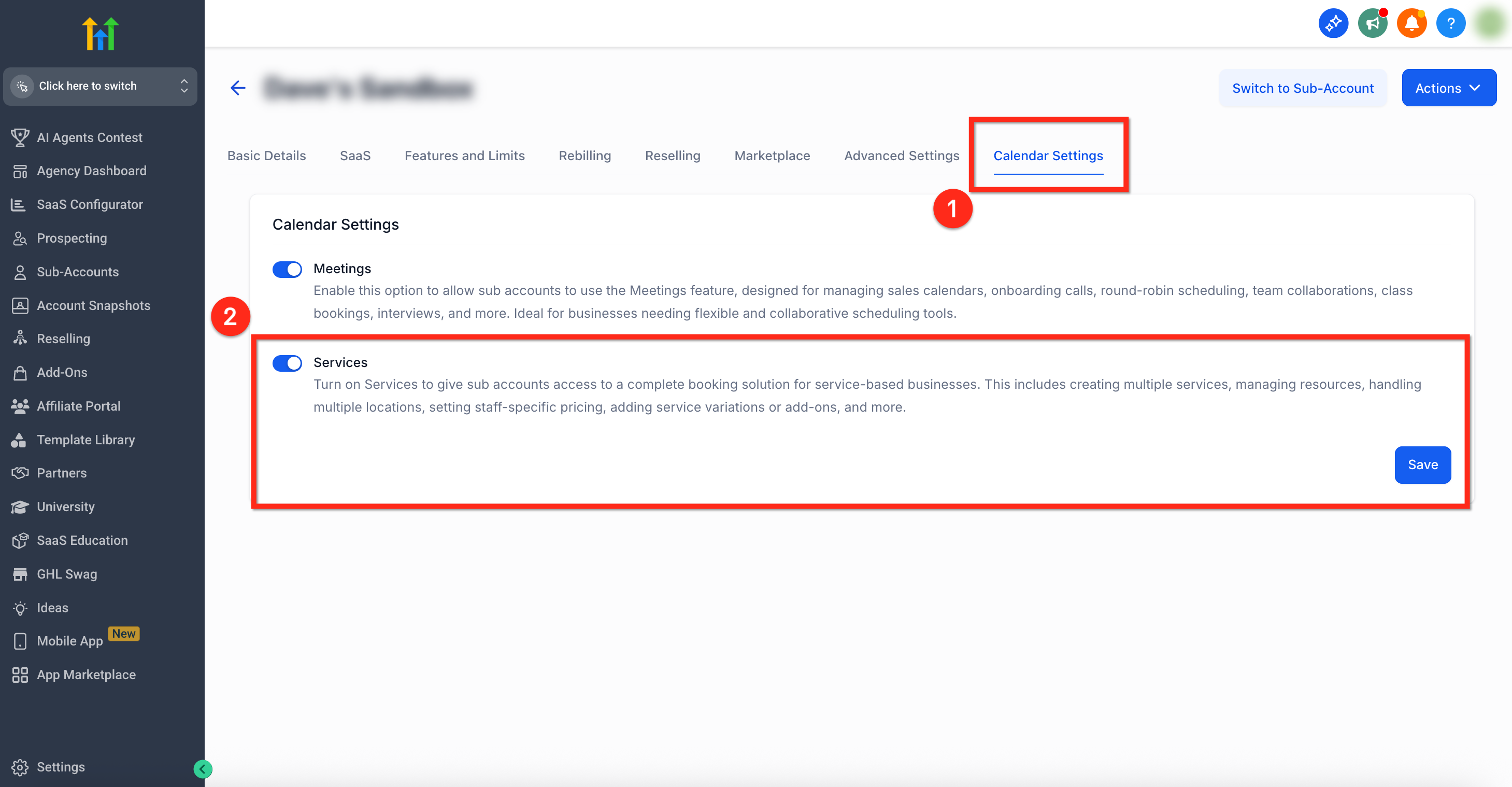
- Open Calendar Settings, toggle Services on, and press the blue Save button.
Enable Services for multiple subaccounts
- From the agency dashboard, click the Subaccounts tab on the left navigation.
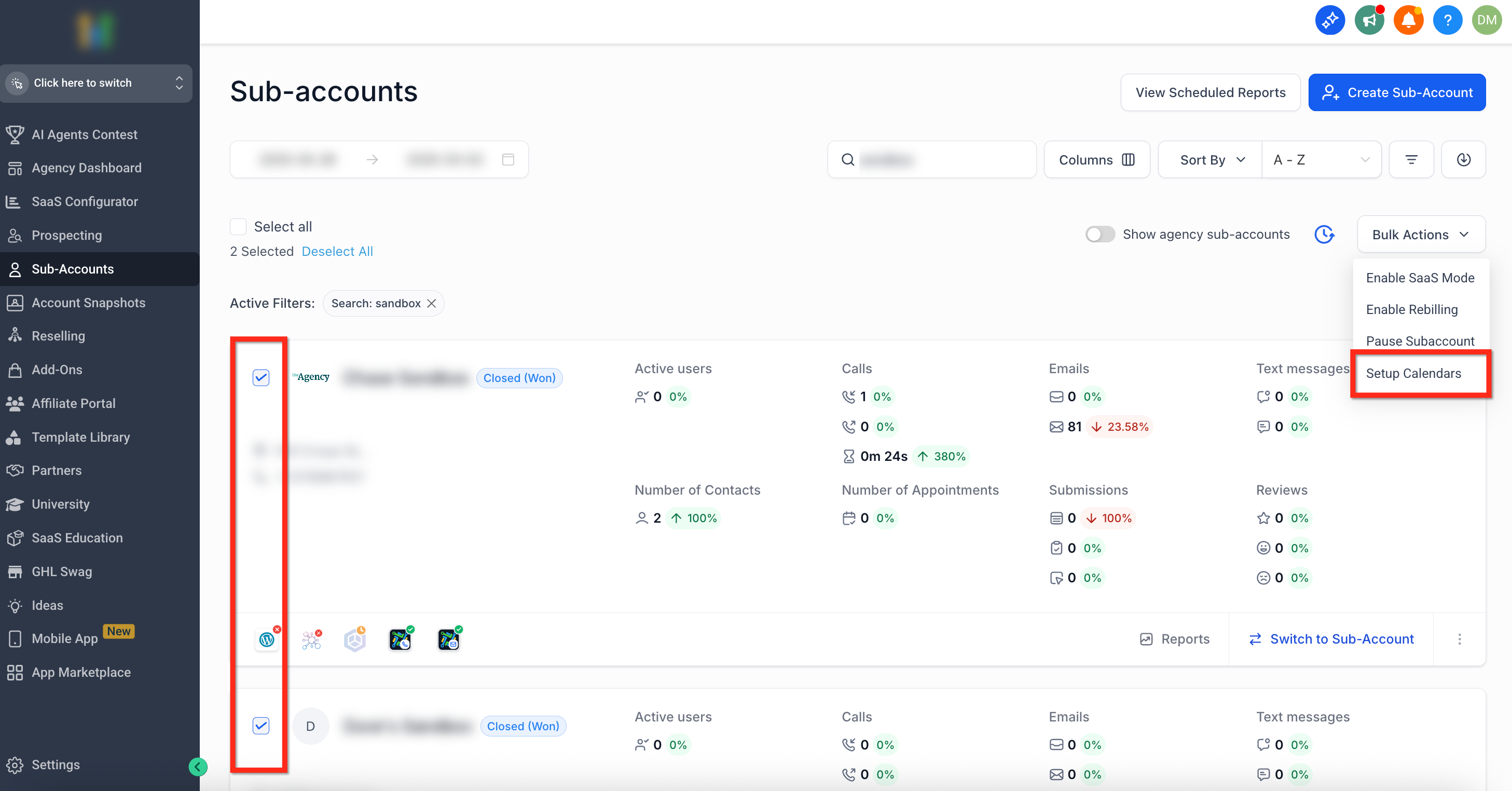
- Check the boxes next to each subaccount you wish to update.
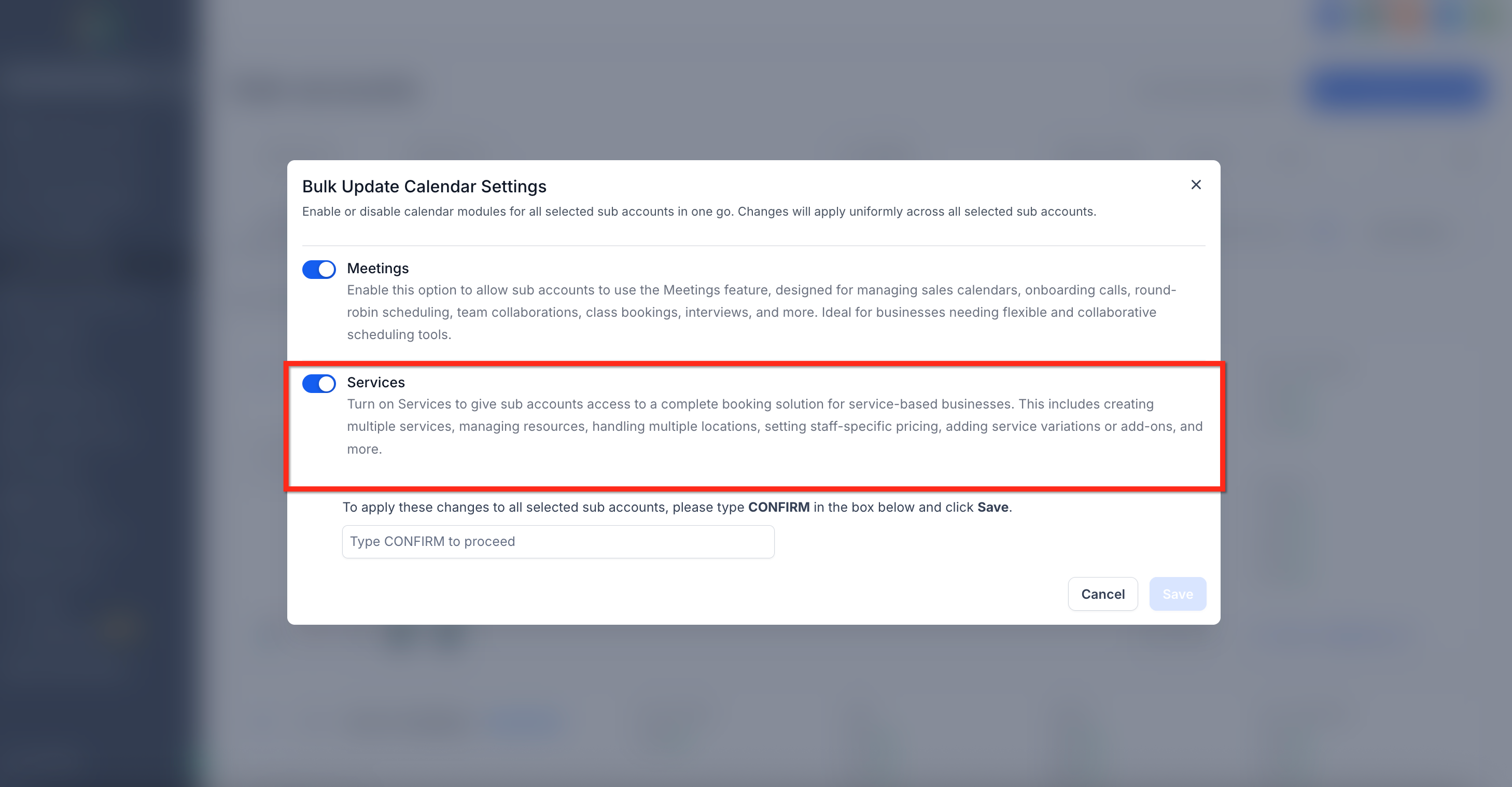
- Choose Bulk Actions in the upper right corner and pick Setup Calendars from the list.
- Toggle Services to the on position in the setup window.
- Type CONFIRM and click the blue Save button to apply the change.
06What it looks like in HighLevel
07Settings that matter
- Services toggle. Controls whether the Services booking engine is active for the selected subaccount.
- Calendar Settings. The section where the Services toggle is located and where changes are saved.
08How it connects to the rest of HighLevel
- Learn how to create and manage individual services after enabling the feature. Create services
- Set default values for all services using global settings. Global service settings
- Organize services into categories to simplify the booking page. Service categories
Michael's take

Michael ReimerFounder of CRM Pros, HighLevel Commander and Certified Admin
In my view, Services adds useful capabilities for businesses that need more than a simple calendar.
Get More InformationOpens on HighLevelPublished November 2, 2026 · Updated November 16, 2026